Wistia Pricing: Annual Rates, and Three Usage Meters
The figures on Wistia's pricing page are annual-billed rates, because the billing toggle opens on Annual. Underneath them sit three meters nobody budgets for.

Wistia pricing starts with a Free plan at $0, then Business at $79 a month billed annually or $99 month to month, and Business plus Lead gen at $329 annual or $412 monthly, with Enterprise quoted by sales. The pricing page opens on the annual rate. Additional users, storage and bandwidth above the plan's allowance are billed on top.
Key takeaways
- Wistia's pricing page opens with its billing toggle on Annual, so the $79 and $329 on screen are annual-billed rates; selecting Monthly shows $99 and $412.
- The monthly figures are absent from the served markup and appear only on click, so scraped or cached copies of the page show the annual rate alone.
- Three usage meters sit under every paid plan: additional users at $25 on Business, storage that counts archived content, and bandwidth that is a wall on Free and a bill on paid plans.
- Webinars are a separate line from $429 a month billed annually, with per-event overage of $0.20 per additional attendee and $2.00 per additional minute.
Reviewed and updated September 18, 2026
Wistia pricing opens on a number that is easy to misquote. The $79 against the Business plan is the annual-billed rate, because the page loads with its billing toggle already set to Annual. Select Monthly and the same card reads $99, and the $329 Lead gen tier reads $412.
That is worth establishing before anything else, because it is the number every roundup repeats without naming the billing mode behind it. Everything below was read from wistia.com/pricing and wistia.com/pricing/webinars, both serving US dollars with no other currency on the page.
Wistia pricing: how much does Wistia cost?
Wistia's pricing page runs from a Free plan at $0 to Business at $79 a month billed annually, or $99 month to month, and Business plus Lead gen at $329 annual or $412 monthly. Enterprise is quoted by sales. Its webinar pricing page lists a separate line from $429 a month. Additional users, storage and bandwidth above the plan's allowance are billed on top.
The ladder, as published
Four tiers sit on the video platform tab. Every figure below is from Wistia's own pricing page, in that page's default annual-billing mode, with the monthly-billed rate beside it where the page shows one:
- Free: the pricing page lists $0, with twenty-five gigabytes of storage, one user only, basic analytics, and Wistia branding on the player.
- Business: the same page lists $79 a month, or $99 once Monthly is selected, with two hundred and fifty gigabytes of storage or more, three users included, branding removable, collections and playlists, in-video calls to action and forms, and advanced video analytics.
- Business plus Lead gen: the page lists $329 a month, or $412 on monthly billing, under its own "Best for marketing" badge, adding the Automation Suite to everything in Business.
- Enterprise: the page lists no figure at all, and sets out everything in Business plus the Automation Suite, storage starting at a terabyte, custom users, team accounts, single sign-on, video playback protection and a dedicated customer success manager.
The comparison table underneath the cards gives three more numbers that decide what any of those tiers actually costs. On that page users run one, three or more, and custom; an additional user beyond the included seats is $25; storage runs 25 GB, 250 GB or more, and a terabyte or more; and bandwidth runs 200 GB, one terabyte and two terabytes.
The billing state, and why it matters here
Pricing pages with a monthly and annual toggle usually ship both billing modes in one page, and the reader's job is to work out which one is showing. Wistia's page makes that easy to answer and easy to get wrong.
The toggle is a two-button radio group labelled Billing cycle. In the served markup of that page the Monthly button holds aria-checked="false" while the Annual button holds aria-checked="true" and the active class, with a chip beside it reading "Save 20%". So the page opens on annual, and its $79 and $329 are annual-billed rates expressed per month.
The monthly-billed figures are one click away and nowhere else. The served markup carries no $99 at all, so a scraper, a cached copy or a comparison article built from either sees the annual rate and no sign that a second figure exists. A visitor who selects Monthly sees the Business card change to $99 and the Lead gen card to $412.
The webinar tab behaves the same way. It opens on Annual at $429 a month for Webinars and $829 for Webinars Plus, and selecting Monthly changes those to $537 and $1,037. All four pairs sit where the advertised saving would put them, with each annual figure 20% below its monthly one to within a dollar.
Three meters, none of them the headline## Three meters, none of them the headline
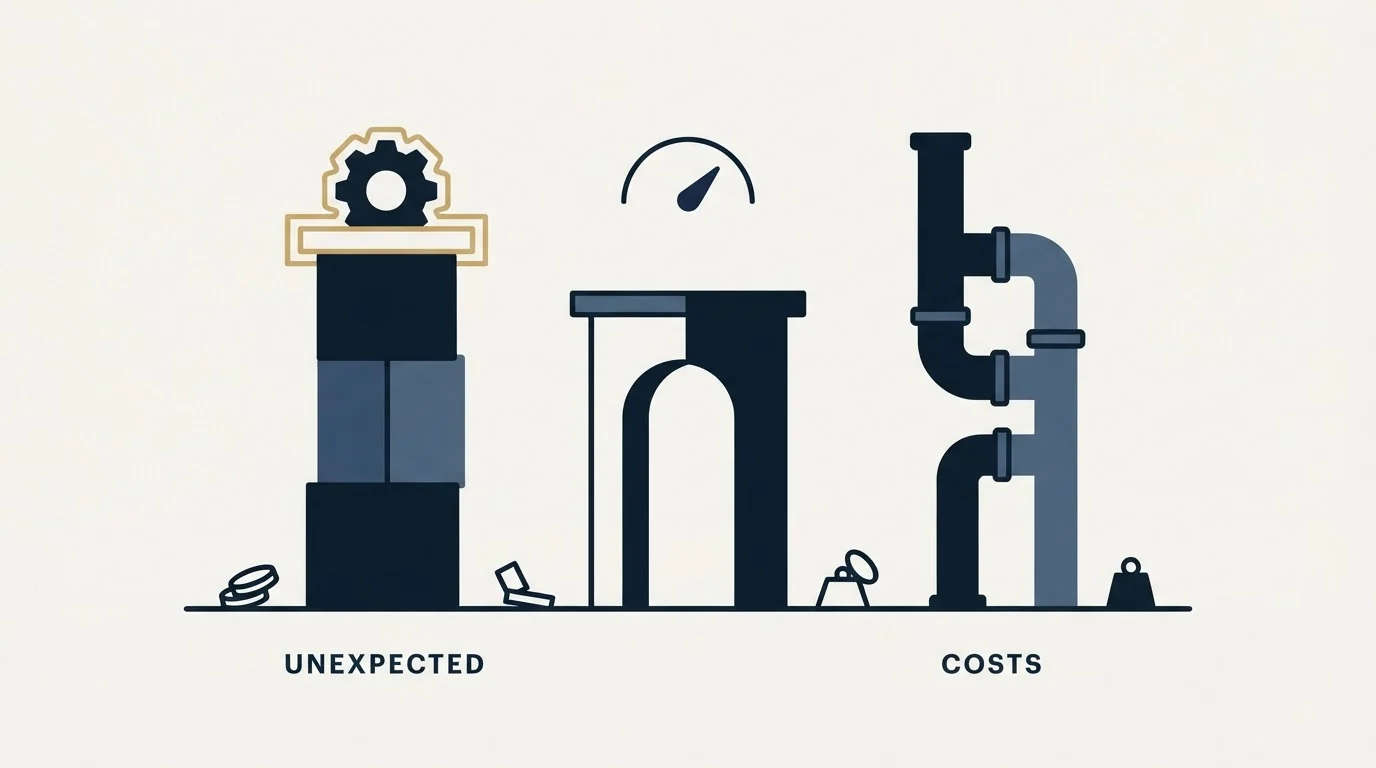
The plan price is a subscription for a set of capabilities. Three separate usage meters sit underneath it, and Wistia's own frequently asked questions treat each one as billable.
Users. Seats are included in the tier and additional ones are charged. The page prices an additional user at $25 on Business. Wistia's answer on adding users says you will be "billed for usage beyond what is included in your plan as you add and remove users from your account", which is a usage meter rather than a fixed seat count.
Storage. The answer here is the one worth reading twice, because it defines storage more broadly than most people assume. Wistia counts everything in the account, and names "the account-wide content library, individual user libraries, and archived content". You can buy additional storage upfront to avoid usage costs, and otherwise you are charged for usage beyond what the plan includes or you have prepaid. Archived content still occupying the meter is the detail that catches teams who thought archiving was a way to stop paying for old footage.
Sellers sharing that content with buyers use a different category of platform, and a per-user licence with no rate published is all Showpad states about price.
Bandwidth. Wistia states that "Bandwidth is included with every plan, which resets every month", and its comparison table adds under the bandwidth row that "Most customers never hit this limit". The Free tier behaves differently from the paid ones: "Free accounts cannot exceed their limit", while paid plans are billed for usage above what is included or prepaid. So on Free the meter is a wall, and on Business it is a bill.
None of those three appears in the headline price, and all three scale with the thing you are buying the product to do. A video library that is working generates storage and bandwidth by definition.
Users
- Free: 1
- Business: 3 or more
- Enterprise: custom
An additional user on Business is $25, billed as you add and remove them.
Storage
- Free: 25 GB
- Business: 250 GB or more
- Enterprise: a terabyte or more
Archived content and individual user libraries still count.
Bandwidth
- Free: 200 GB
- Business: one terabyte
- Enterprise: two terabytes
A wall on Free, a bill on paid plans. Resets every month.
The jump from Business to Lead gen
On that page the step from $79 to $329 buys a single product, and it is the one that decides whether this is a hosting purchase or a demand-generation purchase. Wistia calls it the Automation Suite, and the plan card describes what it buys as "Turn videos into leads, insights, and results", listing "Connect your marketing platform", "Capture leads and viewer engagement data", "Activate personalized follow-up and lead scoring" and "Measure pipeline and revenue impact".
The vendor's own answer names the integrations: "Top integrations include HubSpot, Adobe Marketo Engage, and Pardot." That is the tell for who the tier is priced for. Video hosting at the published $79 is an infrastructure line. The same product wired into a marketing automation platform so that watch behaviour becomes a scored record is a demand-generation line, and it is priced accordingly.
Two things are worth holding onto before that step gets approved. The first is that a lead scoring model fed by video engagement inherits every problem a scoring model already has, and watch percentage is a weaker signal than it looks: somebody who watched ninety percent of a two-minute clip has told you less than somebody who filled in a form. The second is that in-video lead capture forms are a form, and every field on one is a price the viewer pays before they know whether the content was worth it, which is the argument set out in landing page lead generation.
Wistia also states that the Automation Suite "is included in Webinars and does not need to be added additionally", so a team buying the webinar product is not paying for it twice.
Webinars are a separate product with a usage meter
The webinar tab has two plans, each marked "Business plan included in pricing". That page lists Webinars at $429 a month billed annually, covering 500 attendees per webinar, a stream duration of an hour and a half, and up to nine on-screen presenters. The same page lists Webinars Plus at $829 a month billed annually, raising those to 1,000 attendees and three hours.
Then the part that is genuinely unusual for this category. Those limits are per event and not cumulative across events, and exceeding them costs money at a published rate. Wistia states on its webinar pricing page that "Additional attendees are currently $0.20 each, and additional duration is $2.00 per minute, billed on your next invoice."
Another webinar vendor moves the plan instead of the bill, and a level set by published webinars adjusts up or down without anyone choosing a plan.
Read that against how webinar programmes actually run. Two worked examples, arithmetic ours rather than the vendor's, on the rates above: a session that overruns its ninety minutes by twenty minutes adds twenty billed duration minutes, which is $40, and a session that draws two hundred attendees above the ceiling adds two hundred billed attendees, which is also $40. Neither charge is large, and neither is what people budget for, because every other webinar platform in this price band sells a seat licence with a hard cap rather than a meter. The reason to know about it in advance is that the two events most worth having, the one that runs long because the audience keeps asking questions and the one that draws more people than expected, are the two that generate the charge.
Invoice: Webinars plan, one busy month
Webinars, billed monthly: $537 1
Additional users beyond the included seats: $25 each 2
Storage and bandwidth above the allowance: billed on usage 3
Webinar ran twenty minutes over: $40 4
Two hundred attendees above the ceiling: $40 4
- 1The published figure. On annual billing the same line is $429, and the Business plan is included in it.
- 2Seats are a usage meter, charged as you add and remove users.
- 3Library size, archived content included, sets storage. Viewing sets bandwidth.
- 4Per event, at $2.00 a minute and $0.20 an attendee, billed on the next invoice.
Where this sits against the alternatives you are probably also reading
The comparison pages ranking beside Wistia's own pricing page put it against consumer and creator video hosts on price per gigabyte, which is the wrong axis for anyone whose reason to buy is the Automation Suite. On that axis Wistia loses to anything with a free tier and an embed code.
The axis that separates them is whether the platform produces a record a marketing system can act on. That is what the Automation Suite is, and it is why the useful comparison is not against a cheaper video host but against the cost of the demand-generation motion the video is feeding. A webinar programme that treats the registration list as the asset rather than the attendance rate is buying the same thing from a different direction, and an on-demand library is a third. All three produce a person who declared an interest in a named topic. The question is which one produces it at a cost you can defend, which is the diagnosis demand gen strategy sets out before any of these purchases.
The short version

Wistia's video platform lists four tiers, and the per-month figures on the page are annual-billed rates because the billing toggle opens on Annual. The monthly-billed equivalents, $99 for Business and $412 for Business plus Lead gen, appear only when a visitor selects Monthly, and the webinar tab works the same way. Underneath the tier sit three usage meters that do not appear in the headline: additional users, storage that counts archived content and individual user libraries, and bandwidth that is a wall on Free and a bill on paid plans. Webinars are a separate product line with a per-event overage on attendees and on stream minutes, which is unusual in this category and bites precisely on the sessions that went well. Work out your seat count, library size and monthly viewing volume before comparing anything, because those three decide the bill more than the tier does.
If the reason you are pricing a video platform is that the pipeline needs filling, see what a campaign would look like for your market before you buy the tooling around one.
Pricing and features are taken from the vendors' own pages. Verify current terms with the vendor before relying on them.
Sources: Wistia pricing, Wistia webinar pricing, Wistia about
Frequently asked questions.
Frequently asked questions- How much does Wistia cost per month?
- Wistia's pricing page lists Free at $0, Business at $79 a month billed annually or $99 billed monthly, and Business plus Lead gen at $329 annual or $412 monthly. Enterprise shows Custom with a sales contact. The page opens with the toggle on Annual, so the lower figures are the ones a visitor sees first.
- Is the $79 Wistia price monthly or annual?
- Annual. Wistia's pricing page loads with its billing cycle toggle set to Annual and a Save 20% chip beside it, so $79 is the per-month rate on a yearly commitment. Selecting Monthly changes the Business card to $99. The monthly figure is not in the page's served markup, which is why many roundups quote $79 alone.
- Does Wistia charge for bandwidth and storage?
- Above the allowance, yes, on paid plans. The comparison table gives Business 250 GB or more of storage and one terabyte of bandwidth, and Wistia's FAQ says usage beyond what is included or prepaid is billed. Storage counts archived content and individual user libraries. Free accounts cannot exceed their bandwidth limit at all.
- How much does Wistia charge for webinars?
- Wistia's webinar pricing page lists Webinars at $429 a month billed annually, or $537 monthly, for 500 attendees per event and ninety minutes, and Webinars Plus at $829 or $1,037 for 1,000 attendees and three hours. Going over costs $0.20 per additional attendee and $2.00 per additional minute, billed on the next invoice.
About the author.

B2B cold email experts helping companies generate qualified leads through done-for-you outreach campaigns.
RevenueFlow Team
Explore more.
Ready to scale your outreach?
We build GTM engines that book real meetings. See the receipts.
Related articles.
Sales Prospecting for Consulting Firms: Find the Event
Prospecting for a consulting firm: where triggers are published by practice, who inside the firm reads them, why alumni and referrals come first, when to skip it.
LinkedIn Outreach for Utilities: Selling to the Sector
How a vendor selling to utilities uses LinkedIn next to a published sourcing process: the three ownership models, the registration gate and what a message may ask.
SDR Outsourcing for Financial Services: The Third Party
What a bank, broker-dealer, adviser or agency's regulators say about an outside team that speaks for it, the licensed line, and which arrangement survives due diligence.
Cold Calling for Telecom Companies: A Carrier's Own Rules
What only a telecom company meets on the phone: the FTC exemption that stops at its contractor, the verified carrier change, and the CPNI limit on lists.
SDR Outsourcing for Business Brokers: The Fee Timing
Whether a success-fee brokerage should rent sales development at all: the fee timing, the texts that limit what an outside person may say about value, and who signs.
SDR Outsourcing for Agriculture Companies
Whether an outside sales development team can work for a company selling into agriculture: who already covers the account, which weeks exist, and the show rule.