SpamAssassin Score for B2B Teams: What Actually Triggers It
A free checker returns 3.8 and a green tick. The number is accurate and describes a machine in a data centre that has nothing to do with your prospects.

A SpamAssassin score is the sum of individual rule hits on one message, compared against a threshold that installation configured. The default is 5.0, which Apache calls aggressive and advises larger operators to raise, so the same score means different things at different receivers and is not a placement result.
Key takeaways
- Apache documents 5.0 as an aggressive default and recommends larger operators set 8.0 or 10.0, so a score under 5 proves nothing about a real receiver.
- SpamAssassin carries four score sets chosen by whether Bayesian and network tests are enabled, so one message produces different totals on different installations.
- Authentication failures and blocklist hits carry the heaviest weights, which means the copy is rarely where the points are.
- The only score describing something that happened to your mail is the one written into a real recipient's message headers, not the one a test tool returns.
Reviewed and updated August 28, 2026
A free spam checker returns 3.8 and a green tick, the campaign goes out, and the replies never come. The number was accurate. It was also a measurement of a machine in a data centre somewhere running a configuration that has nothing to do with the servers your prospects sit behind.
SpamAssassin is an open-source mail filter from the Apache Software Foundation, and its scoring model is the one behind most of the free tools that grade a message before you send it. Understanding what the number is made of, and what it is a property of, is worth more than any amount of tuning against it.
How the score is assembled
A message arriving at a SpamAssassin installation is run through a large library of individual tests. Each test is narrow: does the subject match a pattern, is there a valid DKIM signature, is the sending IP listed on a public blocklist, does the HTML contain a particular construction. Each test that fires contributes a score, positive or negative, and the scores are summed.
That sum is compared against a configured threshold. Above it, the message is spam as far as that installation is concerned.
The scores themselves are configurable per test. Apache's own configuration documentation describes the mechanism: a score can be assigned to any named test, scores can be positive or negative, and each test has a symbolic name such as FROM_ENDS_IN_NUMS (Apache SpamAssassin configuration reference). An administrator who dislikes a particular test can zero it. One who has been burned by a pattern can weight it heavily.
The threshold is not 5, it is whatever the receiver set
Almost every article about SpamAssassin says a score under 5 is safe. Here is what Apache's own documentation says, in full, about the setting called required_score:
Set the score required before a mail is considered spam. n.nn can be an integer or a real number. 5.0 is the default setting, and is quite aggressive; it would be suitable for a single-user setup, but if you're an ISP installing SpamAssassin, you should probably set the default to be more conservative, like 8.0 or 10.0.
Two things fall out of that. The project describes its own default as aggressive and recommends larger operators raise it, which means a well-run receiver is very likely not on 5. And the value is per-installation, so the same score means different things at different destinations. A 4.6 clears a threshold of 5 by a margin thinner than a single test hit, and sails past a threshold of 8 with room to spare.
The number on your test report is therefore an input, not a verdict. Nobody can tell you what it means without knowing the receiving configuration, and you do not know the receiving configuration.
The same message scores differently on different installations

There is a second layer of variance, and it is less well known than the threshold one.
SpamAssassin's configuration reference documents four score sets rather than one. If four scores are listed for a test, which one applies depends on how SpamAssassin is being used: one score when both Bayesian and network tests are disabled, another when Bayes is disabled but network tests are enabled, and further sets when Bayes is enabled. Network tests query external services, and Bayesian filtering learns from what that installation's own users have marked.
So the identical message, unchanged, produces a different total on an installation with network tests off than on one with them on, and a different total again on an installation whose Bayesian database has been trained on a different mail stream. The score is a property of a message evaluated by a specific installation on a specific day, not a property of a message.
- Missing or broken DKIM signature
- Sending IP or domain on a public blocklist the installation queries
- Malformed headers, missing Message-ID, date skew
- HTML defects: unbalanced tags, hidden text, image-only bodies
- Envelope and header From mismatches
- The threshold the actual receiver has configured
- Whether the receiver runs SpamAssassin at all
- A security gateway sitting in front of the mailbox
- Microsoft bulk complaint scoring, which is a separate system
- Your engagement history with that recipient organisation
- Recipient complaint history against your sending domain
The arithmetic, worked through
An illustrative sum makes the threshold point concrete. Take a message that fires four tests: a blocklist hit at 2.5, a DKIM verification failure at 1.1, an HTML construction rule at 0.8, and a subject-line pattern at 0.4. The total is 4.8.
At the default threshold of 5.0, that message is delivered, and it is delivered by 0.2 points. Remove the subject-line rule by rewriting the subject and the total is 4.4, which feels like progress and is worth almost nothing, because the blocklist hit alone is more than six times the size of the thing you fixed. Resolve the blocklist listing instead and the total drops to 2.3, clearing the threshold by a margin no copy change could produce.
Now move the same message to an installation on the conservative setting Apache recommends for larger operators. At 8.0, all four versions of the message are delivered and the entire exercise was moot. Move it instead to an installation whose administrator weighted the blocklist rule at 5.0 because they were tired of a particular network, and the original message scores 7.3 and is spam at any threshold below that.
Three receivers, one message, three different answers, and none of the differences came from the message. The numbers above are made up to show the shape of the arithmetic, which is the only thing that generalises.
- Step 1Tests run
A library of narrow tests is applied to the headers and body. Which tests exist depends on the installation and its rule updates.
- Step 2Scores assigned
Each firing test contributes a configurable positive or negative value. Four score sets exist, chosen by whether Bayes and network tests are enabled.
- Step 3Total compared
The sum is compared against required_score, which defaults to 5.0 and which Apache advises larger operators to raise.
- Step 4Verdict written
The total, the threshold used and the firing rule names are stamped into the message headers.
- Step 5Action taken
What happens to a message above threshold is a separate local decision: junk, quarantine, tag, or reject.
Where you see a real score, as opposed to a test one
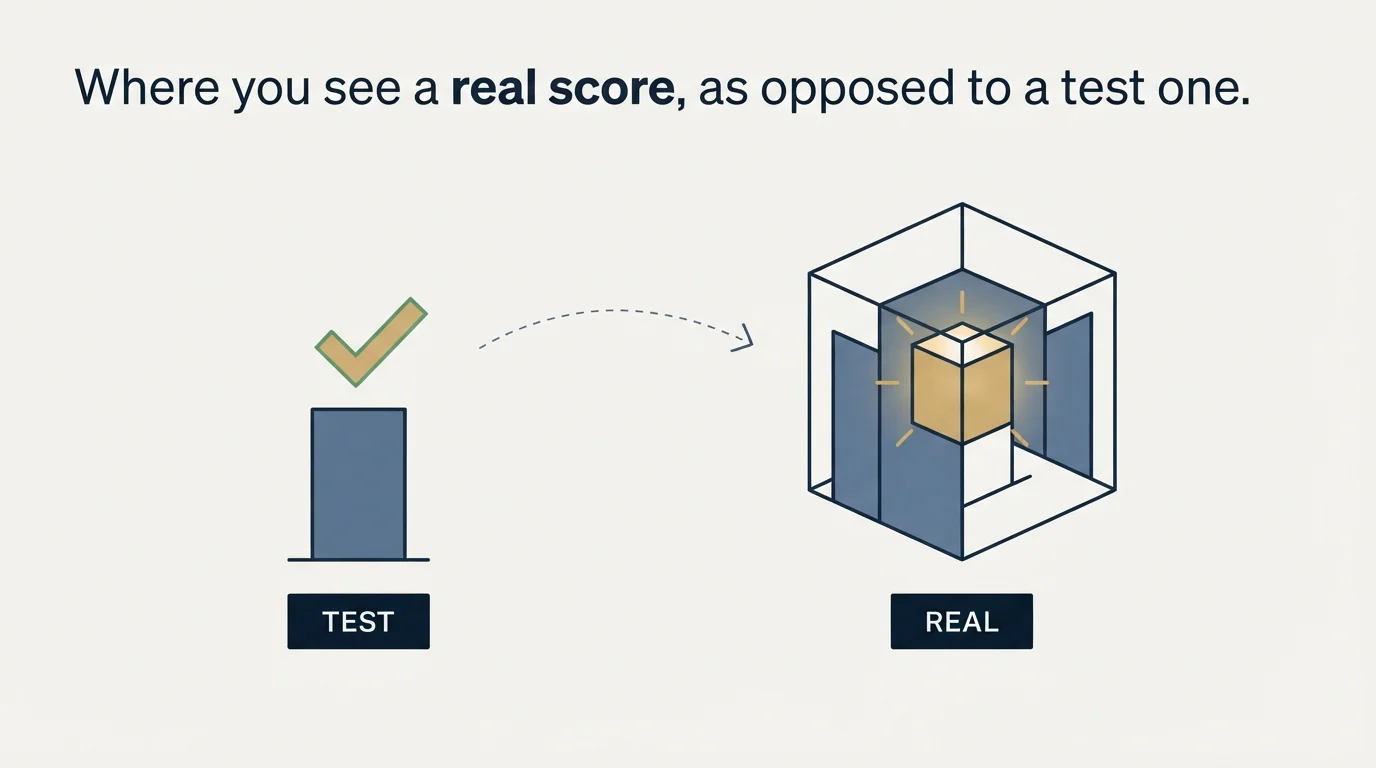
An installation that runs SpamAssassin normally writes its findings into the message as headers, and those headers are the only version of the score that describes something that actually happened to your mail. They carry the total, the threshold that installation used, and the names of the individual tests that fired.
Getting hold of one works the same way as any header retrieval. A recipient who forwards your message as an attachment preserves them. A mailbox you control on a host that runs SpamAssassin, which includes a great many small business and hosting-provider mail servers, receives your campaign and keeps the evidence. A bounce sometimes quotes the score in the rejection text.
The test-tool version is still useful, with its scope understood. It is a linting pass. It finds the mechanical defects in the left column above, cheaply, before anyone receives anything. Treat a high score as a signal to go looking, and a low score as evidence of nothing beyond the absence of mechanical defects.
That linting role is exactly what a broader cold email checker performs, catching mechanical defects while staying blind to domain history, list quality, and the recipient's own filter, as this copy score breakdown explains.
- Yes: Read the individual rule names that fired, not just the total
- Yes: Fix authentication and blocklist hits first, since they carry the largest weights and are infrastructure rather than copy
- Yes: Record which installation produced the score and what threshold it used
- Yes: Treat a score from a free checker as a linting result on your message construction
- No: Rewriting subject lines to shave tenths off a total
- No: Reporting a test-tool score to a client as an inbox placement figure
- No: Assuming a score under 5 means the message will be delivered to the inbox
The rules with the largest weights are not about your writing
Look at what a real header lists after a poor score and the pattern is consistent: authentication failures, blocklist hits, IP reputation, and header malformation carry weight. Word-level content rules exist and mostly carry small fractions.
This matters because the instinct on seeing a bad score is to rewrite the copy. The copy is rarely where the points are. A missing DKIM signature or a listed IP will outweigh every word choice in the message, and no amount of rephrasing recovers it. Our deliverability audit checklist works through the infrastructure layer in the order the points actually sit, and checking your domain and IP against the public blocklists closes out the single heaviest category in a few minutes.
The corollary is a caution about writing to the tool. Optimising a message until a rule engine likes it produces mail shaped by a rule engine. The subject lines that survive that process tend to be bland, and blandness is not a scored attribute anywhere while being a serious problem for reply rates. If you want a picture of what normal looks like before you start changing things, our cold email spam rate benchmarks and deliverability benchmarks are the reference points.
How it sits alongside everything else

A spam score is one rule engine's estimate. The major mailbox providers publish no equivalent number, which is the honest reason a clean score cannot be a placement result. Microsoft scores bulk mail on its own scale in its own headers, Google publishes nothing comparable, and a spam filter at a B2B recipient is frequently a security gateway making connection-level decisions before any content scoring happens at all.
The things that move inbox placement at scale are upstream of scoring: DKIM and the rest of the authentication set passing and aligned, a sending domain with its own history, a sender reputation that has not been damaged by invalid addresses, and a list clean enough not to contain a spam trap. Get those right and the scores follow. Chase the scores and the underlying position does not change.
Because a corporate recipient often sits behind a security gateway rather than the mailbox provider itself, how enterprise spam filters decide explains why an allow-list entry matters more than any score.
RevenueFlow runs cold email and LinkedIn outreach for B2B companies, and infrastructure work of this kind is part of the campaign rather than a separate line item. If you would rather have it handled than audited, prepay a single qualified meeting and see the setup done properly, or read what a cold email agency should be accountable for.
SpamAssassin configuration behaviour verified against the Apache SpamAssassin documentation as of mid-2026. Verify current defaults with the project before relying on them.
Frequently asked questions.
Frequently asked questions- What is a good SpamAssassin score?
- Lower is better and negative is best, but there is no universally good number. The threshold is set per installation. Apache ships 5.0 and calls it aggressive, advising larger operators to use 8.0 or 10.0. A score is only meaningful against the threshold of the machine that produced it.
- Why do two spam checkers give my email different scores?
- Because they are different installations. Rule sets differ, individual rule weights are configurable, and SpamAssassin selects between four score sets depending on whether Bayesian filtering and network tests are enabled. Bayesian databases are also trained on each installation's own mail, so they diverge.
- Where do I find the real SpamAssassin score for a message I sent?
- In the headers of the delivered message, where the total, the threshold used and the names of the firing rules are recorded. Get them from a recipient who forwards your message as an attachment, from a mailbox you control on a host running SpamAssassin, or occasionally from bounce text.
- Should I rewrite my subject line to lower my spam score?
- Usually no. Word-level content rules carry small fractions while authentication failures and blocklist listings carry whole points, so the copy change moves the total by a rounding error. Writing to please a rule engine also produces bland subject lines, which costs replies without buying placement.
About the author.

Tim Carden is CMO / CTO at RevenueFlow, which builds and operates outbound revenue engines for B2B companies. Studied at McGill University.
Tim Carden · CMO / CTO
Connect on LinkedIn →Explore more.
Ready to scale your outreach?
We build GTM engines that book real meetings. See the receipts.
Related articles.
GMass Inbox Tester: The Public Seed List Cuts Both Ways
GMass publishes the fifteen seed addresses behind its free placement tester. That makes the test repeatable, and it also makes the absolute result pessimistic.
Proofpoint Spam Filter: Diagnosing Placement
Two different Proofpoint systems can stop a cold email, and the remedies have nothing in common. Telling them apart takes a minute and saves a month.
Office 365 Spam Filter: What Actually Triggers It
The same message lands in the inbox at one Microsoft tenant and in quarantine at the next. A setting the recipient chose decides which, and the headers say so.
SMTP for Yahoo: The Settings and the Sender Requirements
Yahoo publishes its outgoing settings in six lines. It also publishes sender requirements enforced since February 2024, and refuses to name the volume that triggers them.
GMass SMTP Test: What a Passing Connection Cannot Prove
GMass publishes a free SMTP connection tester that anyone can use. What its four stages separate, why the last one gets misdiagnosed, and where the tool's boundary is.
Sending Cold Email From the CRM You Already Pay For
A CRM sequence tool sends from your primary domain and your own mailbox, and vendor terms usually require documented consent. What a separate cold stack buys.