Proofpoint Spam Filter: Diagnosing Placement
Two different Proofpoint systems can stop a cold email, and the remedies have nothing in common. Telling them apart takes a minute and saves a month.
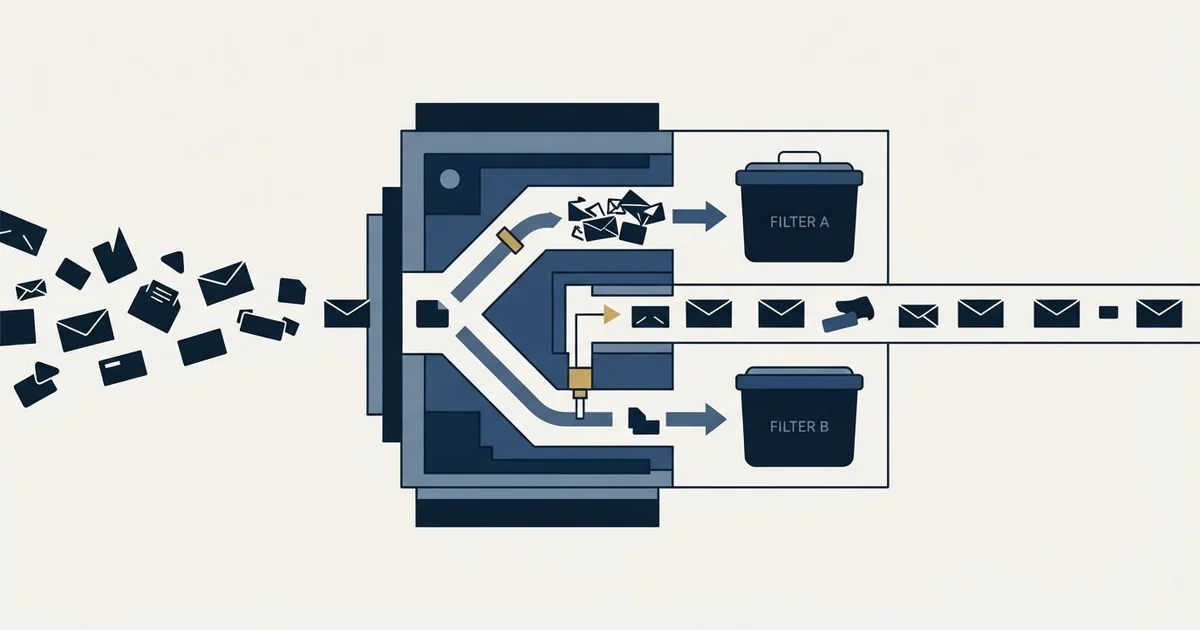
Proofpoint stops mail in two separate places. Dynamic Reputation judges the sending IP upstream and presents as a delay or rejection you can submit a remediation request for. The customer gateway judges your message against the policy of a single organisation and holds it in a quarantine only the recipient can release.
Key takeaways
- Proofpoint's own sender FAQ states it does not block based on domain or on bulk email, only on spam signal from the sending IP.
- Delayed and blocked are different states: a delay clears automatically within minutes and needs no action, while a block persists until the address stops sending spam.
- Proofpoint publishes a public IP reputation lookup and a remediation request route, and states it aims to review submissions within one business day.
- On shared sending infrastructure another customer's spam becomes your block, which Proofpoint says explicitly in its own guidance.
Reviewed and updated September 1, 2026
Two entirely different Proofpoint systems can stop a cold email, and the remedies have nothing in common. One of them you can act on yourself within a business day. The other can only be fixed by the person you were trying to reach. Telling them apart takes about a minute, and most senders never do it, which is why the usual response to a Proofpoint problem is a month of guessing.
The two systems
Proofpoint Dynamic Reputation is an IP reputation service that operates upstream of any particular customer. It decides whether connections from a sending IP are accepted at all, and it applies across the estate rather than at one company.
The gateway and its quarantine is the product a specific organisation bought. It sits in front of that organisation's mailboxes and decides, per message, whether something reaches the inbox, lands in a quarantine, or is refused.
A reputation block looks like a connection failure or a rejection, arrives for every recipient behind Proofpoint at once, and is yours to resolve. A quarantine looks like silence, affects some recipients and not others, and is resolved by the recipient.
- Judges the sending IP, not the message
- Presents as delay or rejection at connection time
- Hits every Proofpoint-protected recipient at once
- Public lookup and remediation request exist
- You submit the request and it is reviewed
- Judges the message against one organisation's policy
- Presents as silence, with the message held in quarantine
- Affects only recipients at that organisation
- No public sender-side portal for it
- The recipient or their administrator releases and safelists
What Dynamic Reputation actually judges
Proofpoint publishes a sender-facing FAQ that answers this more directly than most vendors do, and one line in it settles an argument senders have constantly (Proofpoint IP blocked FAQ):
We do not delay or block based on a particular domain or bulk email or for any reason other than we are receiving spam from the IP.
Cold email, as a category, is not what this system objects to. It objects to spam signal from an address. The same page describes the mechanism: Proofpoint Dynamic Reputation uses hundreds of features to determine the reputation of an IP, and features indicating that an IP is sending spam, and is not an actual mail server for a legitimate company, will cause it to have a poor reputation.
That second clause is the one worth sitting with. Part of what is being evaluated is whether the sending host looks like a real mail server operated by a real business. Reverse DNS, a valid banner, consistent forward and reverse records, and an address range that behaves like infrastructure rather than like a rented burst all feed that judgement.
Delayed and blocked are different states

The FAQ separates two outcomes that senders routinely conflate.
An IP showing indications of spam may be delayed for a short time. Proofpoint's guidance is explicit that no action is required to clear it, and that removal from delay status happens automatically, usually within a few minutes. An IP that continuously sends spam is blocked, and stays blocked until it stops sending spam for a period of time.
There is also a middle state named on the same page: an IP receiving intermittent spam, the example given being a public access point where infected machines come and go, may fluctuate between delayed and not delayed, or blocked and not blocked.
For a sender this changes the diagnosis entirely. A short-lived deferral that resolves itself is not a problem to escalate, and reacting to it by moving infrastructure or rotating addresses is the expensive way to solve nothing. A sustained block is a real reputation event, and there is a documented route out of it.
- Step 1Read the SMTP response
A rejection or deferral that names Proofpoint is a reputation event. Silence with a clean delivery record is a quarantine.
- Step 2Check whether it is estate-wide
Reputation events hit every Proofpoint-protected recipient at once. A quarantine affects one organisation.
- Step 3Look the IP up
Proofpoint publishes a Dynamic Reputation IP lookup, so the reputation half is verifiable rather than inferred.
- Step 4Choose the route
Reputation: submit a remediation request with the supporting detail the FAQ asks for. Quarantine: the recipient releases and safelists.
Submitting a remediation request, and what it needs
Proofpoint operates a public lookup at ipcheck.proofpoint.com, titled Dynamic Reputation IP Lookup, and links it from a sender-facing page headed "IP Address Blocked?" on its postmaster site. The existence of both is worth knowing, because it makes this the rare receiver-side system where a sender has a documented, self-service route.
The FAQ names what a request should contain: any recent network problems you are aware of, the recipient of the blocked email, the type of email blocked, and if the type is company communications, what type of company you are and what it does. Proofpoint states it strives to review submitted reports within one business day.
The practical advice hidden in that list is to be accurate about the category. A request describing a genuine business-to-business communication, from a company that can be identified and looked up, submitted alongside the specific recipient it failed to reach, is a different object from an unexplained unblock request. The information exists so that the request can be evaluated.
The line about shared services

One more passage from the same FAQ deserves quoting at senders who buy sending infrastructure from a provider:
If you are using a shared email service, be proactive with your provider to ensure they are keeping their anti-virus and anti-spam software up to date. If they do not scan outbound email, it is possible that anyone on their service can knowingly or unknowingly send spam and cause everyone to get blocked.
That is the receiving side describing the shared-reputation problem in its own words. If your sending addresses are shared with other customers, their behaviour is part of your reputation, and a block earned by somebody else arrives at your campaign looking exactly like a block you earned. It is the strongest argument available for knowing precisely whose infrastructure you are on, and it comes from the system doing the blocking rather than from a vendor trying to sell you a dedicated address.
The same logic runs through IP reputation and domain reputation generally, and it is why a dedicated IP is a different risk profile rather than automatically a better one.
When it is the quarantine rather than the reputation
Most cold email problems at Proofpoint customers are the second system, not the first, and they present as nothing at all. The message is accepted, your tool records a delivery, and it sits in a quarantine the recipient may or may not look at.
University and enterprise IT departments publish extensive guidance for their own users on this, which tells you how routine it is: recipients receive a digest of held messages and can release individual ones, and in most configurations can add a sender to a safe list from the same place.
That reshapes what you ask for when someone does eventually reply. The person you are talking to can usually fix this themselves, permanently, in under a minute, and asking them to do it is a reasonable thing to say once a conversation exists. It is not something to ask a stranger for in a first message, and it is not a substitute for the sender-side work.
- Yes: Bounce text read first-hand, so reputation and quarantine are not confused
- Yes: Sending IP checked against the public Dynamic Reputation lookup
- Yes: Deferrals that clear by themselves left alone rather than escalated
- Yes: Authentication passing and aligned before any remediation request is submitted
- Yes: Whose infrastructure your sending addresses share, established and written down
- No: Rotating to new sending addresses as the first response to a block
- No: Treating estate-wide silence as a copy problem
Preventing the reputation half in the first place

Everything in the FAQ points the same direction: the system is looking for evidence that an address is a legitimate business mail server behaving like one. That is a low bar, and the ways senders fail it are mostly mechanical.
Reverse DNS that resolves, and resolves to a name that forward-resolves back to the same address, is the cheapest of them and the one most often missing on newly provisioned infrastructure. A HELO name that matches the host rather than a default string is the next. Authentication passing and aligned on the visible sending domain is the third, and it does double duty because it is what every other receiver checks too.
Then there is the part that is about list building rather than infrastructure. An address range acquires a spam signature by sending to addresses that do not want mail, and the fastest way to accumulate that is a list with a high proportion of dead addresses, role accounts and abandoned domains. Verification before sending is the control, and a catch-all domain is the case where verification cannot give you a clean answer and volume has to be managed instead.
Deciding whether wording or list quality is dragging placement down comes down to how much weight vocabulary actually carries, which content scoring versus reputation explains in detail.
The last one is ramp. An address with no history that begins sending at full volume looks like a rented burst, which is one of the shapes the reputation system is built to recognise. Building history before volume is slower and it is the difference between an address that is trusted and one that is merely not yet blocked.
Where it sits in the stack
Proofpoint is one implementation of a pattern rather than a special case. A spam filter at a B2B recipient usually means a security gateway in front of a mailbox provider, and the gateway sees the connection before the mailbox provider does. If the gateway rejects at SMTP time you get a hard bounce with a code and a reason, which is the most informative outcome available and the one most senders discard.
Avanan's approach to spam filtering covers a related pattern, where inspection happens through an API connection after the provider has already accepted the mail, leaving senders with no bounce text at all.
Because the reputation half of this is IP-level and public, it responds to the same hygiene as everything else: checking your addresses against the public blocklists, keeping bounce rates inside the range in our bounce rate benchmarks, and running the deliverability audit before there is a problem rather than after. Reading MXToolbox like a deliverability engineer covers how to confirm which system holds a recipient's MX record, which is the first thing you want to know.
RevenueFlow runs B2B cold email and LinkedIn outreach, one message per campaign, and gateway diagnosis of this kind is part of running the campaign. If you would rather see it working than read about it, prepay one qualified meeting, or look at what a cold email agency is accountable for.
Proofpoint documentation and published guidance verified as of mid-2026. Verify current terms with Proofpoint before relying on them.
Frequently asked questions.
Frequently asked questions- Why is Proofpoint blocking my cold email?
- If it is a connection-level block, Proofpoint's published position is that the sending IP is producing spam signal, not that the mail is cold or bulk. If your messages are accepted and then never read, that is the customer's gateway holding them in quarantine, which is a separate system with a separate remedy.
- How do I get an IP removed from the Proofpoint block list?
- Proofpoint runs a public Dynamic Reputation lookup and a remediation request route from its postmaster pages. Its FAQ asks for any recent network problems, the recipient of the blocked email, the type of email, and what your company does. It states reports are reviewed within one business day.
- What is the difference between a Proofpoint delay and a Proofpoint block?
- A delay is temporary and clears on its own, usually within a few minutes, with no action needed from the sender. A block persists until the address stops producing spam signal for a period. An address seeing intermittent spam can move between the two states repeatedly.
- Can the person I emailed release my message from Proofpoint quarantine?
- In most configurations yes. Recipients receive a digest of held messages and can release individual ones, and usually add the sender to a safe list at the same time. It is a reasonable thing to ask once a conversation exists, and not something to ask a stranger in a first message.
About the author.

Tim Carden is CMO / CTO at RevenueFlow, which builds and operates outbound revenue engines for B2B companies. Studied at McGill University.
Tim Carden · CMO / CTO
Connect on LinkedIn →Explore more.
Ready to scale your outreach?
We build GTM engines that book real meetings. See the receipts.
Related articles.
GMass Inbox Tester: The Public Seed List Cuts Both Ways
GMass publishes the fifteen seed addresses behind its free placement tester. That makes the test repeatable, and it also makes the absolute result pessimistic.
Office 365 Spam Filter: What Actually Triggers It
The same message lands in the inbox at one Microsoft tenant and in quarantine at the next. A setting the recipient chose decides which, and the headers say so.
Sending Cold Email From the CRM You Already Pay For
A CRM sequence tool sends from your primary domain and your own mailbox, and vendor terms usually require documented consent. What a separate cold stack buys.
Mass Email From Outlook: The Limits Microsoft Publishes
Microsoft publishes the ceiling on one mailbox and, a few paragraphs later, recommends that bulk commercial mail go to a specialist provider instead.
IMAP or SMTP: One Sends, One Reads, and the Ports
A mail setup pane asks for two servers because the two protocols run in opposite directions. The RFCs define both jobs, and the ports are where providers disagree.
SMTP for Yahoo: The Settings and the Sender Requirements
Yahoo publishes its outgoing settings in six lines. It also publishes sender requirements enforced since February 2024, and refuses to name the volume that triggers them.