Tavus Pricing: Two Ladders and Which One You Are Buying
Tavus publishes a consumer ladder and a developer ladder on one page. Which one you are quoted, what the access fee really buys, and where the page contradicts itself.
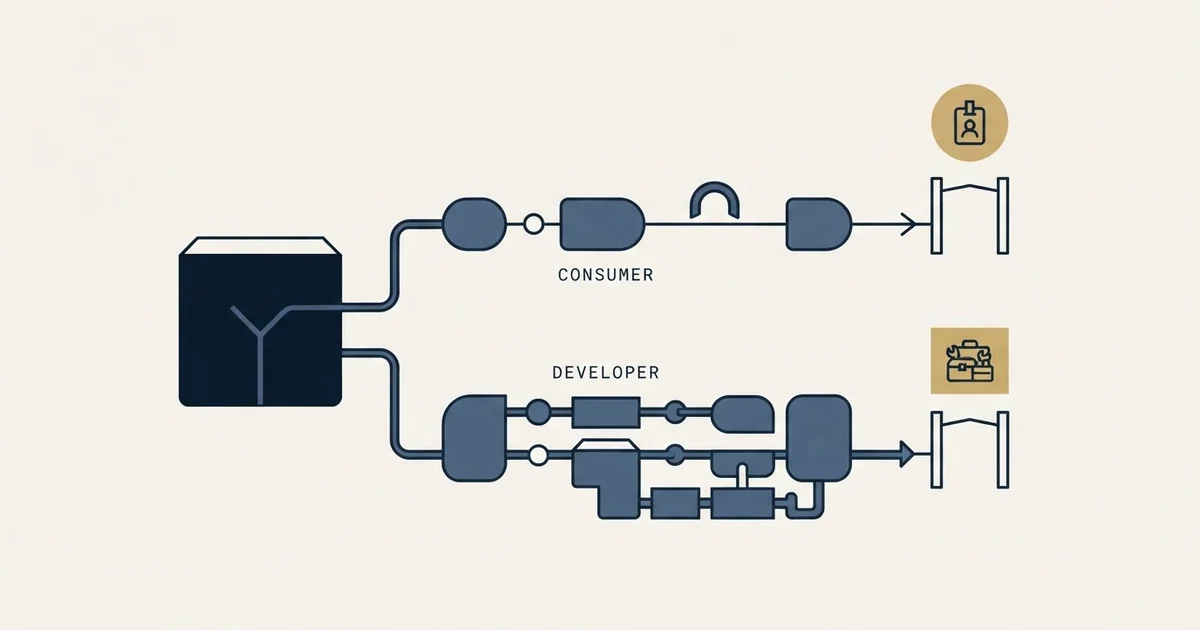
Tavus pricing has two ladders. The developer API has a free Basic plan with 25 conversational minutes a month, Starter at $59 a month plus $0.37 a minute, Growth at $397 with overage at $0.32, and custom Enterprise. The consumer PALs plans are free, $20 or $50 a month. Each conversation has a 30-second minimum.
Key takeaways
- Tavus's developer API plans are Basic (free, 25 minutes), Starter ($59 a month, 100 minutes) and Growth ($397 a month, 1,250 minutes), plus custom Enterprise.
- Paid developer plans are a monthly access fee plus pay as you go: $0.37 a minute beyond Starter's allowance, $0.32 beyond Growth's.
- Every conversation carries a 30-second minimum charge, so short calls bill as more minutes than they stream.
- Replica training and generated video are separate meters: $65 or $40 per extra replica, and $1 or $0.90 per generated minute.
Reviewed and updated September 19, 2026
Tavus pricing comes as two ladders on one page. The developer API, which is what a sales or support team is buying, has a free Basic plan with 25 minutes of conversational video a month, Starter at $59 a month plus pay as you go at $0.37 a minute, Growth at $397 a month with overage at $0.32, and a custom Enterprise tier. The consumer PALs companion is free, then $20 or $50 a month. Every conversation carries a 30-second minimum charge, which matters more than the per-minute rate for short calls.
Before you can price Tavus you have to answer a question the pricing page asks first, and it is the reason most quoted figures for this product are wrong. The page opens with a chooser headed "Select an Account Type", offering a Developer Account described as being for developers, founders and teams integrating Tavus into a product, and a PALs Account described as being for individuals looking to talk, explore and connect with a friend.
Those are two entirely separate price ladders for two entirely separate products, and a directory listing whose headline figure is the published $20 tier is quoting the consumer one. If you are evaluating conversational video for a sales or support workflow, the published $20 plan is not a cheap entry point to what you are looking at. It is a different product.
Tavus Pricing: The Two Ladders, as Published
From Tavus's pricing page as served on 30 August 2026, and every figure re-read unchanged for this update.
The PALs ladder is the consumer AI-companion product. On that page the free tier carries "Unlimited messaging" and "15 minutes of voice & video calls". The page prices the next tier at "$20/mo" and describes it as "For those who text their PAL goodnight", with "150 minutes of voice & video calls". The tier above it is published at "$50/mo", described as "For the ones who never log off", with "500 minutes of voice & video calls". All three list "Support for 30+ languages", and the two paid tiers list MCP early access.
The Developer ladder is the platform, and the pricing page publishes it in full:
| Plan | Published price | Conversational video included | Video generation included | Concurrent streams |
|---|---|---|---|---|
| Basic | Free | 25 minutes per month | 5 minutes per month | 1 |
| Starter | $59 per month | 100 minutes per month | 10 minutes per month | 3 |
| Growth | $397 per month | 1,250 minutes per month | 100 minutes per month | 10 |
| Enterprise | Custom | Scaling discounts | Scaling discounts | Custom |
The page lists Basic as carrying "Whitelabeled APIs" and "Access to 25 stock replicas". It describes both paid developer tiers as a "Monthly access fee + pay as you go", and Starter's card states "Pay as you go with no overage limit". Growth adds "Access to 100+ stock replicas" and conversation recordings.
Is Tavus Free?
Yes, in two capped forms, one per ladder. The developer Basic plan is free with no upfront payment and includes 25 minutes of AI conversational video and 5 minutes of AI video generation a month, access to 25 stock replicas and whitelabeled APIs. The PALs Free tier includes unlimited messaging and 15 minutes of voice and video calls. Neither is a trial of the paid plans' allowances, and anything past them needs Starter or above, where pay as you go begins.
The access fee is not the price
The phrase "monthly access fee + pay as you go" is doing more work than it looks like, and it is the single most important line on the page for anyone budgeting this.
Divide each published fee by its own published allowance and the access fee resolves to an effective rate for the minutes it contains: Starter's $59 against 100 minutes is $0.59 a minute, and Growth's $397 against 1,250 minutes is roughly $0.32 a minute. Those are not the rates you pay beyond the allowance. The page publishes the overage separately, as a charge per additional minute of streamed AI conversations "rounded to the nearest 6 seconds", at "$0.37/min" on Starter.
So on the published numbers a Starter subscriber pays a $59 fee that buys minutes at an effective $0.59 each, and then buys further minutes at the published $0.37 rate. The included allowance is closer to a minimum commitment than to a bulk discount, which is worth knowing before treating the published $59 as the cost of the product.
The same shape governs the step between tiers, and the crossover is calculable from the published numbers. Growth costs $338 a month more than Starter on the published ladder. At the published $0.37 Starter overage rate, $338 buys about 913 extra minutes, so a workload above roughly 1,010 conversational minutes a month costs less on Growth than on Starter, and one below it costs less on Starter. That calculation assumes usage stays inside Growth's own 1,250-minute allowance and ignores replica training and generation, both of which are billed separately.
The 30-second minimum is the line that decides outbound economics

One sentence in the feature table matters more than the per-minute rate for any use case built on short conversations. The page states that "Each conversation incurs a 30-second minimum charge".
Run the arithmetic on a qualification or reception workflow, where the realistic pattern is a large number of very short interactions. Two thousand conversations that genuinely average twenty seconds each are twenty seconds of streaming apiece and half a minute of billing apiece, so they bill as one thousand minutes rather than the 667 the raw duration suggests. The shorter your average conversation, the wider that gap grows, and it is invisible in any per-minute comparison against another vendor unless that vendor's minimum is checked too.
This is the number to model first if you are considering conversational video as a front door on inbound or as a qualification step, because it converts a per-minute price into a per-conversation price and those are very different budgets.
Both secondary meters are published on the same page. Its published Starter column reads "3 Free Replica trainings per Month $65 per Replica" and its published Growth column reads "7 Free Replica trainings per Month $40 per Replica". For generated video the published overage is "$1 per minute" on Starter and "$0.90/min" on Growth. Growth additionally carries conversation recordings at "$0.03/min", a line the page leaves blank on the tiers below it.
Notice that on those published figures the per-replica charge falls as the plan rises while the free allowance also rises, so replica-heavy work is disproportionately cheaper on Growth than the headline fee difference suggests. If your deployment needs a dozen custom replicas, that line rather than the minutes may be what moves you up a tier.
Where the page disagrees with itself
Two figures are stated inconsistently within the same document, and since both are load-bearing for a production deployment they are worth naming rather than resolving by guesswork.
Growth's conversational overage rate. The plan-comparison table publishes the pay-as-you-go conversational video overage as "$0.37/min" for Starter and "$0.32/min" for Growth. A separate plan-summary block on the same page publishes "$0.37/min" against Growth as well. The crossover arithmetic above uses the Starter rate the page states consistently everywhere; Growth's own published rate is the one in dispute, and the gap between the two figures is five cents on every overage minute, which compounds directly with volume.
Growth's concurrency limit. The maximum concurrent streams row appears more than once in the page's comparison tables, reading "1 3 10 Custom" in two instances and "1 3 15 Custom" in two others. Growth's own plan card says "Up to 10 concurrent streams". Concurrency is a hard production ceiling rather than a billing line, so a deployment sized against 15 when the enforced limit is 10 fails at peak rather than costing more.
Neither of these is a reason to avoid the product. They are a reason to get both numbers confirmed in writing before sizing anything, which is a reasonable thing to ask during a trial and a cheap thing to skip by accident.
What the free tier can and cannot settle

Basic is a genuinely useful evaluation tier rather than a demo, and it is worth being precise about its edges. The page lists it as carrying "Whitelabeled APIs", "25 minutes of AI conversational video", "5 minutes of AI Video Generation", "Access to 25 stock replicas" and "Support for 30+ languages", against "Best-effort response times" and a single concurrent stream.
That is enough to answer whether the product works for your use case: whether the latency is acceptable, whether the stock replicas are good enough or a custom one is mandatory, whether the API fits your stack. It is structurally incapable of answering the two questions that actually decide a production deployment, because both are limits the free tier does not have room to exercise. One concurrent stream cannot tell you how the system behaves at your peak, and 25 minutes cannot tell you what your real average conversation length is, which is the input the whole cost model depends on.
Plan the trial around that gap. The cheapest way to learn your average conversation length is to run the real workflow on Starter for a month and read the billing, because that single number determines both which tier you belong on and how badly the thirty-second minimum affects you.
What Enterprise is actually for
The Enterprise tier is quoted rather than priced, and the page lists what it adds: a "100% white-labeled experience", "Scaling Discounts", "Custom concurrency limits", "Top tier technical support", "Enterprise grade security and compliance", "Guaranteed SLAs for speed and compute" and "Faster boot times across all devices".
Publishing one rung and quoting the rest is a pattern worth recognising, and one published tier with two custom ones leaves the entry rung readable and the ceiling invisible.
Read that list and the volume discount is the least interesting item on it. Two of the others are the ones that move teams up, and neither is about price. Custom concurrency limits matter because concurrency is the hard ceiling described above, and a deployment whose peak exceeds ten simultaneous streams cannot buy its way past that on Growth at any usage level. Guaranteed SLAs for speed and compute matter because a conversational agent that boots slowly reads as broken to the person waiting, and best-effort or standard support is not a commitment about latency.
The support ladder the page publishes runs "Best-effort response times" on Basic, "Standard support" on Starter, "Priority support" on Growth and "Dedicated priority support" on Enterprise. If the agent is customer-facing and in the revenue path, that ladder is a real part of what you are buying rather than a courtesy line at the bottom of the table.
Where this sits in an outbound stack
Tavus is infrastructure rather than an outbound tool, and that distinction decides whether it belongs in your budget at all. It sells an API for building conversational video agents, and the page names sales agents among its solutions alongside healthcare, interview and learning-and-development agents. What it does not sell is a sourcing motion, a sending motion or a list.
Recording and sending video as a seller is a different purchase, and one published Vidyard tier beside two quoted ones prices seats for video messaging rather than API minutes.
That makes it a component underneath something rather than a replacement for anything. A team evaluating it against a packaged product is comparing a platform to an application, which is the most common way this category confuses people. The capability line for the packaged category, including which parts of sales development actually transfer to software and which do not, is in AI SDR, and the shape of the vendors selling an end-to-end agent is covered in Artisan's SDR. If the plan is to build on top of a platform like this and sell the result, the commercial questions are in white label AI agents.
The role question underneath all of it, which is whether the work being automated is the work that was producing meetings, is in SDR vs AI SDR vs GTM engineer. It is worth reading before pricing anything here, because the cheapest version of this evaluation is discovering that the constraint was never the video.
For teams who want the meetings rather than the build, a free campaign settles the question without a platform decision.
Pricing and features verified as of August 2026. Verify current terms with the vendor before relying on them.
Frequently asked questions.
Frequently asked questions- How much does Tavus cost?
- For the developer API, Basic is free with 25 minutes of conversational video a month, Starter is $59 a month plus pay as you go, and Growth is $397 a month with 1,250 minutes included. Enterprise is custom. The consumer PALs companion plans are separate: free, $20 or $50 a month.
- What is Tavus API pricing per minute?
- Beyond each plan's included minutes, streamed AI conversation is billed at $0.37 a minute on Starter and $0.32 on Growth, rounded to the nearest six seconds. Each conversation carries a 30-second minimum charge. Generated video is metered separately at $1 or $0.90 a minute.
- Is Tavus free?
- Yes, in two capped forms. The developer Basic plan is free with 25 minutes of AI conversational video and 5 minutes of video generation a month. The consumer PALs Free tier includes unlimited messaging and 15 minutes of voice and video calls. Anything beyond those needs a paid plan.
- When is Tavus Growth cheaper than Starter?
- On conversation minutes alone, near 1,010 minutes a month. Growth costs $338 more than Starter, which buys about 913 extra minutes at Starter's $0.37 overage on top of its 100 included. Below that Starter is cheaper; above it Growth is, until Growth's own 1,250-minute allowance runs out.
About the author.

B2B cold email experts helping companies generate qualified leads through done-for-you outreach campaigns.
RevenueFlow Team
Explore more.
Ready to scale your outreach?
We build GTM engines that book real meetings. See the receipts.
Related articles.
Autobound Pricing: One-Time Credit Packs, Not Seats
Autobound's pricing page sells one-time credit packs for a signal data API, not seats. The six packs, the per-endpoint meter, and what a company costs.
Snitcher Pricing: The $49 Table Is the Annual Rate
Snitcher's visible price table is the annual-billing ladder. The ten bands at both billing states, the unique-company meter, and the rules on a help page.
Twain Pricing: Credits per Lead, Three Research Modes
Twain sells credits, not seats, and a lead costs 1 to 14 of them depending on the research mode. The two ladders, the four expiry clocks and the cap.
The Real Cost per 1,000 Emails, Verifications and Data Credits in 2026
Unit prices computed from verified vendor plans: $1.00 per 1,000 emails sent, $2.00 per 1,000 verifications and $19.60 per 1,000 enrichment credits.
Lavender Pricing: Two Products, No Pricing Page
Lavender has no pricing page. The Email Coach ladder per seat at both billing states, the free routes, and the separate per-agent price for Ora.
What Cold Email and Sales Tools Actually Cost in 2026: Pricing Data From 386 Vendors
RevenueFlow's verified dataset of 386 sales tools puts the median starting price at $39.98 a month. Here is the spread by category, tier and billing model.