Webflow Pricing: The Four Lines on a Real Bill
Webflow bills a site plan, a workspace plan, seats and metered add-ons. What each line pays for, read from the vendor's own pricing page in September 2026.
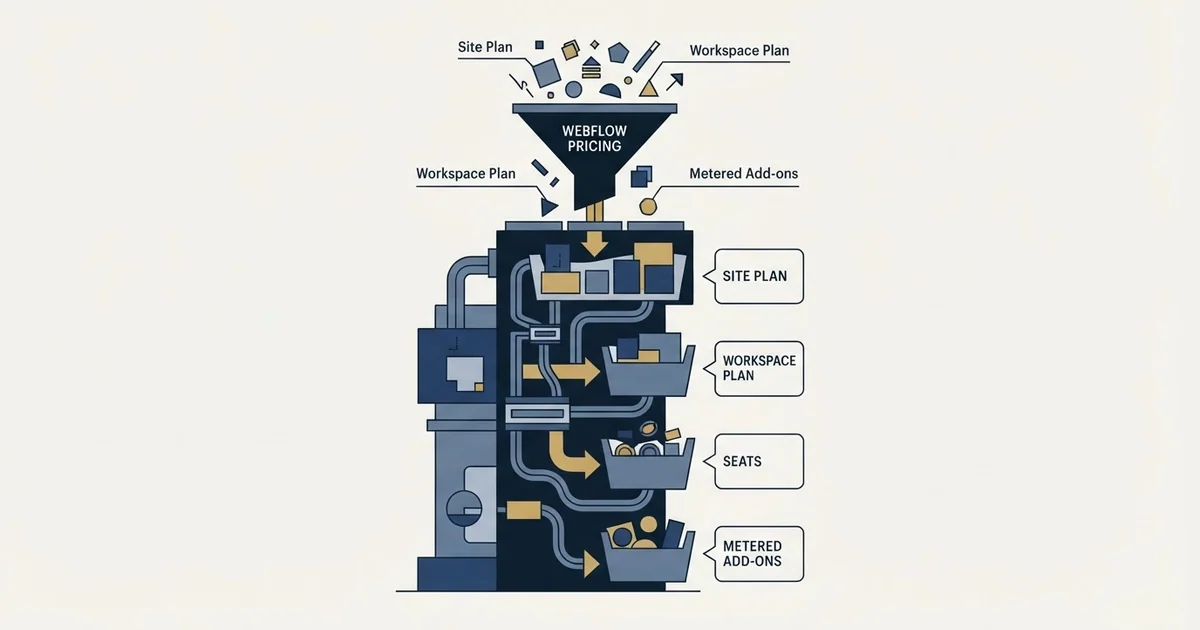
Webflow billing stacks two subscriptions and metered add-ons: a Site plan per site, from $15 a month billed yearly on Basic and $25 on Premium; a Workspace plan per organisation; seats at $39 Full and $15 Limited; and Optimize, Analyze, Localize and bandwidth by usage. Monthly billing costs more on every line.
Key takeaways
- Webflow bills a Site plan per site, a Workspace plan per organisation, seats per person by role, and Optimize, Analyze, Localize and bandwidth by usage.
- The pricing page loads on yearly billing: Basic is $15 a month billed yearly against $25 monthly, which is the 40% in its "Save up to 40%" label.
- Seats cost $39 Full and $15 Limited a month billed yearly, or $45 and $19 monthly, reviewers are free, and every Workspace includes one Full seat.
- Optimize runs from $299 to $1,199 a month billed yearly across five page-view steps, so for an illustrative five-person team it costs about twice the platform itself.
Reviewed and updated September 21, 2026
A B2B marketing team budgets Webflow at the number on the pricing card, twenty five dollars a month, and signs off a line of three hundred dollars for the year. The first Webflow bill is larger, and the billing explains why: because the site plan was one of two subscriptions the account needs, the second editor was a paid seat, and the A/B testing the brief assumed was included is a separately metered add-on.
Nothing was hidden. Every one of those numbers sits on Webflow's own pricing page. They sit in four different places on a long page, and the card at the top answers only the first of them.
Here is what each line actually pays for, read from Webflow's own pricing page in both billing states, and which of them a company running a marketing site can expect on its bill.
How Webflow billing works
Webflow billing runs on two subscriptions and a set of metered add-ons. A Site plan is billed per site, a Workspace plan per organisation, seats per person by role, and Optimize, Analyze, Localize and extra bandwidth by usage. Every line can be billed yearly or monthly, and the pricing page loads with yearly selected, at up to 40% less.
Driving the page's own billing switch shows how far apart the two states are. Webflow's pricing page lists Basic at $15 a month billed yearly and $25 billed monthly, which is the 40% in the toggle's "Yearly (Save up to 40%)" label. On the same page, Premium is $25 against $39, the Core workspace $19 against $28, Growth $49 against $60, a Full seat $39 against $45 and a Limited seat $15 against $19.
The two subscriptions answer different questions
The single most common budgeting error in this product is treating the site plan as the price. Webflow sells two subscriptions that stack, and they are metered on different objects.
A Site plan is bought per site and pays for publishing. It carries the custom domain, the page and CMS limits, the bandwidth allowance and the form submissions. The page's own footnote is explicit about the unit: "All prices in USD, per site, plus applicable taxes added at checkout."
Form submissions are metered on their own where the forms are the product, and four ceilings on every Jotform plan card include two that both count submissions.
A Workspace plan is bought per organisation and pays for building. It carries staging sites, code export, shared libraries, publishing permissions and site level roles. A free Workspace comes with every account, and the page says so directly: "Every Webflow account includes a free Workspace plan."
A company with one marketing site and one person editing it can live inside a Site plan and the free Workspace. Add a second site, a staging environment or a second editor with restricted permissions, and the second subscription starts carrying real weight.
On Webflow's own pricing page, the Site plan ladder runs Starter at no cost, Basic at $15 a month billed yearly, Premium at $25 a month billed yearly, Team at $2,500 a month with an annual contract required, and Enterprise quoted. Webflow's Starter tier publishes to a webflow.io subdomain with 2 static pages, 1 GB of bandwidth and 50 form submissions, which makes it a place to build rather than a place to launch. Basic, whose card reads "For simple sites that don't need a CMS.", adds the custom domain, 300 static pages, 10 GB of bandwidth and unlimited form submissions. Premium is the first tier carrying the CMS, at 20,000 CMS items and 40 Collections, with bandwidth selectable from 50 GB up to 2.5 TB.
Anyone arriving on a search for a Webflow CMS plan is looking for a name this ladder no longer uses, because CMS capability is a line inside Premium rather than a plan of its own, and an online store buys something else again: the page's ecommerce section says to "Purchase an ecommerce site plan", from $29 a month billed yearly, and states that the store's item allowance is independent of the CMS item limit.
The Workspace ladder on the same page splits by who you are. Webflow's team version runs Starter free, Core at $19 a month billed yearly and Growth at $49. Webflow's freelancer and agency version runs Starter free, Freelancer at $16 and Agency at $35. Staging is the dividing line: Starter gives two staging sites, Core gives ten, Growth gives unlimited.
Webflow account · what the bill is made of
Site plan: one per published site, for the domain, pages, CMS, bandwidth and forms 1
Workspace plan: one per organisation, for staging, roles, shared libraries and code export 2
Seats: per person, Full or Limited, with reviewers free 3
Metered add-ons: Optimize on page views, Analyze on sessions, Localize on locales, bandwidth in blocks 4
- 1"All prices in USD, per site": Basic $15 and Premium $25 a month billed yearly.
- 2"Every Webflow account includes a free Workspace plan"; Core $19 and Growth $49 billed yearly.
- 3Full $39 and Limited $15 a seat billed yearly, with one Full seat included.
- 4Each add-on meters on its own unit, and none appears on the plan card.
Webflow seat pricing: the line that scales with the team
Webflow counts three grades of seat, and the page prices each one. On that page a Full seat is described as design full sites or manage admin settings, and it is $39 a month per seat billed yearly. A Limited seat, described as edit content or build pages with components, is $15 a month per seat billed yearly. A Free seat invites reviewers and commenters, at no cost. Billed monthly, the pricing page lists the two paid seats at $45 and $19. The seats block reads "1 included" beside the Full seat, so there is no minimum seat purchase: every Workspace starts with one Full seat, and further seats are added from the same block.
That structure is the reason the bill and the headcount move together. A marketing team where one person designs, three write and edit, and six review copy pays for one Full seat and three Limited seats, and adds six people at no charge. The same team modelled as ten editors would be quoted a very different number.
The Team platform plan is where Webflow bundles this rather than metering it. At $2,500 a month with an annual contract required, its own comparison table lists 5 Full seats and 5 Limited seats included, up to 100 Free seats, 10 guest teams of up to 10 members each, 500 static pages, 100 CMS Collections, up to 30 TB of monthly bandwidth and 100,000 AI credits a year.
The gap between the self serve ladder and that plan is wide enough to be a decision rather than an upgrade. Nothing between $25 a month and $2,500 a month exists on the published site plan ladder, outside the separate ecommerce plans.
The add-ons are the part a marketing brief usually assumes is included

Three capabilities that read like features of a website platform are sold as separately metered add-ons, and each one meters on a different unit.
Optimize is the A/B testing and personalisation layer. It is priced from $299 a month billed yearly at 25,000 page views a month, stepping through 50,000, 100,000 and 250,000 to $1,199 at 500,000 page views. The self serve version lists up to 5 concurrent optimizations, A/B testing, personalisation and audience targeting including device, behavioural, UTM and geolocation. The Enterprise version is quoted and is where the firmographic targeting sits: its feature list names Demandbase, 6sense, Salesforce, Marketo and HubSpot integrations, and an "Advanced targeting with Enhanced Match" line described as audience targeting with firmographic data.
Driven step by step, the Optimize selector shows every price the card hides behind its "from" figure: $299, $399, $549, $799 and $1,199 a month billed yearly for 25,000, 50,000, 100,000, 250,000 and 500,000 page views, and $379, $499, $699, $999 and $1,499 billed monthly.
Analyze is the built in site analytics, priced on sessions rather than page views. On that page it runs from $9 a month billed yearly at 2,000 sessions to $229 at 500,000 sessions.
Localize is translation, priced per locale. On the same page Essential runs from $9 a month for one locale and Advanced from $29, and the number of locales added moves the figure.
Bandwidth above a Premium allowance is metered too, and the page publishes both billing states side by side: an extra 50 GB is "+$20 /month, billed annually" against "+$30 /month, billed monthly", rising to $974 a month billed annually, or $1,460 billed monthly, for the largest block the page lists. Webflow's own note on overage is a plan change rather than a charge: "Two consecutive months over the limit triggers an automatic plan upgrade."
The yearly default, and the currency the page served
Two reading traps sit on this page, and both change the number a reader writes down.
The billing toggle defaults to yearly. The page renders a Monthly and a Yearly control labelled "Yearly (Save up to 40%)", and the yearly state is the one selected when the page loads, so every headline figure carries a "billed yearly" qualifier next to it. The monthly rates are higher across the ladder, as the billing section above sets out line by line. A figure copied from the card without reading the qualifier under it is an annual commitment quoted as a monthly one.
The currency is the more useful of the two, because this page gets it right in a way that many do not. Its footnote names the unit itself, "All prices in USD, per site", and it served US dollars to a fetch made from a UK address. Several vendors in this neighbourhood localise the whole currency to the visitor's location with nothing on the page announcing it, so a figure quoted from a competitor's page can be the right number in the wrong currency. Webflow naming its own currency removes that question, and it is worth checking for on any pricing page before a figure goes in a budget.
What this costs a marketing team in practice
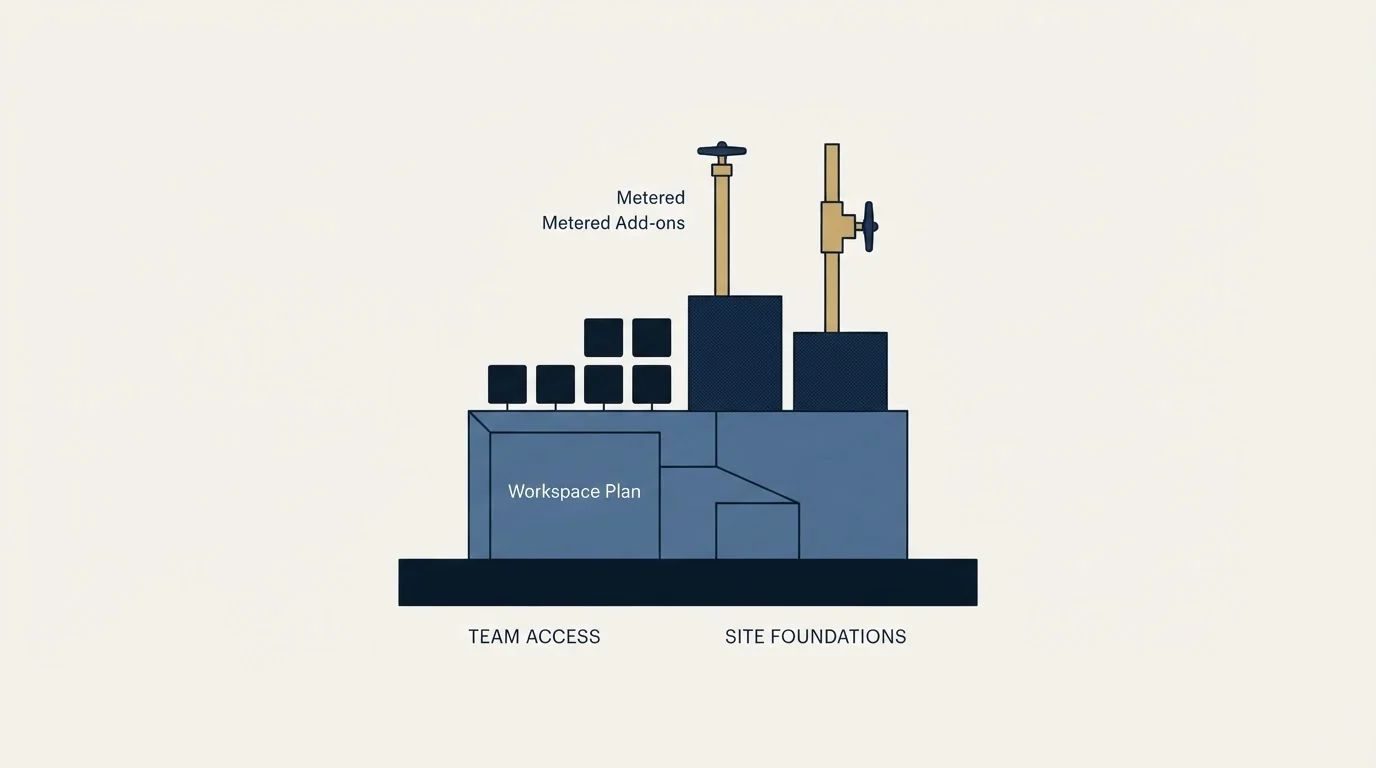
The arithmetic below is illustrative and built only from the published figures above. It is not a quote and no discount is assumed.
A five person marketing team runs one site with a blog, one designer building, two people editing content, and two reviewing. On the published rates that is an illustrative Premium Site plan at $25 a month billed yearly, Growth Workspace at $49 for unlimited staging and site level roles, one Full seat at $39 and two Limited seats at $15 each. Those illustrative lines total $143 a month, or $1,716 for the year, before any add-on.
Add Optimize at the entry step to run tests on the campaign pages and the same illustrative team is at $442 a month, which is $5,304 for the year. The testing layer alone costs about twice the platform underneath it, and the total is three times what the platform costs.
That ratio is the useful output of the exercise, and it points at a question that has nothing to do with Webflow. An experimentation layer is worth its meter only above the traffic that makes a test conclusive, and most B2B campaign pages sit well below it. The sample arithmetic is set out in landing page optimization tools, what those benchmark figures actually counted is in average landing page conversion rate, and the reason a rate computed over a few dozen conversions is dominated by chance is in conversion rate. A team below that threshold should read the Optimize line as optional and spend the money on traffic instead.
Where the platform is the wrong line item to argue about
Two failure modes are worth naming, because neither is fixed by choosing a different plan.
The first is buying capability the traffic cannot use. Optimize, Analyze and the CMS scale limits are all priced against volume, and a site receiving a few hundred visitors a month is paying for headroom rather than for capability. The prior question, which is whether the page or the flow of visitors is the constraint, is worked through in landing page lead generation.
The second is treating a platform migration as a lead generation project. A faster publishing workflow removes a bottleneck in producing pages, and it creates no demand for them. Where the leak sits on a company site rather than on a campaign page, and what to fix first, is covered in lead generation website.
There is a third that shows up in procurement. The jump from the self serve ladder to the $2,500 platform plan on that page is usually triggered by governance rather than by capability: publishing workflows, approvals, activity logs and single sign on. Those are real requirements and they belong in a security review rather than in a marketing budget, because the team asking for them is rarely the team paying for them.
In the same procurement conversation a vendor may publish no rate at all, and a two-year subscription term published in plain language is what Foleon states instead.
The short version
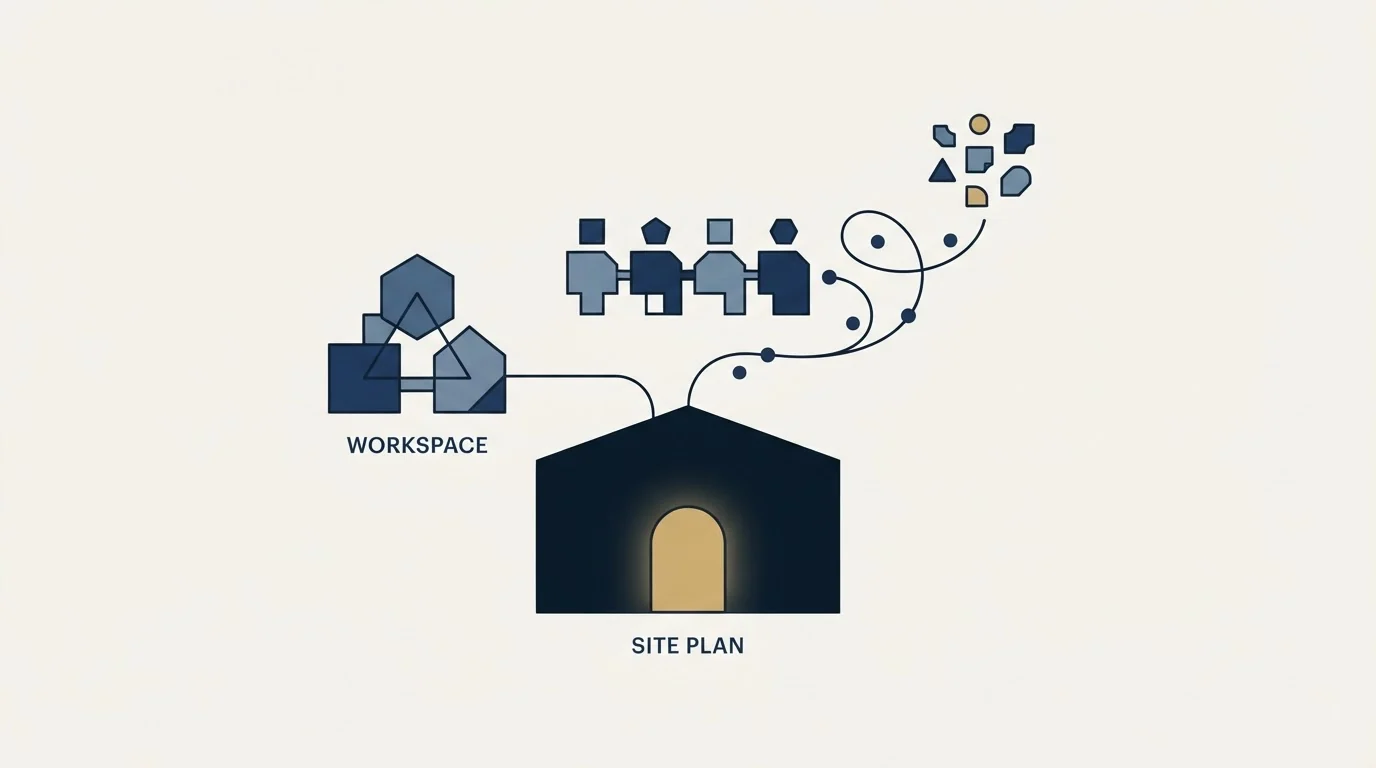
Webflow's price is four lines rather than one. On its own page a Site plan is bought per site and runs $15 a month billed yearly on Basic and $25 on Premium, which is the first tier with the CMS. A Workspace plan on that page is bought per organisation and runs $19 or $49 on the team ladder, $16 or $35 on the freelancer and agency one. Seats on that page are counted at three grades, $39 for Full, $15 for Limited and nothing for reviewers. Optimize, Analyze, Localize and extra bandwidth are metered separately, and Optimize starts at $299 a month at 25,000 page views.
The page defaults to yearly billing and labels every figure accordingly, and it names its own currency, which is more than many pricing pages in this category do. Read the qualifier, count the seats by role rather than by headcount, and price the add-ons only against traffic that can use them.
If the constraint is the number of people arriving on the page rather than the page itself, see what one campaign produces against your own market.
Prices and plan contents above were read from Webflow's own pricing page, with its billing switch and add-on selectors driven both ways and the yearly state it selects by default used for the headline figures. Verify current terms with the vendor before relying on them.
Frequently asked questions.
Frequently asked questions- How does Webflow billing work?
- Webflow bills several lines at once. A Site plan is charged per published site, a Workspace plan per organisation, seats per person by role, and add-ons such as Optimize, Analyze, Localize and extra bandwidth by their own usage units. Each line can be paid yearly or monthly, and the pricing page loads with yearly selected, which is the cheaper state.
- How much is a Webflow seat?
- Webflow's pricing page lists a Full seat, for designing sites or managing settings, at $39 a month billed yearly or $45 monthly, and a Limited seat, for editing content, at $15 yearly or $19 monthly. Free seats for reviewers and commenters cost nothing, and the seats block shows one Full seat included, so there is no minimum purchase.
- Is Webflow cheaper billed yearly or monthly?
- Yearly, on every line the page prices. Basic is $15 a month billed yearly against $25 monthly, Premium $25 against $39, the Core workspace $19 against $28 and Growth $49 against $60. The toggle's label says yearly saves up to 40%, and Basic is the plan where the full 40% applies.
- What does Webflow Optimize cost?
- Optimize is priced on monthly page views. Webflow's pricing page lists $299 a month billed yearly at 25,000 page views, stepping through $399, $549 and $799 to $1,199 at 500,000, or $379 to $1,499 billed monthly. It includes up to 5 concurrent optimizations, and the Enterprise version, with firmographic targeting, is quoted.
About the author.

Ben Carden is CRO at RevenueFlow, which builds and operates outbound revenue engines for B2B companies. Previously at Gartner Enterprise. Studied at London School of Economics.
Ben Carden · CRO
Connect on LinkedIn →Explore more.
Ready to scale your outreach?
We build GTM engines that book real meetings. See the receipts.
Related articles.
Optimizely Cost: What the Plans Page Publishes
Optimizely's plans page carries no prices, by either fetch route. What its own pages do disclose, where the circulating figures come from, and what rivals publish.
ClickFunnels Pricing: The Meter Is Contacts, Not Traffic
Four published tiers, and visitors are unlimited on every one of them. What ClickFunnels actually meters, and the tier where webhooks and the API appear.
Typeform Alternatives: Read the Response Meter First
Typeform meters responses with a hard ceiling and counts seats inside the plan. What Tally, Fillout, Formbricks and Jotform count instead, from their own pricing pages.
BrightTALK Pricing: What the Vendor Does Not Publish
Six BrightTALK surfaces carry no price at all. The $500 figure filling that gap is a 2022 scrape on a listing the vendor says it does not manage.
Foleon Pricing: No Published Price, a 24-Month Term
Foleon publishes no rate on its plans page and publishes the whole commitment behind it. The term, the notice window and what happens to the Docs after.
PartnerStack Pricing: One Published Number
PartnerStack quotes its three platform plans and publishes the whole model for its self-serve product. What each tier gates, and the choice forced at the entry tier.