Jotform Pricing: Four Meters, One Seat
Every Jotform plan card carries four separate ceilings, two of them about submissions. The larger one reads like the monthly limit, and it is not.

Jotform pricing is a free Starter plan plus three single-seat paid tiers: Bronze, Silver and Gold, served to this reader at 29, 39 and 119 a month billed monthly or 24, 29 and 89 billed annually, in a currency the page localises without saying so. Each card carries four separate ceilings, and the storage figure is not the monthly limit.
Key takeaways
- Jotform's pricing page lists a free Starter plan and three paid self-serve tiers, Bronze, Silver and Gold, at 29, 39 and 119 a month billed monthly or 24, 29 and 89 billed annually, plus Enterprise at a custom price.
- Every plan card carries four separate ceilings, forms, monthly submissions, total submission storage and monthly form views, and the storage row is ten times the monthly allowance on the middle tier.
- Every self-serve tier is a single seat; multi-user access, user management and single sign on appear only on Enterprise.
- The page localises its currency to the visitor without a banner, so confirm the symbol from the location that will be billed before a figure reaches a budget.
Reviewed and updated September 18, 2026
A marketing operations lead reads Jotform pricing to size it for lead capture, sees ten thousand submissions against the middle tier, and prices it against expected volume. The number is real. It belongs to a different row of the plan card, the one labelled "Total Submission Storage", and that tier's actual monthly allowance is a quarter of it.
That is not a mistake anyone made carelessly. Four separate quantity limits sit on each tier's card, two of them about submissions and almost identical in wording: "100 Monthly Submissions" and "500 Total Submission Storage" both appear on the free tier alone. The two rows sit adjacent on the card and the larger one reads like a plan allowance, so it is easy to quote the storage figure as the monthly limit.
Here is the published ladder as the vendor's own page served it, what each of the four meters actually counts, and the two structural facts that decide the tier long before the price does.
Jotform pricing: how much does it cost?
Jotform pricing is a free Starter plan and three single-seat paid tiers, plus Enterprise at a custom price. As the page served them to this reader, in pounds, Bronze is 29 a month billed monthly or 24 a month billed annually, Silver 39 or 29, and Gold 119 or 89, with the annual state labelled up to 20 percent off. The page localises its currency to the visitor without saying so.
The published ladder
The pricing page renders a monthly and yearly toggle labelled "Save up to 20%", and the state it served rendered the yearly figures; the monthly state, read from the plan data the page carries, is 29, 39 and 119 for the three paid tiers. Every self-serve plan carries the same four quantity meters plus a seat count, and the page's own header line reads "Trusted by over 40 million users".
| Jotform plan | Rate as served | Forms | Monthly submissions | Total submission storage | Monthly form views |
|---|---|---|---|---|---|
| Starter, per the pricing page | Free | 5 | 100 | 500 | 10,000 |
| Bronze, per the pricing page | 24 a month billed annually, or 29 monthly | 25 | 1,000 | 10,000 | 100,000 |
| Silver, per the pricing page | 29 a month billed annually, or 39 monthly | 50 | 2,500 | 25,000 | 1,000,000 |
| Gold, per the pricing page | 89 a month billed annually, or 119 monthly | 100 | 10,000 | 100,000 | 10,000,000 |
| Enterprise, per the pricing page | Custom price, on request | Unlimited | Unlimited | not stated | not stated |
The figures above carry no currency symbol deliberately, and the reason is the first thing to know about pricing this product.
The page localises its currency, and nothing on it says so
Fetched for this article on 30 August 2026, jotform.com/pricing rendered its plan cards in pounds sterling, with Bronze reading "£ 24 /month Billed annually". No banner, footnote or selector announced the substitution, although the plan data the page carries names its currency as GBP for that fetch, and the same page is widely quoted in dollars elsewhere. This is a known behaviour class rather than an oddity: several vendors in this category geolocate the currency off the requesting address, and a page that swaps the symbol while leaving the numeral unchanged quietly converts a price comparison into a nonsense, so read the currency before the number.
The practical consequence for anyone budgeting is short. The number you see is the number for where you are browsing from, and it is not necessarily the number your card will be charged in. Confirm the currency on the checkout, from the location that will actually be billed, before a figure from any comparison page reaches a budget line.
Four meters, and two of them sound the same

Every quantity on a Jotform plan card is a separate ceiling, and they are not proportional to each other.
Forms is how many can be active at once. Five, then 25, 50 and 100, then unlimited on Enterprise. The page's own FAQ defines it as "the maximum number of forms that can be active on your plan."
Monthly submissions is the flow. One hundred, then 1,000, 2,500 and 10,000. This resets monthly.
Total submission storage is the stock: how many responses the account holds in total, across all forms, at any one time. Five hundred, then 10,000, 25,000 and 100,000. This does not reset. Filling it does not stop collection. The pricing page's own FAQ states that once the ceiling is exceeded the system deletes the oldest form response to make room for new ones, and advises downloading old submissions to avoid losing data, so the fix is an export routine rather than an upgrade.
Monthly form views is how many times the forms can be loaded. Ten thousand, then 100,000, one million and ten million.
The remaining rows on the same card are smaller meters of the same two kinds. On the Silver plan data they read 250 monthly payment submissions, 250 monthly signed documents, 500 fields per form and 10 GB of upload space, with Bronze at 100, 100, 250 and 1 GB and Gold at 1,000, 1,000, 1,000 and 100 GB.
The confusion is easy to see once the two submission rows are side by side. On the middle tier, monthly submissions read 2,500 while total submission storage reads 25,000, and the larger figure is the one that reads more like a plan allowance. Quote the storage row as the submission limit and the tier looks ten times more generous than it is.
Metered plans get easier to compare once the allowance is divided into the price, an exercise SerpApi's search-allowance ladder leaves to the reader on its own page.
There is a second reason this matters for a B2B lead capture form specifically. Storage is a stock, so it fills at the rate you collect and never empties on its own. A form that gathers a few hundred responses a month will sit comfortably inside the flow limit for years and still hit the storage ceiling, at which point the fix is an export routine rather than an upgrade.
Every self-serve plan is a single seat
Read the seat line on all four self-serve tiers and it is identical: one user, described on each card as an individual plan. That does not change between the free tier and the most expensive self-serve one.
Multi-user access, user management and single sign on appear only on Enterprise, alongside service level agreements, data residency and professional services, at a quoted price.
Quoted-price tiers leave the buyer with nothing to compare, though Foleon's published contract term shows a vendor that hides its rate while stating the commitment behind it.
For a solo operator this is invisible. For a marketing team it is the fact that decides the platform, because the moment a second person needs to edit a form, read submissions in the account or hold access when the first person is away, the ladder does not step up. It ends, and the next thing is a sales conversation. Any evaluation that compares this product to a competitor on price per month without checking the seat line is comparing a single-seat account to a team one.
Where the compliance boundary sits
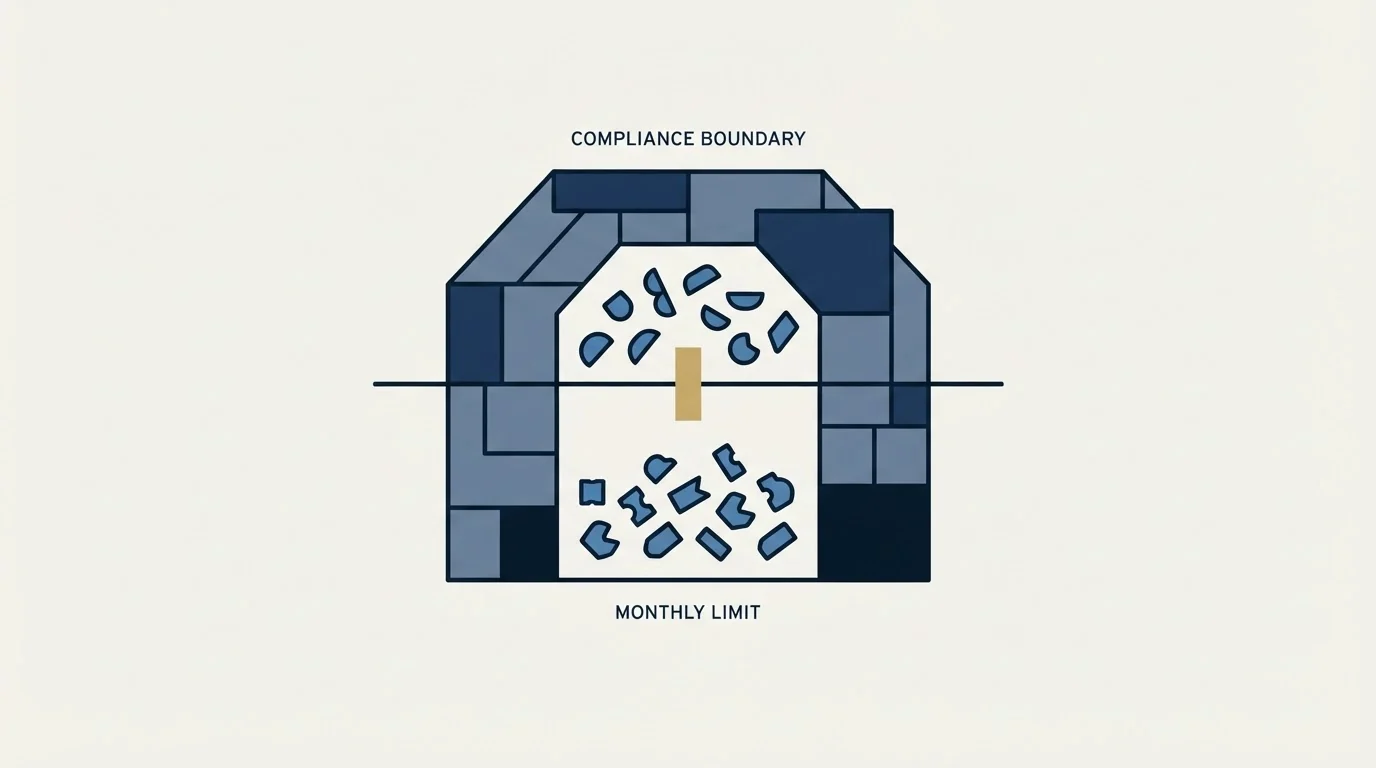
HIPAA-enabled features are marked unavailable on Starter, Bronze and Silver, and available on Gold and on Enterprise. That is a capability boundary rather than a volume one, and it lands three tiers up.
Branding follows a different line: the free tier's card reads "Jotform Branding", the three paid self-serve tiers read "No Branding", and Enterprise reads "Custom Branding & Domain".
Silver. 29 a month billed annually, or 39 monthly. 1 user
50 Forms
2,500 Monthly Submissions 1
25,000 Total Submission Storage 2
1,000,000 Monthly Form Views
250 Monthly Payment Submissions
250 Monthly Signed Documents
500 Fields per Form
10 GB Available Space
HIPAA features unavailable 3
- 1The allowance. Resets each month. This is the row to size against expected volume.
- 2The stock. Ten times larger, never resets, and reads like the plan allowance at a glance. Quote it as the limit and the tier looks ten times more generous than it is.
- 3A capability boundary, not a volume one: HIPAA features start on Gold and are on Enterprise.
What Jotform is used for
The product is a form builder, and the range of what teams build with it is wider than that description suggests, which is worth stating plainly because it changes which of the four meters binds first.
At its simplest it collects structured responses: a contact form, a campaign registration, a request for information. Beyond that the plan cards themselves name two paid-for surfaces that most form tools treat as separate products. Payment submissions are metered on every tier, so an order form or a deposit collection runs inside the same account. Signed documents are metered on every tier too, which puts a light e-signature workflow in the same place. Above those sit an approvals and workflow layer, a tables view of the responses, an apps builder and an AI agent surface with its own limits, all of which draw on the same account.
For a B2B lead generation programme the useful frame is narrower. The form is the point where a visitor decides whether the exchange is worth it, and every field is a cost the visitor pays before they see any value, which is the argument in landing page lead generation. What the platform charges for is the flow and the stock of those responses, and both of those are downstream of a decision about how many fields to ask for, not upstream of it.
Where the constraint usually sits

A form builder converts intent that already arrived. It does not create any, so the value of moving from one tier to another is bounded by how many people reach the form in the first place.
For an outbound-fed programme that number is measured in hundreds a month, which leaves a team comfortably inside the second tier on flow and lets the storage ceiling become the binding one years later. It also puts the whole conversation about response volume behind a different question: whether enough of the right people are arriving at all. That argument is in landing page lead generation, and the reason a published conversion benchmark will not settle it is in average landing page conversion rate. When the population is small, a rate computed over a few dozen records is dominated by chance, which conversion rate sets out, and the same shortage defeats any attempt to test the form, for the reasons in A/B testing a landing page when you do not have the traffic.
Where the form sits inside the wider page decision, and which of the four jobs under the optimisation label it belongs to, is mapped in landing page optimization tools.
The short version
There is a free tier, three paid self-serve tiers and an Enterprise route at a quoted price. Each plan card carries four separate ceilings: "5 Forms", "100 Monthly Submissions", "500 Total Submission Storage" and "10,000 Monthly Form Views" on the free tier, stepping upward from there. The two submission rows are different in kind, one a flow that resets and one a stock that does not, and the storage figure is the one that reads like the submission limit at a glance.
Every self-serve tier is a single seat, so a team needs Enterprise regardless of volume. HIPAA-enabled features start on the third paid tier. And the page localises its currency without saying so, so confirm the symbol from the location that will be billed before any figure reaches a budget.
When the shortage is the number of qualified people reaching the form rather than the plan behind it, see what a first campaign produces against your own market.
Pricing and features are taken from the vendors' own pages. Verify current terms with the vendor before relying on them.
Source: Jotform pricing, read in the currency and billing view it served to the fetch behind this article; the page localises.
Frequently asked questions.
Frequently asked questions- How much does Jotform cost per month?
- Jotform's pricing page lists a free Starter plan and three paid single-seat tiers. Served to this reader in pounds, Bronze is 29 a month billed monthly or 24 a month billed annually, Silver 39 or 29, and Gold 119 or 89, with the annual state labelled up to 20 percent off. Enterprise is custom priced. The page swaps the currency symbol by location, so a visitor elsewhere sees different figures.
- Is there a free Jotform plan?
- Yes. The Starter plan is free and single user, with 5 forms, 100 monthly submissions, 500 total submission storage and 10,000 monthly form views on its card, plus 10 monthly payment submissions and 10 signed documents. Forms on it carry Jotform branding, which the FAQ says can be removed on a paid plan, and HIPAA features are not available on it.
- What is the difference between monthly submissions and total submission storage on Jotform?
- Monthly submissions is the flow: how many responses you can collect in a month, and it resets. Total submission storage is the stock: how many responses the account holds across all forms at once, and it never resets. On Silver those read 2,500 and 25,000, and the page's FAQ states that once storage is exceeded the system deletes the oldest form response to make room.
- Which Jotform plan supports more than one user?
- Only Enterprise. The Starter, Bronze, Silver and Gold cards are each a single user, described on the page as individual plans, and the FAQ calls Enterprise the only multiuser Jotform plan. So a team that needs a second editor or shared access to submissions is looking at a custom quote regardless of its submission volume.
About the author.

Ben Carden is CRO at RevenueFlow, which builds and operates outbound revenue engines for B2B companies. Previously at Gartner Enterprise. Studied at London School of Economics.
Ben Carden · CRO
Connect on LinkedIn →Explore more.
Ready to scale your outreach?
We build GTM engines that book real meetings. See the receipts.
Related articles.
Jotform Alternatives: The Meters Differ in Kind, Not in Size
Four form builders at similar headline rates count completely different things: per account, per form, per year, or per lead. That is what decides the bill.
Typeform Alternatives: Read the Response Meter First
Typeform meters responses with a hard ceiling and counts seats inside the plan. What Tally, Fillout, Formbricks and Jotform count instead, from their own pricing pages.
Formstack vs Jotform: Two Meters, Two Different Buyers
One counts submissions per form, the other per account. One publishes a three-seat tier, the other one seat everywhere. Compliance lands in different places too.
Foleon Pricing: No Published Price, a 24-Month Term
Foleon publishes no rate on its plans page and publishes the whole commitment behind it. The term, the notice window and what happens to the Docs after.
eWebinar Pricing: Two Meters and a Level That Moves
eWebinar does not ask you to pick a plan. Published webinars set the level and registrants set the overage, and the two directions do not move on the same schedule.
BrightTALK Pricing: What the Vendor Does Not Publish
Six BrightTALK surfaces carry no price at all. The $500 figure filling that gap is a 2022 scrape on a listing the vendor says it does not manage.