Best Outlook CRM: What the Add-In Actually Does
An Outlook CRM is a Microsoft platform object under Microsoft's rules. What five vendors publish about install route, mailbox eligibility and silent logging gaps.

Outlook is not a CRM. A CRM in Outlook is a separate CRM, such as eWay-CRM, Nutshell, Salesflare, HubSpot or Dynamics 365, showing a panel beside your mail through a Microsoft add-in. Microsoft's rules decide what it can do: it installs per mailbox, and email tracking works reliably only when an administrator deploys it.
Key takeaways
- Outlook has no built-in CRM: a CRM for Outlook is another vendor's CRM rendered as an add-in panel, and the records live in the CRM, not in the mailbox.
- A modern Outlook add-in installs into one mailbox at a time, and some automatic behaviour such as email tracking is restricted when users install it themselves.
- At least one product applies its logging preferences only while its pane is open, so a closed panel turns logging off without any error.
- Two vendors publish contradictory readings of whether IMAP mailboxes are eligible, so test mailbox eligibility on your own accounts during the trial.
Reviewed and updated October 1, 2026
Outlook is not a CRM. A CRM in Outlook is another company's CRM showing a panel inside your mailbox, and what that panel can do is decided by Microsoft's add-in rules more than by the CRM you chose.
A sales manager installs a CRM add-in across the team, watches it appear in everybody's ribbon, and assumes the logging problem is solved. Six weeks later a manager notices that sent mail is missing from the CRM, and nobody can say which messages or why. The add-in was installed. It was installed the wrong way, by the wrong person, into a mailbox the platform treats differently from the one it was demonstrated on.
Most comparison pages in this category rank the same products on the same features. Almost none of them says what an Outlook add-in actually is, which is a Microsoft platform object living inside a Microsoft mailbox under Microsoft's rules. Those rules decide whether the thing you bought does the job, and four of the five vendors below document them on their own support pages.
Is there a CRM in Outlook?
Not a built-in one. Outlook holds mail, a calendar and a contact list, and it has no company, deal or pipeline record. A CRM for Outlook adds those by placing the CRM's own panel beside your mail, so you can see the account and log the message without leaving the inbox. The records live in the CRM, never in Outlook, and Microsoft's own option is the Dynamics 365 App for Outlook.
What "CRM for Outlook" is buying you
Three different products get sold under that phrase, and they behave nothing alike.
A modern web add-in. A panel that renders inside Outlook on Windows, Mac and the web, installed per mailbox from Microsoft AppSource or from Outlook's own Apps menu. This is the shape every product below ships.
A desktop add-in. The older Windows-only component that loads into the Outlook application itself. It can do more, it breaks more, and vendors are retiring it.
Email sync with no panel at all. Server-side synchronisation between the mailbox and the CRM, which logs mail without anything appearing in the reading pane.
The three fail differently. A web add-in that a user installed themselves can render perfectly and still not log a sent message. A desktop add-in can log everything and stop working after a Windows update. Server-side sync logs whatever the connector was configured to log, silently, whether or not that is what anyone wanted.
The current default
Modern web add-in
Renders in Outlook on Windows, Mac and the web. Installed per mailbox from AppSource or the Apps menu, and some automatic behaviour depends on how it was installed.
fails by doing nothing, with no error shown
Windows application component
Desktop add-in
Loads into the Outlook application itself. Windows only, tied to that machine, and vendors are moving support away from it.
fails by breaking visibly, usually after an update
No panel at all
Server-side email sync
Runs between the mail server and the CRM. Configured once by an administrator, and logs without anyone opening anything.
fails by logging the wrong set, not none
The platform rules the vendors publish, and the one they disagree about
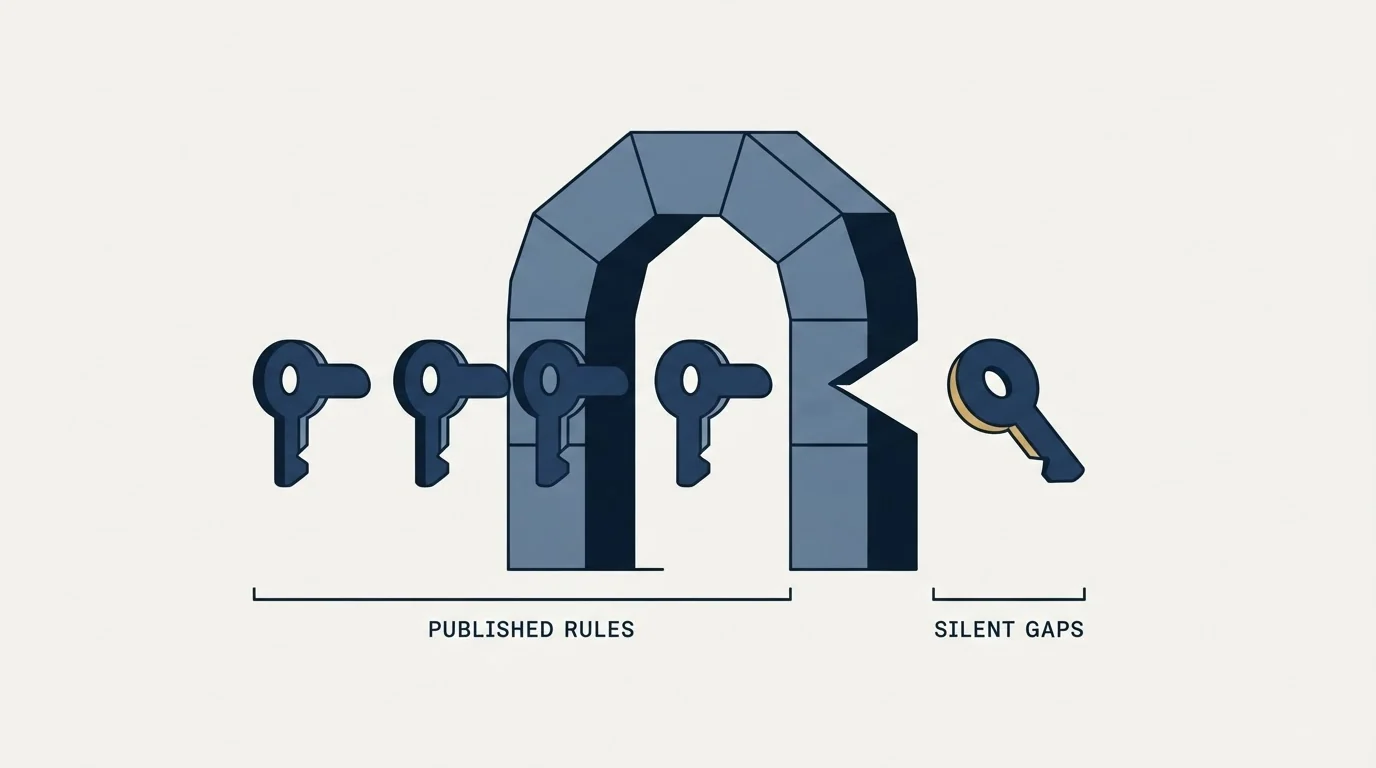
These are the constraints an Outlook CRM inherits from Microsoft. Each one below comes from the page of the company that has to live with it.
An add-in installs into one mailbox at a time. Salesflare's own installation guide, dated 10 July 2026, states that a modern Outlook add-in "is only installed in one Microsoft 365 account", so a person working two Microsoft 365 accounts installs it twice. Nothing in the interface says this, and a rep who installed it on the mailbox they log in with will find it absent from the shared one they actually send from.
Who installs it changes what it can do. The same Salesflare page states that "Microsoft now restricts certain event-based features in Outlook add-ins that users install themselves", and asks the reader to have a Microsoft 365 administrator deploy it through the admin centre instead, because "the Outlook add-in will only reliably insert email tracking when it is installed through the admin route". That is the single most consequential sentence in this whole category, and it appears on none of the ranked comparison pages.
The panel has to be open for some products to log. HubSpot's knowledge base article on its Office 365 add-in, last updated 22 June 2026, states the condition plainly: "Any preferences set for tracking and logging emails are only applied when the HubSpot Sales sidebar pane is open" while an email is being composed. It tells you to pin the task pane so mail is always logged. A rep who closes the panel to get screen space has turned off logging without being told.
The old desktop add-in is being retired. HubSpot's article on that component, last updated 21 June 2026, says plainly that it "is for Windows only and is in maintenance mode", and gives the reason: "due to the significant changes introduced by Microsoft" as part of the new Outlook for Windows, HubSpot "will no longer actively develop or improve" it. If a comparison page is still selling you a desktop add-in as a strength, check the vendor's own support tree before believing it.
The mail server sets a floor. Microsoft's own documentation for Dynamics 365 App for Outlook, read on 2 September 2026, states that "The server requirements for using Office Add-ins are Exchange Server 2013, Exchange Server 2016, or Exchange Online", and that following the end of support for Internet Explorer and Edge legacy, the app "is not supported on versions of Microsoft Outlook that use Internet Explorer or Legacy Edge WebView".
Now the disagreement, which is more useful than either answer on its own. Nutshell's help centre, read on 2 September 2026, states the rule this way: "Currently, Microsoft's Outlook only supports the use of add-ins for email accounts configured with IMAP, and must be an account hosted in Office 365, or Exchange 2013 or later". Salesflare's page states the opposite about the same platform: "You can not use the Outlook add-in for IMAP or Google Workspace / Gmail accounts that you read in Outlook." Two vendors describing the same Microsoft behaviour on their own support pages have reached incompatible readings of it. Neither is careless. The lesson for a buyer is that mailbox eligibility is the thing to test on your own accounts during the trial, because the vendors themselves cannot agree on where the line sits.
The five products, from their own pages

Each entry below is what that company publishes about its own Outlook integration, on the surface named, on the date named. No ratings, install counts or market-share claims appear here, because none of those is a fact a vendor page can establish about itself.
eWay-CRM. Its Outlook CRM page, read on 2 September 2026, describes the product as an "Outlook CRM plugin (add-in)" that converts emails into contacts, deals, projects, tasks and journals either automatically or in one click, and names the surrounding Microsoft surface it connects to: Outlook, Teams, SharePoint, Power BI, Power Automate and Copilot. The distinguishing claim is the span past the deal into project delivery, which suits a team whose work continues after signature.
Nutshell. Its help centre article on installing the Outlook add-in states that the extension is available to Nutshell users on every plan, and that using Nutshell email templates from the Outlook composer requires Sales Business or above. The panel shows the companies and people on an open email with their tasks, open leads and timeline entries. Install is either from Nutshell's AppSource listing or from Add apps inside Outlook.
Salesflare. Its installation guide, dated 10 July 2026, describes a sidebar that once pinned "will now stay open and show relevant Salesflare context as you work through your mailbox", and documents the install path separately for the new Outlook for Windows, the old Outlook for Windows, Outlook for Mac and Outlook on the web. It is the most honest published account of what this class of product actually requires from a Microsoft administrator. Its seat rates at both billing states, the five user minimum on the top tier and the lead credit packs are read on this site's Salesflare pricing page.
HubSpot. The Office 365 add-in tracks and logs email and exposes HubSpot sales tools in Outlook for Windows, Mac and the web, per the article last updated 22 June 2026, with the pinned-pane condition above. The separate Windows desktop add-in is in maintenance mode per the article last updated 21 June 2026. A team standing up HubSpot in Outlook today wants the Office 365 add-in and should read both pages before deciding.
Dynamics 365 App for Outlook. Microsoft's overview page, last updated 22 July 2022, describes linking email messages, meetings and appointments to a row in the app, viewing record context beside a message, synchronising contacts so that Exchange and the app stay in step, and inserting email templates, knowledge articles and sales literature while composing. It works with the customer engagement apps and with model-driven Power Apps on Dataverse. If the company already runs Microsoft licensing seriously, this is the option with no second vendor in it.
| Product | What its own page says | Best fit |
|---|---|---|
| eWay-CRM | Converts emails into contacts, deals, projects, tasks and journals, and connects to Teams, SharePoint and Power BI | Work that continues past the deal into delivery |
| Nutshell | The add-in is on every plan. Composer templates need Sales Business or above | Teams that want the panel on whatever plan they hold |
| Salesflare | Documents the install path for each Outlook version, and asks for an admin-centre deployment | A team with a Microsoft 365 administrator willing to deploy it |
| HubSpot | The Office 365 add-in logs while its pane is open. The Windows desktop add-in is in maintenance mode | Existing HubSpot users, on the Office 365 add-in only |
| Dynamics 365 App for Outlook | Links mail, meetings and appointments to a row, and keeps contacts in step with Exchange | A company already serious about Microsoft licensing |
What none of them does, and it is the part outbound teams need
An Outlook CRM makes the record follow the conversation. It does not make the mailbox a sending platform, and installing one changes nothing about what Microsoft will carry.
A cold programme needs separate sending domains so that a reputation problem never touches the domain invoices and support replies come from. It needs several mailboxes with rotation, so that no single account carries a volume pattern that looks nothing like a person. It needs warmup, bounce handling and a suppression list enforced at send time rather than remembered by somebody. None of that is a criticism of an add-in, because none of it is what an add-in is for. What Microsoft itself will and will not carry from an Outlook mailbox is set out in mass email from Outlook, and the connection settings underneath it are in Outlook SMTP setup.
There is a second boundary worth naming plainly. Several products in this category sell multi-step follow-up sequences, and that is an accurate description of what the software does. Our own practice differs and this page should not be read as recommending theirs: we send one message per campaign, with no bumps and no thread replies. The argument for running cold sending from the system you already pay for, and where it stops, is worked through in sending cold email from the CRM you already pay for.
How to choose

Start from the mailbox rather than the feature grid. Establish which Outlook versions your team actually runs, whether every mailbox they send from is Microsoft 365 hosted, and whether you have an administrator willing to deploy an add-in centrally. Those three answers narrow the shortlist before any product is compared.
Then test the one thing that produces a monthly argument when it is wrong. Send from a real rep mailbox to a real record, with the panel closed, and check what arrived in the CRM, against which record, with which owner and which timestamp. An integration that looks perfect in a demo can drop custom fields or mis-attribute ownership, and the tell is always a reporting dispute rather than an error message. The wider question of what a CRM has to do for an outbound team, and the five products usually shortlisted for it, is in the CRM comparison for SDR teams.
Last, decide what the CRM is the record of before configuring any of it. Stage definitions and qualified-meeting criteria written down first are what make the logged activity mean anything, and pipeline management in a CRM covers the discipline that keeps those records honest once the mail starts arriving.
The short version

An Outlook CRM is a Microsoft platform object, and Microsoft's rules decide whether it works. An add-in installs into one mailbox at a time. Some automatic behaviour, including email tracking, is restricted when a user installs it themselves rather than an administrator deploying it. At least one product logs only while its pane is open. The Windows desktop add-in class is being retired as the new Outlook for Windows lands. And the two vendors here who document mailbox eligibility most carefully contradict each other about IMAP, which makes it something to test rather than read.
Choose on mailbox fit, deployment route and a real logged test send. eWay-CRM reaches furthest past the deal, Nutshell puts the add-in on every plan and gates composer templates higher, Salesflare documents the install best, HubSpot wants the Office 365 add-in rather than the desktop one, and Dynamics keeps the whole thing inside Microsoft licensing.
If the constraint is the number of qualified conversations reaching that inbox rather than how they get logged, that is a different purchase. See what a first campaign produces against your own market.
Product capabilities and platform requirements are quoted from each vendor's own pages on the dates named, from stored snapshots. Verify current terms with the vendor before relying on them.
Sources: Salesflare Outlook add-in install guide, Nutshell Outlook add-in, HubSpot Sales Office 365 add-in, HubSpot Outlook desktop add-in, Dynamics 365 App for Outlook overview, App for Outlook system requirements, eWay-CRM Outlook CRM
Frequently asked questions.
Frequently asked questions- Is there a CRM in Outlook?
- Not a built-in one. Outlook holds mail, a calendar and contacts, and has no company, deal or pipeline record. A CRM for Outlook is a separate product whose panel appears beside your mail through a Microsoft add-in, so you can see the account and log the message. Microsoft's own option is the Dynamics 365 App for Outlook.
- How does a CRM integrate with Outlook?
- In one of three ways. A modern web add-in renders a panel in Outlook on Windows, Mac and the web and is installed per mailbox. An older desktop add-in loads into the Windows application and is being retired by vendors. Server-side email sync logs mail between the server and the CRM with no panel at all.
- Why are my Outlook emails not logging to the CRM?
- Usually one of three documented causes. The add-in was installed by the user, and Salesflare's guide says tracking is reliable only through an administrator deployment. The panel was closed, and HubSpot applies logging preferences only while its pane is open. Or the add-in is missing from the mailbox actually sent from, since it installs one mailbox at a time.
- Which CRM works best with Outlook?
- It depends on the mailbox, not the feature grid. eWay-CRM reaches furthest past the deal, Nutshell puts the add-in on every plan, Salesflare documents installation best, HubSpot wants its Office 365 add-in and not the desktop one, and Dynamics 365 keeps everything inside Microsoft licensing. Test a real logged send before choosing.
About the author.

B2B cold email experts helping companies generate qualified leads through done-for-you outreach campaigns.
RevenueFlow Team
Explore more.
Ready to scale your outreach?
We build GTM engines that book real meetings. See the receipts.
Related articles.
Which CRMs and Tools the Outbound Stack Connects To: Integration Data From 342 Sales Tools
HubSpot is named as an integration by 52.3% of 342 verified sales tools, Zapier by 50.3% and Salesforce by 43.3%. Here is the full map by category.
Is Clay Free? The Free Plan, the Trial and Where Each Stops
Clay's free plan, its 14-day trial and the no-charge-on-a-miss rule are three different things. What each holds and where it stops, from clay.com on 19 September 2026.
Video Prospecting Tools by Job: What Each One Is For
Ten video prospecting tools sorted by the job each vendor's own page describes: record and share, personalise at volume, avatars, hosting and interactive demos.
Social Selling Tools by Job, and the Account-Risk Line
Fourteen social selling tools sorted into six jobs, split by whether each acts through your LinkedIn account or beside it, from the vendors' own pages.
Seamless.AI Email Finder: How It Works, What a Credit Buys
How Seamless.AI's email finder resolves a contact in real time, what one Universal Credit buys, the Total AI score on every address, and what the Chrome extension reads.
Airscale Pricing: Three Plans, One Credit, Four Rates
Airscale prints a different credit cost on every plan, and its advertised per-email price belongs to the custom one. The dated ladder and the rollover rules.