Chili Piper Alternatives: What You Are Actually Replacing
Chili Piper bundles three jobs into one product, and most alternatives replace only one. How to tell routing-first from scheduling-first before comparing prices.
Chili Piper bundles a booking link, an inbound routing engine and speed-to-lead into one product. Scheduling-first alternatives such as Cal.com at $12 and Calendly at $16 per user per month replace the first job and part of the second. Routing-first alternatives such as RevenueHero replace all three at a lower floor.
Key takeaways
- Chili Piper performs three separable jobs, and a replacement that covers only the booking link is not a replacement for a team routing inbound forms.
- Cal.com includes routing forms and round-robin scheduling on its $12 per user per month Teams tier, and advertises one-click import of Calendly events on its free plan.
- RevenueHero publishes a platform fee plus a per-user rate, an order of magnitude below a $15,000 annual floor for a small team.
- The switching decision is settled by counting misrouted inbound for a month, not by comparing feature grids that every vendor in the category will satisfy.
Reviewed and updated August 28, 2026
Most searches for a Chili Piper alternative start with a renewal quote rather than a product complaint. The vendor's own pricing page publishes a floor of $15,000 a year for its entry tier, and that figure is the reason a category of otherwise satisfied buyers goes looking.
A comparable renewal shock shows up in CRM buying, where the Attio alternatives guide explains how seat, object and credit ceilings each point toward a different replacement.
Before comparing products, it helps to separate what is actually being replaced, because Chili Piper bundles three jobs that other vendors sell separately and a replacement that covers one of them is not a replacement at all.
The three jobs hiding inside one product
The first job is the booking link. A rep shares a URL, an invitee picks a slot, the meeting lands on a calendar. Almost every product in this space does this and the differences are cosmetic.
The second job is inbound routing. A form submission arrives, gets evaluated against rules about company size, territory, product interest or account ownership, and is assigned to a specific rep before a calendar is ever shown. This is where the money is, and it is the job most cheap alternatives do not do.
Rule-based qualification of this kind is exactly what Calendly's routing form feature evaluates, showing where CRM facts end and self-reported claims begin.
The third job is speed to lead. The prospect who just submitted the form sees a calendar immediately, in the same session, rather than receiving an email an hour later. The value here is entirely about elapsed time, and it depends on the routing decision resolving in under a second.
A team that only needs the first job has a wide field of inexpensive options. A team that needs the second and third has a much narrower one, and the narrowness is the reason the pricing looks the way it does.
- Step 1Capture
The form is submitted, with whatever fields you asked for
- Step 2Match
The submission is matched to an existing account or owner in the CRM
- Step 3Qualify and route
Rules decide who should take it, or that nobody should
- Step 4Book
The right rep's availability is shown in the same session
- Step 5Log
The meeting and its routing decision are written back to the CRM
The routing-first challengers
The closest replacements are the products built to attack the same job, and they compete on price structure rather than on feature checklists.
RevenueHero publishes its pricing openly. Its Inbound Essentials tier is a fixed platform fee plus a per-user rate: the page carries a platform fee of $79 per month and a per-user rate of $25 per month per user on one billing period, and $99 and $35 on the other. Both states are rendered into the same document with the yearly and monthly labels adjacent, so the safe reading is that the lower pair is the annual commitment and the higher pair the monthly, and the exact pairing is worth confirming with the vendor rather than reading off a page that shows both at once.
The structural point survives whichever way that resolves. A platform fee measured in tens of dollars a month plus a per-seat rate in the twenties or thirties sits an order of magnitude below a $15,000 annual floor for a small team, and the feature list covers the routing job properly, including balanced round robin, collective round robin, fuzzy matching and a routing log that traces each decision.
That last item deserves attention. A routing log is the difference between a rule set you can debug and one you argue about in a pipeline meeting. When a lead reaches the wrong rep, the only useful question is which rule fired, and a product that cannot answer it turns every misroute into a dispute.
Default is the other name that appears consistently in this comparison. Its pricing was not verifiable at the path checked on 15 August 2026, which returned a 404, so nothing here should be read as a statement about what it costs. A failed fetch is a failed fetch rather than evidence about a vendor's disclosure.
The Salesforce native half of the same field is a separate shortlist, because a product that routes contacts, accounts and custom objects inside the CRM is answering a different question, and LeanData competitors sorts that group by the job each one replaces.
The scheduling-first alternatives, and what they cost you

The other direction is to drop the routing engine and buy a good booking link, accepting that assignment happens somewhere else or not at all.
Cal.com publishes a Teams tier at $12 per user per month on its annual state, and the feature list at that tier includes routing forms, round-robin scheduling, managed and collective event types, booking analytics and custom APIs. Its Organizations tier is $28 per user per month, and both carry a stated 25 percent saving against monthly billing. The free tier advertises one-click import of Calendly events, which lowers the cost of trying it.
SavvyCal publishes $10 per user per month for Basic and $17 for Premium, with the annual option selected by default on the page as served. It is a scheduling experience rather than a routing engine, and it competes on how the invitee experiences picking a time.
Calendly itself is the alternative most of these evaluations quietly land on. Its Teams tier at $16 per seat per month annually carries round-robin meetings, lead qualification and routing, and meeting sync to Salesforce, which covers a meaningful share of the second job at a small fraction of the price.
- Chili Piper Routing and Scheduling from $15,000 per year, 15 seats included
- RevenueHero Inbound Essentials, platform fee plus per-user rate
- Fuzzy matching, account ownership and routing logs
- Worth it only where inbound volume is high enough to misroute
- Cal.com Teams $12 per user per month, annual, includes routing forms
- Calendly Teams $16 per seat per month, annual, round-robin and lead routing
- SavvyCal Basic $10 and Premium $17 per user per month, annual
- Assignment logic is simpler and sometimes absent
The migration cost nobody quotes
Switching a scheduling layer looks cheap because the software is cheap, and the parts that cost real time never appear on a quote.
Existing booking links are the first of them. Every rep has a personal link in an email signature, a proposal template, a LinkedIn profile and a handful of landing pages, and some of those links are in messages already sent. Links that stop resolving turn into a silent loss, because the prospect who clicks a dead calendar rarely writes in to say so. Plan a redirect or an overlap period where both systems answer, and audit the places a link can hide before switching anything off.
The routing rules are the second. Rules built over two years encode decisions nobody wrote down, including exceptions added for a specific rep or a specific account. Rebuilding them from the current configuration is a translation exercise, and the useful discipline is to write down what each rule is meant to achieve before recreating how it is implemented, since a fair number turn out to be obsolete.
The third is historical data. Meeting records, routing decisions and outcome tracking live in the incumbent, and how much of that comes with you depends on an export capability that is worth confirming while you still have a live contract rather than during an offboarding.
The evaluation that actually decides it

Feature grids are the wrong instrument here, because every product in the comparison will tick most rows. Three questions settle it faster.
How much inbound arrives, and how often is it misrouted today. Routing software earns its price by preventing wrong assignments and lost minutes. Count the form submissions for a month and count the ones that reached the wrong person or nobody. If the second number is small, the expensive tier is solving a problem you do not have.
Where does account ownership live, and is it trustworthy. Routing to the account owner only works if the CRM knows who owns the account. Teams with stale ownership data buy a routing engine and then discover the engine is faithfully executing bad data, which is a data project wearing a software budget.
Who will maintain the rules. Routing rules decay. Territories change, reps leave, products get renamed. A rule set with no owner degrades into a fallback route inside two quarters, and at that point the product is an expensive booking link. The concepts underneath are worth reading directly: lead routing covers the rule sets themselves, and round-robin assignment covers the distribution method and the way it misallocates when reps are not interchangeable.
- Yes: Monthly inbound form submissions, counted rather than estimated.
- Yes: How many of those were assigned to the wrong rep last month.
- Yes: Whether CRM account ownership is current enough to route on.
- Yes: Who owns the routing rules by name, and when they will review them.
- Depends: Whether historical routing decisions can be exported when you leave.
- Yes: Whether the seats included in a platform fee match your actual team size.
The question underneath the question
A meaningful share of these evaluations are triggered by a renewal that has grown faster than the results attached to it, and the honest reading is sometimes that the routing layer was never the constraint.
Inbound routing converts demand that already exists. It cannot create a form submission. A team whose pipeline problem is volume rather than conversion will replace one routing product with another, save money, and find the pipeline unchanged, because the inbound lead generation problem sits upstream of every tool in this comparison.
The way to tell them apart is the arithmetic. Cost per booked meeting rather than cost per seat is the unit that makes a $15,000 platform and a $12 booking link comparable at all, and the same unit is what makes software comparable with the alternatives to software. The cost of a booked appointment sets out how to calculate it, and the comparison of AI appointment setters against human setters and agencies runs it across the options that are not software.
What to take away
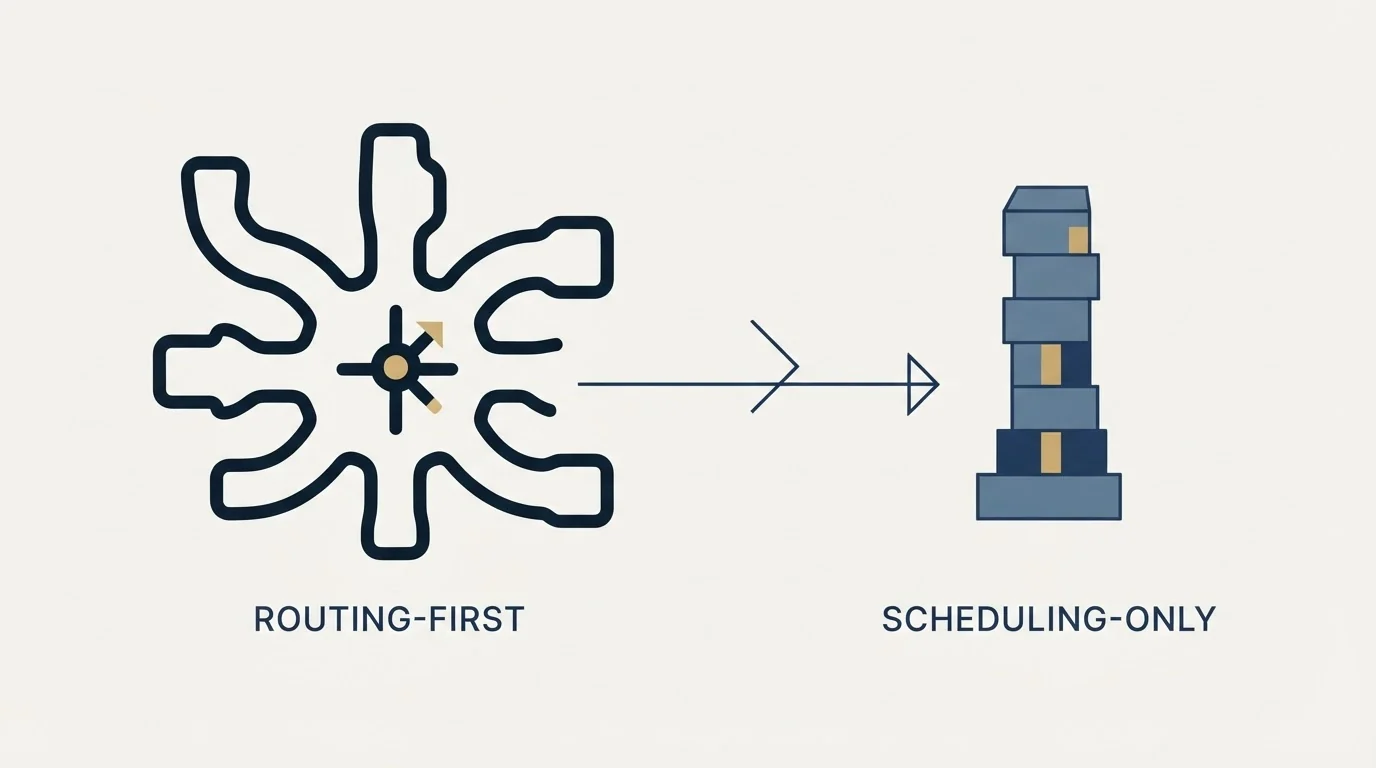
Replace like for like. A booking link at $10 to $17 per user per month replaces the first of Chili Piper's three jobs. Cal.com at $12 per user per month on its Teams tier and Calendly at $16 per seat per month reach into the second. Only the routing-first products replace all three, and RevenueHero is the one in that group publishing its rates on a page anyone can read.
Decide by counting misroutes rather than by comparing feature lists, confirm that CRM ownership data is good enough to route on, and name the person who will maintain the rules before signing anything.
If the count that comes back is that there is not enough inbound to route, that is a different purchase. RevenueFlow books qualified meetings on a pay-per-meeting basis, against criteria agreed in writing before launch, and the b2b appointment setting guide sets out how that work runs.
Pricing and features verified as of mid-2026 against each vendor's own pricing page as served. Verify current terms with the vendor before relying on them.
Frequently asked questions.
Frequently asked questions- What is the closest alternative to Chili Piper?
- For the full routing job, RevenueHero is the closest published comparison, covering balanced and collective round robin, fuzzy matching and a routing log that traces each decision. For teams that mainly need scheduling with some distribution, Cal.com's Teams tier at $12 per user per month and Calendly's Teams tier at $16 per seat cover a meaningful share of it.
- Is Chili Piper worth the price?
- It depends on inbound volume and on how often that inbound is misrouted today. Routing software earns a $15,000 annual floor by preventing wrong assignments and lost minutes at scale. Count a month of form submissions and count how many reached the wrong person. If that second number is small, a cheaper booking link does the same work.
- Can Calendly replace Chili Piper?
- Partly. Calendly's Teams tier publishes round-robin meetings, qualifying and routing leads, and meeting sync to Salesforce, which covers the simpler routing cases. Routing that depends on Salesforce lookup sits on Calendly's Enterprise tier. Teams with complex account-ownership matching or live phone connect from a form will find the gap real.
- What does switching a routing tool actually cost?
- The software is the cheap part. The costs that matter are re-publishing every booking link already sitting in signatures, proposals and sent emails, rebuilding routing rules that encode undocumented decisions, and exporting historical meeting and routing data. Confirm the export capability while the incumbent contract is still live rather than during offboarding.
About the author.

B2B cold email experts helping companies generate qualified leads through done-for-you outreach campaigns.
RevenueFlow Team
Explore more.
Ready to scale your outreach?
We build GTM engines that book real meetings. See the receipts.
Related articles.
Chili Piper Pricing: Seat Floors and What Each Rep Costs
Chili Piper publishes its floors, seat allowances and overage rates. What the $15,000 entry tier includes, and why the standalone calendar costs almost twice as much.
Calendly Alternatives: What to Move To, and What You Give Up
Cal.com, TidyCal and SavvyCal sorted by the job you are hiring a scheduler for, with each vendor's own published rates and what the free tiers really cover.
Calendly Pricing: Every Plan and What Changes With Seats
Calendly's published rates read as annual by default. What each tier unlocks, why the same page shows three currencies, and where the non-profit discount lives.
Sales Automation Software for Small Business: Four Buys
One search returns four unrelated products, and on at least one vendor's published plan list the automation is gated above the tier a small team buys.
Calendly API: What You Can Automate and What You Cannot
Read access runs on any plan, webhooks need a paid one, and programmatic deletion is Enterprise-only. The scope decision that quietly breaks integrations, first.
Sybill: The Credit Meter Is the Number to Model
Sybill meters by credits per week rather than by seat, and its pricing page carries three different figures for the same two plans. Both facts change the model.