Clay Agents (Claygent): Where an LLM Beats a Data Provider
An AI research agent earns its cost on fields no vendor sells. Where Claygent beats a data provider, where it loses, and the grounding rule we never break.
Use a Claygent for fields no provider sells: bespoke attributes, grounded qualification from a company's own pages, and evidence for personalisation. Use a data provider for emails, phone numbers, firmographics and anything you will filter on numerically. Agent pricing tracks model choice and prompt length, so both are cost decisions.
Key takeaways
- Clay describes Claygents as agents added to a table that take inputs, follow instructions, and write structured output into a column.
- Claygents in tables are stateless and start fresh every run, while Account Research Agents keep persistent context in Audiences.
- Agent cost tracks the actual complexity and token usage of each request, plus one action per AI prompt, so model choice and prompt length are billable decisions.
- Every fact an agent produces must come from retrieved text, because an ungrounded model failure arrives as confident prose rather than an error.
Reviewed and updated September 5, 2026
Clay's own marketing line for Claygent is "Find unique data no provider has", and that sentence is a better scoping rule than most of what gets written about AI agents in go-to-market. If a provider sells the field, buy it from the provider. If nobody sells it, that is where an agent earns its cost.
Getting that boundary right is worth real money, because an agent run is priced on complexity and token usage while a data lookup is a flat marketplace credit.
What a Claygent actually is
In Clay's words: "Claygents are agents added to a Clay table that take inputs, follow your instructions on a task, and write a structured output into your desired column."
So the unit is a column. The agent receives whatever inputs you point it at, follows a prompt, and writes structured output back into the row. It has web access, which is the capability that separates it from Clay's plain "Use AI" column.
Clay draws that line explicitly. "Use AI" is for "offline tasks like content generation", meaning copywriting, tone-matching and categorising data you already hold. Claygent "has access to a range of tools that allow you to do more last-mile research", including web access, for things like "analyzing competitor homepages or extract deeper firmographic context".
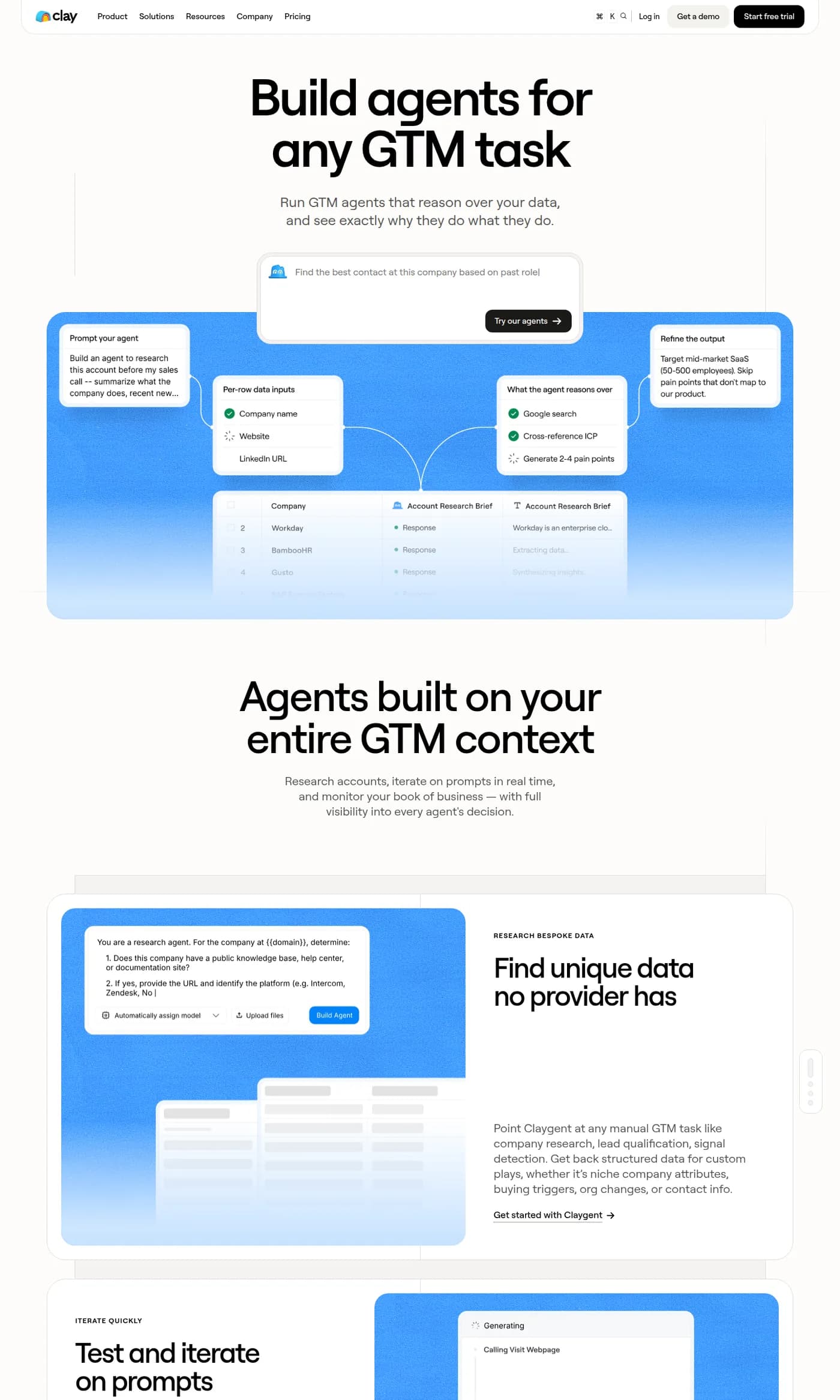
Clay's Claygent product page, captured mid-2026.
There is a second, newer shape: Account Research Agents, which run over Audiences rather than table rows. Clay says these are in beta and available on Enterprise, Growth and Launch plans, while "Claygents in tables are available in all plan tiers".
The difference that matters between the two
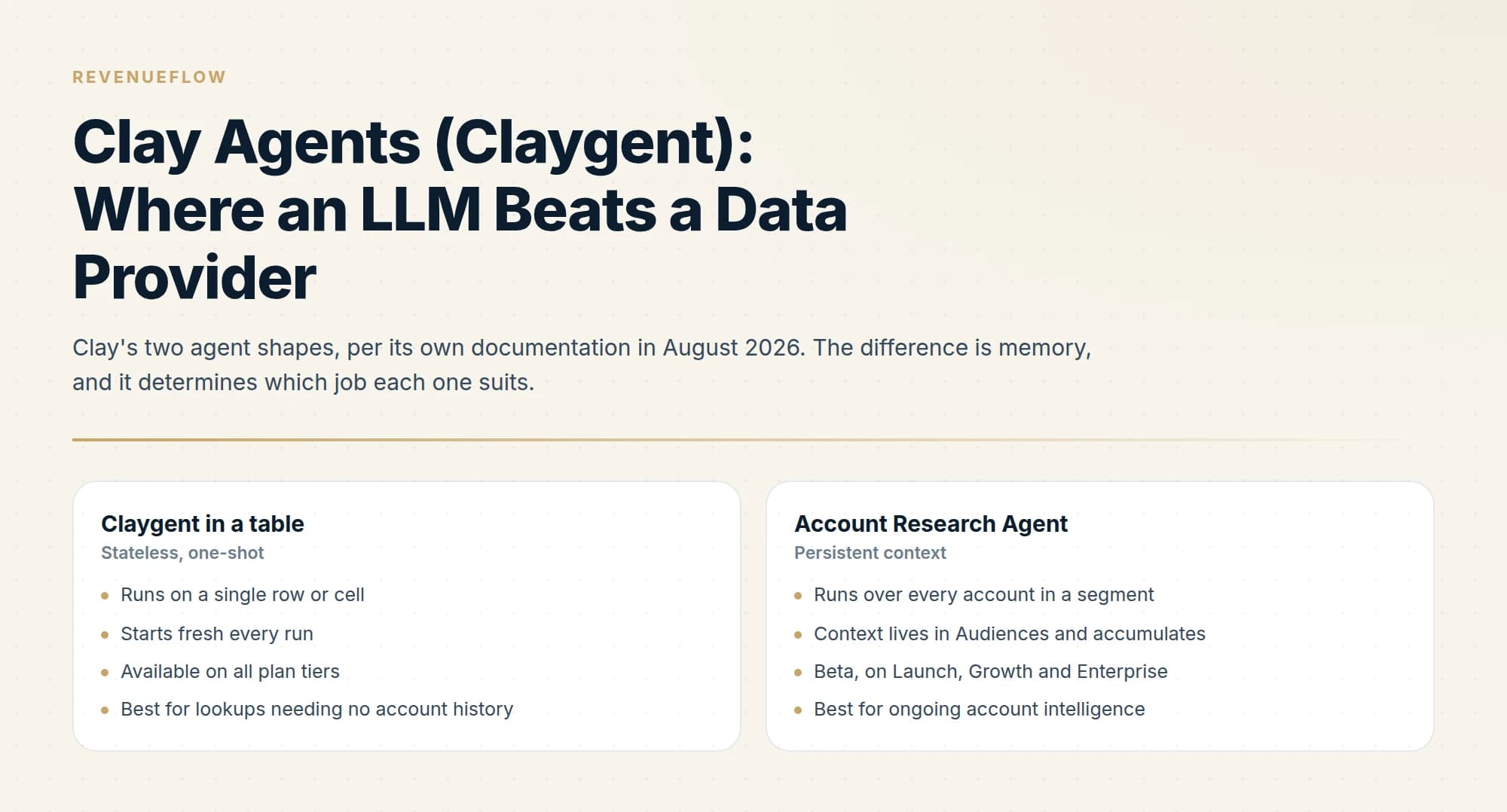
Clay's own comparison is worth reading closely, because the distinction is memory.
Claygents in tables are "stateless, one-shot" and "start fresh every run". Account Research Agents keep persistent context in Audiences, so "intelligence builds account by account instead of resetting each pull", and they carry no cell size or row limits.
That maps onto two genuinely different jobs. A stateless agent is right for a lookup that has one correct answer today: does this company have a public help centre, what platform is their store on, how many locations do they list. An agent with memory is right for tracking how an account changes, which is a different question and a much more expensive one to ask repeatedly without state.
- Runs on a single row or cell
- Starts fresh every run
- Available on all plan tiers
- Best for lookups needing no account history
- Runs over every account in a segment
- Context lives in Audiences and accumulates
- Beta, on Launch, Growth and Enterprise
- Best for ongoing account intelligence
How agent pricing works
Clay states that "customers are charged on the actual complexity and token usage of their requests", with two components: data credits, which carry "variable pricing for advanced reasoning models" and "fixed pricing for Clay's own models and standard content generation", plus one action per AI prompt.
For Account Research Agents, data credits are variable-priced only, one action is charged per record processed, and exports to a CRM or data warehouse carry no additional charge.
Teams weighing where Clay fits alongside their CRM may find it useful to see how it complements a sales platform in this comparison of Clay and Freshsales.
Two consequences follow.
Model choice is a cost decision, not just a quality decision. Fixed pricing on Clay's own models against variable pricing on advanced reasoning models means the same prompt can cost materially different amounts. Reach for the reasoning model when the task genuinely requires reasoning, and not for a field extraction.
Prompt length is billable. Token usage is explicitly part of the charge, so a prompt carrying three paragraphs of context you do not need costs money on every row. This is the opposite of the instinct people bring from chat interfaces, where longer prompts feel safer.
Where an agent beats a provider
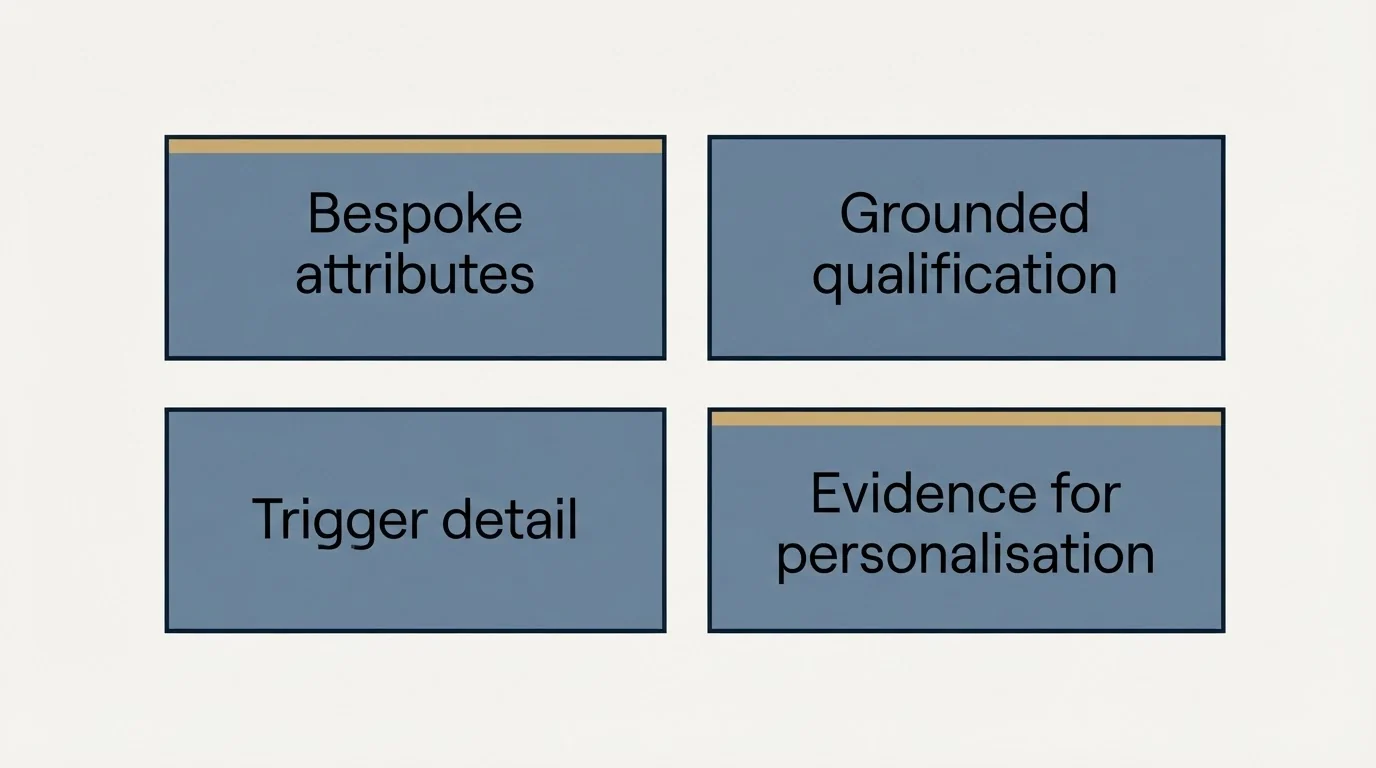
Four situations, and they share a shape: the answer exists on the open web but no vendor has structured it.
Bespoke attributes. Does this company publish a public API. Do they list a customer count. Do they run a partner programme. A provider sells industry and headcount; nobody sells the attribute your specific offer keys on.
Grounded qualification. Reading a company's own site to decide whether they match a definition you can state but not filter on. This is the case where an agent replaces an hour of manual research per hundred rows.
Trigger detail. A signal provider can tell you a company posted a job. Reading the posting to determine what the role implies about their stack is the part that makes the trigger usable in a message.
Evidence for personalisation. A specific, checkable fact from the company's own pages, retrieved rather than recalled. This is the use we rely on most, and it comes with a hard constraint below.
Where a provider beats an agent, every time
Email addresses and phone numbers. These have a definitive answer, a competitive market, and a unit cost far below an agent run. An agent guessing an email pattern is strictly worse than a verifier testing one, for the reasons in our waterfall enrichment guide.
Standard firmographics. Headcount, industry, location, funding. Sold cheaply by many vendors and normalised, which an agent's free-text answer will not be.
Anything you will filter or sort on numerically. An agent returns "roughly 200 to 500 employees" where a provider returns 340. The first cannot be filtered reliably.
Anything that must be identical across runs. A stateless agent re-reads the web each time, and the web changes. For a field that anchors a segment definition, that variability is a defect.
- Yes: No vendor sells this field in structured form
- Yes: The answer is visible on the company's own public pages
- Yes: You need judgement about what the evidence means
- No: You will filter or sort on the value numerically
- No: It is an email address, phone number or standard firmographic
- No: The value must be identical every time the row is refreshed
The constraint we put on every agent field
An agent may only use text it actually retrieved. No fact enters a message from a model's memory.
This matters because the failure mode is not an error. A model asked to describe a company without retrieval produces a fluent, plausible, specific paragraph, and some of it will be wrong in ways that read exactly like the parts that are right. In a cold email, a confident false statement about someone's business is worse than saying nothing: it tells the reader you did not check, and on a named-account list you do not get a second attempt.
Two practical rules follow. Write prompts that require the source, and have the agent return the evidence alongside the answer so a human can spot-check a sample. And treat an empty answer as a valid, successful result rather than something to retry with a vaguer prompt, because a retry that removes the grounding requirement is how fabrication gets in.
We apply the same standard to the copy built on top of these fields, which we covered in ABM personalization at scale.
Writing a prompt that returns usable data
An agent column is only as good as the shape of what it writes back, and most disappointing agent output is a prompt problem rather than a model problem.
Specify the output format and the empty case. State exactly what a valid answer looks like and what to return when the answer is not found. Without an explicit empty case, models fill the gap with their best guess, which is the exact behaviour you are trying to prevent.
Constrain the answer space where you can. Asking for one of four named categories produces a filterable column. Asking an open question produces prose that a later column has to parse, and the parsing step is where inconsistency compounds.
Name the source you want it to use. "From the company's own website" behaves differently from an unscoped question, both in accuracy and in cost, because it narrows the research the agent performs.
Ask for the evidence alongside the answer. A second field holding the sentence or URL the answer came from makes spot-checking possible. Without it you are auditing conclusions with no way to check them, which in practice means not auditing at all.
- Step 1Specify the output format and the empty case
State exactly what a valid answer looks like and what to return when the answer is not found. Without an explicit empty case, models fill the gap with their best guess.
- Step 2Constrain the answer space
One of four named categories produces a filterable column. An open question produces prose that a later column has to parse, and the parsing step is where inconsistency compounds.
- Step 3Name the source you want it to use
From the company's own website behaves differently from an unscoped question, in accuracy and in cost, because it narrows the research the agent performs.
- Step 4Ask for the evidence alongside the answer
A second field holding the sentence or URL the answer came from makes spot-checking possible. Without it you are auditing conclusions with no way to check them.
The failure to watch for is confident specificity on rows where the honest answer is unknown. Sort a sample of the output by how specific it is and read the most specific ones first, because those are both the most useful if right and the most damaging if wrong.
Sequencing agents so they cost less
Two habits cut agent spend substantially without changing what you learn.
Gate the agent behind the contact waterfall. Research the company only after you have found a reachable person there. Researching accounts you cannot contact is spend with no possible payoff, and on a hard list that is a large fraction of rows.
Ask one question per column. A single prompt asking for five attributes returns a paragraph you then have to parse, and one bad attribute contaminates the rest. Separate columns are individually cheaper to re-run, individually verifiable, and individually usable as a filter.
The Clay versus Groove by Clari comparison clarifies how enrichment work like this fits alongside a separate outreach orchestration layer.
The Clay and Salesloft comparison explains why these tools sit at different workflow stages and typically get paired rather than swapped.
For where all of this sits in a full build, our Clay enrichment guide covers the conditional waterfall and the end-to-end workflow puts costs against each stage.
The short version
Use an agent for what no provider sells: bespoke attributes, grounded qualification, and evidence for personalisation drawn from a company's own pages. Use a provider for emails, phones, firmographics, and anything you will filter on. Remember that agent pricing tracks model choice and prompt length, so pick the cheap model for extraction and keep prompts short. And require retrieval for every fact, because an ungrounded model failure arrives as confident prose rather than as an error.
If you would rather have the researched list and the campaign delivered, you can see what a campaign would look like for your market.
Clay product behaviour and pricing structure verified against clay.com/claygent and clay.com/pricing as of mid-2026. Verify current terms with the vendor before relying on them.
Sources: Clay Claygent, Clay pricing
Frequently asked questions.
Frequently asked questions- What is Claygent?
- Claygent is Clay's AI research agent. In Clay's own description it is an agent added to a table that takes inputs, follows your instructions on a task, and writes a structured output into your chosen column. It has web access, which is what separates it from Clay's plain Use AI column for offline tasks like copywriting and categorisation.
- When should I use an AI agent instead of a data provider?
- When no vendor sells the field in structured form and the answer is visible on public pages. Bespoke attributes, qualification against a definition you can state but not filter on, and grounded evidence for personalisation. For emails, phone numbers and standard firmographics, a provider is cheaper, faster and returns normalised values you can filter.
- How much do Clay agents cost?
- Clay charges on the actual complexity and token usage of each request. There are two components: data credits, which are variable-priced for advanced reasoning models and fixed-priced for Clay's own models and standard generation, plus one action per AI prompt. Account Research Agents charge one action per record processed.
- Can an AI agent find email addresses?
- It can guess patterns, and it should not. A verifier testing candidate patterns costs a fraction of an agent run and returns a definitive answer, while an agent returns a plausible one. Email resolution belongs in a cost-ordered waterfall of verification and paid lookups, with the agent reserved for research questions.
About the author.

B2B cold email experts helping companies generate qualified leads through done-for-you outreach campaigns.
RevenueFlow Team
Explore more.
Ready to scale your outreach?
We build GTM engines that book real meetings. See the receipts.
Related articles.
Apollo and Clay Integration: What Connects, Who Meters What
Clay's docs list one Apollo source and eleven actions. How the account connects, which way each action moves data, and which vendor bills each step.
ABM Platforms: Demandbase, 6sense, DemandScience vs Clay
Terminus now redirects to DemandScience, none of the enterprise vendors publish a price, and the build-or-buy line has moved. What each platform actually sells.
Reply.io Salesforce Integration: The Sixteen Sync Steps
Reply's support article lists sixteen sync steps, two profiles, required field mappings and a two-hour cadence. What the native Salesforce integration moves.
Alta Pricing: No Rate Card, a Quote in Hours
Alta publishes no price. What its plans page, FAQ and blog disclose about how the platform is priced, the inputs that set a quote, and the numbers to ignore.
Gojiberry AI Pricing: One Plan, Then a Quote
Gojiberry AI publishes one plan and quotes the rest. The dated price, the meters it names, the billing terms, and the look-alike domain that is not the vendor.
CRM Setup: The Objects, Stages and Write-Back Loop
A vendor neutral CRM setup for an outbound team: the object model, stage exit criteria, the required field set, ownership rules and the campaign write-back loop.