Clay vs Clearbit: Which B2B Data Enrichment Tool Fits You?
Clay offers 150+ data integrations with AI-powered workflows. Clearbit (now Breeze Intelligence) provides native HubSpot enrichment. Here's an objective breakdown to help you choose the right tool.
Clay fits teams wanting maximum data coverage through 150+ aggregated providers, waterfall enrichment logic, and AI research agents across any CRM. Clearbit, now rebranded as Breeze Intelligence, suits teams already committed to HubSpot who want native, proprietary-database enrichment tightly integrated with that ecosystem, at the cost of flexibility and higher scaling expense.
Key takeaways
- Clay aggregates data from 150+ providers including Apollo, ZoomInfo, Clearbit, People Data Labs, and Lusha, using 'data waterfall' fallback logic between sources.
- Clearbit was acquired by HubSpot in 2023 and rebranded as Breeze Intelligence, with all plans now requiring an active HubSpot subscription.
- Clay's Launch plan starts usage-based with 15,000 actions/month, while Clearbit's retired Entry plan cost $45/month for 100 credits (~$0.45/credit).
- Because Clearbit requires HubSpot Starter at minimum ($20/month), the effective minimum total cost for Clearbit's historical Entry tier was $65/month.
- Clearbit's proprietary database claims coverage of 30M+ companies and 500M+ contacts with continuous real-time refresh, per Clearbit documentation.
Reviewed and updated September 1, 2026
Clay vs Clearbit: Which B2B Data Enrichment Tool Fits Your Stack?
B2B data enrichment is essential for sales and marketing teams. Accurate contact and company data improves targeting, personalization, and conversion rates. Clay and Clearbit both solve the enrichment problem, but they approach it very differently.
This guide provides an objective comparison of features, pricing, and use cases to help you decide which platform fits your needs.
The Quick Answer
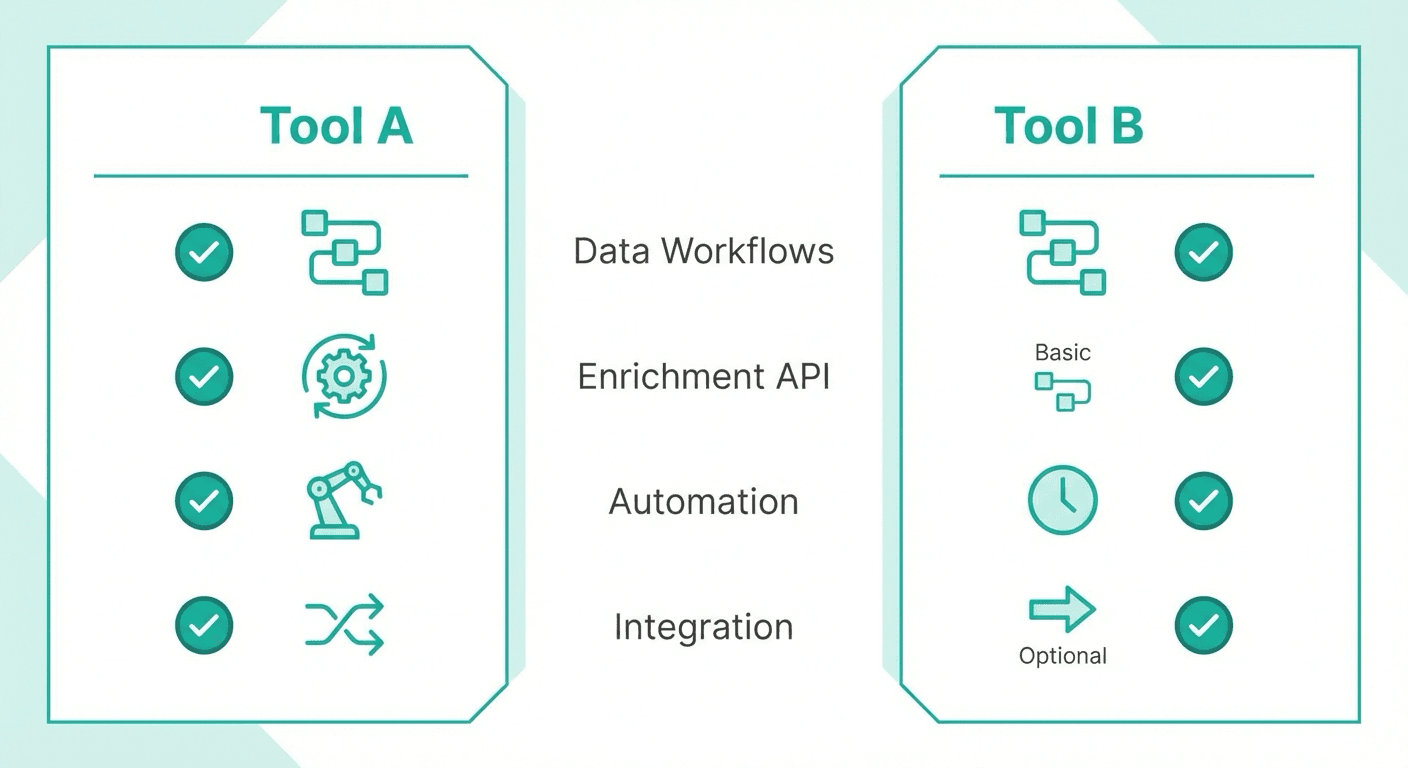
If you need maximum data coverage and want to pull from multiple providers in a single workflow, Clay is the more flexible option. The platform aggregates 150+ data sources and lets you build custom enrichment workflows with AI assistance.
If you're already invested in the HubSpot ecosystem and want seamless native integration, Clearbit (now rebranded as Breeze Intelligence by HubSpot) provides deep HubSpot connectivity. The tradeoff is limited flexibility outside of HubSpot and higher costs at scale.
Teams weighing enrichment against outreach tooling can see how these categories complement rather than compete in the enrichment versus sales engagement breakdown.
Understanding the Core Difference
Both platforms enrich your data with company and contact information. The fundamental difference is architecture.
Clay is a workflow-first platform. You can connect to 150+ data providers, build enrichment waterfalls (try one source, fall back to another), and add AI agents to research prospects. Clay works with any CRM or tool through integrations and APIs.
Clearbit is a native enrichment layer for HubSpot. Following its acquisition by HubSpot in 2023, Clearbit has become Breeze Intelligence, deeply integrated into HubSpot's ecosystem. All plans now require a HubSpot subscription.
Pricing Comparison
Launch
Entry
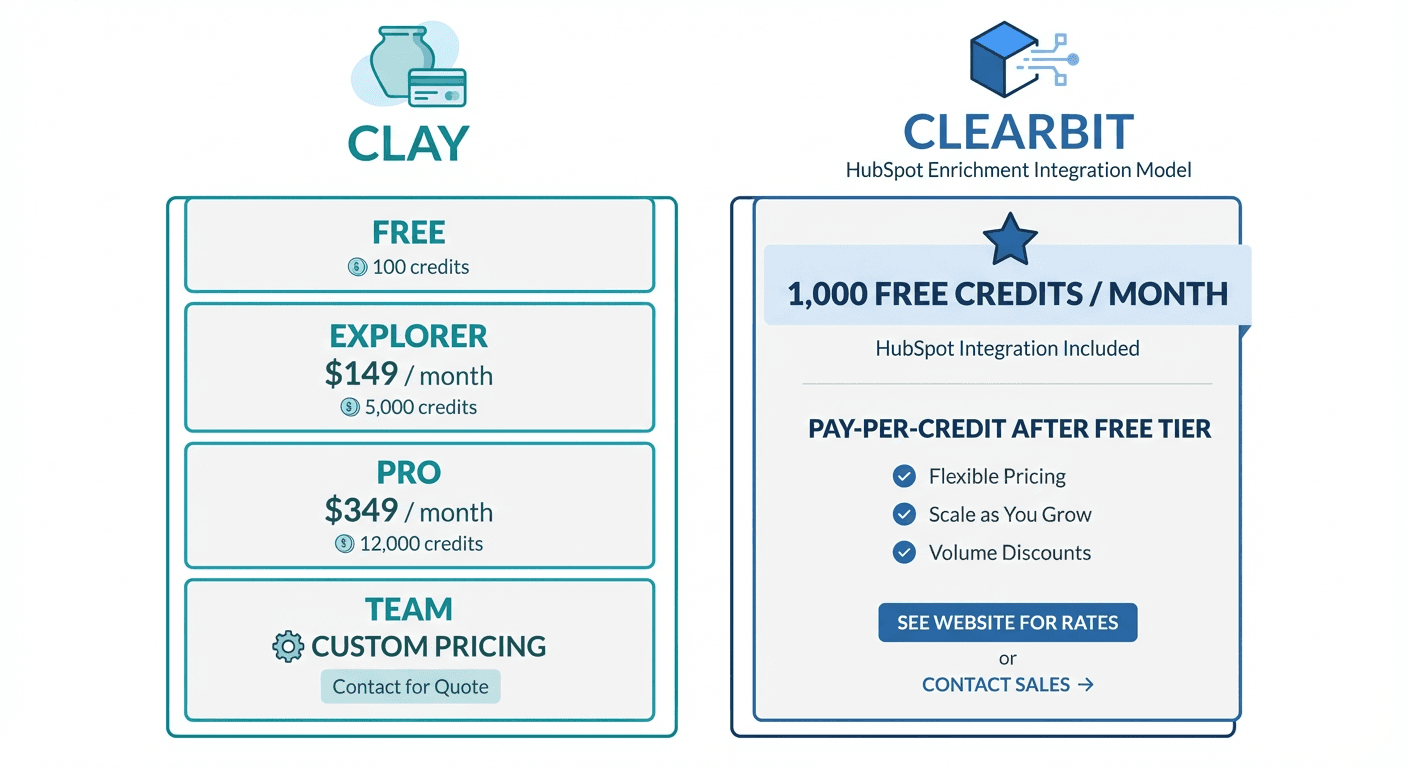
Clay Pricing (as of January 2026)
| Plan | Monthly Price | Credits | Key Features |
|---|---|---|---|
| Launch | $185/mo | From 15,000 actions/month | Credit rollover, unlimited users |
| Growth | $495/mo | From 40,000 actions/month | AI research agent (Claygent) |
| Enterprise | Contact Sales | Custom | Priority support, advanced workflows |
Credits are consumed based on the data actions you perform. Different enrichment sources cost different credit amounts. Unused credits roll over to the next month on paid plans.
Source: clay.com/pricing
Clearbit (Breeze Intelligence) Pricing (standalone ladder retired)
| Plan | Monthly Price | Credits | Requirements |
|---|---|---|---|
| Entry | $45 | 100/month | HubSpot Starter subscription |
| Business | ~$1,667 | 10,000/month | HubSpot Professional subscription |
| Enterprise | Custom | Custom | HubSpot Enterprise subscription |
Important: those figures are historical. As of mid-2026 clearbit.com/pricing redirects to a homepage stating that Clearbit has joined HubSpot, and hubspot.com/pricing/breeze-intelligence resolves to a HubSpot Credits knowledge base article carrying no published price, so the enrichment is now metered through HubSpot Credits rather than sold at the add-on tiers above.
Source: Clearbit, HubSpot Credits
Pricing Analysis
At face value, Clearbit's last standalone entry price ($45/month, since retired into HubSpot) looks like a straightforward number, while Clay's Launch plan starts at a published $185/mo and scales with usage above it. However, the comparison requires context:
Total cost of ownership: Clearbit requires a HubSpot subscription. HubSpot Starter starts at $20/month, so the minimum total cost is $65/month. At higher tiers, HubSpot costs increase significantly.
Credits per dollar: Clay publishes $0.05 as its starting Data Credit rate and under $0.01 per action; its Launch plan starts at $185/mo for from 15,000 actions/month. Clearbit's retired Entry plan provided 100 credits for $45 (~$0.45/credit), and its Business tier worked out at roughly $0.17 a credit. Those rates are historical: the standalone plans are no longer sold.
Data source flexibility: Clay credits can be used across 150+ providers. Clearbit credits access only Clearbit's proprietary data.
Data Sources and Coverage
Clay Data Sources
Clay's platform aggregates data from 150+ providers including:
- Contact data: Apollo, ZoomInfo, Clearbit (yes, Clearbit is a source within Clay), People Data Labs, Lusha
- Company data: Crunchbase, BuiltWith, Owler
- Email verification: ZeroBounce, NeverBounce, Bouncer
- Social profiles: LinkedIn, Twitter
- Technographics: BuiltWith, Wappalyzer
The "data waterfall" feature lets you set up fallback logic. If one provider returns no data, Clay automatically tries the next source in your sequence.
Clearbit Data Sources
Clearbit maintains its own proprietary database with:
- Global coverage: 30M+ companies, 500M+ contacts (per Clearbit documentation)
- Real-time data refresh: Information updated continuously
- Corporate hierarchy: Parent/subsidiary relationships mapped
- Technographic data: Tech stack detection
- Intent signals: Buyer intent indicators
Data Coverage Comparison
Clay provides breadth through aggregation. If one provider lacks data on a prospect, another might have it. This is particularly valuable for:
Another angle on enrichment breadth versus specialization appears in the comparison of technographic data and contact volume tradeoffs, which weighs deep CRM integration against LinkedIn-focused tech stack intelligence.
- Niche industries with limited coverage in any single database
- International contacts where regional providers offer better data
- Validation through cross-referencing multiple sources
Clearbit provides depth through a unified dataset. All records follow consistent formatting and are maintained by a single team. This is particularly valuable for:
- HubSpot users wanting clean, standardized data
- Companies prioritizing data consistency over coverage
- Teams that prefer a single source of truth
Key Features
Clay Features
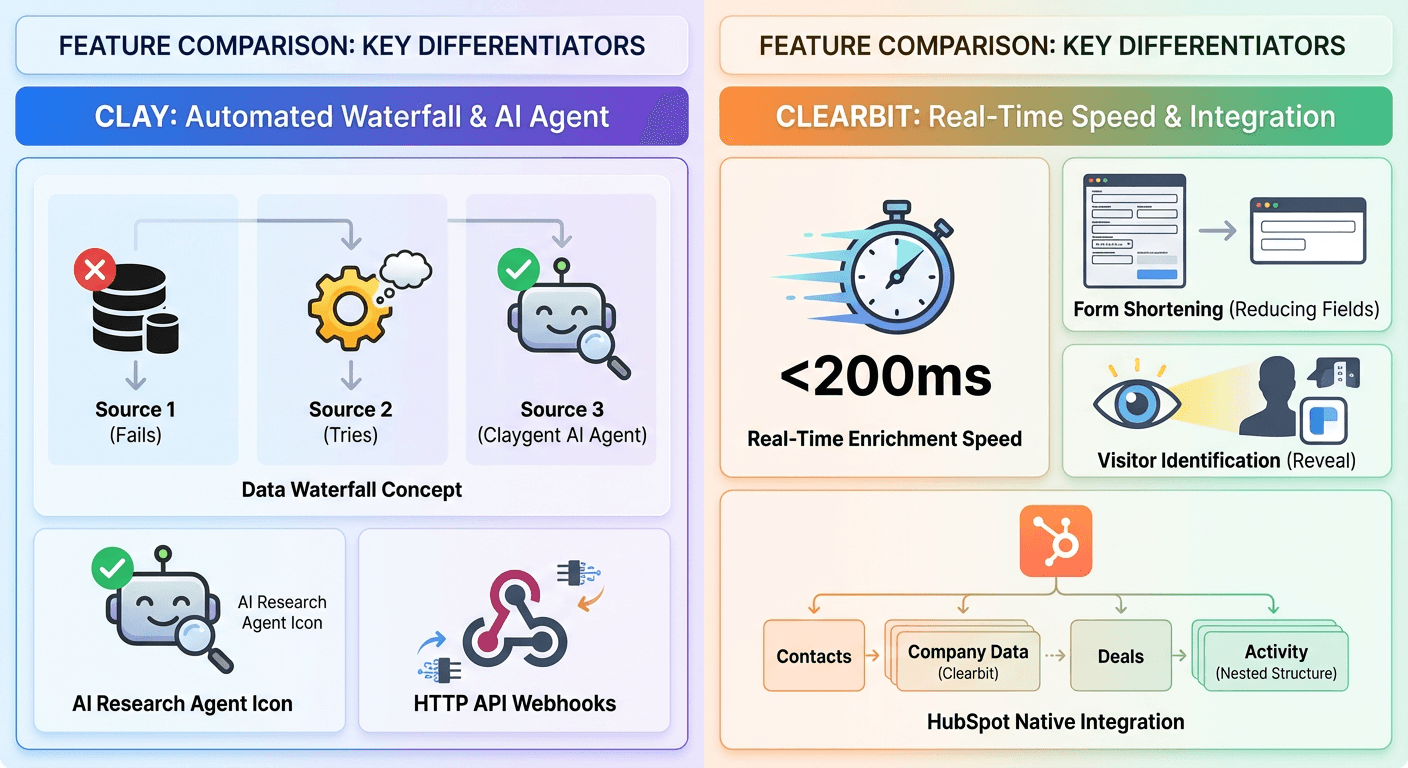
Data Waterfall: Chain multiple enrichment sources with fallback logic. If Apollo returns no email, try ZoomInfo, then People Data Labs.
Claygent (AI Research Agent): An AI agent that can perform research tasks like finding company news, summarizing LinkedIn profiles, or answering custom questions about prospects.
Workflow Automation: Build sequences of enrichment, formatting, and export actions. Trigger workflows via webhooks or scheduled runs.
HTTP API and Webhooks: Connect Clay to any tool through its API. Trigger enrichment from form submissions, CRM events, or external systems.
Unlimited Users: All paid plans include unlimited team members.
Integrations: Salesforce, HubSpot, Pipedrive, Close, Apollo, Lemlist, Instantly, Smartlead, OpenAI, Google Sheets, Airtable, Notion
Clearbit Features
Real-Time Enrichment: Enrich leads at point of capture. Form submissions are enriched before entering HubSpot.
Dynamic Form Shortening: Reduce form fields by auto-filling known information. Ask only for email if Clearbit can fill the rest.
Lead Scoring: Score leads based on enriched firmographic and technographic data.
IP Intelligence: Identify anonymous website visitors by company through IP address matching.
Buyer Intent Signals: Track signals indicating purchase readiness.
Corporate Hierarchy Mapping: Understand parent company, subsidiary, and acquisition relationships.
Native HubSpot Integration: Enrichment appears directly in HubSpot records with no manual import/export.
Integration Ecosystem
Clay Integrations
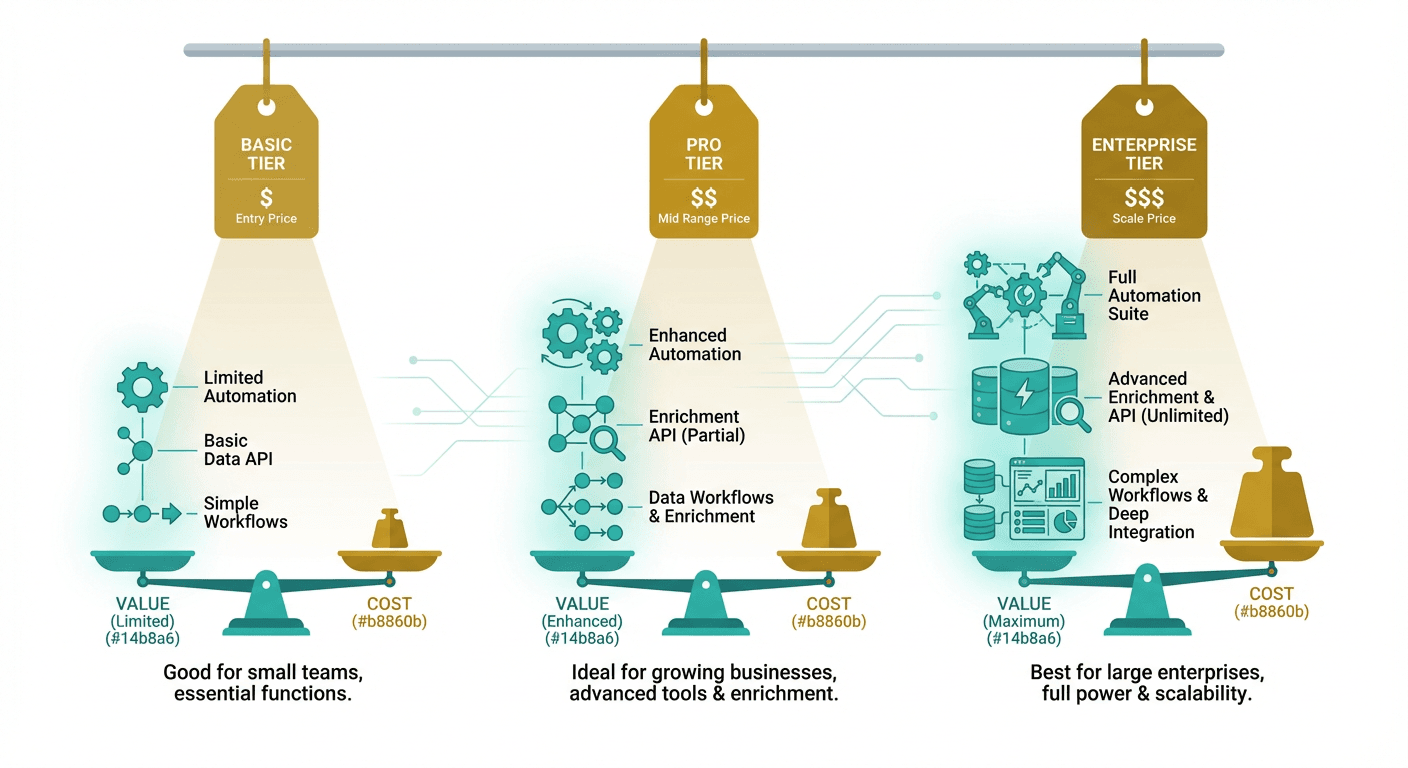
Clay connects to virtually any tool in your stack:
- CRMs: Salesforce, HubSpot, Pipedrive, Close
- Email platforms: Lemlist, Instantly, Smartlead
- Data providers: Apollo, Clearbit, ZoomInfo, 140+ more
- Productivity: Google Sheets, Airtable, Notion
- AI: OpenAI for custom prompts and formatting
- Custom: HTTP API, webhooks for any integration
Clearbit Integrations
Clearbit's integration focus is narrower but deeper:
- CRMs: HubSpot (native), Salesforce
- Marketing automation: Marketo
- Data platforms: Segment
- Note: Following the HubSpot acquisition, the platform prioritizes HubSpot integration above all else
Integration Comparison
If you use HubSpot and want zero-friction enrichment, Clearbit wins on integration depth. Data flows automatically with no manual configuration.
Since Clearbit only enriches data rather than manages pipelines, teams often pair it with a sales CRM, a pairing explored in Clearbit and Close compared side by side.
If you use any other CRM (Salesforce, Pipedrive, Close) or need flexibility, Clay provides better connectivity. The platform treats all CRMs equally rather than prioritizing one ecosystem.
Teams weighing other enrichment stacks outside Clay's orbit might also compare ContactOut against UpLead for LinkedIn prospecting versus verified accuracy needs.
Use Case Recommendations
Best Fit for Clay
- Sales teams using multiple data sources: The waterfall feature maximizes match rates
- Agencies and consultants: Flexible enough to work across client stacks
- Outbound-focused teams: Direct integrations with cold email tools (Instantly, Smartlead, Lemlist)
- Teams wanting AI assistance: Claygent automates research tasks
- Non-HubSpot CRM users: Equal support for Salesforce, Pipedrive, Close
- Budget-conscious teams at scale: Lower per-credit cost at higher volumes
Best Fit for Clearbit
- All-in HubSpot shops: Native integration eliminates friction
- Inbound marketing teams: Form shortening and visitor identification improve conversion
- Enterprise companies: Corporate hierarchy and global data coverage
- Teams prioritizing simplicity: Single data source, no waterfall configuration needed
- Lead scoring use cases: Built-in scoring based on enriched attributes
Feature Comparison Summary
| Feature | Clay | Clearbit |
|---|---|---|
| Data providers | 150+ aggregated sources | Single proprietary database |
| Data waterfall | Yes | No |
| AI research agent | Yes (Claygent) | No |
| HubSpot integration | Via connector | Native |
| Salesforce integration | Yes | Yes |
| Other CRM integrations | Pipedrive, Close, more | Limited |
| Visitor identification | Via integrations | Built-in |
| Form shortening | No | Yes |
| Lead scoring | Via workflow | Built-in |
| Corporate hierarchy | Via data sources | Built-in |
| API access | Yes | Yes |
| Required subscriptions | None | HubSpot |
Common Workflows
Clay Workflow Example
- Import leads from Google Sheets (company name + domain only)
- Enrich with company data from Clearbit
- If no result, fall back to Apollo
- Find decision makers using ZoomInfo
- Verify emails through ZeroBounce
- Use Claygent to research recent company news
- Export to Instantly for outreach
Clearbit Workflow Example
- Visitor lands on website
- Clearbit identifies company via IP
- Visitor fills short form (email only)
- Clearbit enriches with name, title, company, size
- HubSpot lead score calculated automatically
- High-scoring leads routed to sales immediately
Getting Started Checklist
If You Choose Clay
Week 1: Setup
- Create account and connect your CRM
- Set up primary data sources (start with 2-3)
- Import a test batch of 50-100 leads
- Run your first enrichment workflow
Week 2: Optimize
- Build a data waterfall with fallback sources
- Test Claygent for research automation
- Set up export to your email or outreach tool
- Monitor credit consumption to estimate monthly needs
If You Choose Clearbit
Week 1: Setup
- Confirm HubSpot subscription tier
- Add Clearbit/Breeze Intelligence to HubSpot
- Configure enrichment settings
- Set up visitor identification on your website
Week 2: Optimize
- Implement dynamic form shortening
- Configure lead scoring rules
- Set up routing for high-scoring leads
- Review enrichment match rates
Final Thoughts
Clay and Clearbit serve different needs despite both being data enrichment tools.
Choose Clay for: Maximum data coverage, workflow flexibility, multi-CRM support, AI-powered research, outbound sales workflows, cost efficiency at scale
Choose Clearbit for: Native HubSpot integration, visitor identification, form optimization, lead scoring, enterprise data coverage, inbound marketing workflows
The right choice depends on your tech stack and primary use case. HubSpot-centric inbound teams will find Clearbit seamless. Outbound teams running multi-tool stacks will appreciate Clay's flexibility.
Both tools improve your data quality. Pick the one that fits your workflow, implement it properly, and focus on using that data to have better conversations with the right prospects.
Related Reading
- Lusha vs Clearbit: Sales Prospecting Tool vs Marketing Enrichment Platform
- ZoomInfo vs Clearbit: Enterprise Sales Intelligence vs Marketing Data Enrichment
- ZoomInfo vs Clay: Enterprise Data Platform vs Data Orchestration Tool
If you would rather have this run for you, RevenueFlow books qualified meetings on a pay-per-meeting basis and publishes client results.
Pricing and features verified as of January 2026. Visit official websites for current information.
Frequently asked questions.
Frequently asked questions- What's the main difference between Clay and Clearbit?
- Clay is a workflow-first platform that aggregates 150+ data providers and lets you build custom enrichment waterfalls with AI agents, working with any CRM. Clearbit (now Breeze Intelligence) is a native enrichment layer built specifically for HubSpot, using its own proprietary database rather than pulling from multiple external sources.
- Do I need HubSpot to use Clearbit?
- Yes. Following its 2023 acquisition by HubSpot and rebrand to Breeze Intelligence, all Clearbit plans now require an active HubSpot subscription (Starter, Professional, or Enterprise depending on the tier), and enrichment is metered through HubSpot Credits rather than sold as a standalone product.
- Is Clay or Clearbit cheaper?
- It depends on usage and existing tools. Clay's Launch plan is usage-based starting from 15,000 actions/month, while Clearbit's last published Entry tier was $45/month for 100 credits, but that required a HubSpot Starter subscription ($20/month), pushing the real minimum to $65/month plus HubSpot's higher-tier costs at scale.
- Which tool has better data coverage, Clay or Clearbit?
- Clay offers breadth by aggregating data from 150+ providers, which helps with niche industries or international contacts where no single database has full coverage. Clearbit offers depth through a single proprietary dataset with consistent formatting, claiming coverage of 30M+ companies and 500M+ contacts with continuous real-time refresh.
- Can I still buy Clearbit as a standalone product?
- No. As of mid-2026, clearbit.com/pricing redirects to a HubSpot homepage, and the standalone Clearbit pricing ladder has been retired. Enrichment is now delivered and billed through HubSpot Credits as part of Breeze Intelligence rather than sold at the previous add-on price tiers.
About the author.

Tim Carden is CMO / CTO at RevenueFlow, which builds and operates outbound revenue engines for B2B companies. Studied at McGill University.
Tim Carden · CMO / CTO
Connect on LinkedIn →Explore more.
Ready to scale your outreach?
We build GTM engines that book real meetings. See the receipts.
Related articles.
Cognism vs Upcell: A Data Provider Against a Data Layer
Cognism sells compliance-first contact data by quote and credit; Upcell sells a layer that runs your providers, Cognism included, through one record. Read 18 Sep 2026.
PromptLoop vs ZoomInfo: Web Research Against a Database
PromptLoop builds a dataset from the live web in credits it publishes; ZoomInfo sells access to a maintained database by quote. Both pages read 18 September 2026.
Zoom Revenue Accelerator vs Gong: An Add-On vs a Platform
Zoom's support centre documents Revenue Accelerator as a licence on a Zoom account in two classes; Gong sells a platform per user plus a platform fee. Neither has a rate.
Chili Piper vs LeanData: Form-First Against CRM-First
Chili Piper publishes a seat floor and bundles scheduling and chat; LeanData prices by Salesforce object and sells scheduling separately. Both read 18 September 2026.
Mailshake vs Pipedrive: A Sender and a CRM, Side by Side
Mailshake sells per-user sending with a two-way Pipedrive sync from its middle tier; Pipedrive is a per-seat CRM with sequences from Growth. Both read 18 September 2026.
Metadata vs 6sense: Paid Media Execution vs Intent
Metadata runs paid B2B campaigns through seven AI agents; 6sense ranks accounts on intent and sells contact data by credit. Neither publishes a rate. Read 18 Sep 2026.