Best CRM Tools for IT Service Providers (2026)
An IT provider already runs a system that holds the client. What a CRM adds, what a PSA suite already covers, and which one should own the record.
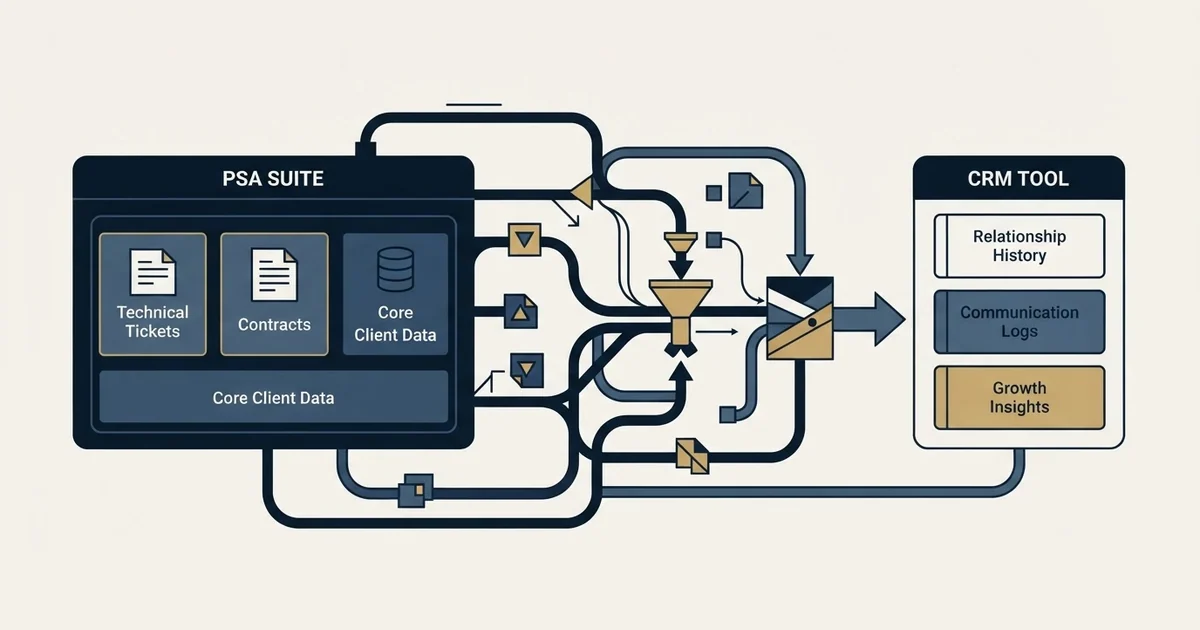
PSA software with sales, service, procurement, billing and CRM modules includes HaloPSA, whose one per-agent price covers sales and quotations, the service desk, purchase orders, billing and CRM, and Autotask PSA, which lists account management, contracts with billing, and inventory and procurement. Decide which system owns the client record first.
Key takeaways
- HaloPSA's pricing page lists sales, service, purchase orders and suppliers, billing and CRM under one price of £66 per agent per month billed annually, plus required onboarding at a bespoke cost.
- Autotask PSA's features page lists account management for opportunities, contracts with billing options, and inventory and procurement, and its product page publishes no price.
- Syncro prices its Core and Team plans at $129 and $179 per user per month billed annually, and its pricing page lists no CRM module, so a sales system sits beside it.
- A CRM and a PSA integrate cleanly when one side owns the company record: won deals flow into the PSA, and tickets, contract dates and the estate flow back.
Reviewed and updated October 1, 2026
An MSP owner shortlists three CRMs, runs the trials, picks one, and six months later the sales team is working deals in it while the service desk works the same clients in the PSA software, whose modules already cover service, billing, procurement and a sales CRM of their own. Nobody made a bad choice. The purchase was framed as a CRM decision when the thing being decided was a boundary: which system holds the client, and which one merely reads it.
That boundary is what makes this category different from every other industry cut of the CRM question. An IT service provider already runs a system that holds client records, because tickets have to attach to somebody. Adding a CRM either respects that system or competes with it.
PSA Software With Sales, Service, Procurement, Billing and CRM Modules
Two PSA platforms publish all five on their own pages. HaloPSA lists sales with quotations, the service desk, purchase orders and suppliers, billing and finance, and CRM, all under one per-agent licence. Autotask PSA lists account management for opportunities, the service desk, contracts with billing options, and inventory and procurement. Syncro covers service and billing, with procurement data synced in from Pax8.
HaloPSA
- Sales and CRM: pipeline, leads, quotations
- Service: service desk, SLAs
- Procurement: purchase orders, suppliers
- Billing: recurring billing
Autotask PSA
- Sales: account management, opportunities
- Service: tickets
- Procurement: inventory and procurement
- Billing: contracts, invoicing
Syncro
- Sales and CRM: not listed on its pricing page
- Service: ticketing
- Procurement: synced from Pax8
- Billing: client billing
What IT Service Providers Need From a CRM
Four requirements recur in this segment and none of them appears on a general CRM feature grid.
The estate is part of the record. Qualifying a managed services deal means knowing what the prospect runs, how many endpoints, which of it is out of support and who currently touches it. That is closer to an asset inventory than to a firmographic field, and the sales conversation depends on it. The qualification side of that is covered in the managed services sales process.
Recurring revenue is the unit, not the deal. A signed contract is a monthly figure across a term rather than a one-off amount, and a pipeline that reports deal value without the term attached will misprice every forecast in it.
Renewals are a pipeline of their own. Most of the revenue at risk in any year belongs to clients who already signed. A CRM configured only for new business gives that pipeline nowhere to live.
Ticket volume is a sales signal and a churn signal at once. A client generating twice the tickets they were three months ago is either about to expand or about to leave, and the difference is visible to whoever reads both systems.
PSA vs CRM: The Boundary That Decides This Purchase
Professional services automation platforms are what most established providers already run, and the larger ones ship a CRM module inside them; Syncro's pricing page lists no CRM module at all. That is the fork in the road.
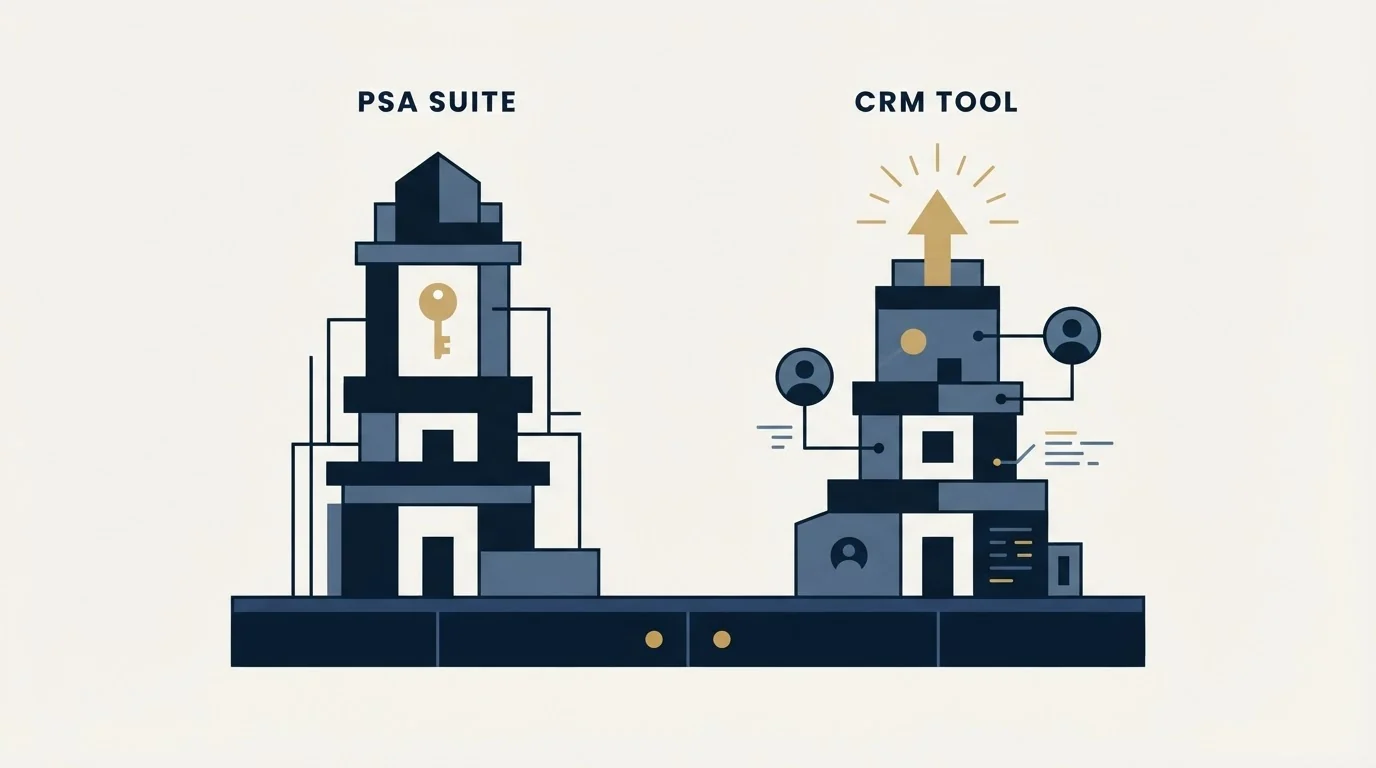
A PSA suite holds the client as a service relationship: the contract, the entitlement, the tickets, the assets, the time logged against them, and the invoice at the end of the month. Sales pipeline is one module among many, and it inherits the client record the rest of the business already agrees on.
A standalone CRM holds the client as a commercial relationship: the accounts, the contacts, the opportunities, the activity history, and the reporting on top. It is better at the selling and it knows nothing about the estate unless something tells it.
Running both is normal and workable. Running both without deciding which one owns the company record is the failure that produces two client lists that disagree, and it is the same failure in every stack, which is why field ownership before the first connection is worth settling before any of this is bought.
How a CRM and a PSA Integrate
The integration that works runs in two directions with one owner. Either the PSA or the CRM owns the company record, and the other reads it. A won deal flows from the CRM into the PSA as a client and a contract. Ticket volume, contract end dates and the estate flow back to the CRM, where the renewal pipeline and the account manager can see them. Everything else stays in the system that created it.
How This Guide Was Put Together
Every figure below was read out of the vendor's own page, every page is named beside its figure, and the pages are linked at the foot of this article. Nothing here comes from a directory, a review site or a third party's roundup. ConnectWise and Pipedrive refused both a plain request and a browser render, so they appear without figures. Several pages chose a currency for the machine that asked, and prices below are quoted in the currency each page served.
The Options, and What Each One Publishes
1. HaloPSA
Halo publishes its platform as one price with everything included as standard: sales with pipeline and lead management, quotations and forecasting, IT service management, asset and configuration management with contracts and warranties, billing and finance with automated and recurring invoicing, and project management. That is the pitch in one line: the CRM is a view onto a client record that the service desk already maintains.
Its pricing page, now served from usehalo.com and in pounds to this fetch, publishes £66 "per agent, per month (billed annually)" beside a line on ARR milestone discounts, with a region selector offering dollars, euros and several other currencies. The page also states that "Onboarding packages are required with purchase at a bespoke cost depending on scope", which is the figure most likely to be missing from a budget assembled from the headline rate.
The per-agent unit is the thing to model. A salesperson and an engineer cost the same on that meter, so a provider adding three sales seats is adding three agents.
2. Syncro
Syncro publishes two priced plans on its pricing page, served in dollars, beside a third Enterprise or Custom tier that carries no figure: a Core plan at $129 per user per month billed annually, or $159 billed monthly, described as "The essential foundation for MSPs centralizing endpoint management, ticketing, and client billing operations"; and a Team plan at $179 per user per month billed annually, or $209 monthly. Its page works an example in the same breath, putting three technicians on the annual Team plan at $6,444 a year, which is a rare thing for a vendor to publish and makes the seat arithmetic concrete.
The shape of the offer is remote monitoring, ticketing and billing in one place, and procurement arrives through a Pax8 integration that syncs procurement and license data into Syncro billing. The pricing page lists no CRM module, so Syncro sits on the service side of the boundary and a sales system goes beside it.
3. Autotask PSA
Datto's Autotask PSA product page carries no price anywhere in the bytes served, which is itself the pricing answer available from that page and worth stating plainly rather than filling with a guess. Its features page lists account management for tracking opportunities, contracts with billing options, and inventory and procurement from purchasing to installation at the client site. What the page does describe is a unified experience between remote monitoring and the service desk, ticket resolution linked to endpoint management, and accurate invoicing built by "automatically tracking labor, contracts, expenses and services".
That last clause is the segment's whole argument for a PSA in one sentence. Contract and labour tracking feeding invoicing is the thing a general CRM does not attempt.
4. HubSpot Sales Hub
HubSpot's sales pricing page, served in pounds to this fetch, publishes a free tier at £0 a month for up to two users, a Starter tier from £7 per seat per month on annual billing or £18 monthly, and a Professional tier from £77 per seat per month annually or £85 monthly. A footnote adds that the cost shown "does not include the required, one-time Professional Onboarding for a fee of" £1,310, with the same wording for an Enterprise onboarding fee of £3,050.
Those onboarding fees are the reason to read the page rather than the tier table. A provider budgeting the seat cost alone has planned for part of year one.
5. Salesforce, Zoho CRM and Freshsales
Salesforce publishes the clearest ladder of the general CRMs, and publishes it in your own currency: Starter Suite at $25 "USD/User/Month (Billed monthly or annually)", then Pro Suite at $100, Core at $195, Advanced at $395 and Max at $550 USD per user per month billed annually.
Zoho's CRM pricing page serves rupees in its HTML, publishing a free tier for three users and then ₹800, ₹1,400, ₹2,400 and ₹2,600 per user per month across its four paid editions, with a currency selector covering the major regions; rendered in a browser from this network it switches to pounds, £12 for Standard and £18 for Professional.
Freshsales publishes $9 per user per month billed annually at entry and $39 per user per month billed annually a tier up, both in dollars in its HTML, with branded documents offered as a $19 per user per month add-on.
Pipedrive belongs in this group on capability and is named here without a figure, because its pricing page refused both fetch routes.
Comparison Table
| Option | What holds the client record | Published rate, as its own page served it |
|---|---|---|
| HaloPSA | The service platform, with CRM as a module | £66 "per agent, per month (billed annually)", plus required onboarding at bespoke cost |
| Syncro | The service platform, monitoring and billing together | $129 or $179 per user per month billed annually, by plan |
| Autotask PSA | The service platform, invoicing from tracked contracts | No price published on the product page |
| HubSpot Sales Hub | The sales system, beside whatever runs service | Free for two users, then from £7 per seat per month annually, onboarding fees separate |
| Salesforce, Zoho, Freshsales | The sales system, beside whatever runs service | From $25, ₹800 and $9 per user per month respectively |
Rates read from each vendor's own page, in the currency that page served. Confirm current terms with the vendor before relying on them.
What the CRM Actually Has to Do With Outbound
For a provider running outbound to win new logos, the CRM has three jobs and none of them is the pipeline view everybody demos.
It has to carry suppression as a fact on the company record. In a metro market the same few hundred companies appear on every provider's list, and a company that asked not to be contacted asked the business rather than the campaign. Holding that inside a sending tool means the next campaign never sees it.
It has to hold the exclusion join. Existing clients, open opportunities and companies a colleague already owns have to be removable from a target list before anything sends, not after somebody replies to say they are already a customer.
And it has to take the outcome back. Sends, replies, bounces and booked meetings belong against the right record with the right owner, which is a data-flow decision rather than a reporting one. The mechanics of that loop are in CRM setup for an outbound team and the sync layer underneath it is CRM integration.
Write down which system is the source of truth for a company record, before either is configured.
Check that the estate data a salesperson needs reaches the record without a manual copy.
Give renewals their own pipeline rather than sharing the new business one.
Keep suppression on the company record, not inside a sending tool.
Find out whether the seat meter counts engineers as well as sellers.
Get the onboarding cost on top of the published rate, in writing.
How to Choose for an IT Service Provider
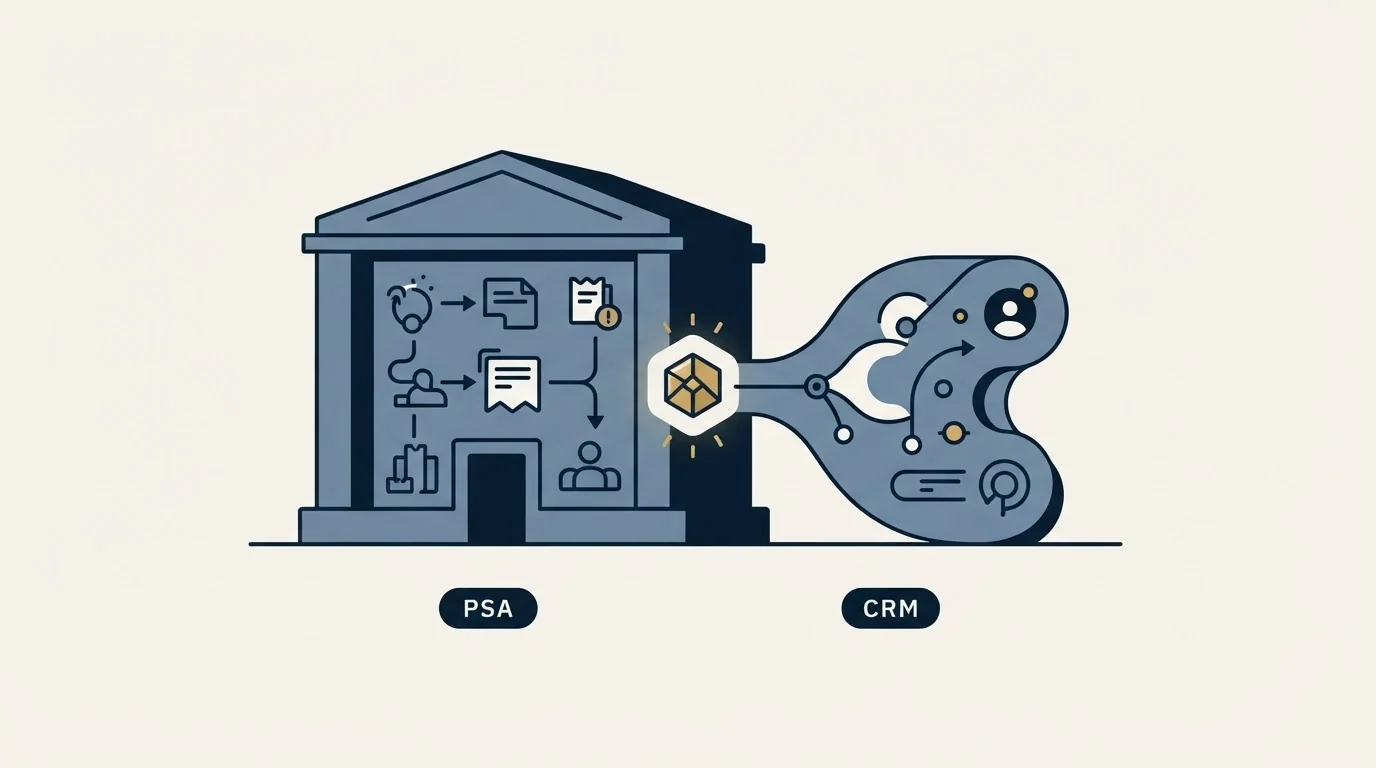
Answer the boundary question before you evaluate anything. PSA or CRM as the owner of the company record, with every integration question downstream of it.
Check the meter before the feature list. Per agent and per seat are different purchases when half your headcount is technical. Model the cost at the headcount you expect in two years rather than today's.
Ask what happens to the estate data. A sales conversation in this segment needs endpoint counts and contract dates. If the CRM cannot see them, somebody is retyping them, and that somebody stops after a month.
Ask where renewals live. In a managed services business the renewal book carries revenue that new logos take years to replace. A pipeline that only models new logos hides the larger number.
Read the onboarding line. Two of the vendors above publish required one-time fees or bespoke onboarding costs that do not appear in the per-seat rate at all.
Where the Tool Stops Mattering
A clean CRM with nothing entering the top of it is an expensive client list. The constraint in most IT services businesses is not the software, it is that managed IT is a displacement sale: nearly every company already has somebody handling this, so the thing that makes a prospect approachable is that something has made the current arrangement unstable. A renewal date, a compliance obligation with a date attached, an internal IT person leaving, an office move, a security incident.
The record of which signal a company was contacted on is worth more than any field on this comparison, because it is what tells you next quarter which premise was worth repeating. Telling a real opportunity from an accurate contact record is the subject of MSP sales leads, and the industry version of the outbound argument is in cold email for cloud services.
We run one message per campaign with nothing scheduled behind it. In a market this small that is a practical constraint rather than a preference: the same owners talk to each other, and a provider known for volume email spends standing that takes years to rebuild.
Final Thoughts
The right answer in this segment is usually less exciting than the shortlist suggests. A provider already running a PSA that holds contracts, assets and tickets normally wants the CRM module in it to be the client record and a sales layer beside it if the pipeline reporting is genuinely inadequate. A provider without a PSA, selling before it delivers, normally wants a real CRM first and should choose the service platform later with the sales system already in place.
Either way the decision is a boundary rather than a brand, and it is cheaper to draw it on a whiteboard than to discover it in month six.
If the missing half is the supply into the top of whichever system you pick, we will build the first campaign against your own market.
Sources: HaloPSA pricing, Syncro pricing, Datto Autotask PSA, HubSpot Sales Hub pricing, Salesforce Sales Cloud pricing, Zoho CRM pricing, Freshsales pricing
Frequently asked questions.
Frequently asked questions- Which PSA software has sales, service, procurement, billing and CRM modules?
- HaloPSA and Autotask PSA both list all five on their own pages. HaloPSA includes sales and quotations, the service desk, purchase orders and suppliers, billing and CRM in one per-agent licence. Autotask lists account management, the service desk, contracts with billing options, and inventory and procurement. Syncro covers service and billing, with procurement synced from Pax8.
- What is the difference between a PSA and a CRM?
- A PSA holds the client as a service relationship: contracts, entitlements, tickets, assets, time and the monthly invoice, with sales as one module among many. A CRM holds the client as a commercial relationship: accounts, contacts, opportunities and activity, with deeper selling tools but no view of the estate unless something feeds it.
- How do you integrate a CRM with a PSA?
- Decide which system owns the company record before connecting anything, then run the sync in two directions. Won deals flow from the CRM into the PSA as a client and a contract, and ticket volume, contract end dates and estate data flow back to the CRM for the renewal pipeline. Everything else stays in the system that created it.
- How much does HaloPSA cost?
- HaloPSA's pricing page lists £66 per agent per month, billed annually, when served in pounds, beside a line on discounts as Halo reaches ARR milestones. Every module is included in that one price with no tiers or add-ons. The page adds that onboarding packages are required with purchase at a bespoke cost depending on scope.
About the author.

B2B cold email experts helping companies generate qualified leads through done-for-you outreach campaigns.
RevenueFlow Team
Explore more.
Ready to scale your outreach?
We build GTM engines that book real meetings. See the receipts.
Related articles.
CRM Report Template: Four Reports, Field by Field
A CRM report template is four saved queries: pipeline by stage, activity by owner, conversion by source and stale deals, each with its filter, fields and formulas.
Which CRMs and Tools the Outbound Stack Connects To: Integration Data From 342 Sales Tools
HubSpot is named as an integration by 52.3% of 342 verified sales tools, Zapier by 50.3% and Salesforce by 43.3%. Here is the full map by category.
Best CRM for Google Workspace: What Lives in Gmail
Working with Google Workspace covers four separate integrations, and most of the category ships as a browser extension. What five vendors publish about theirs.
Best Time to Cold Call: What the Studies Counted
The best time to cold call figures traced to their originals: one inbound study from six companies, three vendor call datasets, and what survives the read.
Best Time to Send a Sales Email: What Was Measured
The send time studies behind the midweek morning answer, what each one actually counted, and why a broadcast finding does not transfer to a sales email.
Social Selling Tools by Job, and the Account-Risk Line
Fourteen social selling tools sorted into six jobs, split by whether each acts through your LinkedIn account or beside it, from the vendors' own pages.