Inframail: Flat-Rate Unlimited Inboxes, and What It Covers
Inframail's homepage publishes two paid tiers with unlimited inboxes and no per-inbox charge. Domains, warmup and the per-inbox sending ceiling sit outside the flat rate.
Inframail's homepage publishes an Unlimited Plan at $129 a month and an Agency Pack at $327, both with unlimited inboxes and no per-inbox charge. Domains cost $5 each one time if you bring your own. Warmup is not included on either paid tier, and the page's own comparison table puts safe per-inbox sending at 50.
Key takeaways
- The two paid tiers publish as $129 and $327 a month, differing on stated volume and on dedicated US IP count, one versus three.
- The DFY card carries $3,497 once and $499 a month at the same time, and it is the only card in the pricing section listing warmup.
- Warmup is excluded from both paid infrastructure tiers; Inframail's FAQ recommends warming inboxes with the tools you already use.
- The page's own comparison table publishes safe per-inbox sending of 50 for Inframail, Google and Outlook alike, so the flat rate buys inbox count rather than per-inbox capacity.
Reviewed and updated September 1, 2026
Inframail prices two paid plans on its homepage and charges nothing per inbox on either. The cards read Unlimited Plan at $129 /Month and Agency Pack at $327 /Month, and both list Unlimited Email Inboxes and No Extra Cost Per Inbox among their included items (https://inframail.io/, fetched mid-2026).
That is a genuinely different pricing shape from the per-mailbox model most of this category uses, and it moves the interesting question. When inboxes are free at the margin, the thing worth working out is what sits outside the flat rate: domains, warmup, and the per-inbox sending ceiling that decides how many inboxes you need in the first place.
One navigational note before the numbers. Inframail's pricing lives as a section of the homepage, not at a pricing URL. https://inframail.io/pricing returns a genuine 404, and inframail.com is a parked page rather than the product. Scroll the homepage.
The published tiers
The Unlimited Plan at $129 /Month is described on its card as Send 80,000 cold emails/mo (per workday) and includes 1 Dedicated US IP ready-to-go.
The Agency Pack at $327 /Month is described as Send 300,000 cold emails/mo (per workday) and includes 3 Dedicated US IPs ready-to-go.
Beyond the IP count, the two cards list the same things: free setup, automation to set up emails, unlimited email inboxes, a one to one deliverability consultant, priority support, no extra cost per inbox, unlimited domain setups per day, and API access.
The third card is a different product wearing the same styling, and it is the one worth reading slowly. DFY Email Campaign Setup carries two prices simultaneously: $3,497 marked Once and $499 marked /Month. It is described as 80,000 cold emails/mo + All-In-One Solution, and its included list is a service bundle rather than infrastructure: done-for-you account setup, FREE Email Account Warm up, a one to one cold email coach, an automated sending platform, and First Clean Batch of 10,000 Contacts Included (Any Niche). A buyer skimming three cards for a monthly number will read $499 and miss the $3,497.
Domains are the other line outside the plan price. Inframail's FAQ says you can buy them inside the platform, or bring domains you already own for $5 per domain one time. The homepage configurator assumes you buy them directly, with the note You purchase domains directly, and does not publish a per-domain purchase price on that surface.
- Stated as: Send 80,000 cold emails/mo (per workday)
- 1 Dedicated US IP ready-to-go
- Unlimited Email Inboxes, No Extra Cost Per Inbox
- Unlimited Domain Setups Per Day, API Access
- Warmup is not listed
- Stated as: Send 300,000 cold emails/mo (per workday)
- 3 Dedicated US IPs ready-to-go
- Same inbox and domain terms as the Unlimited Plan
- Priority support and a 1 on 1 deliverability consultant
- Warmup is not listed
- Both prices appear on the same card
- Stated as: 80,000 cold emails/mo + All-In-One Solution
- FREE Email Account Warm up is listed here only
- First Clean Batch of 10,000 Contacts Included (Any Niche)
- A service bundle rather than an infrastructure plan
The yearly toggle, and the prices behind it
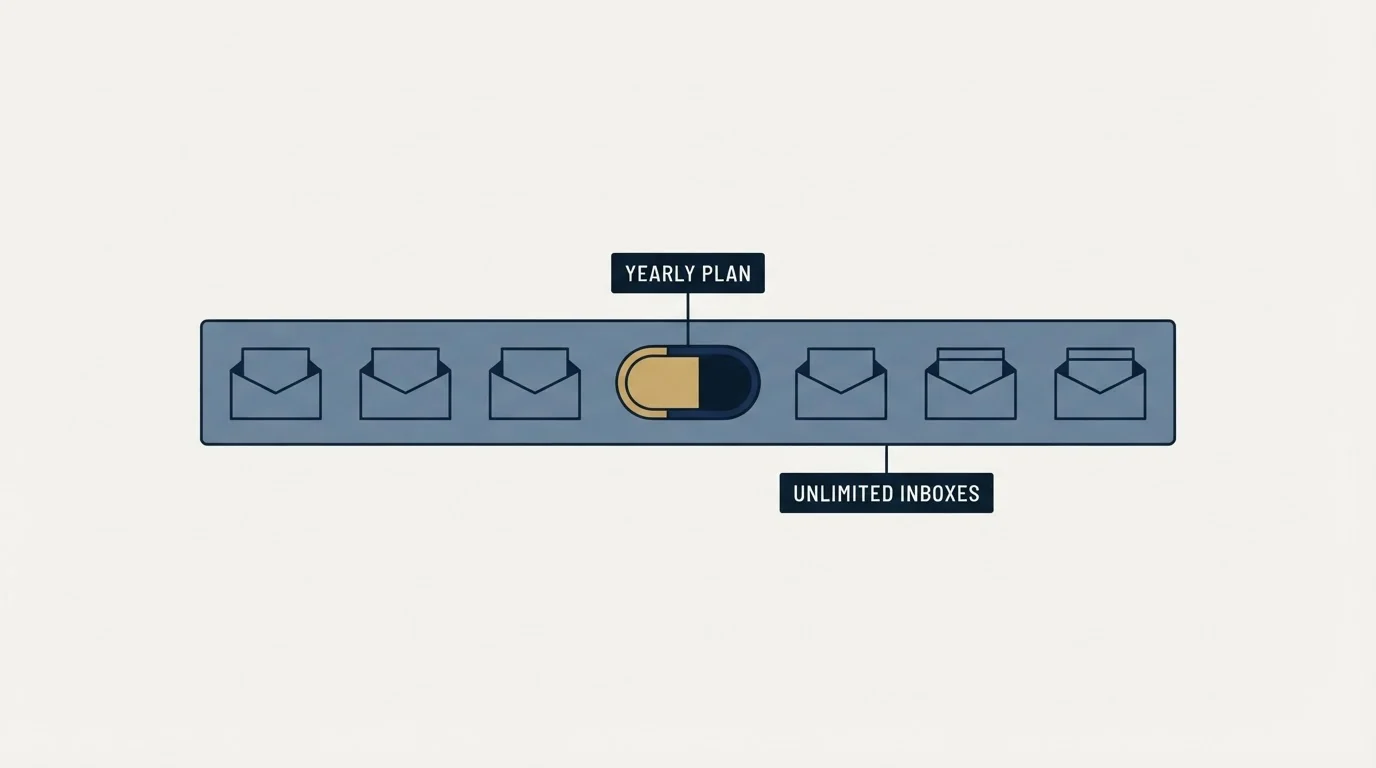
The pricing section has a billing toggle offering Monthly and Yearly Save 30%. Monthly is the state the page loads in, and the monthly figures above are what a visitor sees.
The yearly prices are not in the page at all. Not hidden in a collapsed panel, not rendered behind the inactive tab: the numbers a yearly buyer would pay are fetched by the app rather than served with the page, so there is nothing to read. A 30% saving on a $129 monthly plan is easy to work out in your head and that arithmetic is not a published price. Ask for the annual figure in writing before you commit to it, and check whether the discount applies to the plan only or also to anything bought alongside it.
What flat rate covers
Two FAQ answers on the same page define the boundary precisely. On inboxes, the answer to whether you pay extra for mailboxes is No. Inboxes are included in your plan, and it continues that you can create unlimited inboxes across your domains with no extra per-mailbox cost. On volume: No. Inframail is flat-rate. You're never charged per email, so you can scale your sending volume without your bill scaling with it.
So inbox count and message count both sit inside the price. Domains sit outside it, at $5 each one time if you bring your own, or bought in-platform if you do not.
Warmup sits outside it too, and Inframail says so directly: We recommend warming up new inboxes the same way you would on any platform. Inframail integrates cleanly with the warm-up and sending tools you already use. The line FREE Email Account Warm up appears exactly once on the whole homepage, on the DFY card, and on neither paid infrastructure tier.
That is a clean answer rather than a hidden cost, and it is one every quote comparison on this shelf has to normalise for. A mailbox that starts sending at volume on a domain registered last week is doing something receiving systems are specifically built to notice, and the ramp time is real whether you pay a warmup tool, buy inboxes already warmed, or absorb it as weeks of throttled sending. Our guide to warming up a domain for cold email covers the domain side of that, which the mailbox side does not fix on its own.
RevenueFlow provisions its own sender inventory through pre-warmed inbox providers, and has used Zapmail and ScaledMail. That is a statement of how we buy, not a ranking of anybody's product. It is relevant here only because it makes the same point from the other direction: warmup is a decision with a cost attached in every model, and the flat-rate model does not remove it.
The number in the comparison table worth reading twice

Inframail publishes a comparison table on the same page, and one row in it is more informative than the marketing around it. Under Send Limit Per Inbox (Safe Sending), the table prints 50 for Inframail, 50 for Google and 50 for Outlook.
The vendor is telling you that its infrastructure does not raise the safe per-inbox sending rate above what the mainstream providers support. What the flat rate buys is inbox count. Volume comes from multiplying a modest per-inbox rate across many inboxes, which is the same arithmetic every provider on this shelf runs, and it is why inbox rotation is a standard part of the architecture rather than a trick.
There is a second per-inbox figure on the same page, and it does not match. The homepage configurator loads at a Daily sending limit of 2,000 emails/day and answers with 200 inboxes needed at this volume across 40 domains, which describes a much lower rate per inbox than 50. The page does not explain the gap between its configurator and its comparison table. Both numbers are published by Inframail on https://inframail.io/, and a buyer sizing an order should ask which one the platform actually operates to, because the answer changes how many domains you buy.
Whatever the answer, the constraint that binds is not the plan price. It is what receiving systems accept from a given mailbox, which is a property of the receiving side rather than of your provider, and our breakdown of email sending limits by provider is the reference for that.
Microsoft-backed, and what that means

Inframail states its backend plainly: Microsoft-Backed Email Infrastructure. We are built on Microsoft's cloud platform with reputable IPs, and elsewhere unlimited Microsoft-backed inboxes on your own domains. Authentication is automated, listed as Automatic SPF, DKIM, DMARC Setup. Its FAQ positions the product as the infrastructure layer, with the sending tool left to you: you connect the inboxes to whichever cold email platform you already run.
The two things that follow from a mainstream backend are worth naming. Receiving systems are used to seeing mail from it, which removes one class of unfamiliarity from the equation. And the inboxes are on your own domains, so the reputation you build is attached to assets you control. That second point is the one that matters most over a year, and it is the reason outbound belongs on a separate sending domain from the one your invoices and contracts leave from, whoever hosts the mailboxes.
The homepage also carries a Money-back guarantee badge without stating its terms anywhere on that page, alongside marketing claims of 98%+ Deliverability, a blacklist delisting 68.3% success rate and Trusted by 2,000+ B2B Companies. Those are Inframail's published claims on Inframail's homepage. Deliverability percentages are not measurable from outside the sender's own account, so treat them as positioning and ask what the guarantee actually refunds.
Inframail alternatives: the axes that decide it
Inframail's own nav carries comparison pages against eleven named providers, which tells you the category is crowded and tells you nothing neutral. Three of those providers are the ones a buyer looking at Inframail usually looks at next: Mailforge, Zapmail and Maildoso. The useful way to separate them is by structure rather than by a ranking, because the four axes below decide more than the headline price does.
Who owns the mail backend. Zapmail's homepage sells US-hosted Google & Microsoft mailboxes and Official Business Starter mailboxes, which makes it a reseller of the mainstream backends. Mailforge's FAQ describes a shared IP pool of its own. Maildoso's pricing page describes Fully proprietary infrastructure, including servers and IPs. Inframail describes Microsoft's cloud platform. Those are four different answers, and the choice between a mainstream mailbox account and provider-operated infrastructure is the real fork.
How the price is shaped. Inframail is flat rate with unlimited inboxes. Zapmail's homepage publishes per-mailbox tiers with mailboxes included and a per-mailbox rate for extras. Mailforge's pricing page sells slots with a ten-slot minimum and charges for slots you do not fill. Maildoso's pricing page publishes a per-mailbox monthly ladder starting at 30 mailboxes.
Where warmup sits. Inframail says to warm inboxes with the tools you already use. Mailforge's included list does not name warmup and the company sells it as a separate product. Zapmail sells pre-warmed mailboxes as a separate product whose page publishes no prices at all. Read the included list on whichever you pick, because this is the line item that most often gets left out of a comparison.
Whether a per-domain mailbox cap is published. Maildoso's pricing page publishes one, Up to 99 mailboxes per domain, but we recommend no more than 8. Mailforge publishes a recommendation of two to three mailboxes per domain rather than a cap. Inframail and Zapmail do not publish a per-domain ceiling on the surfaces reviewed here, which is a question for a sales conversation rather than an assumption.
- Inframail: built on Microsoft's cloud platform
- Zapmail: US-hosted Google and Microsoft mailboxes
- Mailforge: a shared IP pool of its own
- Maildoso: fully proprietary servers and IPs
- Inframail: flat rate, unlimited inboxes
- Zapmail: tiers with mailboxes included, extras per mailbox
- Mailforge: per slot, minimum 10, unused slots charged
- Maildoso: per mailbox monthly, from 30 mailboxes up
- Inframail: use the warmup tools you already have
- Zapmail: a separate pre-warmed mailboxes product
- Mailforge: not on the included list, sold separately
- Maildoso: warm-up volume stated alongside sending
Each of those has its own write-up: Mailforge on slot pricing and the shared pool, Zapmail on reselling the mainstream backends, and Maildoso on proprietary infrastructure and the per-domain cap. There is no best on this list, because the axes above point in different directions for different senders, and the honest version of the recommendation is that you pick the backend model first and the price second.
- Yes: Get the yearly price in writing, because the toggle advertises a saving and the page publishes no yearly figure
- Yes: Read the DFY card twice: it carries a one-off charge and a monthly charge at the same time
- Yes: Price your domains separately, at $5 each one time for domains you already own
- Yes: Add warmup to the quote, since the paid infrastructure tiers do not include it
- Yes: Ask which per-inbox sending rate the platform operates to, since the page publishes two different ones
- Yes: Ask what the money-back guarantee refunds and over what window, since the terms are not on the page
- No: Assuming unlimited inboxes means unlimited sending, when the comparison table publishes 50 per inbox
- No: Comparing a flat rate against a per-mailbox rate before normalising domains and warmup on both sides
The shape of the decision

Flat-rate pricing removes one variable from an outbound budget, and it is a real simplification for a team running many inboxes across many domains. What it does not remove is the work of deciding how many inboxes you need, which comes from the per-inbox rate the receiving side tolerates, and the work of getting those inboxes to a state where sending from them is sensible. Both of those survive whichever provider you sign with. If you want the wider architecture rather than a vendor answer, our guide to cold email infrastructure lays out how the pieces fit together.
RevenueFlow runs cold email and LinkedIn outreach end to end, sender inventory included, on generic sending domains kept separate from the client's own, with one message per campaign and no follow-up bumps. If you would rather see the result than assemble the stack, prepay a single qualified meeting.
Pricing and features verified as of mid-2026. Verify current terms with the vendor before relying on them.
Frequently asked questions.
Frequently asked questions- How much does Inframail cost?
- Its homepage publishes an Unlimited Plan at $129 a month and an Agency Pack at $327 a month, both with unlimited inboxes and no per-inbox charge. A separate done-for-you card lists $3,497 once plus $499 a month. Domains you already own connect at $5 per domain one time. There is no pricing URL; the section sits on the homepage.
- Does Inframail publish yearly prices?
- The pricing section has a monthly and yearly toggle advertising a 30% saving, and monthly is the state the page loads in. The yearly figures are not served with the page at all, so there is no published annual number to read. Ask for the annual price in writing, and confirm what the discount applies to, before committing to it.
- Is warmup included with Inframail?
- Not on the paid infrastructure tiers. Its FAQ recommends warming new inboxes the same way you would on any platform and says it integrates with the warm-up and sending tools you already use. The only card in the pricing section listing free warmup is the done-for-you bundle, which is a service package rather than an infrastructure plan.
- What are the main Inframail alternatives?
- Mailforge, Zapmail and Maildoso are the ones buyers usually weigh next. Separate them by structure: who operates the mail backend, whether pricing is flat, per slot or per mailbox, whether warmup is bundled or bought separately, and whether a per-domain mailbox cap is published. Those four answers decide more than the headline price does.
About the author.

Tim Carden is CMO / CTO at RevenueFlow, which builds and operates outbound revenue engines for B2B companies. Studied at McGill University.
Tim Carden · CMO / CTO
Connect on LinkedIn →Explore more.
Ready to scale your outreach?
We build GTM engines that book real meetings. See the receipts.
Related articles.
Maildoso Review: Mailboxes Capped at 15 Sends a Day
Every Maildoso plan publishes the same ceiling of 15 emails per mailbox per day. That number turns a sending target into a mailbox count before price enters.
Mass Email From Outlook: The Limits Microsoft Publishes
Microsoft publishes the ceiling on one mailbox and, a few paragraphs later, recommends that bulk commercial mail go to a specialist provider instead.
Sending Cold Email From the CRM You Already Pay For
A CRM sequence tool sends from your primary domain and your own mailbox, and vendor terms usually require documented consent. What a separate cold stack buys.
IMAP or SMTP: One Sends, One Reads, and the Ports
A mail setup pane asks for two servers because the two protocols run in opposite directions. The RFCs define both jobs, and the ports are where providers disagree.
SMTP for Yahoo: The Settings and the Sender Requirements
Yahoo publishes its outgoing settings in six lines. It also publishes sender requirements enforced since February 2024, and refuses to name the volume that triggers them.
GMass Inbox Tester: The Public Seed List Cuts Both Ways
GMass publishes the fifteen seed addresses behind its free placement tester. That makes the test repeatable, and it also makes the absolute result pessimistic.