INKY Spam Filter: Diagnosing Placement Without Guesswork
INKY delivers your message and inserts a coloured warning frame above it. The sender problem here is the framing of the first impression, not the delivery.
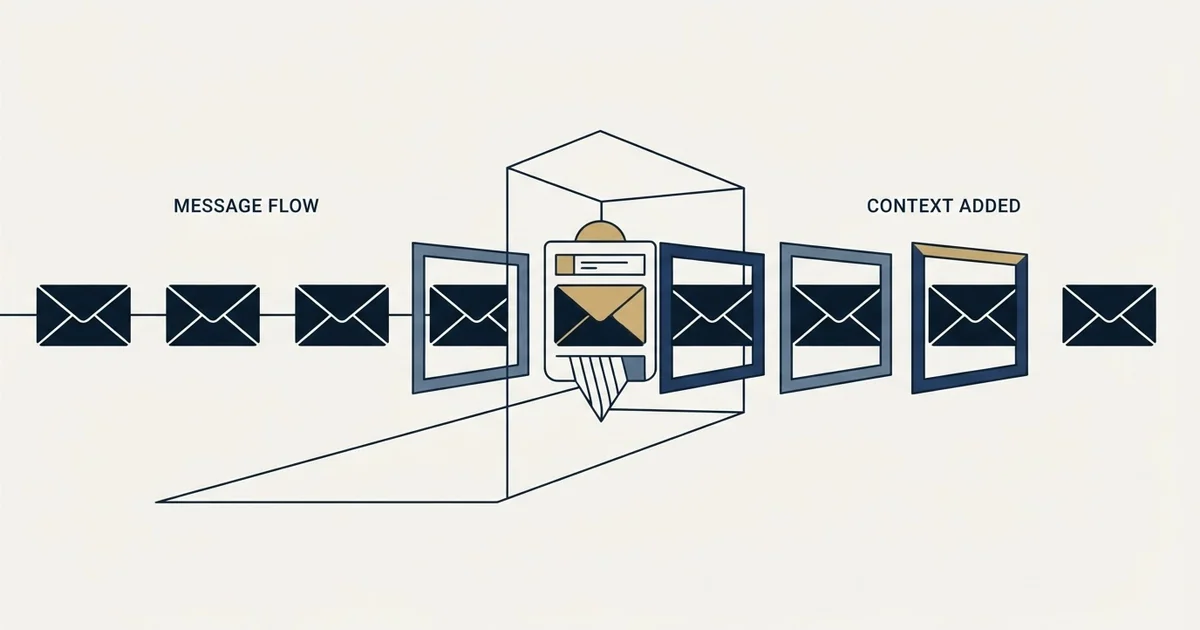
INKY is an email security product that inserts a colour-coded HTML banner between the header and the body of inbound messages, using gray for safe, yellow for caution and red for danger. Because it annotates rather than refuses, mail reaching a recipient behind it has been delivered, and no bounce is returned to the sender.
Key takeaways
- The product publishes its own mechanism: an HTML frame injected between the header and the body, colour coded across nearly 60 warning messages.
- A banner means the message was delivered, so there is no rejection to read and no MX lookup that reveals the layer from outside.
- The controllable sender-side inputs are authentication, sending-domain history, anything resembling impersonation, and link hygiene.
- Microsoft documents that a service modifying messages without ARC sealing invalidates DKIM signatures, so authentication failures at these domains may have a recipient-side cause.
Reviewed and updated August 28, 2026
INKY Spam Filter: Diagnosing Placement Without Guesswork
Most email security products decide whether your message arrives. This one decides that, and then rewrites what the recipient sees before they read a word of it.
INKY publishes the mechanism on its own blog: "The INKY Email Assistant then injects an HTML frame (in the form of a banner) into the email between the header and the body." The banner is colour coded, and INKY summarises the scheme in one line: "Gray is safe. Yellow advises caution. Red signals danger." The company says the banners carry "nearly 60 different warnings messages".
For a cold sender that changes the question. The usual diagnosis asks whether the message got through. Here the more useful question is what was attached to it on the way in.
Delivery is not the interesting variable
A banner-injecting product has, by definition, delivered the message. The frame is inserted into an email that is being handed to a recipient, so its presence is evidence of arrival rather than of blocking.
That is worth stating because it inverts the usual troubleshooting instinct. If your mail reaches an organisation running this product, you will generally not find a rejection to read, and the absence of a bounce is not the reassurance it looks like. The message arrived wearing a label chosen by somebody else's software.
The Proofpoint diagnostic guide explains how that same absence of a bounce can instead mean a message is held in a quarantine only the recipient can release.
It also means the standard external checks come back empty. An MX lookup names the mailbox provider, the delivery report shows acceptance, and every automated health signal a sending platform produces reads as healthy, because on its own terms it is.
Senders facing a gateway that sits ahead of the mailbox provider entirely should see how Mimecast changes diagnosis, since it evaluates and quarantines mail before Microsoft or Google ever sees it.
- An explicit rejection returns to your platform
- Text usually names the product and a reason
- The most diagnosable of the three outcomes
- Nothing reached the recipient
- Your platform records a successful delivery
- The message sits somewhere the recipient may never look
- No signal of any kind returns to you
- Indistinguishable from being ignored
- The recipient does receive the message
- A warning frame is inserted above your first line
- Reading is framed before your copy is read
- Also invisible from the sending side
What the banner does to a first impression
Cold outreach works on a narrow margin of attention. The recipient decides in a second or two whether this is worth a reply, and that decision is made on the sender name, the subject and the opening line.
Insert a caution banner above all of it and the sequence of impressions changes. The reader's first input is a security judgement about you, rendered by software their employer chose and which they have been trained to take seriously. Whatever the banner's precise wording, its function is to make the reader more careful, and more careful is not the state a cold message wants its reader in.
Read INKY's published categories against what a legitimate cold email actually is. It comes from a sender the recipient has never corresponded with, at a domain their organisation has no relationship with, and it is external. That is not a claim about what INKY does with any specific message, and only a specific configuration at a specific company could answer that. It is an observation that the properties which make a message cold overlap with the properties these systems are built to flag.
Why the banner exists, which is worth understanding rather than resenting
The banner is not aimed at you. It exists because the alternative approaches to inbound threat have worse failure modes for the organisation running them.
A product that silently blocks anything suspicious generates false positives that cost the business real mail, and every false positive arrives at the IT team as a ticket. A product that annotates instead pushes the final judgement to the person best placed to make it, the recipient, who knows whether they were expecting this. INKY's own framing of the yellow category is that it signals caution rather than danger, which is the design working as intended: uncertain mail is delivered, labelled, and left to the human.
That design is good news for a sender in one specific way. An annotating layer prefers delivery to blocking, so the message reaches a person. What it costs you is the framing of the first impression, which is a smaller price than a refusal and a larger one than nothing.
It also means the recipient's own behaviour is the deciding input rather than a fixed policy. A message that is plainly relevant survives a caution banner, because the reader's own judgement overrides the label. A message that is generic confirms the banner's suggestion. This is the clearest case in deliverability where the quality of the targeting, rather than any technical setting, is what determines the outcome.
What you can control, and the one thing you cannot
The uncontrollable part first, so that no time is spent on it. You cannot influence whether a banner is attached, what colour it is, or what it says. That is a decision made inside a product bought by the recipient's organisation, configured by their administrator, applied to all inbound mail. There is no sender-side setting, no header, no opt out.
What you can control is everything the product reads before it decides.
- Step 1Authentication that resolves
SPF, DKIM and DMARC correct at the published DNS. A message failing authentication is the easiest possible thing for any security product to be suspicious about.
- Step 2A sending domain with history
A domain registered recently, sending to strangers, is the shape of the thing these products exist to catch. Age and a real sending record are worth more here than any copy change.
- Step 3Nothing that resembles impersonation
Display names that imply a relationship, lookalike domains, or a from-name suggesting an internal colleague are exactly the patterns these products score hardest.
- Step 4Plain links to your own domain
Redirect chains, shorteners and unfamiliar tracking hosts add inspection surface. Fewer hops is fewer things to form a view about.
Impersonation deserves the emphasis. Products in this class are sold on phishing detection, and the highest-severity categories describe brand impersonation and mail spoofed to look internal. A cold campaign that borrows a familiar name, uses a domain resembling a known brand, or writes a from-name implying an existing relationship is walking into the detection this product was bought for. Our own position on sending domains is that they stay generic and the identity lives in the display name and signature, which keeps a campaign well clear of the lookalike pattern.
The modification problem, and the question to ask about it
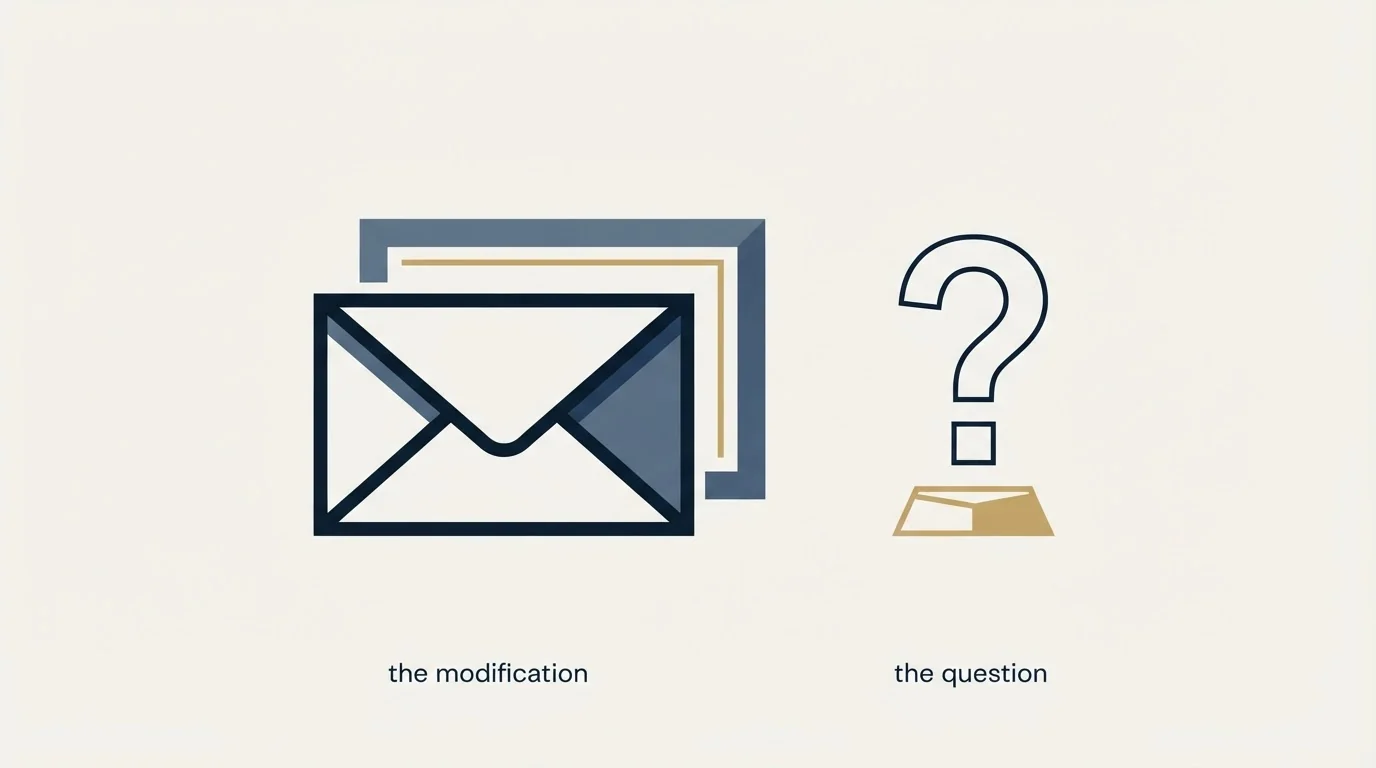
There is a second-order effect of any product that alters a message in transit, and it is documented by Microsoft rather than by the security vendors.
Microsoft's mail flow guidance states that "Third-party services that modify messages and don't support ARC sealing will invalidate the DKIM signatures of those messages." Injecting HTML into a message body is a modification. Whether any particular product preserves authentication through that modification depends on whether it supports ARC sealing and whether the receiving organisation has added it as a trusted sealer, and both are properties of a specific deployment rather than facts a sender can look up.
The practical takeaway is narrow and useful. If you observe authentication failures concentrated at recipient domains that run message-modifying security products, that pattern has an explanation which is not your DNS records. Verify your own setup with the method in SPF, DKIM and DMARC for cold email so you have ruled it out on evidence, then stop looking for a sender-side cause. The general shape of intermediary-caused problems is covered in third-party spam filter.
Diagnosing it from your own data
Since the product produces no bounce and no signal, the evidence has to come from your own results.
- Yes: Reply rate broken out by receiving domain, not read as one campaign figure
- Yes: Sibling campaigns on the same sending inventory compared, to clear the infrastructure
- Yes: Authentication results checked specifically at the underperforming domains
- Yes: Display names and sending domains reviewed for anything resembling impersonation
- No: A clean delivery report treated as evidence the message was read
- No: Copy rewritten to dodge supposed trigger words before the above is done
A segment replying far below the campaign average, on identical copy, from identical infrastructure, with no bounces to show for it, is the signature of a layer that accepted your mail and shaped how it was received. That is a targeting input rather than a defect.
Two cautions on reading that signal. It needs enough volume per domain group to mean anything, and a handful of recipients at one company will not carry a rate. Group by the product rather than by the company where you can identify it, or by company size and industry where you cannot, since these products cluster by exactly those attributes. And check the comparison is fair before drawing the conclusion: a segment that also differs in seniority, in message, or in the day it was sent has more than one variable in it, and the security layer will get blamed for whichever of them is actually responsible. The spam filter entry explains why acceptance and arrival are different events, and inbox placement covers why no product will ever report the difference to you directly.
One structural note. We send one message per campaign, sent once, and any later approach to the same person is a separate campaign on a different premise. A second unanswered arrival from an unfamiliar external sender is the pattern a security product treats as most suspicious, and sending once keeps that pattern out of the evidence entirely.
The short version
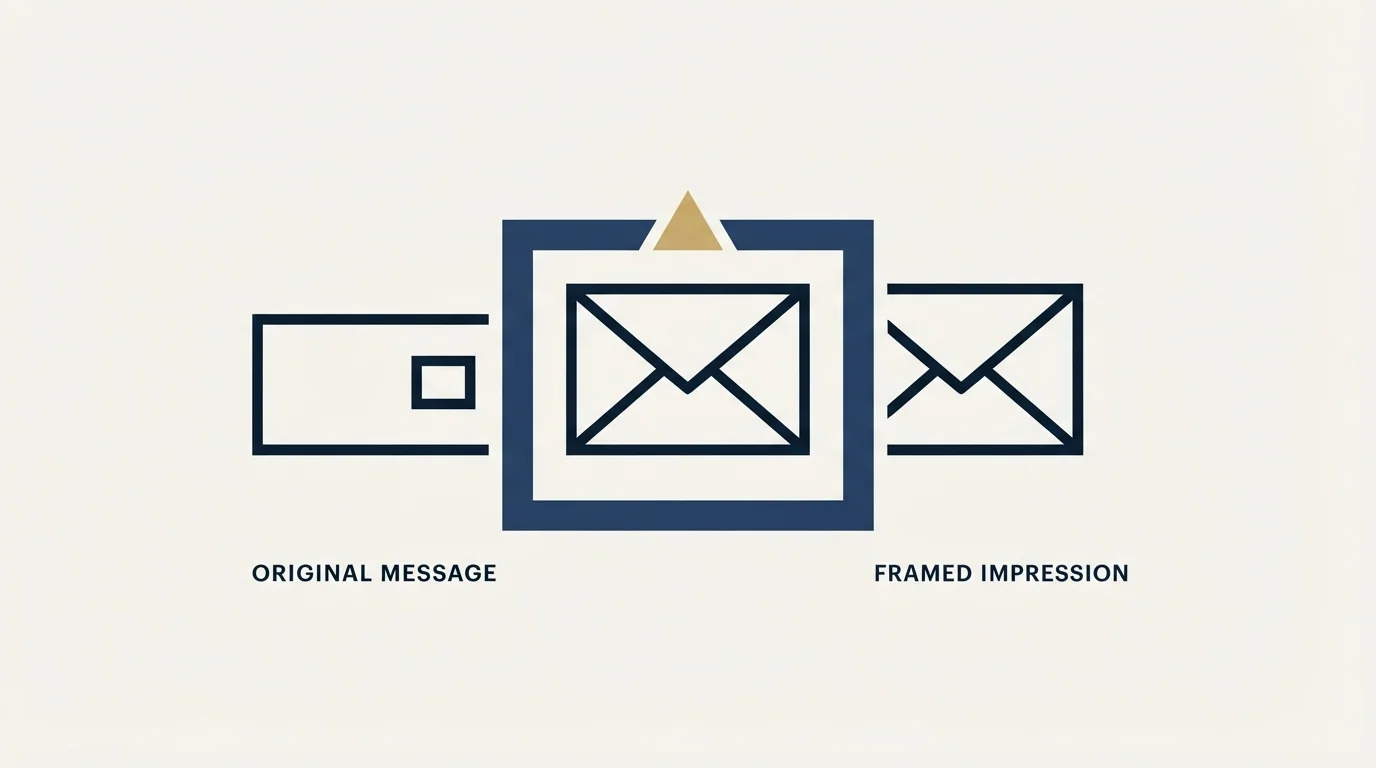
INKY injects a colour-coded HTML banner between the header and the body of inbound mail, publishing the scheme as gray for safe, yellow for caution and red for danger, across nearly 60 warning messages. Mail reaching a recipient behind it has been delivered, so there is no bounce to read and no MX lookup that helps. The controllable inputs are authentication, domain history, anything resembling impersonation, and link hygiene. The rest is a property of the audience, best handled when the audience is chosen. The full diagnostic order is in the cold email deliverability guide, and the checklist version is running your own deliverability audit.
RevenueFlow runs cold email and LinkedIn outreach for B2B teams, one message per campaign, from generic sending domains with the client identity in the sender name and signature. See how the campaigns work.
Product behaviour verified against INKY's own published pages, and authentication guidance against Microsoft's published Exchange Online documentation, as of mid-2026. Verify current terms with the source before relying on them.
Frequently asked questions.
Frequently asked questions- What do INKY's banner colours mean?
- INKY summarises the scheme as gray for safe, yellow advising caution and red signalling danger, carried across what the company describes as nearly 60 different warning messages. The banner is inserted as an HTML frame between the message header and the body, so the recipient reads it first.
- Can I stop a banner being added to my email?
- No. The decision is made inside a product the recipient's organisation bought and their administrator configured, applied to all inbound mail. There is no sender-side setting, header or opt out. What you can influence is every input the product reads before it decides.
- Will INKY block my cold email outright?
- A banner is evidence of delivery rather than blocking, since a frame can only be inserted into a message being handed to a recipient. An annotating design prefers delivery with a label to refusal, which pushes the final judgement to the person who knows whether they wanted the mail.
- Why would authentication fail only at these domains?
- Microsoft's mail flow guidance states that third-party services which modify messages and do not support ARC sealing invalidate the DKIM signatures of those messages. Injecting HTML is a modification. Verify your own records to rule them out, then stop hunting for a sender-side cause.
About the author.

Tim Carden is CMO / CTO at RevenueFlow, which builds and operates outbound revenue engines for B2B companies. Studied at McGill University.
Tim Carden · CMO / CTO
Connect on LinkedIn →Explore more.
Ready to scale your outreach?
We build GTM engines that book real meetings. See the receipts.
Related articles.
GMass Inbox Tester: The Public Seed List Cuts Both Ways
GMass publishes the fifteen seed addresses behind its free placement tester. That makes the test repeatable, and it also makes the absolute result pessimistic.
Proofpoint Spam Filter: Diagnosing Placement
Two different Proofpoint systems can stop a cold email, and the remedies have nothing in common. Telling them apart takes a minute and saves a month.
Office 365 Spam Filter: What Actually Triggers It
The same message lands in the inbox at one Microsoft tenant and in quarantine at the next. A setting the recipient chose decides which, and the headers say so.
Email Warmup Pricing in 2026: What 20 Tools Charge, and What 10 Mailboxes Cost
Email warmup tools start at a median of $29 a month, but warming ten mailboxes costs from $7.50 to $1,190 depending on how the vendor prices a mailbox.
MailReach Pricing: The Headline Rate Is the Second Band
MailReach prices warmup on a slider with four mailbox bands and two billing states. Every band at both states, and why the printed rate is not the entry rate.
Warmup Inbox Pricing: Per Inbox, Annual Loads First
Warmup Inbox prices per inbox and its page opens on the annual switch. Both states for all three plans, the reply ceiling meter, the trial and how a fleet bill is built.