The LeadIQ Chrome Extension: What Each Capture Costs
An email costs one credit in LeadIQ and a phone number costs ten. What the extension captures, what Universal Credits changed, and where an extension belongs.
The LeadIQ Chrome extension captures contact data, account context and CRM sync state where you prospect. Under Universal Credits an email costs one credit, a phone number ten, both together eleven and an account enrichment three, all drawn from a single pooled balance.
Key takeaways
- Every action draws from one credit pool at published rates: 1 credit for an email, 10 for a phone number, 11 for both and 3 for an account enrichment.
- The extension shows CRM and sales stack sync status at the moment of capture, which is the main defence against paying twice for a record you already hold.
- The pricing page defaults to annual billing at a 25 percent discount and computes the Pro price from a slider in the browser, so the price in the page source is not one anyone is charged.
- No extension-specific usage limit is published, and the vendor's help centre refused our requests, so treat that as unknown rather than as unlimited.
Reviewed and updated September 1, 2026
On LeadIQ's current pricing, an email address costs one credit and a mobile number costs ten. Taking both for the same person costs eleven, and enriching the account costs three. Those four figures decide what the Chrome extension costs you far more than any plan price does, because the extension is where the clicking happens and each click spends a different amount.
This page covers what the extension captures, what LeadIQ's move to Universal Credits changed, what its pricing page will and will not tell you, and where a browser extension genuinely belongs in a prospecting workflow.
What the extension does
LeadIQ began as a browser extension and the extension is still the product most of its users touch. It overlays the pages where prospecting actually happens and does three things there.
It identifies: LeadIQ's own page describes finding contact information including email, mobile phone numbers and location, with your CRM and sales stack sync status visible inside the extension so you can see whether a record already exists before you capture it again.
It contextualises: account details such as industry, company size, recent news and funding render in the panel alongside the person.
It acts: prospects are captured into lead lists and pushed into a system of choice, with Salesforce, HubSpot, Outreach, Salesloft and Gong named on the page.
Teams weighing whether those sales-stack integrations justify the credit cost can compare LeadIQ against a real-time verified alternative in the LeadIQ vs SignalHire comparison.
The sync-status detail is the one worth pausing on. A large share of wasted credits in any prospecting tool goes on re-capturing people already sitting in the CRM, and showing that state at the moment of capture is a genuinely good design decision rather than a feature-list entry.
Since sync status only matters once captured contacts flow into a CRM, the Copper CRM comparison explains how the two tools cover separate stages of the same workflow.
What Universal Credits changed
LeadIQ has re-platformed its commercial model onto a single credit pool, announced on its own site as one credit pool to power every LeadIQ workflow. The practical effect is that plan tiers no longer carry separate email and phone allowances. There is one balance, and each action draws a different amount from it.
| Action | Credits |
|---|---|
| 1 | |
| Phone number | 10 |
| Email and phone number together | 11 |
| Account enrichment | 3 |
The cheapest action available
Ten times the cost of an email
No discount for combining
Per account, not per person
The ten-to-one ratio is the number to plan around. A team that captures phone numbers by reflex, because the button is right there, will consume its balance roughly ten times faster than one capturing emails only. For an email and LinkedIn motion, which is how we run every campaign, phone credits are spend with no corresponding activity behind it, and the extension makes that spend one click away at all times.
That is not an argument against the tool. It is an argument for deciding the capture policy before the team starts clicking, and for checking after a month whether the policy held.
What the pricing page will and will not tell you

Two things about that page are worth knowing before you try to budget from it.
The billing toggle defaults to annual. The annual option carries a 25 percent discount and is the state the page loads in, so the first price you see is already the discounted one. Compare it against a competitor's monthly default and you are comparing two different commitments.
The Pro price is computed in your browser. The Pro plan is priced from a credit slider rather than from a fixed tier, and the served HTML ships a static placeholder in the price element that the page's own script replaces once the slider initialises. So the number in the page source is not the number a visitor sees, and any comparison table built by fetching that page rather than loading it will report a figure nobody is ever charged. If you have seen LeadIQ quoted at a price that seems far out of line with the rest of the category, this is the likely reason.
What the page does state plainly is the shape of the tiers: a free plan with 50 credits and one user, a Pro plan sized by the credit slider and supporting up to five users, and an enterprise tier handled by conversation. Seats are derived from the credit volume you choose rather than bought separately, which means a small team buying a small credit allowance may find the seat count, not the credits, is what pushes them up a tier.
What is not published
We looked for a limit specific to the Chrome extension, such as a daily capture cap or a rate limit on profile views, and found none published on the pricing page or the extension page. LeadIQ's help centre, which would be the natural place for such a limit, returned HTTP 403 to our requests, so this is an absence of evidence rather than evidence of absence. If a hard daily ceiling matters to your workflow, ask before you buy.
The vendor does publish accuracy claims for phone data, describing numbers that pass its carrier checks as above 90 percent accurate and citing an 85 percent global mobile match rate falling to 70 percent in EMEA. Those are the vendor's own figures on the vendor's page, measured on a population you cannot see, and they are not comparable to any number another vendor publishes.
Where an extension belongs, and where it does not
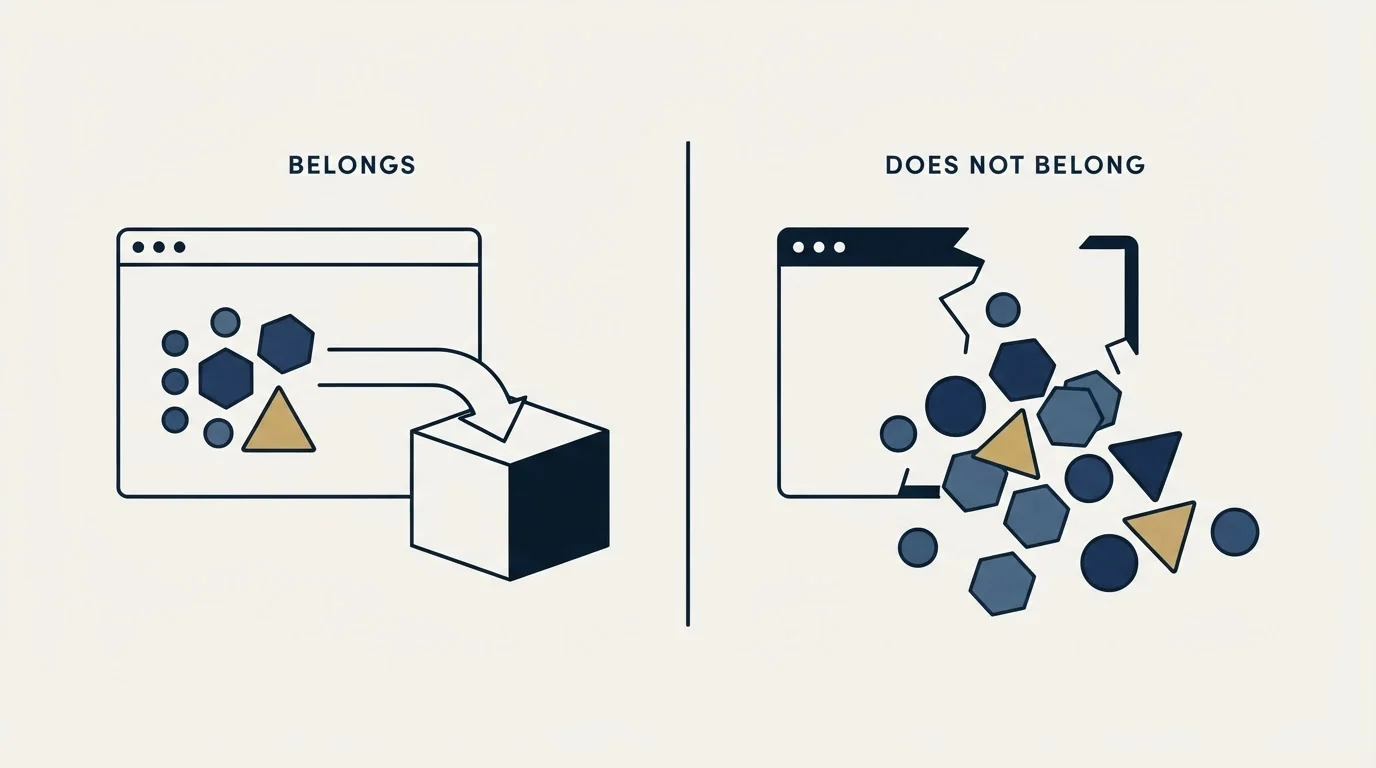
- Capturing a person you are already looking at
- Seeing CRM sync state before you duplicate a record
- Adding context to a profile in the moment
- Low volume, high judgement, one at a time
- Building a list of several hundred rows
- Systematic coverage of a defined segment
- Anything you would want to repeat next quarter
- Work where cost per correct address is the metric
The distinction matters because extensions are sold as a way to prospect and used as a way to build lists, and the second use is where the credits go. Clicking through profiles one at a time is a slow, expensive and unrepeatable way to assemble a segment, and it produces a list nobody can reconstruct three months later.
For list building, a waterfall runs providers in order, stops at the first confident result, and only pays the next stage for the rows the previous stage could not resolve. The economics are in our waterfall enrichment guide, and the stack we run is MillionVerifier brute-force first, then Prospeo, then Findymail, with no fourth paid stage. The extension's proper role sits beside that, for the individual capture that does not justify a pipeline run.
It is also worth remembering how easily a free extension can disappear from a workflow it has become load-bearing in. Clearbit's Gmail extension was named for discontinuation after years of daily use across sales teams, and our page on Clearbit Connect covers what that looked like from the outside.
One further consideration applies to any extension that sits over LinkedIn. The pages it reads belong to a platform with its own terms and its own view of automated access, and the tool cannot grant you permissions the platform does not. Whatever the extension can see is bounded by what your own account can see, which means seat type and search limits on that side shape your throughput as much as your credit balance does. Plan the constraint you cannot buy your way out of first.
Testing it on your own rows
The free plan's 50 credits are enough to answer the question that matters if you spend them on emails rather than phone numbers, which at one credit each buys you 50 tests instead of five.
Choose 50 contacts where you already hold an independently verified address, ideally spread across the geographies and seniority levels your real list contains. Capture them and compare the strings. Count how many resolved, how many matched what you already held, and how many landed on accept-all domains where no verification service can confirm a specific mailbox. Score on cost per correct address rather than hit rate, because a valid address belonging to somebody else costs you a prospect rather than a credit. The full protocol is in our guide to email finder tools.
For the wider category, our LeadIQ alternatives roundup covers the field, and our LinkedIn prospecting guide covers the motion the extension is usually bought to support.
The short version

The LeadIQ Chrome extension captures contact data, account context and CRM sync state on the pages where prospecting happens, and pushes captures into the main sales tools. LeadIQ now bills everything from one Universal Credits pool where an email costs one credit, a phone number costs ten, both together cost eleven and an account enrichment costs three. The pricing page defaults to annual billing at a 25 percent discount and computes the Pro price from a slider in the browser, so the figure in the page source is not a price anyone pays. No extension-specific usage limit is published, and the help centre blocked our requests, so ask if it matters. Used for individual captures the extension is a good tool; used for list building it is an expensive way to do something a sequence does better.
If you would rather see the whole motion running on your own ICP before you commit to a data vendor, start a free campaign and we will build the list, the copy and the sending infrastructure around it.
Pricing and features verified as of mid-2026. Verify current terms with the vendor before relying on them.
Frequently asked questions.
Frequently asked questions- Is the LeadIQ Chrome extension free?
- There is a free plan carrying 50 credits and a single user, and the extension is the interface to it. Since an email capture costs one credit, that allowance is enough for 50 email lookups, or five phone numbers at ten credits each. Beyond that you are on the Pro tier, which is sized by a credit slider.
- How many credits does a LeadIQ phone number cost?
- Ten, against one for an email address, or eleven for both on the same person. That ten-to-one ratio is the number to plan around, because a team capturing phone numbers by reflex will drain a balance roughly ten times faster than one capturing emails only, and the extension puts both buttons side by side.
- Does the LeadIQ extension have a daily limit?
- None is published on the pricing page or the extension page, and the vendor's help centre returned an error to our requests, so we could not check there. That is an absence of evidence rather than a confirmed absence of a limit. If a hard daily ceiling would affect your workflow, ask before buying.
- Should I build lists with a Chrome extension?
- No. Clicking through profiles one at a time is slow, expensive and impossible to reproduce later, and it spends credits on work a batch process does better. An extension earns its place on the individual capture that does not justify a pipeline run, with systematic segment coverage handled by a provider sequence instead.
About the author.

B2B cold email experts helping companies generate qualified leads through done-for-you outreach campaigns.
RevenueFlow Team
Explore more.
Ready to scale your outreach?
We build GTM engines that book real meetings. See the receipts.
Related articles.
Video Prospecting Tools by Job: What Each One Is For
Ten video prospecting tools sorted by the job each vendor's own page describes: record and share, personalise at volume, avatars, hosting and interactive demos.
Seamless.AI Email Finder: How It Works, What a Credit Buys
How Seamless.AI's email finder resolves a contact in real time, what one Universal Credit buys, the Total AI score on every address, and what the Chrome extension reads.
LeadIQ Salesforce Integration: What Syncs, What Blocks It
How LeadIQ's Salesforce integration works, from LeadIQ's own help centre: per-user OAuth, Lead or Contact, domain matching, duplicates, API calls and plan gates.
The Real Cost per 1,000 Emails, Verifications and Data Credits in 2026
Unit prices computed from verified vendor plans: $1.00 per 1,000 emails sent, $2.00 per 1,000 verifications and $19.60 per 1,000 enrichment credits.
Free Tiers and Trials in Sales Tools: What $0 Gets You Across 386 Vendors
37.0% of 386 verified sales tools have a permanent free plan. The median free data tier gives 50 credits and the median free sending plan 2,500 emails a month.
Social Selling Tools by Job, and the Account-Risk Line
Fourteen social selling tools sorted into six jobs, split by whether each acts through your LinkedIn account or beside it, from the vendors' own pages.