LinkedIn for ABM: Matched Audiences, the 300-Account Floor
LinkedIn will not run a matched audience under 300 matched companies. What that means for named-account programmes, and what to do when your list is smaller.
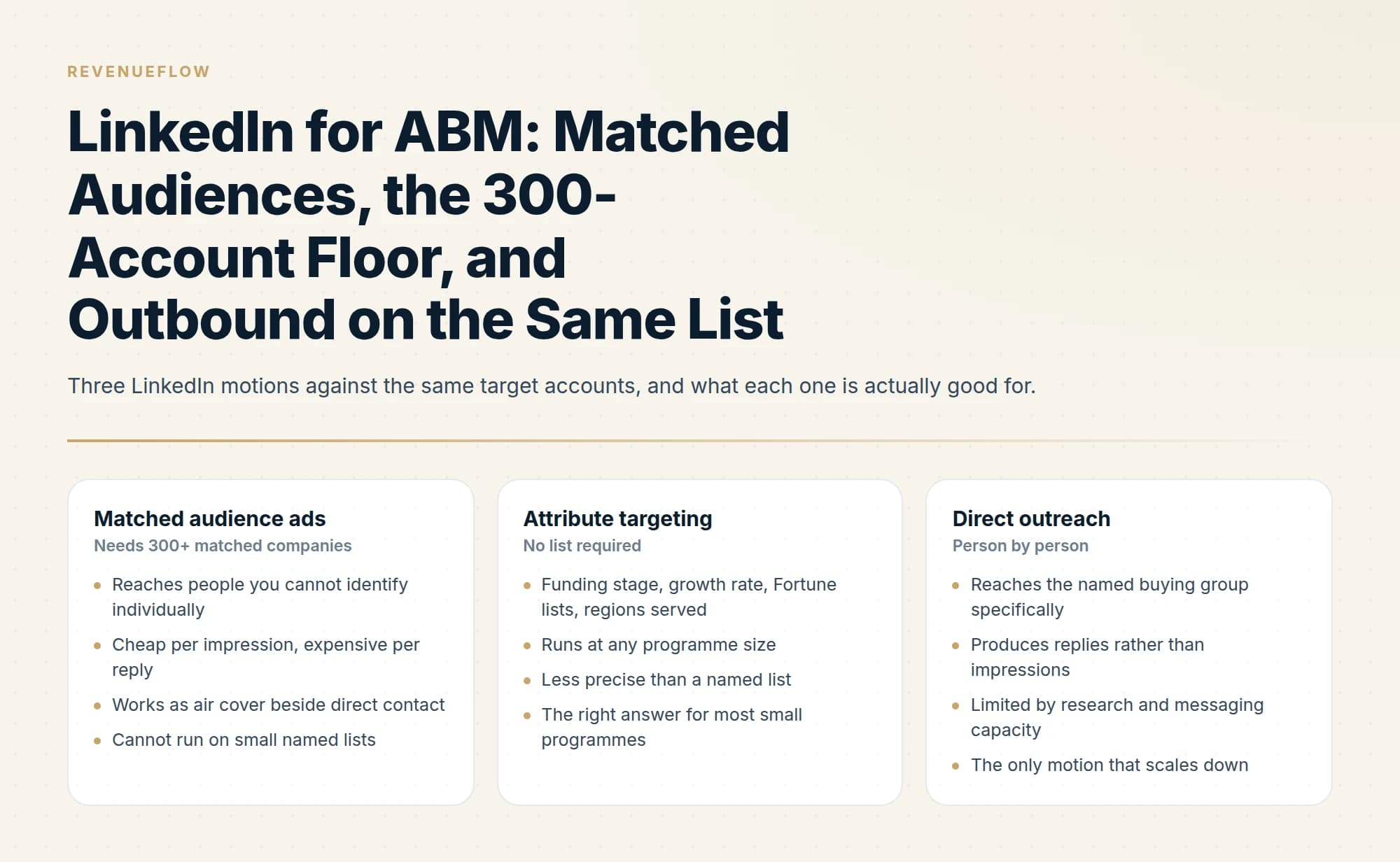
LinkedIn requires a company targeting list to hold at least 300 rows and to match a minimum of 300 member accounts before it can run in an active ad set. Named-account lists below that threshold should use attribute targeting or put the budget into direct contact instead of padding the list.
Key takeaways
- A LinkedIn company targeting list needs at least 300 rows to upload and must match 300 member accounts before an ad set can use it.
- Including the LinkedIn Page URL, ending in the company name rather than a numeric ID, is the single biggest lever on match rate.
- Company lists process in up to 48 hours and cap at 20 MB or 300,000 companies, so build the audience before the campaign calendar assumes it exists.
- A second LinkedIn message to someone who ignored the first lands in the same thread, which reads as a bump regardless of campaign structure.
Reviewed and updated September 2, 2026
A 50-account target list cannot run as a LinkedIn matched audience. LinkedIn's own requirements are explicit: a company targeting list must have at least 300 rows to upload successfully, and it must match a minimum of 300 member accounts before it can be used in an active ad set (LinkedIn company list requirements).
That one number reshapes most LinkedIn ABM plans, because the named-account lists people build are usually well under it. Everything below is written around that constraint rather than pretending it does not exist.
What LinkedIn actually gives an account-based programme
Three separate things, sold and administered separately, and worth keeping distinct because they fail in different ways.
Matched Audiences in Campaign Manager, where you upload a list of companies and serve ads to people who work at them.
Attribute targeting, where you describe the accounts rather than name them. This is deeper than most people use: Company Category covers standardised segments including funding stages, ownership, regions served and Fortune lists; Company Growth Rate targets by year-over-year growth; Company Connections reaches the first-degree connections of employees at companies you select, and is only available for companies with more than 500 employees (LinkedIn ad targeting attributes).
Sales Navigator and direct outreach, where individual people at target accounts are contacted rather than advertised to.
The first two are marketing spend and the third is sales effort. Most programmes buy the first, ignore the second, and under-resource the third.
Buying that stack as a platform is the other route, though none of the enterprise vendors publish a number, which turns the evaluation into a series of calls.
The company list, mechanically
If your list clears the floor, the upload itself is straightforward and the match rate is where the work is.
LinkedIn matches your rows to LinkedIn Pages, and requires at least one of company name or LinkedIn Company Page URL. Including the Page URL improves accuracy materially, and the guidance is specific about the format: the URL "should include the company name at the end of the URL, not a number ID". Adding website, industry, city, state, country or postal code improves the match further. Processing takes up to 48 hours, occasionally longer.
The maximum list size is 20 MB or 300,000 companies. If a single list falls under the 300-member threshold you will see a "< 300 members" status and a greyed-out list name, and you can combine multiple lists inside one ad set to clear the minimum.
- Yes: The list has at least 300 rows
- Yes: It matches at least 300 LinkedIn member accounts once processed
- Yes: Each row carries the LinkedIn Page URL ending in the company name
- Yes: Website, industry and location columns are populated where known
- Yes: You have allowed up to 48 hours for processing
- No: The list exceeds 20 MB or 300,000 companies
- Depends: Several smaller lists need combining to clear the minimum
What to do when your list is too small
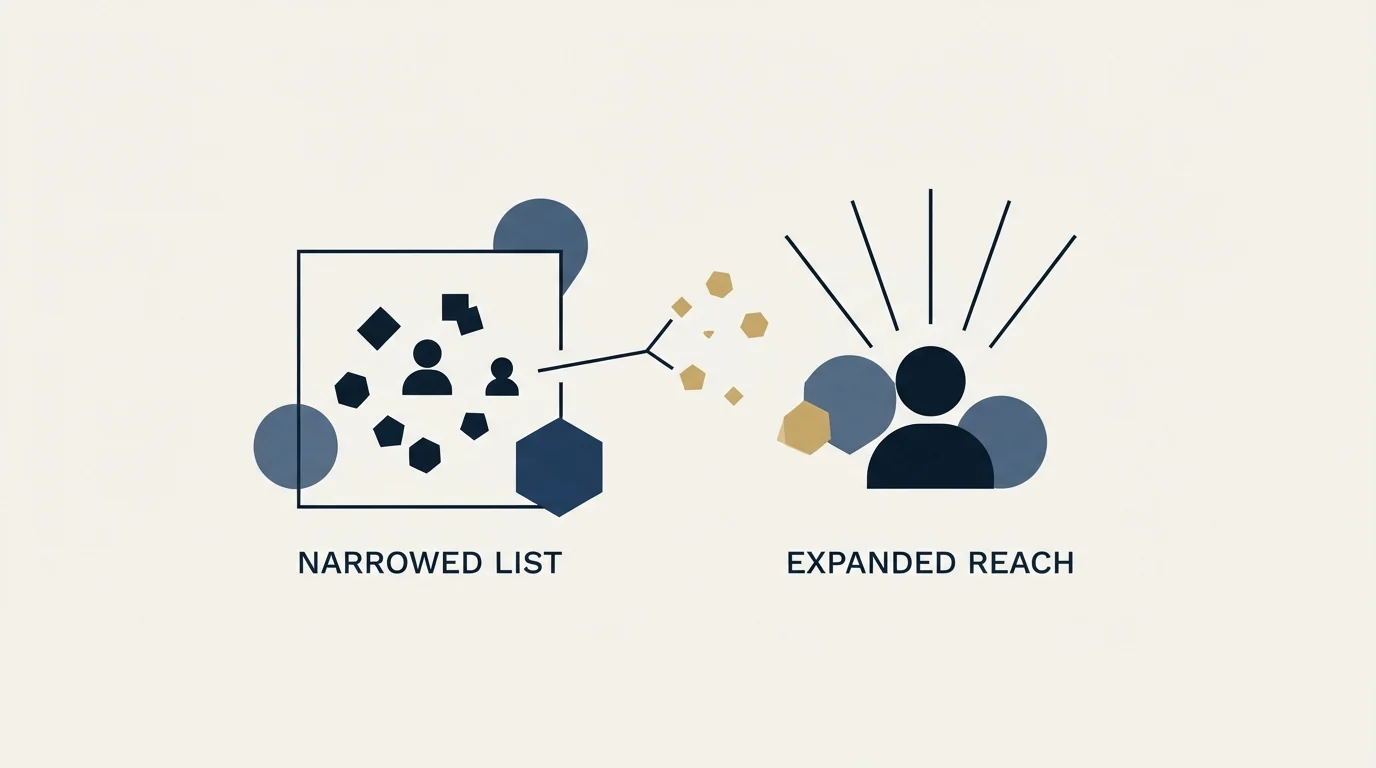
This is the common case, and there are three honest answers plus one bad one.
Widen deliberately to a describable segment. Take the attributes your named accounts share, industry, size band, geography, and target that segment with attribute targeting instead. You lose precision and gain the ability to run at all. This is the option most teams should take, and it is a real one-to-many programme rather than a compromise.
Combine lists. If you have several small named lists across segments or regions, LinkedIn permits combining them in one ad set to clear the minimum. This works when the creative can honestly serve all of them.
Skip paid entirely and put the budget into contact. For a genuinely small named list, direct contact reaches more of the buying group per pound than ads do, and it produces replies rather than impressions. A list of 50 accounts with four relevant people each is 200 individuals, which is a morning's work to research and a campaign you can run this week.
The bad answer is padding the list with accounts you do not want in order to clear 300. You are then paying to advertise to companies you have already decided not to sell to, and your reporting is polluted with them from that point on.
- Reaches people you cannot identify individually
- Cheap per impression, expensive per reply
- Works as air cover beside direct contact
- Cannot run on small named lists
- Funding stage, growth rate, Fortune lists, regions served
- Runs at any programme size
- Less precise than a named list
- The right answer for most small programmes
- Reaches the named buying group specifically
- Produces replies rather than impressions
- Limited by research and messaging capacity
- The only motion that scales down
Running outbound and ads on the same list
The combination is the point of doing this on LinkedIn at all, and the sequencing matters more than the budget split.
Run the ads against accounts your outbound is actively working, in the same weeks. The purpose is that the name arriving in an inbox has been seen somewhere else recently. Ads running against accounts nobody is contacting is brand advertising with an account filter on it, and it will be measured as such at renewal.
Keep the two reporting units separate. Ads report reach and frequency against target accounts. Outbound reports replies and meetings. Blending them into one attributed number is how programmes come to believe the ads did work that the outbound did.
One rule we hold to on the outreach side. We do not send a second LinkedIn message to someone who did not answer the first. On LinkedIn a follow-up lands in the same thread, directly under the message they already saw and chose to ignore, so it reads as a bump whatever the campaign structure says. If the first message earns nothing, the account goes back into the pool for a genuinely different angle later, contacted through a different channel.
Connection acceptance itself deserves scrutiny, since who counts as a LinkedIn Open Networker explains why a LION's yes carries no signal about genuine interest.
Email is different in this respect, since a new campaign genuinely arrives as a new message, which is why the retargeting motion lives there rather than here.
- Step 1Check the floor before planning the ads
A matched audience needs at least 300 rows and at least 300 matched member accounts. Below that, attribute targeting or direct contact is the programme.
- Step 2Run the ads where outbound is working
Against accounts your outbound is actively working, in the same weeks, so the name arriving in an inbox has been seen somewhere else recently.
- Step 3Contact the buying group person by person
Direct outreach is the only motion that scales down, and it produces replies rather than impressions.
- Step 4Keep the reporting units separate
Ads report reach and frequency against target accounts. Outbound reports replies and meetings. Blending them is how programmes come to believe the ads did work the outbound did.
- Step 5One message, then back to the pool
We do not send a second LinkedIn message to someone who did not answer the first. The account waits for a genuinely different angle later, contacted through a different channel.
Attribute targeting is underrated, and it is where small programmes should live
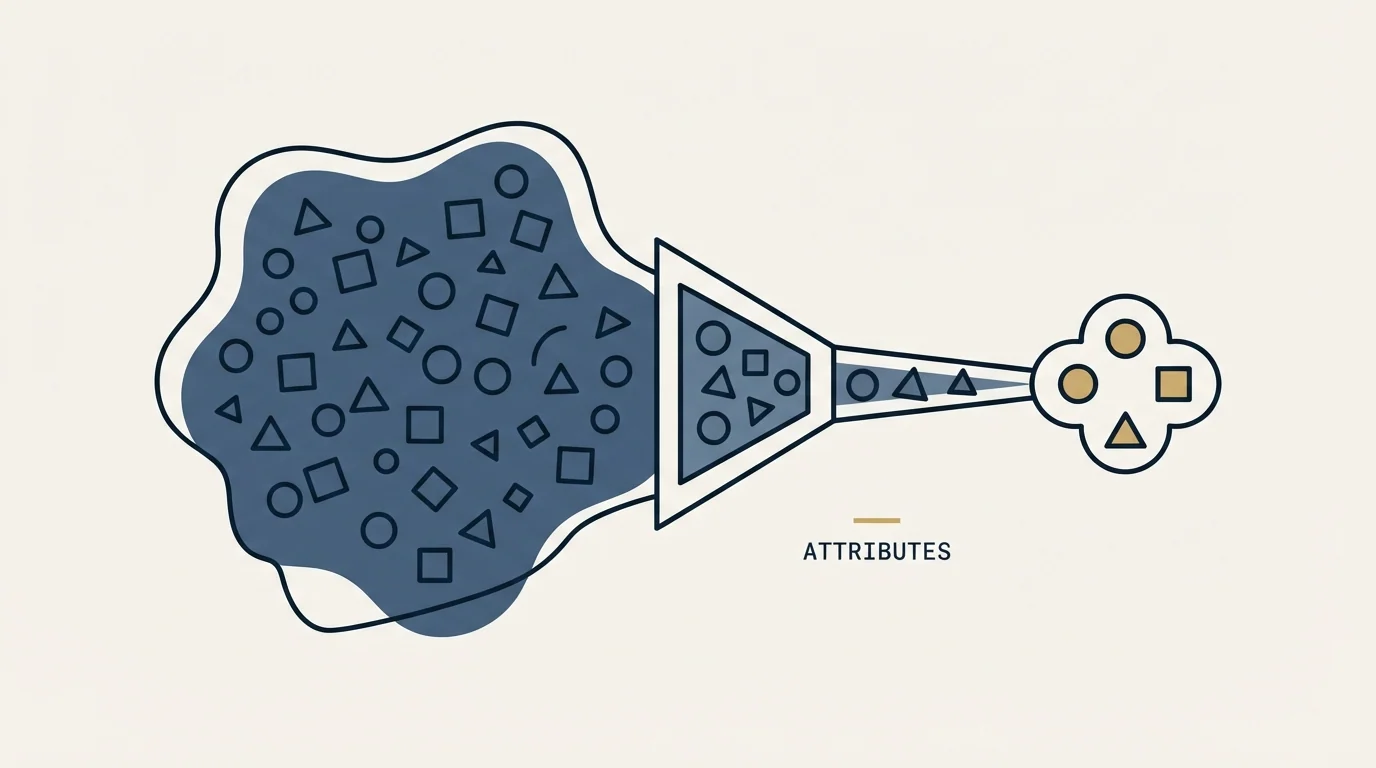
Because the matched-audience floor blocks small lists, the attribute side deserves more attention than it usually gets. LinkedIn's published targeting facets are considerably richer than the industry-and-title combination most campaigns use.
Company Category covers standardised segments including funding stages, ownership type, regions served, editorial lists and Fortune lists. Company Funding Stages targets companies that raised in the past year or by stage of maturity. Company Business Types splits public, private, nonprofit and government, drawn from Page admin classifications. Company Growth Rate targets by year-over-year growth, determined by factors such as employee growth. Company Connections reaches the first-degree connections of employees at companies you name, and is available only for companies with more than 500 employees.
Two practical notes from LinkedIn's own documentation. Industry mapping is inferred as well as declared: a company can belong to multiple industries, and where a member's company has no industry, LinkedIn uses the industry on the member's own profile. And reach for some attributes is limited when targeting within the European Economic Area or Switzerland, which matters if your target accounts are mostly European.
The reason to care is that a well-built attribute audience often approximates a named list closely enough to serve as air cover, at any programme size, with none of the list maintenance. Describing your accounts is frequently a better use of an afternoon than trying to name enough of them to clear 300.
Sales Navigator's role, briefly
Sales Navigator is the account list that sales works, and its value in an account-based programme is the list hygiene rather than the messaging.
Loading your target accounts as a Sales Navigator account list gives reps saved-search alerts on job changes and headcount moves at exactly the companies you care about, which is the cheapest trigger source available to most teams. Whether InMail credits are worth the plan is a separate question, and it depends on the plan you are on; our guide to what LinkedIn InMail is and how the credits work covers the mechanics, and Sales Navigator pricing covers the plans.
What to measure

Four things, and none of them is an engagement score.
Match rate. Of the companies you uploaded, how many did LinkedIn match to Pages. A low match rate almost always means missing Page URLs rather than a missing audience.
Reach against target accounts. What share of the accounts on your list saw anything at all. This is the only ad metric here that answers a question you asked.
Meetings from direct contact. Reported separately, because this is the number that pays for the programme.
Pipeline from target accounts against everything else. Cruder than an attribution model and considerably harder to flatter.
If you are buying this as part of an agency engagement rather than running it, ask which of these four appear in the monthly report before signing; the ABM agency buyer's guide covers the rest of that conversation.
If your CRM already holds the target account flag, all four are reportable without buying anything. HubSpot, for instance, will sync a target account segment straight into a LinkedIn matched audience, which keeps the list in one place. The wider tooling picture is in our ABM tools catalogue, and the list-building side is in building a target list you can actually work.
The short version
LinkedIn's 300-company minimum is the first thing to check, because it decides whether a matched-audience programme is possible at all. Below it, use attribute targeting or put the budget into direct contact. Above it, run ads in the same weeks as outbound against the same accounts, keep the reporting units separate, and never send the second message into a thread that ignored the first.
If direct contact across the account list is the half you want running now, you can see what a campaign against your target accounts would look like.
LinkedIn advertising requirements and targeting attributes verified against LinkedIn's Marketing Solutions Help Center as of mid-2026. Verify current requirements with LinkedIn before planning around them.
Sources: Requirements for company targeting lists in Campaign Manager, LinkedIn Ads targeting attributes
Frequently asked questions.
Frequently asked questions- What is the minimum audience size for LinkedIn ABM ads?
- Three hundred. A company targeting list must have at least 300 rows to upload successfully and must match a minimum of 300 member accounts to be used in an active ad set. Below that the list shows a status of fewer than 300 members and cannot run. You can combine several lists inside one ad set to clear the threshold.
- How do you improve a LinkedIn company list match rate?
- Include the LinkedIn Company Page URL for every row, formatted so the company name rather than a numeric ID appears at the end. Add company website, industry, city, state, country and postal code where you have them. LinkedIn matches rows to Pages and needs at least one of company name or Page URL, but the extra fields materially improve accuracy.
- Should you run LinkedIn ads and outbound against the same accounts?
- Yes, in the same weeks, so a name arriving in an inbox has been seen elsewhere recently. Keep the reporting separate: ads report reach against target accounts, outbound reports replies and meetings. Blending them into one attributed number is how a programme comes to credit ads with work the outbound did.
- What do you do if your target list is too small for LinkedIn ads?
- Use attribute targeting instead, describing the accounts by industry, size band, funding stage or growth rate rather than naming them. Or put the budget into direct contact, which reaches more of the buying group per pound on a small list. Do not pad the list with accounts you do not want in order to clear 300.
About the author.

Ben Carden is CRO at RevenueFlow, which builds and operates outbound revenue engines for B2B companies. Previously at Gartner Enterprise. Studied at London School of Economics.
Ben Carden · CRO
Connect on LinkedIn →Explore more.
Ready to scale your outreach?
We build GTM engines that book real meetings. See the receipts.
Related articles.
5 ABM Campaign Examples and How Each One Is Built
Five worked account-based campaign examples, each built on the same five fields: account set, tier, plays in order, owner and handoff, and the exit condition.
ABM Reporting: Three Readers, Three Cadences
ABM reporting built around who reads it: a weekly operating page, a monthly allocation page and a one-page quarterly board report, each computed from CRM fields.
ABM vs ABX: What Demandbase Added to the Model
One of these terms belongs to a vendor. What Demandbase says ABX adds, the three things that genuinely change, and the three that stay identical.
ABM Metrics: Coverage Decides Every Other Number
Every published ABM metric is a ratio whose denominator somebody chose. Six numbers, the denominator each one needs, and the comparison that settles it.
Field Marketing in B2B: What a Programme Costs Per Meeting
Two different practices answer to the name field marketing. The B2B one runs dinners and roadshows for named accounts, and it divides like any other channel.
Average Landing Page Conversion Rate: What It Measures
Four published answers to one question span more than four to one. What each dataset actually counted, and why none of them applies to a page fed by cold outbound.