LinkedIn Lead Generation Services: What Is Safe to Outsource
LinkedIn prohibits third-party automation and the enforcement risk lands on the account owner. What can be outsourced with no exposure, and what to ask before agreeing.
LinkedIn's help centre states it does not permit third-party software that scrapes or automates activity on the site, and that members using such tools risk having accounts restricted or shut down. Research, list building, message writing, content and LinkedIn Ads carry no account exposure. Sending does, and it lands on the account owner.
Key takeaways
- LinkedIn's own help page prohibits third-party crawlers, bots, plug-ins and extensions that scrape or automate activity, citing User Agreement Section 8.2.
- Enforcement risk falls on the account owner rather than the vendor, so the question is whose accounts send and at what volumes.
- Prohibited tools may also become non-operational without notice, which is the practical risk to a live campaign.
- LinkedIn Ads carries no account risk but needs a company list matching at least 300 member accounts before an ad set can run.
Reviewed and updated September 5, 2026
LinkedIn's own help centre is unambiguous about the tooling most LinkedIn lead generation services run on. Under "Prohibited software and extensions" it states that LinkedIn does "not permit the use of any third party software, including 'crawlers', bots, browser plug-ins, or browser extensions that scrape, modify the appearance of, or automate activity on LinkedIn's website", and that members using such tools "risk having their accounts restricted or shut down".
Teams weighing whether to scrape commenter lists instead of sending outreach should look at what post comment scraping actually returns, since it never includes contact details.
Any honest guide to outsourcing LinkedIn outreach has to start there, because the risk being outsourced is not commercial. It is your account, or your team's accounts.
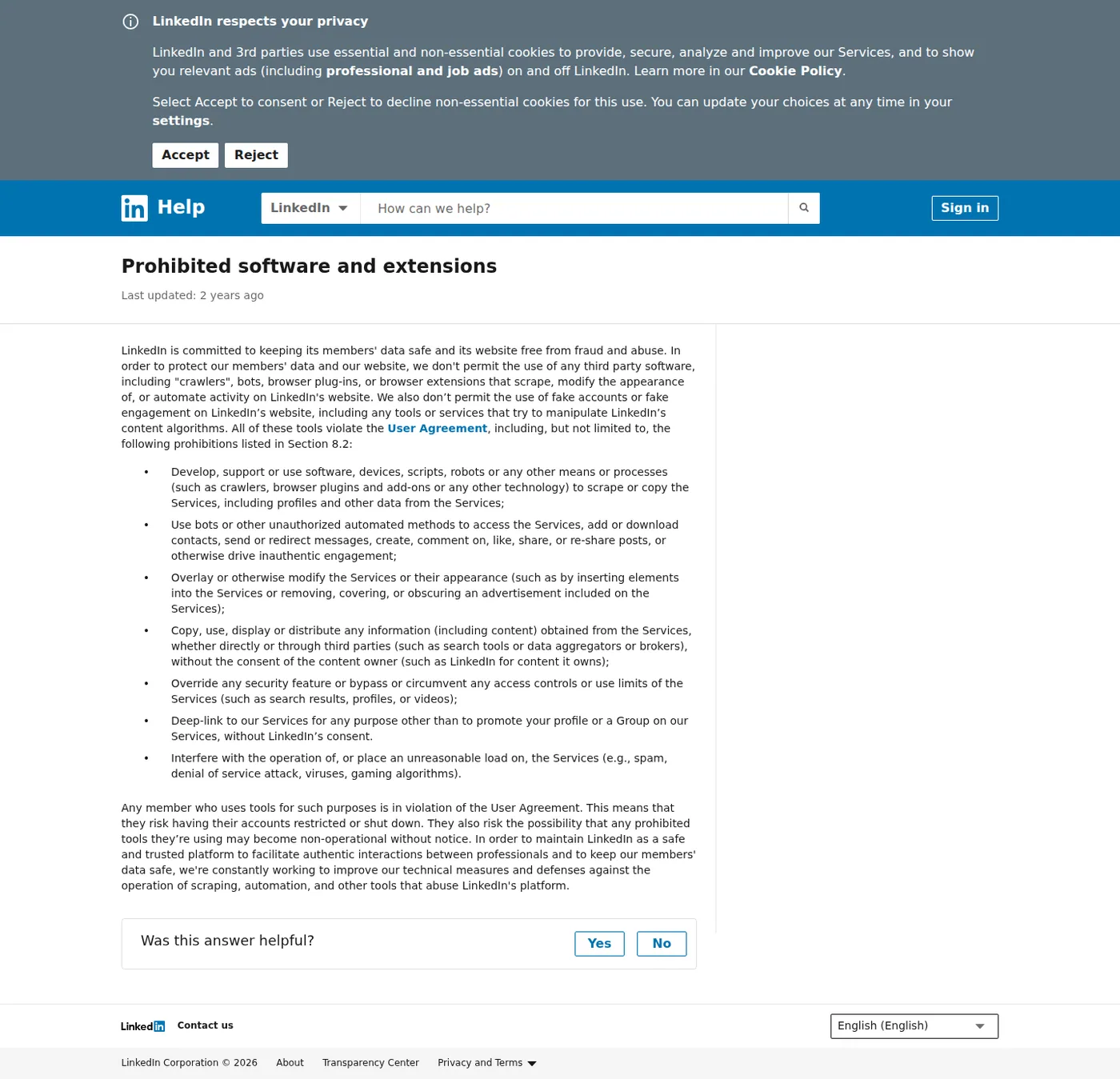
LinkedIn's published position on third-party automation, captured mid-2026.
What the policy actually says
The page cites User Agreement Section 8.2 and lists the specific prohibitions. Two matter most for outreach services:
Develop, support or use software, devices, scripts, robots or any other means or processes (such as crawlers, browser plugins and add-ons or any other technology) to scrape or copy the Services, including profiles and other data from the Services
Use bots or other unauthorized automated methods to access the Services, add or download contacts, send or redirect messages, create, comment on, like, share, or re-share posts, or otherwise drive inauthentic engagement
It also notes that prohibited tools "may become non-operational without notice", which is the practical risk people underestimate. Enforcement is not only account restriction; it is also the tool your vendor depends on breaking mid-campaign.
This is settled policy rather than a new change: the page carries a last-updated date around two years old.
The honest position on the category
Nearly every LinkedIn outreach service uses automation of some kind, and nearly every buyer knows this. Pretending otherwise would be silly, and so would presenting the policy as a technicality nobody enforces.
The useful frame is risk allocation. Automation on LinkedIn exists on a spectrum from clearly prohibited to genuinely fine, the enforcement risk falls on the account owner rather than on the vendor, and the account owner is you or your team. So the questions worth asking are whose account is exposed, how much, and what happens when it goes wrong.
- List building from public or licensed data sources
- Research and account prioritisation
- Message drafting and positioning
- LinkedIn Ads, which is a paid product with no automation involved
- Content ghostwriting posted by the human
- Manual sending by a named person on a defined account
- Sales Navigator research on your licence
- Connection requests at human volumes
- Requires named operators and an audit trail
- Any browser extension or bot acting as your account
- Credential sharing with a vendor
- Scraping profile data at volume
- The account restricted is yours, not the vendor's
The questions to ask a LinkedIn vendor
Whose accounts send? Yours, your team's, or accounts the vendor owns. If it is yours, the enforcement risk is yours and should be priced into what you are paying.
Do they need your credentials? Handing over a password to a third party has consequences beyond LinkedIn policy: it usually breaches your own security posture, and it makes the audit trail meaningless.
Declining to share an account is a legitimate answer to that question rather than an obstacle to be negotiated, and a vendor should have a shape that works without one. The options that do not need your credentials are the ones in the left column above: list building, research, message drafting, and sending from accounts the vendor owns and warms itself. Where an internal tool is already driving the account, sharing it is worse than merely risky, because both systems then spend the same account-level allowance without visibility of each other.
What volumes per account per day? Human-plausible volumes attract far less attention than aggressive ones. A vendor unwilling to state a number is telling you the number is high.
What happens if an account gets restricted? Ask for the specific process. Who tells you, how fast, what the recovery path is, and whether the engagement pauses. A vendor who has run this at scale has seen restrictions and can describe them; one who claims never to have seen one has either not run much volume or is not being straight.
Do they touch the founder's primary account? The account with ten years of network, the one your inbound relationships live in, should be the last one exposed to any of this, and preferably never.
The doctrine we hold, and why
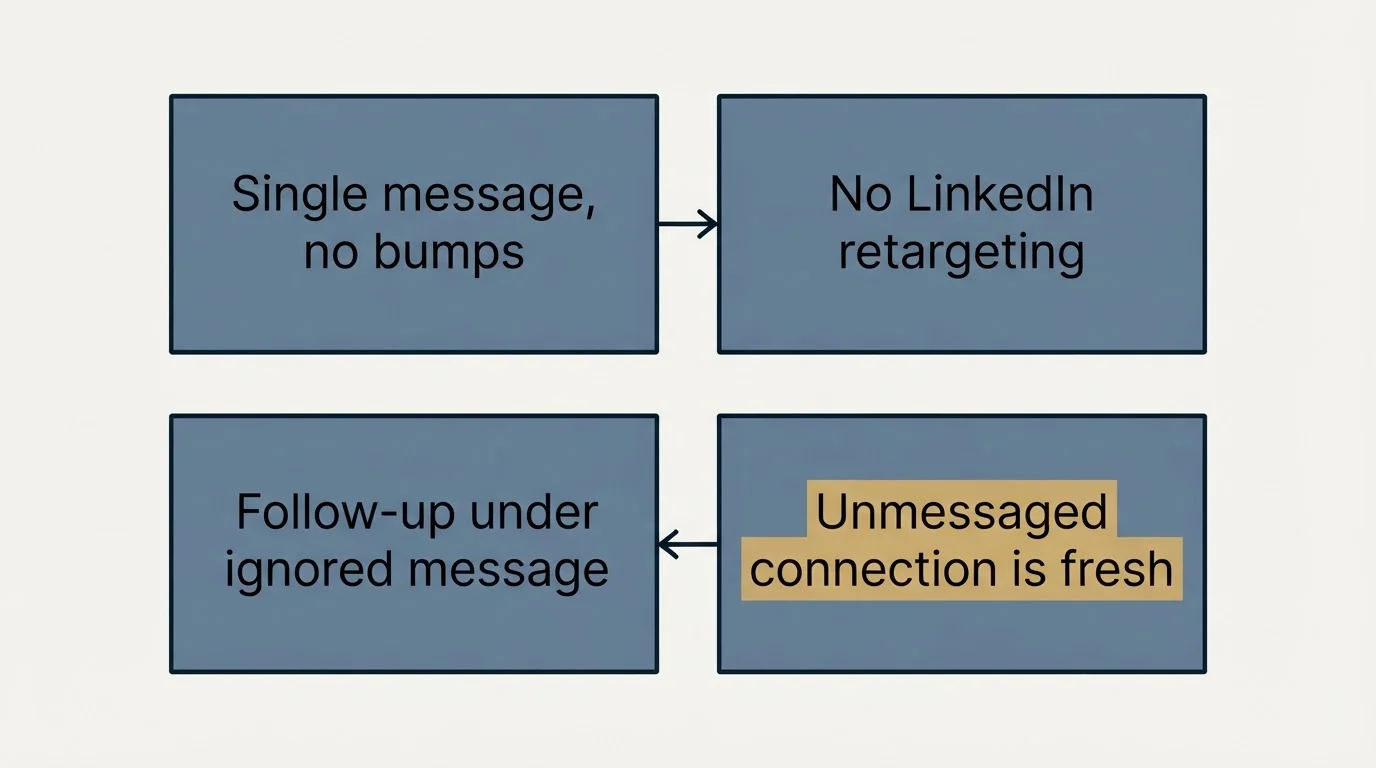
Two rules we do not break, both of which constrain what any LinkedIn programme we run can do.
One message per campaign. No bumps. On LinkedIn a follow-up lands in the same thread, directly beneath the message the person already saw and chose not to answer. Whatever the campaign structure calls it, that reads as a bump.
No no-reply retargeting on LinkedIn. The email equivalent works because a new campaign genuinely arrives as a new message. On LinkedIn there is no such thing as a fresh first touch to someone you have already messaged. Anyone who never received a message is a different case: an accepted connection who was never written to is a genuine first touch in an empty thread.
Those two rules cut the volume a LinkedIn programme can produce, which is precisely why they are worth stating before someone quotes you a number that assumes follow-ups.
What a low-volume programme looks like in a trade whose buyers are saturated with pitches is worked through in LinkedIn outreach for software development companies.
- Yes: You know whose accounts will send and have accepted that risk
- Yes: Daily volumes per account are stated as a number
- Yes: There is a written process for a restricted account
- Yes: The founder's primary account is excluded
- No: The vendor requires your password rather than a managed access method
- No: The plan depends on follow-up messages into the same thread
- Depends: Whether LinkedIn Ads covers the same audience without account risk
Sales Navigator is a licence, not a loophole
A common vendor answer to the policy question is that they work "inside Sales Navigator", presented as though a paid tier changes what is permitted.
It does not. Sales Navigator is a licensed LinkedIn product with its own search, saved lists and messaging allowances, and using those features as intended is entirely legitimate. What the licence does not do is authorise a browser extension to drive those features automatically, because the prohibition is on the automation rather than on the tier of account performing it.
That distinction is worth holding a vendor to, because both descriptions sound identical on a call. Ask the concrete version: is a human clicking send, or is software clicking send. Everything else follows from that answer.
Where Sales Navigator genuinely earns its cost in an outsourced arrangement is research rather than sending. Saved account lists with alerts on job changes and headcount movement are the cheapest trigger source most teams have access to, they involve no automation, and a vendor can work them on your behalf without touching your sending at all.
What a good vendor's process looks like
Beyond the policy question, a few operational habits separate the vendors worth hiring.
They ask for your suppression list before proposing volumes. Existing customers, live deals, partners and anyone a rep is protecting. A vendor who does not ask has not thought about the most obvious way to damage you.
They warm accounts before sending from them. A brand-new account sending connection requests at volume is the classic restriction trigger. Ask what the ramp looks like in the first fortnight.
They report on connection acceptance, not just messages sent. Acceptance rate is the gate on the whole funnel and it is the number that tells you whether the targeting is right.
They tell you when a segment is not working. A vendor who only ever reports activity is reporting the things they control, none of which is evidence that anything changed.
The option most buyers skip
LinkedIn Ads carries no account risk at all, because it is a paid product doing what LinkedIn sells rather than automation working around it.
It has a hard constraint worth knowing: a company targeting list needs at least 300 rows to upload and must match a minimum of 300 member accounts before it can run in an active ad set. That rules out small named lists, but for a segment-sized audience it reaches the same people with no policy exposure whatsoever. We covered the mechanics in the LinkedIn ABM guide.
The other zero-risk option is content. A ghostwritten post published by the human whose account it is involves no automation, no scraping and no third-party tool acting as anybody. For founders with an existing network it frequently outperforms outbound DMs, and it is the least fashionable recommendation in the category because it is slow.
Buyers frequently ask where posting fits alongside an outreach programme, and the honest answer is that posting is a different purchase from outreach and should be bought as one. It runs on a different clock, its results accrue to the person whose account publishes it rather than to a campaign, and it cannot be turned up for a quarter and turned down again. Where both are running, the useful relationship is that posting makes an outreach message from a recognised name slightly easier to answer, which is a modest and real effect rather than a channel strategy.
What to expect from the numbers
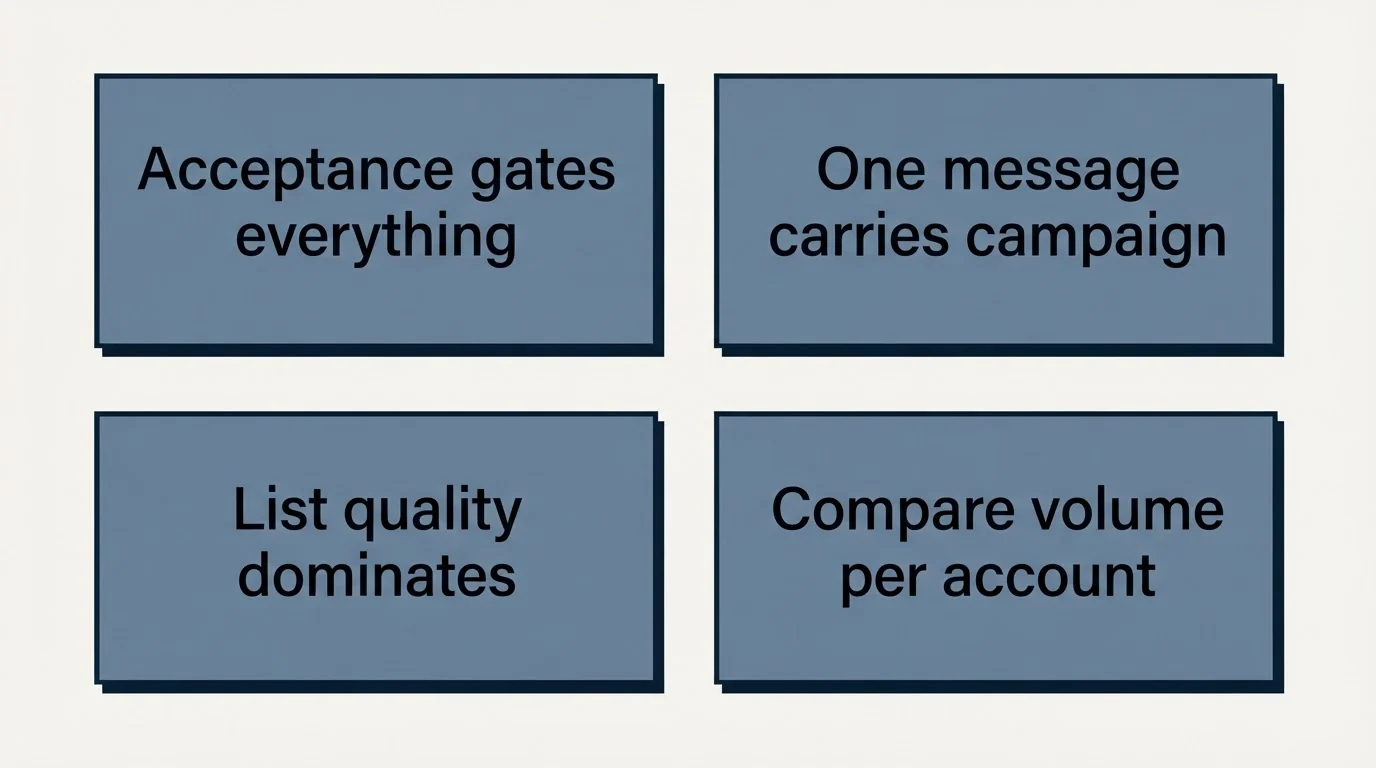
Two structural realities shape what any vendor can deliver.
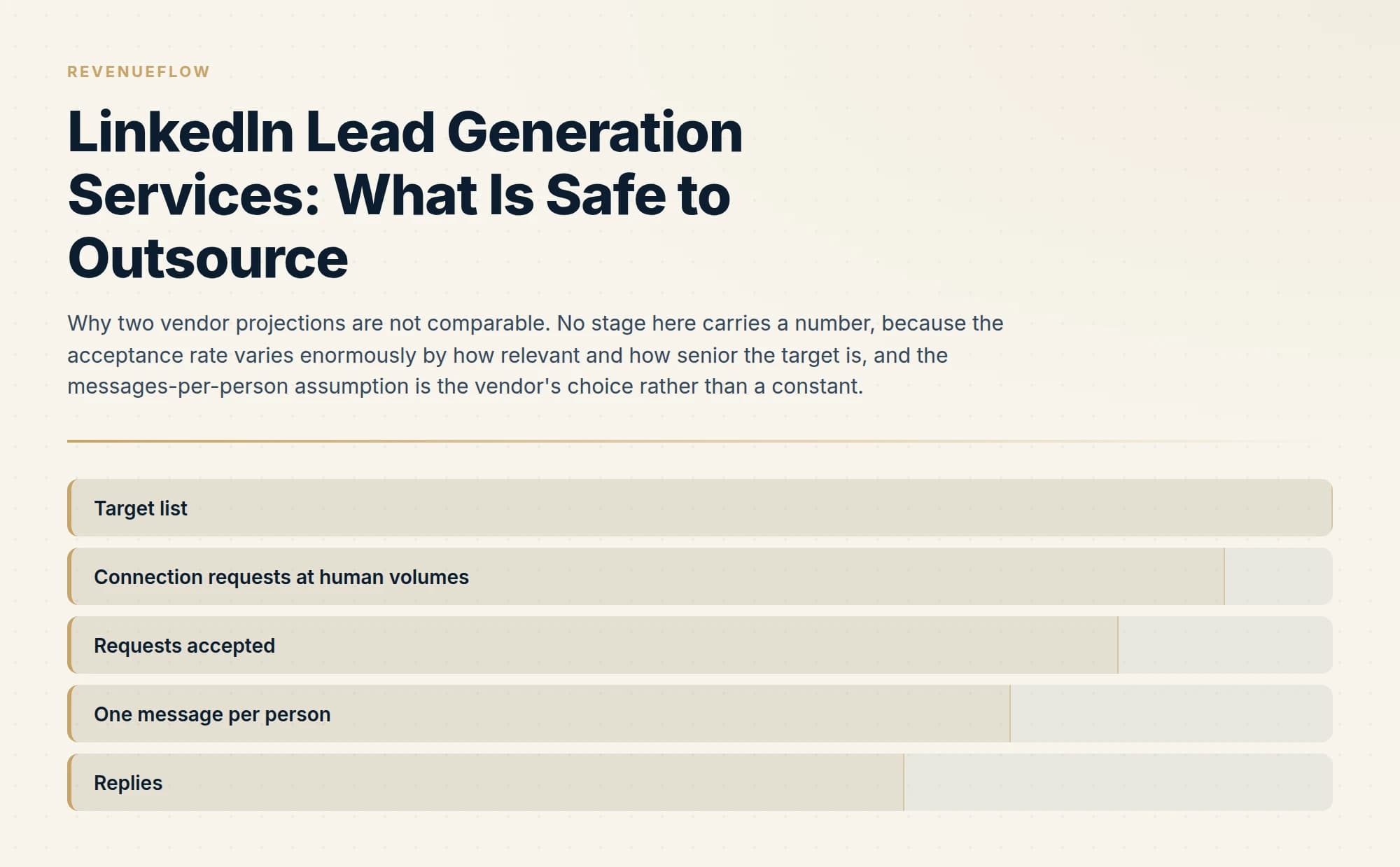
Connection acceptance gates everything. Most sequences require a connection before a message, so acceptance rate caps the addressable audience, and it varies enormously by how relevant and how senior the target is.
One message has to carry the whole campaign, at least the way we run it. That raises the bar on targeting and on the reason for writing, and it makes list quality the dominant variable rather than volume.
Once list quality becomes the dominant variable, turning names into a contactable list explains the deduplication and fit checks that decide who is worth messaging at all.
Built from public or licensed data sources, which carries no account exposure at all
Human-plausible volumes attract far less attention than aggressive ones
Acceptance gates everything, because most sequences require a connection before a message
At least the way we run it, which raises the bar on targeting and on the reason for writing
Compare proposals on assumed volume per account and messages per person before comparing this number
If a vendor's projection assumes multi-step sequences and high daily volumes, the projection is not comparable to one that does not, and the difference is not a matter of skill. Compare proposals on assumed volume per account and number of messages per person before comparing the meeting numbers at the bottom.
For how LinkedIn fits alongside email rather than replacing it, see our guide to outbound channel mix by deal size, and for the wider service-buying decision, B2B lead generation services.
The short version
LinkedIn publishes a clear prohibition on third-party automation, and the enforcement risk lands on the account owner rather than the vendor. Research, list building, message writing, content and LinkedIn Ads can all be outsourced with no account exposure. Sending carries exposure, so establish whose accounts are used, at what volumes, and what the recovery process is. Keep the founder's primary account out of it, and treat any plan that depends on thread follow-ups as a different product from the one we would run.
If you want the email half handled with the meeting definition agreed in writing before anything sends, you can see what a campaign would look like for your market.
LinkedIn policy verified against LinkedIn's own Help Center as of mid-2026. Policies change; verify current terms with LinkedIn before relying on them.
Sources: Prohibited software and extensions, LinkedIn Help, Requirements for company targeting lists, LinkedIn
Frequently asked questions.
Frequently asked questions- Is LinkedIn automation against the rules?
- LinkedIn's help centre states it does not permit third party software, including crawlers, bots, browser plug-ins or extensions, that scrape, modify the appearance of, or automate activity on the site, and cites User Agreement Section 8.2. It states that members using such tools risk having their accounts restricted or shut down.
- What can you safely outsource on LinkedIn?
- List building from public or licensed sources, research and account prioritisation, message drafting, content ghostwriting posted by the human, and LinkedIn Ads. None of these involve software acting as your account. Sending carries exposure, so it needs named operators, stated volumes and an agreed process if an account is restricted.
- What should I ask a LinkedIn lead generation vendor?
- Whose accounts send, whether they need your credentials, what daily volumes per account they run, what happens if an account gets restricted, and whether the founder's primary account is involved. A vendor unwilling to state a daily volume is telling you the volume is high.
- Does Sales Navigator make automation allowed?
- No. Sales Navigator is a licensed product whose search, lists and messaging features are legitimate to use as intended, but the prohibition is on automation rather than on the account tier performing it. The concrete question to ask a vendor is whether a human clicks send or software does.
About the author.

B2B cold email experts helping companies generate qualified leads through done-for-you outreach campaigns.
RevenueFlow Team
Explore more.
Ready to scale your outreach?
We build GTM engines that book real meetings. See the receipts.
Related articles.
SDR Outsourcing: The Four Models and What Each Costs
Dedicated team, fractional SDR, offshore staffing or outcome-based agency. What you control in each, how ramp works, and what happens when the person leaves.
SDR Outsourcing Companies: What Each One Publishes
Three of eleven SDR outsourcing companies publish a price per head. None publishes a price per meeting. What each puts on its own pricing page, and why the unit matters.
Outsourced SDR Pricing by Seat, Meeting or Qualified Meeting
Three pricing units, three different distributions of risk. How to normalise quotes onto one number, and why per-qualified-meeting is not per-meeting.
Cold Calling With a Virtual Assistant: The Judgement Line
A VA agency verifies that a defined task was completed, and cold calling has no such definition. The work on either side of the call is where the model earns its money.
How to Send a LinkedIn InMail That Gets Answered
The exact send flow on desktop and mobile, the composer limits, the checks worth running before you spend a credit, and the structure that gets a reply.
Inbound vs Outbound Sales: How the Two Motions Differ
Inbound and outbound sales compared as motions: what the rep knows at first touch, what each costs, the team each needs, and the metrics that belong to each.