QuotaPath Pricing: The Platform Fee Changes the Math
QuotaPath publishes a seat rate and a flat platform fee, and the fee already covers five users. Here is what that does to the cost per user as a team grows.
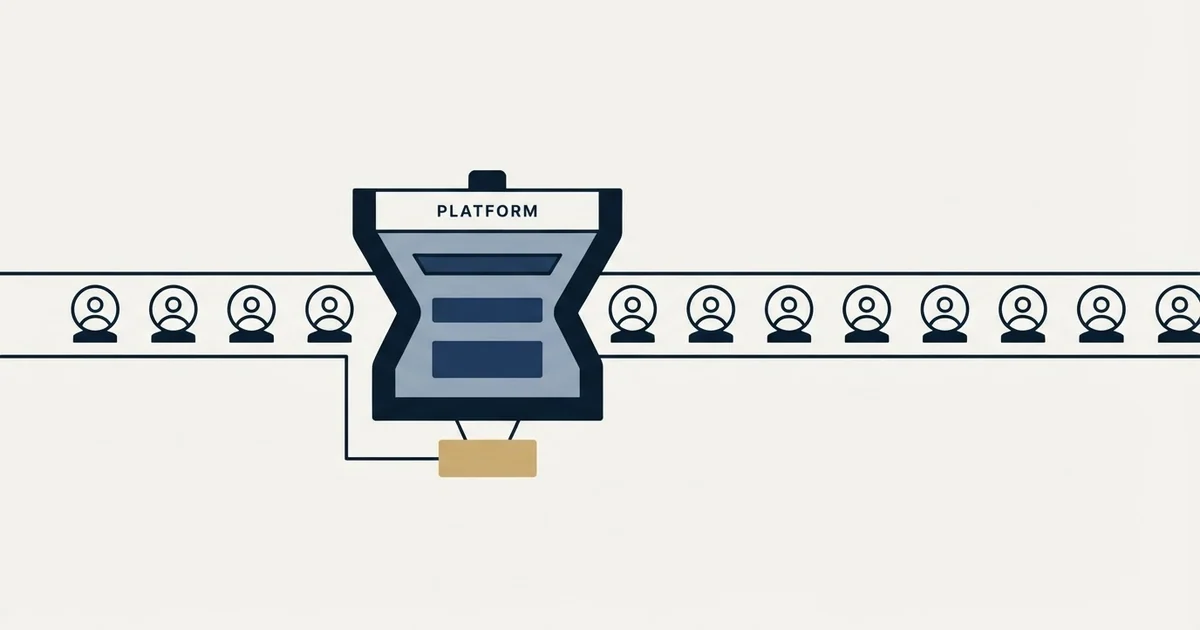
QuotaPath pricing has two parts: Growth is $35 per user per month plus a $525 monthly platform fee, and Premium is $50 per user plus $800, both billed annually. The fee already covers the first five users, so the effective cost per user falls from $105 at five users to about $38.50 at one hundred.
Key takeaways
- QuotaPath Growth is $35 per user per month plus a $525 monthly platform fee; Premium is $50 plus $800, both billed annually.
- The platform fee covers the first five users, implementation, the account team and support, so a five-person team pays the fee alone.
- On Growth the effective cost per user falls from $105 at five users to $70 at ten and about $38.50 at one hundred.
- Everstage, the most common alternative, publishes no price and meters on payees rather than platform users.
Reviewed and updated September 21, 2026
QuotaPath is the rare sales compensation vendor that puts numbers on a public page, and the numbers are arranged in a way that makes the headline seat rate misleading for exactly the teams most likely to read it. There are two prices, not one, and the second one does not move.
On QuotaPath's pricing page, the Growth package is 35 dollars per user per month and the Premium package is 50 dollars per user per month. Underneath each of those figures the page sets a second line: a "$525/month platform fee" on Growth and an "$800/month platform fee" on Premium. The page states plainly that the seat rate and the fee are added together, describing the seat charge as "per user per month +monthly platform fee". Both are billed annually: the FAQ describes three packages, "each of which are billed annually", and says the platform fee is billed annually too.
The platform fee already contains five people
The detail that changes the arithmetic is what the platform fee buys. QuotaPath's own FAQ says "The platform fee is the all-in cost of QuotaPath for teams with up to five users," and the plan card repeats it: "The platform fee includes the first 5 users and covers the core product subscription, implementation, account team, and on-going support." The FAQ then closes the loop on what happens above that line: "Any users beyond the first five have a per seat cost relative to their associated tier."
So a five-person team pays the fee and nothing else. A sixth person costs the seat rate on top. That single structural fact is what separates the published rate from the rate you actually pay, and it runs in the buyer's favour as the team grows rather than against it.
The definition of the thing being counted matters as much as the count. QuotaPath's FAQ defines it: "A user includes anyone who will leverage the QuotaPath platform, including individual contributors / payees, admin users who approve deals and payouts, and admin users who schedule payouts to be sent to your payroll provider." That is a wider net than a seat licence for the comp administrator. Every rep who looks at their own number is a user, so the count tracks headcount on the plan rather than headcount in finance.
Other categories redefine the unit entirely, where one sender equals a LinkedIn account plus inbox and the bill counts accounts rather than the people using them.
QuotaPath pricing, worked from the published figures

Combining the two priced components gives an effective monthly cost per user that falls steeply and then flattens. The arithmetic below is ours, computed from QuotaPath's own Growth figures, and it assumes every person on the plan counts as a user under the definition above.
| Users on the plan | Monthly total, Growth, from the published components | Effective cost per user, illustrative |
|---|---|---|
| 5 | $525 | $105.00 |
| 10 | $700 | $70.00 |
| 25 | $1,225 | $49.00 |
| 50 | $2,100 | $42.00 |
| 100 | $3,850 | $38.50 |
The shape of that curve is the whole buying decision. A ten-person revenue team reading the headline seat rate will budget one number and be billed twice it. A hundred-person team will budget the same headline and land close to it. Neither team is being misled by the vendor, because both components are on the page. They are being misled by the habit of reading the biggest number on a pricing card as the price.
Two-part bills appear across software categories, and Landingi meters visits and AI credits separately, so a plan can run short on either one while the headline price stays put.
What separates the two published packages
Growth and Premium differ on capability rather than on volume, which is unusual in this category and worth knowing before assuming the cheaper tier is a starter plan you will grow out of on headcount alone.
The published Growth package lists six CRM connections and three spreadsheet connections, an AI-powered plan builder, unlimited custom plans, commission forecasting, teams, leaderboards and contests, multi-currency support, plan verification, calculated fields, and ledger support under ASC 606. Premium adds plan modelling, multi-level approvals, custom reporting, automated commission payroll sync, API access and multi-source payouts eligibility, and it widens the integration list to eleven CRMs plus seven accounting and five analytics connections. Its FAQ adds Okta SSO and payouts run directly through an HRIS such as Rippling. If ASC 606 treatment is the reason you are buying, that sits in the lower package. If payroll sync and approvals chains are the reason, it does not.
The page also publishes something almost nobody in enterprise software does, which is a time estimate for getting live. Growth carries "45-60 day implementation, on average." and Premium carries "60-90 day implementation, on average". Those are averages the vendor chose to publish rather than commitments, and they are the kind of claim a buyer can hold a vendor to in a contract conversation precisely because the vendor wrote them down first.
Strategic now appears as a service add-on beside one called Enhanced rather than as a priced card: a team of comp experts that runs the function end-to-end, including Atlas, the company's AI incentive comp strategist. The FAQ still counts Strategic as the third package, and neither add-on carries a figure on the page.
Growth
- Six CRM and three spreadsheet connections
- AI-powered plan builder
- Ledger and ASC 606 support
- 45 to 60 day implementation
Premium
- Eleven CRM, seven accounting, five analytics
- Multi-level approvals
- Automated commission payroll sync
- 60 to 90 day implementation
Strategic
- A service add-on, no figure shown
- Comp experts run the function
- Every period close handled
- Includes the Atlas strategist
The claim that is worth checking, and how it holds up
QuotaPath's FAQ makes a competitive claim about the category rather than about itself. It says the company is "the only sales compensation management system with pricing listed on our website".
That is a testable claim, and the nearest case is checkable on a published page. Everstage is a direct competitor named in QuotaPath's own comparison material and, in the other direction, in Everstage's own footer. Everstage's pricing page, fetched the same day, carries no figure at all. Its call to action reads "GET A CUSTOM QUOTE", and its headline promise is "Every cost, accounted for upfront", which describes the quoting process rather than a published rate. Everstage's own FAQ sets out the model without numbers: "Everstage is priced on a per-payee model based on the number of people you pay commissions to." It adds that a quote covers three components, a platform license, enterprise support, and onboarding and implementation.
One competitor is not the category, and an absence claim needs the field enumerated rather than sampled, so treat QuotaPath's wording as unproven rather than as verified. What the check does establish is narrower and more useful: on the day we looked, the two vendors most often shortlisted against each other put a rate on the page and left it off respectively, and the metering units differ. QuotaPath counts users on the platform. Everstage counts payees you pay commissions to. Those two populations diverge wherever somebody is paid commission without holding a platform login, which makes a like-for-like comparison a modelling exercise rather than a rate comparison.
Platform users or payees. The two counts diverge wherever someone is paid commission without a login.
Put any platform fee on top of the seat rate before dividing by headcount, and ask how many users it already includes.
Annual is the common default, and a quoted figure rarely says so beside it.
Scope and duration, not just the licence, and whether it stays inside the fee at your size.
Where this sits in the wider comp decision
Software pricing is the last question in a compensation project and usually the smallest number in it. The plan design decides whether the tool has anything sensible to calculate, and our piece on the five decisions a commission plan turns on sets out the order those get made in. Getting the quota right in the first place is a separate exercise again, covered in how a sales quota gets set and how it gets gamed.
Two adjacent costs rarely appear in a software comparison and reliably appear in the budget. The first is the accounting treatment: capitalising and amortising commission costs is its own workstream, and whether sales commission is a period cost under ASC 340-40 is the question that decides whether you need the ledger features at all. The second is plan structure, because a plan with accelerators, splits and clawbacks costs more to implement in any tool than a flat rate does, and designing an incentive plan backwards from the behaviour is what keeps that complexity intentional.
If the reason you are looking at comp software is that quota attainment has drifted and nobody can see why, the tool is downstream of the problem. What quota attainment actually measures is the better first read, and what OTE decides about whether the number arrives is the one after it.
What we would ask on the call
Three questions get more out of a QuotaPath conversation than a feature list will, and all three come out of what the vendor has already put on the page.
Ask which of your people count as users. The published definition includes payees and approvers, so the honest headcount is usually the full plan population plus finance, not the comp team. Get that number agreed before anyone quotes.
Ask what the platform fee covers in your case. The page says the fee "includes the first 5 users and covers the core product subscription, implementation, account team, and on-going support". On a fifty-user rollout with a complex plan, ask whether implementation stays inside the same fee or becomes a separate line, because the published wording covers the small case explicitly and says nothing about the large one.
Ask what happens at renewal if headcount falls. A model with a flat floor and a variable seat charge is asymmetric: the fee holds when the team shrinks, so the effective per-user cost climbs exactly when budget is tightest. That is a contract question rather than a pricing-page question, and it is the one the published curve makes visible.
We run outbound rather than compensation software, so this is a read of a published page rather than an implementation opinion. If the pipeline the plan is paying against is the actual constraint, we will build the first campaign and run it on one message per prospect.
Every QuotaPath and Everstage figure here is from those vendors' own pricing pages, with dated snapshots retained, and the per-user curve is our arithmetic on QuotaPath's own two priced components. Vendor pricing moves. Verify current terms with the vendor before relying on them.
Frequently asked questions.
Frequently asked questions- How much does QuotaPath cost?
- QuotaPath's Growth package is $35 per user per month plus a $525 monthly platform fee, and Premium is $50 per user plus an $800 fee, both billed annually. The fee covers the first five users, so a ten-person team on Growth pays $700 a month, about $70 per user.
- What does the QuotaPath platform fee include?
- QuotaPath's FAQ calls the platform fee the all-in cost for teams of up to five users: user access, ongoing support and integration implementations, billed annually. Users beyond the first five pay the per-seat rate of their tier, and a user includes payees and the admins who approve deals or schedule payouts.
- What is the difference between QuotaPath Growth and Premium?
- Growth covers six CRM and three spreadsheet connections, ASC 606 ledger support and a 45 to 60 day implementation on average. Premium adds plan modelling, multi-level approvals, custom reporting, automated payroll sync, API access, eleven CRM, seven accounting and five analytics connections, and a 60 to 90 day implementation.
- Does Everstage publish its pricing like QuotaPath?
- No. Everstage's pricing page shows no figure and asks buyers to get a custom quote. Its FAQ says it prices per payee, the people you pay commissions to, and that a quote covers a platform license, enterprise support, and onboarding and implementation. That unit differs from QuotaPath's platform users.
About the author.

B2B cold email experts helping companies generate qualified leads through done-for-you outreach campaigns.
RevenueFlow Team
Explore more.
Ready to scale your outreach?
We build GTM engines that book real meetings. See the receipts.
Related articles.
Sales Comp Plan Design: What the Publishers Prescribe
Four publishers set out how to design a sales compensation plan. Here are their procedures, their components, and which of their ratios carry a population.
Sales Prospecting for Consulting Firms: Find the Event
Prospecting for a consulting firm: where triggers are published by practice, who inside the firm reads them, why alumni and referrals come first, when to skip it.
LinkedIn Outreach for Utilities: Selling to the Sector
How a vendor selling to utilities uses LinkedIn next to a published sourcing process: the three ownership models, the registration gate and what a message may ask.
SDR Outsourcing for Financial Services: The Third Party
What a bank, broker-dealer, adviser or agency's regulators say about an outside team that speaks for it, the licensed line, and which arrangement survives due diligence.
Cold Calling for Telecom Companies: A Carrier's Own Rules
What only a telecom company meets on the phone: the FTC exemption that stops at its contractor, the verified carrier change, and the CPNI limit on lists.
SDR Outsourcing for Business Brokers: The Fee Timing
Whether a success-fee brokerage should rent sales development at all: the fee timing, the texts that limit what an outside person may say about value, and who signs.