Calendly Review: The Boundaries a Star Rating Cannot Show
Calendly's ratings are high because every scheduler is good at the easy job. The tier boundaries in its own documentation decide whether it fits a sales team.
Calendly rates well because every product in its category handles a single person's booking link reliably. What separates it for a sales team sits in its own documentation: one calendar connection on the free plan against up to six on paid ones, multi-host event types on paid plans only, and webhooks behind a paid subscription.
Key takeaways
- Aggregated ratings average three different jobs together: a personal booking link, team distribution, and the invitee experience. Only the first is uniformly solved across the category.
- Calendly's getting-started guide puts one calendar connection on the free plan and up to six on all paid plans, and places Group, Round Robin and Collective event types on paid plans only.
- Its API overview allows GET and POST on any subscription plan, requires a paid subscription for webhooks and the Scheduling API, and reserves activity logs and the two deletion endpoints for Enterprise.
- Calendly's API article and its pricing page name different plans, so any plan requirement should be confirmed with support rather than read off whichever page is more convenient.
Reviewed and updated September 2, 2026
Search for a Calendly review and the first page is Trustpilot, two Reddit threads, two Quora answers, an App Store ratings page and G2. Six sources of aggregated opinion, and between them they will not tell you the one thing that decides whether the product fits a sales team.
Star ratings measure satisfaction with a purchase somebody else made for a job that may not be yours. The documented limits measure what happens when you try to do the thing you are buying it for. Those are different instruments, and only one of them is checkable.
Searches for Calendly benefits return the company's employment perks alongside the product's, and the product half is a review question in different words: not what the tool can do, which is well documented, but which of those things changes anything for a team that already has a calendar. One signal source outranks the star ratings and almost nobody reads it: the vendor's own Calendly community forum, where the recurring threads are a plain list of the limits people hit after they buy, including the ones the help centre documents as known and unresolved. A rating tells you how people felt; the forum tells you what they ran into.
What the ratings are actually measuring
A scheduling tool has three distinct jobs, and reviews collapse them.
The first is a reliable personal booking link: one person, one calendar, a URL that does not double-book. Calendly does this well, every competitor does this well, and the free tiers across the category are genuinely usable. Most five-star reviews are rating this job, and the rating is deserved and close to uninformative, because nothing in the category fails at it.
The second is team distribution: inbound arrives and has to reach one of several people, fairly or by rule. This is where products separate and where the money is.
The third is the invitee's experience: whether the page looks like your company, whether the person you are meeting can see their own calendar while picking. This sounds cosmetic and behaves commercially, because a booking page is often the first thing a prospect sees that you built.
A reviewer hiring the tool for the first job and a reviewer hiring it for the second are describing different products under one score. There is also a polysemy worth knowing about before you read a results page: two of the top results for the plural form are Glassdoor and Blind, which review Calendly as an employer rather than as software.
- Whether support responds
- Whether the interface frustrates people
- Whether billing surprises happen
- Whether the mobile experience holds up
- General reliability over time
- Whether team distribution fits how you split inbound
- Which tier your specific requirement sits on
- Whether your availability rules survive the setup
- Whether it writes the fields your reporting needs
- What it costs you at your seat count
- The pricing page for tier boundaries
- The help centre for what each setting does
- The API docs for what a token can reach
- A rebuild of your hardest event type in a trial
- Your own meeting count, which sets the real per-meeting cost
The boundaries that decide it, from the vendor's own pages
Three published facts settle more than any score.
Calendar connections are tier-gated. Calendly's getting-started guide states that the free plan lets you connect one calendar to your account and that users on all paid plans can connect up to six. A person who keeps commitments in two calendars and connects one of them is bookable during the other, so the free tier is a genuine single-calendar product rather than a limited version of the paid one.
Multi-host scheduling is a paid capability. The same guide names Group, Round Robin and Collective event types and states they are available on all paid plans. If the reason you are evaluating a scheduler is that inbound has to reach one of several reps, every free tier in the category is the wrong tier to be comparing.
Automation is gated the same way, since webhooks require a paid Calendly subscription while three deletion endpoints are restricted to Enterprise alone.
Programmatic access is tiered inside the paid plans. Calendly's API overview states that developers can make GET and POST requests on behalf of a user "on any subscription plan, including the Basic plan", while webhooks and the Scheduling API endpoints require a paid subscription. It then names three endpoints available "only to the Enterprise plan": listing activity entry logs, deleting invitee data, and deleting scheduled event data. For a team that expects to honour erasure requests programmatically rather than by hand, that last boundary is a planning fact rather than a feature preference, and the obligation exists at every tier whichever way it is met.
One caveat that no review will mention and the vendor's own pages make visible. That same API article lists the plans as Free, Essentials, Professional, Standard, Teams with an SSO add-on, and Enterprise, and refers to a Basic plan in its body. The pricing page sells four: Free, Standard, Teams and Enterprise. Essentials, Professional and Basic are not on it. Vendor pages contradicting each other is ordinary, and the response is to confirm a plan requirement with support before designing around it rather than picking whichever page is more convenient.
Because plan naming is not the only place Calendly's documentation rewards a close read, what its security page discloses shows encryption, certifications and which account controls sit behind higher tiers.
The review signals that are worth reading

None of this makes aggregated reviews useless. It makes them good at a narrower set of questions than the one people bring to them, and those questions are worth extracting deliberately.
Reviews are the best available source on how a vendor behaves after the sale. Whether support answers, how long a billing dispute takes, whether an outage was communicated, whether a price change arrived with notice. Those are experiences a documentation page will never carry and a trial is too short to reveal, and they are exactly what a low-star review usually describes.
They are also useful as a map of where the friction clusters. A dozen unrelated complaints about the same setting is a signal about that setting, even though the average score around it tells you nothing. Read the one-star and three-star reviews for the specifics and skip the summary number, because the number is where the three different jobs get averaged together.
What reviews cannot do is answer a question about your configuration. Whether your availability rules survive, whether the routing matches how you split inbound, and whether the CRM write includes the fields your reporting needs are facts about your setup, and the only instrument that reads them is a trial you run yourself.
The review question worth asking instead
Every published rate in this category sits between free and a low double-digit per-seat monthly figure, which means the whole decision spans a range smaller than one salesperson's week. That should reframe how much of the evaluation belongs on the tool at all.
The Calendly versus Setmore comparison lays out how per-seat pricing stacks up against unlimited-user plans for teams weighing headcount costs against a detailed pricing breakdown.
The productive substitution is to stop asking whether Calendly is good and start asking what a booked meeting costs you. Scheduling is a fixed per-seat cost that scales with headcount, while the return scales with how many people want a meeting. A team adding seats faster than it is adding demand is buying a rising cost against a flat benefit, and no review score can see that because it is a fact about you.
The cost of a booked appointment sets out the calculation, and it is the unit that lets software, agencies and setters be compared at all. AI appointment setters against human setters and agencies runs the same arithmetic across the options that are not software, and appointment setting services covers what is included when the work is bought rather than built.
A trial that answers more than the reviews do
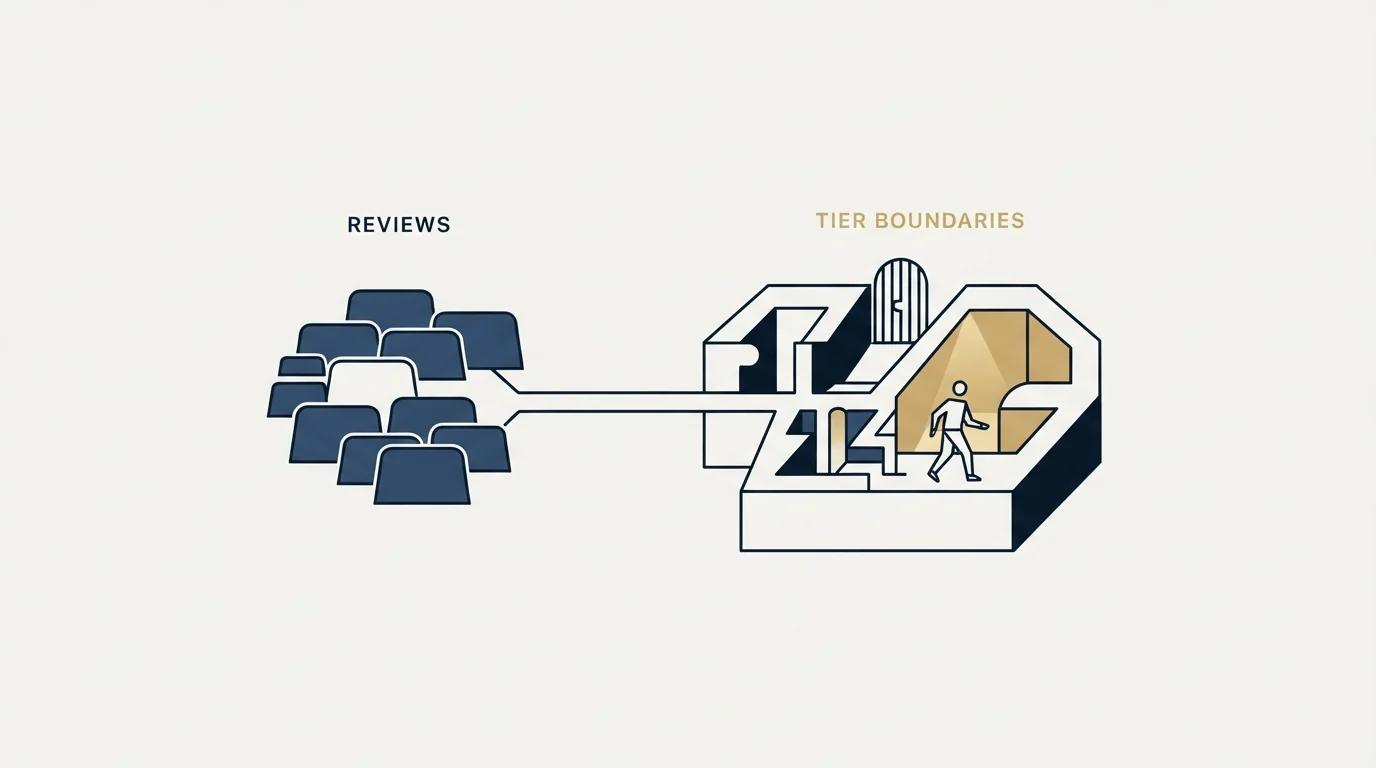
The switching and evaluation test is the same test, and it uses your configuration rather than a feature grid.
Rebuild your single most complicated event type in the product. Not the simple thirty-minute call, the awkward one with the odd availability, the buffer, the qualifying questions and the routing. Whatever breaks in that rebuild is the honest review.
Then check four things in order. Whether your availability rules, buffers and minimum notice survived. Whether the CRM connection writes the fields your reporting actually depends on, because a meeting that does not reach the CRM is a meeting your quarter cannot count. Whether the invitee view holds up on a phone, since a meaningful share of bookings happen there. And whether the routing behaviour matches how your team genuinely splits inbound, which is the requirement that put you on a paid tier in the first place.
- Yes: Rebuild your most complicated event type, not your simplest one.
- Yes: Confirm availability rules, buffers and minimum notice survive the rebuild.
- Yes: Check the CRM connection writes the fields your reporting depends on.
- Yes: Open the invitee view on a phone.
- Yes: Count how many calendars each person genuinely needs connected.
- Depends: Confirm the plan requirement for any API or webhook work with support, since the vendor's own pages use different plan names.
- Yes: Work out your cost per booked meeting rather than your cost per seat.
What a review cannot reach at all
Two limits are worth naming because they are the ones that cost teams the most.
A scheduling tool receives meetings and does not produce them. Every rating in the category is a rating of how well demand that already exists gets converted into a calendar slot. If not enough people are asking for time, the highest-rated scheduler in the world changes nothing, and the evaluation was aimed at the wrong layer of the stack.
A booking is not a qualified meeting. A slot taken is a slot taken, and whether the person who took it can buy is a judgement no scheduler makes. Routing forms can direct a booking based on typed answers, which is useful and is not verification, because the answers are claims. The written standard for what counts as a qualified appointment belongs in an agreement made before launch rather than in a form field.
What to take away

Calendly is unambiguously good at the job every product in the category is good at, which is why its ratings are high and why they settle little. The decisions that matter are published rather than reviewed: one calendar connection on free against up to six on the paid plans, multi-host event types on paid plans only, read-only API access on any plan with webhooks behind a paid one and deletion endpoints behind Enterprise.
Evaluate by rebuilding your hardest event type rather than by reading scores, and confirm any plan requirement with support, because Calendly's own help and pricing pages do not use the same plan names.
Then check you are evaluating the right layer. Where the constraint is the number of companies willing to take a meeting rather than the tool that books them, RevenueFlow books qualified meetings on a pay-per-meeting basis, against criteria agreed in writing before launch, and the b2b appointment setting guide sets out how that work is structured.
Plan boundaries and product behaviour verified as of mid-2026 against Calendly's own pricing page, getting-started guide and API help documentation as served. Verify current terms with the vendor before relying on them.
Frequently asked questions.
Frequently asked questions- Is Calendly worth paying for?
- It depends which job you are hiring it for. For one person with one calendar the free plan is a complete product. The paid tiers exist for the second job, which is distributing inbound meetings across several people, and the guide places Group, Round Robin and Collective event types there along with connections for up to six calendars.
- What are the downsides of Calendly?
- The free tier connects a single calendar, so anyone keeping commitments in two of them can be booked over the one Calendly cannot see. Webhooks need a paid subscription and the deletion endpoints are Enterprise-only. The broader limit is that a scheduler converts demand that already exists and does nothing about the amount of it.
- How should I evaluate a scheduling tool?
- Rebuild your most complicated event type inside a trial rather than your simplest, then check that availability rules, buffers and minimum notice survived, that the CRM connection writes the fields your reporting needs, and that the invitee view works on a phone. Whatever breaks in that rebuild is the honest review.
- Do Calendly reviews cover the company or the software?
- Both, and search results mix them. Trustpilot, G2, Capterra and the App Store rate the product, while Glassdoor and Blind rate Calendly as an employer and rank on the same queries. Reading a page of results without noticing the split produces an average of two unrelated questions.
About the author.

B2B cold email experts helping companies generate qualified leads through done-for-you outreach campaigns.
RevenueFlow Team
Explore more.
Ready to scale your outreach?
We build GTM engines that book real meetings. See the receipts.
Related articles.
Calendly Workflows: Seven Triggers and One Boundary
Calendly Workflows fire automated email and text on seven published triggers. The limits that catch people out, and the line between correspondence and bumping.
How Calendly Works: The Settings That Decide the Meeting
Calendly shows a stranger your open slots without exposing your calendar. What it connects, what each event-type setting controls, and where the tool stops.
Zoom Scheduler vs Calendly: Round-Robin, Routing, CRM Sync
Both tools book meetings the same way. The difference is packaging: round-robin, routing forms and Salesforce sync sit on Calendly Teams and on Zoom's entry paid tier.
Calendly vs Setmore: Per Seat Against Unlimited Users
Setmore prices Pro at $5 USD per user a month on annual billing; Calendly charges per seat for routing and CRM sync. Free tiers, prices and which problem each solves.
ScheduleOnce vs Calendly: The Product Is Now OnceHub
ScheduleOnce is OnceHub now, and its tiers bundle phone numbers Calendly does not sell. Published prices, where routing sits, and what a security review costs on each.
Is Calendly Safe? What Its Security Page Answers
Three different questions arrive at this search: vendor risk, whether a booking link is safe to send, and a fraud pattern that only borrows the brand.