Spam Filter Barracuda: Diagnose It Before It Costs a Domain
Two Barracudas sit between a cold email and a B2B inbox, and only one has a lookup. Written for the sender being blocked rather than the administrator doing it.
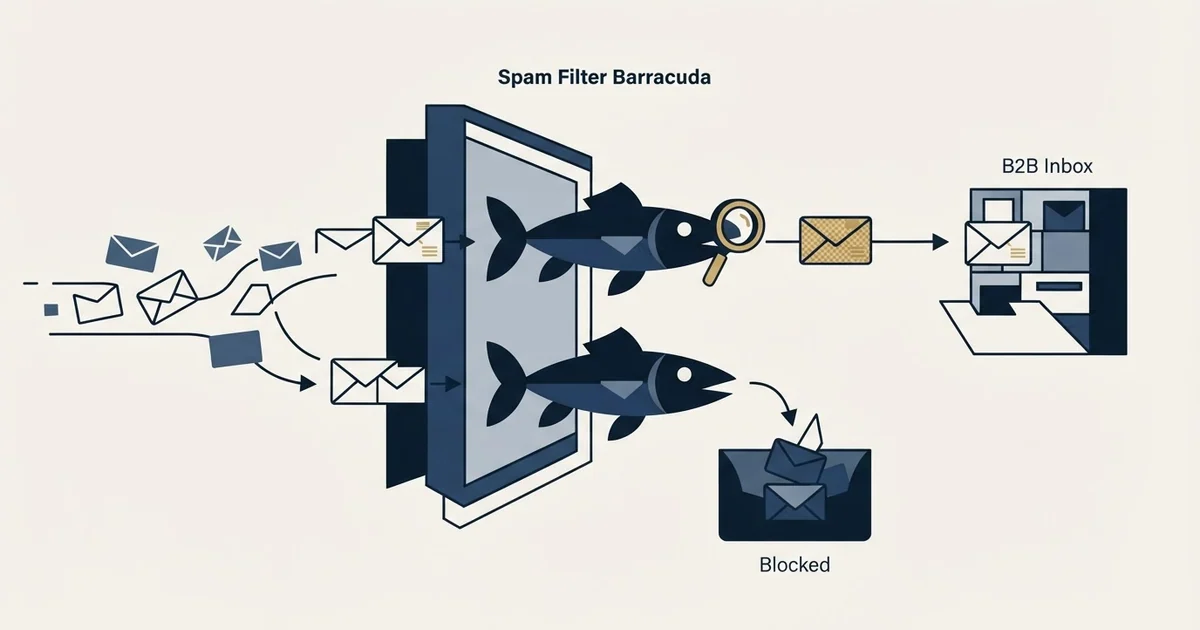
Barracuda blocks cold email in two separate ways. The public Reputation Block List judges your sending IP, is checkable and appealable. The customer's own gateway judges your message against policy one company set, has no lookup or appeal, and frequently quarantines silently rather than bouncing.
Key takeaways
- Two different Barracuda systems can stop the same message: the public Reputation Block List, which you can look up and appeal, and the recipient organisation's own gateway, which offers a sender neither.
- Barracuda Central publishes that it maintains reputation on URLs as well as on IP addresses, so a poorly-rated link in the body can block a message on its own, and no sender-side lookup will show you that.
- A gateway can accept and quarantine rather than refuse, producing no bounce and no error code, so a campaign hitting quarantine at a dozen organisations still shows a perfect bounce rate.
- Quarantine is only visible as distribution rather than volume: an organisation where everyone went silent, while comparable organisations reply normally, is the pattern to sort for.
Reviewed and updated September 2, 2026
Spam Filter Barracuda: How to Diagnose It Before It Costs a Domain
There are two Barracudas standing between a cold email and a mid-market B2B inbox, and only one of them has a lookup you can run. The public block list is the one everybody checks, because checking it is possible. The other one is an appliance the recipient's own IT team configured, holding your message in a quarantine with no error code, no notification and no appeal, and it is where most B2B cold email actually dies.
Most people searching this phrase are administrators who run Barracuda to protect their own users, and they are well served by the vendor's own documentation. This is written for the other side of that transaction: the B2B sender whose legitimate mail is being refused or quietly held by somebody else's Barracuda, who has no access to it, and who needs to work out what is happening from the outside.
The two Barracudas, and why the distinction decides your next move
Two different systems decide whether a message is seen, and only one of them reports back. Our entry on the spam filter draws the general version of that distinction, and it is the thing to get straight before changing anything.
- Judges the IP your mail connects from
- Public lookup, so you can confirm it yourself
- A published removal request exists, and it works
- Shared with everyone else sending from that IP
- Fixed by sending differently, then appealing
- Judges your message against policy that one company set
- No lookup, no dashboard, nothing visible from outside
- No appeal route exists for a sender at all
- Frequently quarantines rather than refusing, so nothing bounces
- Cleared only by somebody inside that company
The block list half is well-trodden ground and is covered end to end in our guide to blacklist checks and delisting, which walks the Barracuda Central lookup, the removal request and the order to do them in, alongside Spamhaus, Microsoft and SpamCop. There is no reason to repeat it here, and one good reason not to: a listing is estate-wide and comparatively rare, while the gateway problem is per-prospect and constant.
So this page is about the second column.
What the gateway judges that no lookup will show you
Barracuda publishes what its reputation system weighs, on its own lookup surface rather than leaving it to inference. According to Barracuda Central, the organisation "maintains a history of IP addresses for both known spammers as well as senders with good email practices", feeding a system that can "block or allow a message based on the sender's IP address".
The next sentence on that page is the one cold senders consistently miss:
In addition to IP reputation, the Barracuda Central team maintains reputation on URLs, which gives the Barracuda Spam & Virus Firewall the ability to quickly block an email based on a poorly-rated URL contained in the message.
Read plainly, a link inside your message can get it blocked independently of everything about your sending infrastructure. That is Barracuda's own URL reputation data, separate from the public URI blocklists that a domain check would surface, and there is no sender-side lookup for it anywhere. You cannot check it, so you can only rule it out by changing the links.
It matters disproportionately in cold outbound, because the links most likely to appear in a cold message are exactly the ones carrying shared reputation: click-tracking domains used by hundreds of senders at once, URL shorteners, and calendar or form links on a platform's own domain. A pristine sending IP does not protect a message carrying a link somebody else burned. Public URI blocklists cover some of this ground and can at least be queried; the Barracuda-specific point is that this particular data is proprietary and cannot be.
On top of both, the gateway's owner sets local policy: their own allow and block lists, their own scoring thresholds, their own rules about mail from outside the organisation. That layer is invisible, unappealable, and frequently the whole explanation.
Working out that Barracuda is what you are hitting
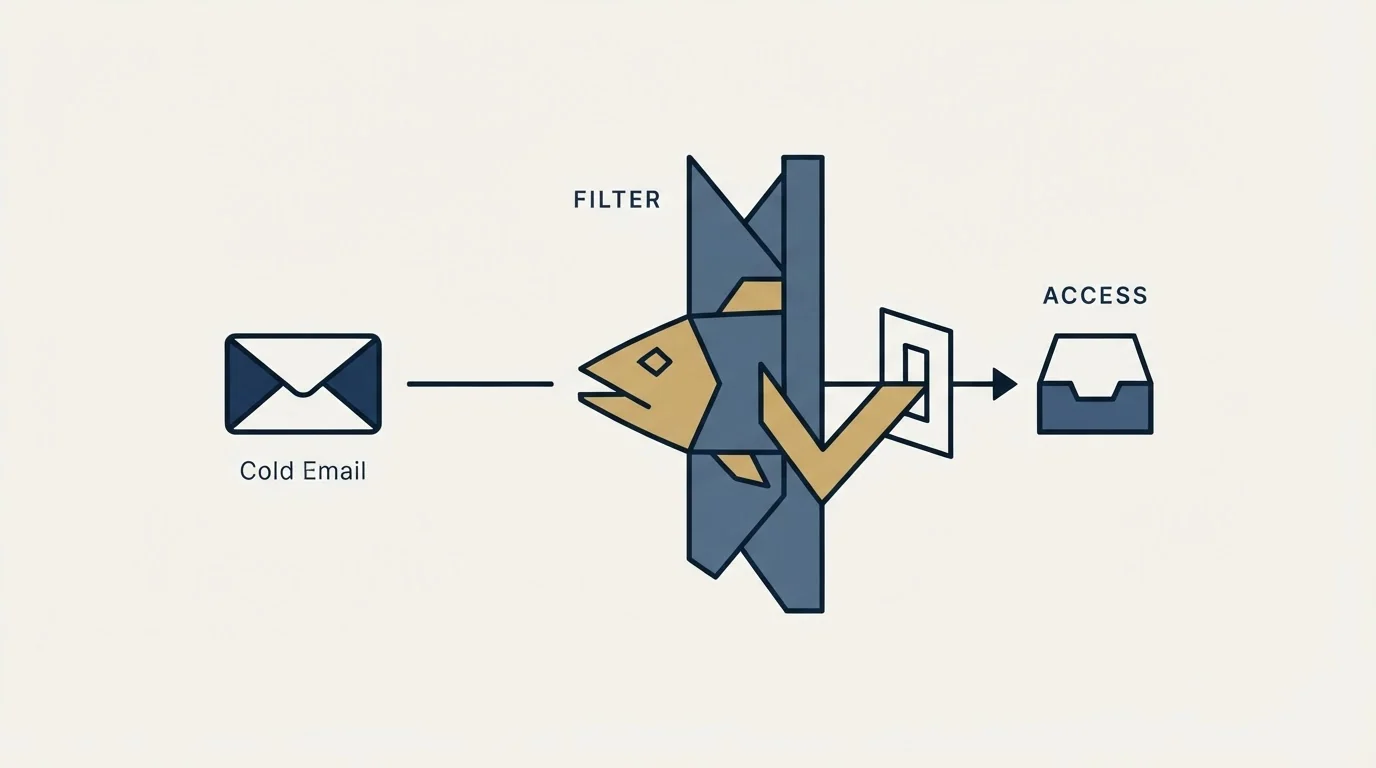
Nothing tells you directly, so this is three cheap checks rather than one, and they go in this order because each one is free and each one can end the investigation.
- Step 1Read the quoted response
The receiving system's own words inside the bounce, underneath your provider's summary line. A gateway refusing on policy grounds usually names itself or its customer here.
- Step 2Look up the recipient MX
Public DNS names whatever accepts mail for that organisation, so a gateway vendor sitting in front of a company is visible before you ever send to it.
- Step 3Check the shape of the failure
Refusals clustered on organisations sharing one vendor point somewhere very different from the same count scattered across unrelated domains.
Start with the rejection text. A gateway refusing mail on policy grounds usually names itself or its customer somewhere in the quoted server response, and that quoted line is the receiving system's own words rather than your provider's paraphrase.
Then check where the recipient's mail actually goes. An organisation's MX records name the systems that accept mail for it, so a gateway vendor in front of a company is visible from the public DNS record. Our entry on the MX record covers how to read one, and MXToolbox output is the ordinary way to pull it.
Then look at concentration. A refusal rate that clusters on a small number of organisations, all of which share a gateway vendor, is a different finding from the same number of failures scattered across unrelated domains. The first is a recipient-side policy problem. The second is a problem with your list or your sending, and no amount of work on Barracuda will touch it.
Rule out the block list first, because it is the half you can settle
Run the lookup at barracudacentral.org against your sending IP before anything else. It is free, it needs no account, and it takes seconds. What it reports on is the subject of our entry on IP reputation: a view of the connecting address built from its sending history and shared with everyone else sending from it.
If you are listed, stop here and follow the delisting path in the blacklist check and recovery guide, which covers the removal request, what Barracuda requires on the form, and the rule that matters most: fix the cause before you submit, because an appeal granted against unchanged behaviour buys a short reprieve and a faster relisting.
If the lookup is clean and refusals continue, the block list was never the explanation, and three things remain that a clean lookup does not clear.
A poorly-rated URL in the message, per Barracuda's own statement above. Unqueryable, so ruled out by substitution rather than by checking. Start with any shared click-tracking domain.
Deciding whether that link itself is the culprit means checking its domain against the domain blocklist checks that test hostnames, envelope senders and body links separately from your sending IP.
The recipient organisation's own configuration. Their allow and block lists, their thresholds, their rules on outside mail. Not visible, not appealable. Some organisations refuse unsolicited commercial mail as policy, and that is a decision rather than a deliverability defect to be engineered around.
Authentication that was never right. A gateway is far more willing to refuse a sender it cannot verify, so if SPF, DKIM and DMARC are not clean and aligned, fix that first. It is the cheapest cause to eliminate and the one most often still outstanding.
The quieter failure, which produces no bounce at all

A gateway does not have to refuse a message to stop it. It can accept delivery and quarantine, which produces no report to the sender, no error code, and no entry in any bounce statistic. The message was accepted, so by every measure available to you it was delivered.
This is the single most consequential difference between a gateway problem and a block-list problem, and it inverts how you have to look for it. A listing announces itself: bounces spike, rejection text names a list, the failure is loud. A quarantine is silent by construction. From the outside it is indistinguishable from a delivered message that nobody found interesting.
Two consequences follow, and both cut against normal deliverability instinct.
A bounce rate cannot detect it. A campaign hitting gateway quarantine at a dozen organisations shows a perfect bounce rate, because nothing was refused out loud. Reading that number as evidence of health is the mistake, and it is the same measurement artefact as an accept-all domain absorbing mail without complaint.
Silence has to be read by distribution rather than by volume. One organisation not replying is nothing. An organisation where every contacted person went silent, while comparable organisations in the same campaign reply at a normal rate, is a pattern, and it is the only signal a quarantine leaves. Sort a campaign's outcomes by recipient organisation rather than by lead and the shape is visible immediately.
The practical remedy is unsatisfying and worth stating plainly: for a quarantined organisation there is no sender-side fix. Nobody outside that company can release the message or appeal the decision. What you can do is stop spending capacity on it, which is why the disposition below is to hold those recipients rather than to keep pushing at them.
- Yes: Refusals cluster on organisations sharing one gateway vendor, not spread across unrelated domains
- Yes: The quoted server response, rather than your provider's summary line, names a policy or a security decision
- Yes: The recipient MX records point at a gateway vendor rather than the mailbox provider
- Depends: A public reputation lookup on your sending IP comes back clean while refusals continue
- Depends: Whole organisations go silent while comparable ones respond normally, with nothing bouncing
When you cannot confirm the vendor at all
Sometimes none of the three checks resolves. The quoted response is generic, the MX records point at a mailbox provider with no gateway in front, and the lookup is clean.
When every gateway check comes back clean, the verdict may be bulk rather than abusive, and the difference between graymail and spam points at engagement repairs rather than copy.
That result is worth treating as informative rather than as a failed investigation. It rules out the recipient-side gateway explanation, which is one of the more expensive theories to keep pursuing, and it moves the likely cause back onto your own side of the connection: authentication, the reputation of the sending domain, a listing on some other operator's data, or content the mailbox provider itself is scoring badly.
The one thing not to do is keep sending while you find out. A diagnosis that is still open is a reason to hold the send, because every additional refusal while the question is unresolved is written to a record that outlives the campaign.
What we do about it

The addresses behind a refusing gateway are usually correct, so removing them as bad data destroys good records and fixes nothing.
Our practice is to hold those recipients out of the running campaign, verify the sending inventory is genuinely clean by comparing its behaviour against other campaigns using the same senders, and resume once that comparison is unambiguous. Sibling campaigns on identical infrastructure behaving normally is what separates a recipient-side policy refusal from an inventory problem of our own, and it is worth establishing before anyone appeals to anybody. The held records stay in the database and stay usable for a different approach later.
The reason to be quick about it is that the cost is not confined to one campaign. Continuing to push at a gateway that has decided against you adds failure after failure to a record that follows the sending domain rather than the campaign, and domain reputation is slow to rebuild and survives every change of tooling. What that looks like as a measurable rate is covered in our spam rate benchmarks; what to check across the whole stack when the cause is genuinely unclear is in the deliverability audit.
Where this fits
A gateway refusal is one reading of a wider picture, and the neighbouring definitions are worth having straight before spending time on any single vendor. The two-layer model this page rests on is set out in spam filter. What the receiving side is judging when it judges you sits across three separate entries, and they are genuinely different things: IP reputation attaches to the connecting address, domain reputation attaches to the From domain and survives a change of infrastructure, and sender reputation is each provider's private composite of both plus how recipients behave. A gateway refusal that arrives as a permanent failure is also worth reading against hard bounce, because a policy rejection filed as a bad address is the most common way this problem gets misdiagnosed as a list problem.
The short version

Separate the two Barracudas before doing anything. The public block list is checkable, appealable and comparatively rare, and its whole path is in the blacklist guide. The customer gateway is the common case, and it has no lookup, no appeal and frequently no bounce, so it is found by reading the quoted server response, the recipient MX records and the shape of the silence rather than by any dashboard. Rule out the list, fix authentication, change any shared tracking link, and then accept that some organisations have simply decided, and spend the sending capacity somewhere it lands.
One message per campaign is what makes that last sentence affordable. A programme that writes to the same person repeatedly has to win every gateway argument, because its economics depend on the recipients it has already chosen. A programme that sends once can treat a settled refusal as a routing decision and put the capacity where it lands, which is the posture this whole diagnosis is written from.
If you would rather have that diagnosed against a live campaign, we run the first one, and the ongoing version of it is what our cold email agency work actually consists of.
Vendor documentation verified as of mid-2026. Verify current terms with the vendor before relying on them.
Frequently asked questions.
Frequently asked questions- How do I know if Barracuda is what is blocking my emails?
- Three checks. Read the quoted server response inside the bounce rather than your provider's summary, because a gateway refusing on policy usually names itself there. Look up the recipient organisation's MX records, which name whatever accepts mail on its behalf. Then check concentration: refusals clustered on organisations sharing one gateway vendor point somewhere very different from failures scattered across unrelated domains.
- My Barracuda lookup is clean but mail still is not arriving. What now?
- Then the block list was never the explanation and you are looking at a customer gateway, which has no lookup and no appeal. Check whether the recipient organisation went silent as a group rather than as individuals, since quarantine produces no bounce at all. Then rule out authentication and any shared click-tracking domain, which are the two causes a sender can actually change.
- My sending IP is clean but mail is still refused. What else is there?
- The links in the message. Barracuda Central publishes that it maintains reputation on URLs as well as on IP addresses, and no sender-side lookup will show you a link's standing. Shared click-tracking domains, URL shorteners and platform-hosted form links carry reputation earned by every other sender using them, independently of your own infrastructure.
- Can a recipient organisation block us even after we are delisted?
- Yes. A gateway customer configures local policy on top of the vendor's global reputation data: their own allow and block lists, their own thresholds, their own rules on outside mail. That decision is not visible or appealable from outside. Some organisations refuse unsolicited commercial mail as policy, and that is a decision rather than a deliverability defect.
About the author.

Tim Carden is CMO / CTO at RevenueFlow, which builds and operates outbound revenue engines for B2B companies. Studied at McGill University.
Tim Carden · CMO / CTO
Connect on LinkedIn →Explore more.
Ready to scale your outreach?
We build GTM engines that book real meetings. See the receipts.
Related articles.
SMTP Ports: What 25, 465, 587 and 2525 Are Registered For
Three of the four ports in circulation are registered to mail and one is not. What the IANA registry and the RFCs say, and why none of it moves placement.
Email Deliverability Services: What They Cannot Fix
Deliverability services fix authentication, reputation and infrastructure. They cannot fix a bad list or an offer nobody wants, which is the usual real problem.
Migrating Cold Email Tools Without Losing Domain Reputation
Domain reputation survives a platform switch. Warmup schedules, sending caps and suppression lists do not. How to sequence a migration so mailboxes come through intact.
Proofpoint Spam Filter: Diagnosing Placement
Two different Proofpoint systems can stop a cold email, and the remedies have nothing in common. Telling them apart takes a minute and saves a month.
Email Warmup Pricing in 2026: What 20 Tools Charge, and What 10 Mailboxes Cost
Email warmup tools start at a median of $29 a month, but warming ten mailboxes costs from $7.50 to $1,190 depending on how the vendor prices a mailbox.
MailReach Pricing: The Headline Rate Is the Second Band
MailReach prices warmup on a slider with four mailbox bands and two billing states. Every band at both states, and why the printed rate is not the entry rate.