Badger Maps Cost: The Add-Ons Are the Real Bill
Badger Maps publishes both billing states for two plans, then prices four add-ons on three different units. Stacked, a ten-rep team pays well over the seat rate.
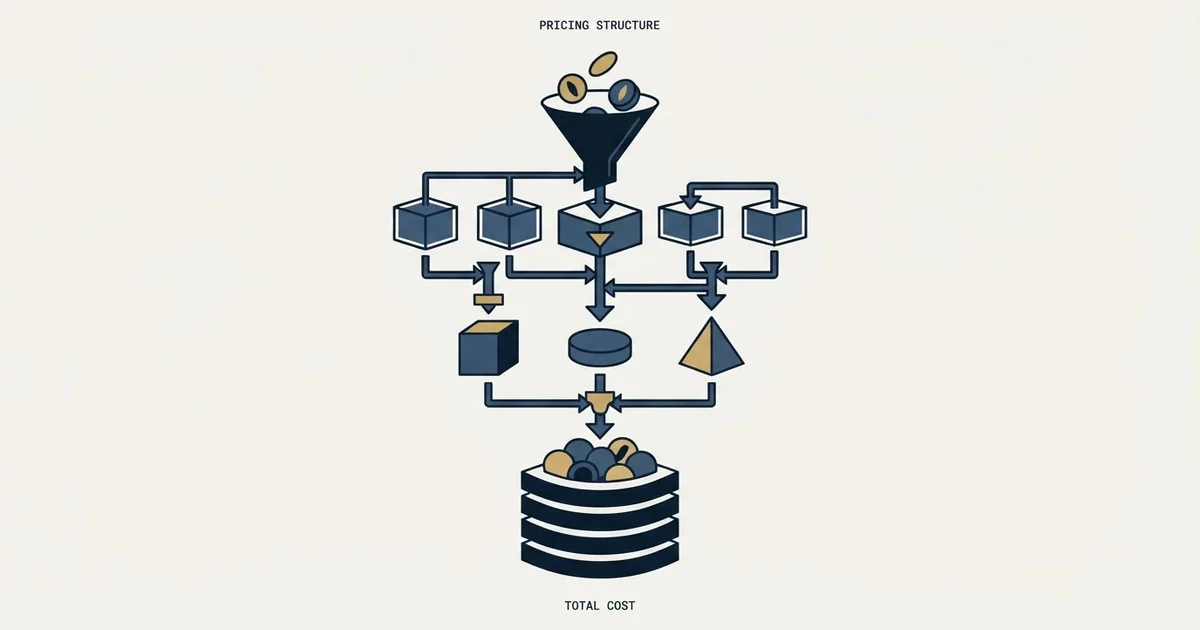
Badger Maps costs $58 per user per month on Business billed annually, or $69 monthly, and $95 on Enterprise, or $109 monthly. Four territory add-ons are priced separately per territory, licence or user, so a ten-rep team taking all of them pays about $1,560 a month, or $156 per rep.
Key takeaways
- Badger Maps Business is $58 per user per month billed annually or $69 monthly; Enterprise is $95 or $109, and Enterprise Plus is quoted.
- Align is $20 per territory, Lead Routing $16, Insights $50 per user and Scoreboard $12, with minimums of five on three of them.
- A ten-rep team with ten territories and every add-on pays about $1,560 a month, 2.7 times the $580 of Business seats.
- The 90-day money-back guarantee needs two or more licences and does not cover Badger Align.
Reviewed and updated September 21, 2026
Badger Maps puts a seat price on a public page under the heading "Straightforward pricing with no hidden fees", which already puts it ahead of most field-sales software. The number on the card is not what a team of ten ends up paying, and the gap is not hidden. It is spread across four separately priced products sitting underneath the two plans, each metered on a different unit.
Badger Maps cost: the plans and both billing states
On Badger Maps' pricing page, the Business plan is 58 dollars per user per month billed annually and 69 dollars billed monthly, and Enterprise is 95 dollars billed annually and 109 dollars billed monthly. The cards print both states side by side under a toggle marked Save ~15%, which removes the most common source of quoted-price disagreement. A Personal tier is a 14-day free plan with the Business feature set, and a newer Enterprise Plus tier, priced by quote, bundles the territory tools described below.
The page frames itself as "Straightforward pricing with no hidden fees" and adds "No setup or integration fees. No variable usage fees." Its "90-day money-back guarantee - no questions asked" applies to teams of two or more licences and covers Badger Maps, Lead Routing, Insights and Scoreboard, but not Badger Align. There is a fourteen-day free trial, with a team pilot offered for groups.
The two plans differ on how the CRM connects more than on seats. The comparison table caps account management for users without a CRM integration at "Up to 2,000 records/accounts per license" on Business and 10,000 on Enterprise, while Business's own CRM integration is "single object, unlimited records" and Enterprise's covers multiple objects. For anyone connecting a CRM, which is most buyers of this product, the record ceiling mostly dissolves. Both plans include "Route optimization with up to 120 stops".
What Enterprise adds beyond that is CRM integration across multiple objects, location and time-stamped activity reports, single sign-on with SCIM support, HIPAA compliance and support, and a dedicated account manager. Those are procurement and security requirements rather than field-sales features, which is a useful way to read the tier split: the higher plan is priced for the buyer's IT department, not for the rep.
The four add-ons are where the cost actually moves

Badger sells a territory management suite alongside the core plans, described on the page as "a suite of territory management products that you can buy independently or add on to your existing plan". Each is priced on its own unit, and three of the four carry a minimum and a published volume break.
Component pricing is not always a surcharge, and SuiteCRM adds hosting, implementation and support into a bill whose software licence itself costs nothing.
| Product | Rate and unit | Minimum, break |
|---|---|---|
| Align | $20 per territory | 5 territories; $10 after 40 |
| Lead Routing | $16 ($18 monthly) | 5 licences; $10 after 40 |
| Insights | $50 per user ($60 monthly) | None published |
| Scoreboard | $12 per user ($14 monthly) | 5 licences; $8 after 40 |
The page publishes the breaks in the same words each time, "Price per seat declines", to $10 after 40 on Align and Lead Routing and to $8 after 40 on Scoreboard, even though Align is sold per territory. Lead Routing's card now reads "Per territory, billed annually" beside a "Minimum of 5 licenses", so confirm its unit on the quote. Insights is the exception in two ways. The page publishes no minimum for it, and its unit is spelled out to prevent exactly the misreading the other products invite: "Per user (not per territory), billed annually". Insights is also quoted at $60 a month on monthly billing against its annual rate.
Per territory: Align
- Territory creation and alignment
- Weighted and custom metrics
- Scenario planning
- Not covered by the guarantee
Lead Routing
- Territory-based lead assignment
- Address to territory matching
- Assignment rules
- Minimum of five licences
Per user: Insights, Scoreboard
- Heat, bubble and thematic maps
- Territory comparisons
- Dynamic leader boards
- Scoreboard minimum of five
What a real configuration costs
The published rates only become a budget once you stack them, and the page frames the suite as products "that you can buy independently or add on to your existing plan", which is where the surprise lives. The arithmetic below is ours, computed from Badger Maps' published annual rates for a ten-rep field team with ten territories, one user per rep, all products taken at the annual rate.
Other vendors leave that stacking to the quote, and Salesgenie publishes a monthly floor beside nine factors that move the figure away from it.
Ten Business seats is 580 dollars a month. Align on ten territories adds 200. Lead Routing on ten reps adds 160. Scoreboard on ten users adds 120. Insights on ten users adds 500. The full stack is 1,560 dollars a month against a core-plan line of 580, so the effective cost per rep is 156 dollars rather than the 58 on the pricing card.
Nothing in that is a criticism of the pricing. Every figure is published, the units are labelled, and the breaks are disclosed. It is a criticism of how the category gets compared, because a buyer holding a competitor's all-in quote against Badger's 58-dollar card is comparing a bundle to a component.
The volume breaks are worth planning around rather than discovering. All three start at forty units, and forty is a long way above the five-unit minimums. A twenty-rep team sits in the dead zone: past the minimum, nowhere near the break. A team crossing forty reps sees the Lead Routing rate fall by more than a third and the Scoreboard rate by a third, which means the marginal cost of the forty-first rep is lower than the average cost of the first forty. That is worth knowing before you split a rollout into phases.
The trial is two different offers

The page's FAQ answers it in one line: "We offer a 14-day free trial for individual users and 14-day team pilots", with the pilots integrated with your CRM, set up by the vendor, customised and with team training included at no cost. Those are not the same evaluation and they do not test the same thing.
The individual trial tests the route planner on a single rep's account list, which is the part of the product least in doubt. The team pilot tests the CRM integration, and the integration is what the record ceiling, the tier split and half the add-on value all depend on. A buyer who evaluates on the solo trial and then buys for a team has tested the cheap half. Ask for the pilot even if the team is small enough that the solo trial would be simpler to arrange, and make the pilot cover the CRM you actually run rather than a sample export from it, because what a CRM integration costs in rate limits, auth and caching is the part that goes wrong after the contract rather than during the demo.
Which units you are actually buying
The four add-ons meter on three different things, and the difference decides the quote more than the rates do.
Territories are not reps. A team of ten reps covering five regional territories pays Align on five, not ten. A team of five reps each owning three named-account territories pays on fifteen. The published minimum of five territories means the smallest possible Align line is 100 dollars a month regardless of team size, so a three-rep team buying Align pays for territories it does not have.
Reps are not users. Lead Routing meters per rep and Scoreboard per user, and on most field teams those are the same number, but managers and operations staff who look at a scoreboard without receiving routed leads move them apart. Insights spells this out because the confusion is predictable, and it is the one product where a territory-heavy team saves by the unit choice rather than losing by it.
The reason to sort this before the call is that territory planning is the carve that decides who never gets covered, and the territory count you are about to buy against is an output of that exercise. Buying Align to do the planning you have not done yet inverts the order. Teams that have already done the carve on paper, or in a whitespace grid, arrive knowing the number.
The claims to leave on the page

One figure on the pricing page is the vendor's marketing rather than a checkable fact, and it is the sort of number a buyer should decline to build a business case on.
The page states that "On average, reps save 8 hours a week and increase sales by up to 25%." That is the vendor's own customer figure, unaudited, with no baseline stated and no method published. It may well be true for the teams it came from. It is not a forecast for yours, and no field-sales tool can isolate its own contribution from territory changes, headcount and market conditions in the same period.
What is checkable is everything else the page publishes, which is most of it: the rates, the units, the minimums, the breaks, the record ceilings, and the "90-day money-back guarantee - no questions asked". A vendor that publishes that much is easier to hold to a number than one that publishes none, and the ninety-day money-back window is the closest thing to a testable commitment in the category.
The right way to use the guarantee is as a measurement period rather than as insurance, remembering that it needs two or more licences and does not cover Align. Ninety days is enough to run the tool through a full quarter of routing and see whether the per-rep cost of the stack shows up in coverage, which is the only comparison that settles it. Our piece on how sales velocity hides the averages inside it covers what to measure over that window, and sales process mapping is the exercise that says which step the tool is meant to move.
If the constraint is not routing the accounts you have but finding the ones you do not, that is a different budget line and a different tool. We will build the first outbound campaign and run it on one message per prospect, so you can compare cost per meeting against the field-coverage spend directly.
Every Badger Maps figure here is from the vendor's own pricing page, with a dated snapshot retained, and the configuration arithmetic is ours from those rates. Vendor pricing moves. Verify current terms with the vendor before relying on them.
Frequently asked questions.
Frequently asked questions- How much does Badger Maps cost?
- Badger Maps' pricing page lists Business at $58 per user per month billed annually or $69 billed monthly, and Enterprise at $95 or $109. A Personal tier is a 14-day free plan, and Enterprise Plus, which bundles the territory tools, is priced by quote. There are no setup or integration fees.
- What do the Badger Maps add-ons cost?
- On annual billing, Badger Align is $20 per territory with a five-territory minimum, Lead Routing is $16 with a five-licence minimum, Insights is $50 per user, and Scoreboard is $12 per user with a five-licence minimum. Align, Lead Routing and Scoreboard fall to $10, $10 and $8 after 40 seats.
- Does Badger Maps have a free trial?
- Yes. Badger offers a 14-day free trial for individual users and 14-day team pilots, where it connects your CRM, sets up your data and trains the team at no cost. The team pilot is the better test, because the CRM integration decides most of the value and the plan choice.
- Does Badger Maps offer a money-back guarantee?
- Its pricing page offers a 90-day money-back guarantee with no questions asked, for teams of two or more licences. It covers Badger Maps, Lead Routing, Insights and Scoreboard but not Badger Align, so a rollout that depends on territory alignment is partly outside it.
About the author.

B2B cold email experts helping companies generate qualified leads through done-for-you outreach campaigns.
RevenueFlow Team
Explore more.
Ready to scale your outreach?
We build GTM engines that book real meetings. See the receipts.
Related articles.
Twain Pricing: Credits per Lead, Three Research Modes
Twain sells credits, not seats, and a lead costs 1 to 14 of them depending on the research mode. The two ladders, the four expiry clocks and the cap.
What Cold Email and Sales Tools Actually Cost in 2026: Pricing Data From 386 Vendors
RevenueFlow's verified dataset of 386 sales tools puts the median starting price at $39.98 a month. Here is the spread by category, tier and billing model.
The Real Cost per 1,000 Emails, Verifications and Data Credits in 2026
Unit prices computed from verified vendor plans: $1.00 per 1,000 emails sent, $2.00 per 1,000 verifications and $19.60 per 1,000 enrichment credits.
Airscale Pricing: Three Plans, One Credit, Four Rates
Airscale prints a different credit cost on every plan, and its advertised per-email price belongs to the custom one. The dated ladder and the rollover rules.
Lavender Pricing: Two Products, No Pricing Page
Lavender has no pricing page. The Email Coach ladder per seat at both billing states, the free routes, and the separate per-agent price for Ora.
TexAu Pricing: Four Tiers, Billed Only on a Match
TexAu charges credits only when a lookup succeeds. The four tiers at both billing states, the rollover cap, and three places the page disagrees with itself.