Meet Alfred Alternatives: Replacing Three Channels or One
Meet Alfred's distinguishing feature is LinkedIn, email and X in one sequence. That is what has to be replaced, and it narrows the field sharply.
Meet Alfred runs LinkedIn, email and X inside one campaign sequence at published rates of $59, $99 and $79 per user a month. Replacing it means deciding which channels you actually use, because most listed alternatives cover only LinkedIn and the X channel rarely contributes.
Key takeaways
- Direct multichannel replacements published per-seat rates on 16 August 2026 from $59 on Dripify to $100 on Skylead.
- LinkedIn-only tools cost a fraction: Octopus CRM from $6.99, Linked Helper from $15 and Waalaxy from EUR 19 per user a month.
- Every per-seat product shares the same structural problem, since the safest operating model is more accounts each doing less.
- Only sender-count pricing changes that shape, and it only makes sense above roughly ten accounts.
Reviewed and updated September 2, 2026
Meet Alfred's distinguishing feature is that it runs LinkedIn, email and X inside one campaign sequence. That is the thing to replace, and it narrows the field sharply, because most tools people list as alternatives do only the first of those three.
Its published rates are $59 Basic, $99 Pro and $79 Team per user per month on monthly billing, with quarterly at 20 percent off and annual at 50 percent off. Fetched 16 August 2026. Anything you move to has to be priced against those and has to cover whichever channels you actually use.
First, work out which part you are replacing
- Yes: Per-seat cost across several sender accounts: change architecture, not brand
- Yes: You only ever used the LinkedIn half: a cheaper single-channel tool fits
- Yes: You run accounts across multiple clients: you need a multi-sender platform
- Yes: Support responsiveness: check this in a trial before committing anywhere
- Depends: You want the X channel replaced too: very few products offer it
- No: You want a LinkedIn tool the platform permits: none exists
That last line is not a technicality. LinkedIn's User Agreement, effective 3 November 2025, prohibits members from using "software, devices, scripts, robots or any other means or processes (such as crawlers, browser plugins and add-ons or any other technology)" to scrape or copy the service, and from using bots "or other unauthorized automated methods to access the Services, add or download contacts, send or redirect messages". Its help page on prohibited software states that members using such tools risk having their accounts "restricted or shut down" and that the tools may stop working without notice. Every product below operates under that, and any comparison implying one of them is sanctioned is wrong.
That clause has already closed a business, and Proxycurl's shutdown under a LinkedIn settlement makes the same question the first one to ask of any replacement.
The multichannel question, answered honestly
Two of Meet Alfred's three channels do real work together. LinkedIn and email reach the same person through different systems with different failure modes, so a bounced address does not cost you the contact and an ignored connection request does not either.
X is the third, and it is the one to discount when pricing a replacement. Business-to-business reply rates there depend almost entirely on whether your buyer uses the platform, and for most segments this class of tool is sold into, they do not. Treating it as a requirement narrows your options for a channel that is probably contributing nothing.
Once X is off the requirement list, the field opens up considerably, and the honest comparison is LinkedIn plus email.
Where the question here is which channels a sequencer must cover, Chili Piper alternatives asks the parallel question for booking and routing tools bundled into one product.
Test that before assuming it. Look at where your last ten replies came from, by channel. If none came from X, it is not a requirement, and carrying it forward into a shortlist eliminates good options for no return.
What the substitutes actually cost

- Dripify: $59, $79 or $99 per user monthly, $39, $59 or $79 annual
- Skylead: $100 per seat, with unlimited email accounts on the plan
- Waalaxy: EUR 69 per user monthly on the tier that adds cold email
- Expandi: $99 monthly, $79 annual, email follow-ups inside the sequence
- All are per seat, so cost scales with account count
- Octopus CRM: $9.99 to $39.99 monthly, $6.99 to $24.99 annual
- Linked Helper: $15 or $45 local storage, $29.90 or $59.90 cloud storage
- Waalaxy: from EUR 19 per user monthly on its entry tier
- Browser-resident, so IP consistency is native
- Stops when the machine stops
- Skylead agency: $999 for 50 seats, $1,999 for unlimited seats
- Priced around senders rather than software seats
- Sender rotation within one campaign, unified inbox
- Per-client separation and client reporting
- This is the shape we run client LinkedIn outreach on, through HeyReach
The structural problem no substitute solves
Every product in the first two columns is priced per seat, and a seat is a LinkedIn account.
The operating model that keeps accounts alive is volume from sender count rather than per-account intensity. LinkedIn's own restriction triggers push you there: its help page names many invitations sent in a short amount of time, and many invitations ignored, left pending or marked as spam, and states that suspected use of an automation tool can itself lead to suspension.
So the safest configuration is the most expensive one to buy, in every per-seat product. Swapping Meet Alfred for another per-seat tool changes the rate, not the shape. Only the third column changes the shape, and it only makes sense above roughly ten accounts, which is the threshold most vendors in this category quietly acknowledge by routing larger buyers to a sales conversation.
What the email half really needs
Anything replacing a multichannel tool has to answer a question the sequencer does not: where does the email actually send from.
A sequence step that sends email is a scheduler. It does not supply authenticated domains separated from your main brand, warmed inboxes, sensible per-inbox volumes or a verified list. Running cold email from your primary domain through a tool bought for LinkedIn is a reliable way to damage a domain that was working fine.
Skylead is the outlier here in that its plan includes unlimited email accounts with warm-up, which is infrastructure rather than scheduling. Everywhere else, budget the email side separately or the multichannel saving is illusory. The list-quality half of that problem is covered in email verification tools.
The sequence-shape decision that matters more than the tool

Every product in this category is built to make follow-up ladders easy, and the default configuration in all of them is a multi-step sequence that keeps messaging people who did not answer.
We do not run that shape, on either channel. One message per campaign, no bumps, no thread replies, and no LinkedIn no-reply retargets, because a second LinkedIn message lands underneath the one they ignored and reads as a nudge whatever the campaign builder calls it. When a segment is worth touching again it gets a new campaign with a genuinely different angle, which is a different message to someone who has not yet declined it.
That decision costs nothing, applies in every tool on this page, and does more for reply rates than any feature comparison will. It also removes the main reason people believe they need deep sequence branching, which is one of the things they are paying for.
Counting the real cost of a switch
Before pricing an alternative, price the move, because three costs land outside the subscription.
The first is rebuild time. Sequences, tagging, integrations and reporting were configured by someone, and rebuilding them in a new tool takes that person about as long as it took the first time. On a small team this is usually the largest single cost of switching, and it is why moving for a marginal per-seat saving rarely pays for itself.
The second is account disturbance. If you are moving between cloud tools, the sending account gets a new address, which introduces exactly the inconsistency the dedicated-IP architecture exists to prevent. A migration is a moment to ramp back up rather than to resume at the previous rate, and that means a few weeks of reduced output while paying for both tools if the old term has not expired.
The third is measurement. Whatever you were tracking resets, so the first month after a switch cannot be compared to the month before it. Anyone judging the new tool on that month is judging a ramp.
None of those argue against switching. They argue for switching once, to something that fixes the shape of the problem, rather than repeatedly to whatever is currently cheapest. The switch that pays is a change of architecture: per-seat cloud to browser-resident, or per-seat to per-sender. A switch between two products in the same column buys a different feature list and the same cost curve.
What the annual discount is really pricing
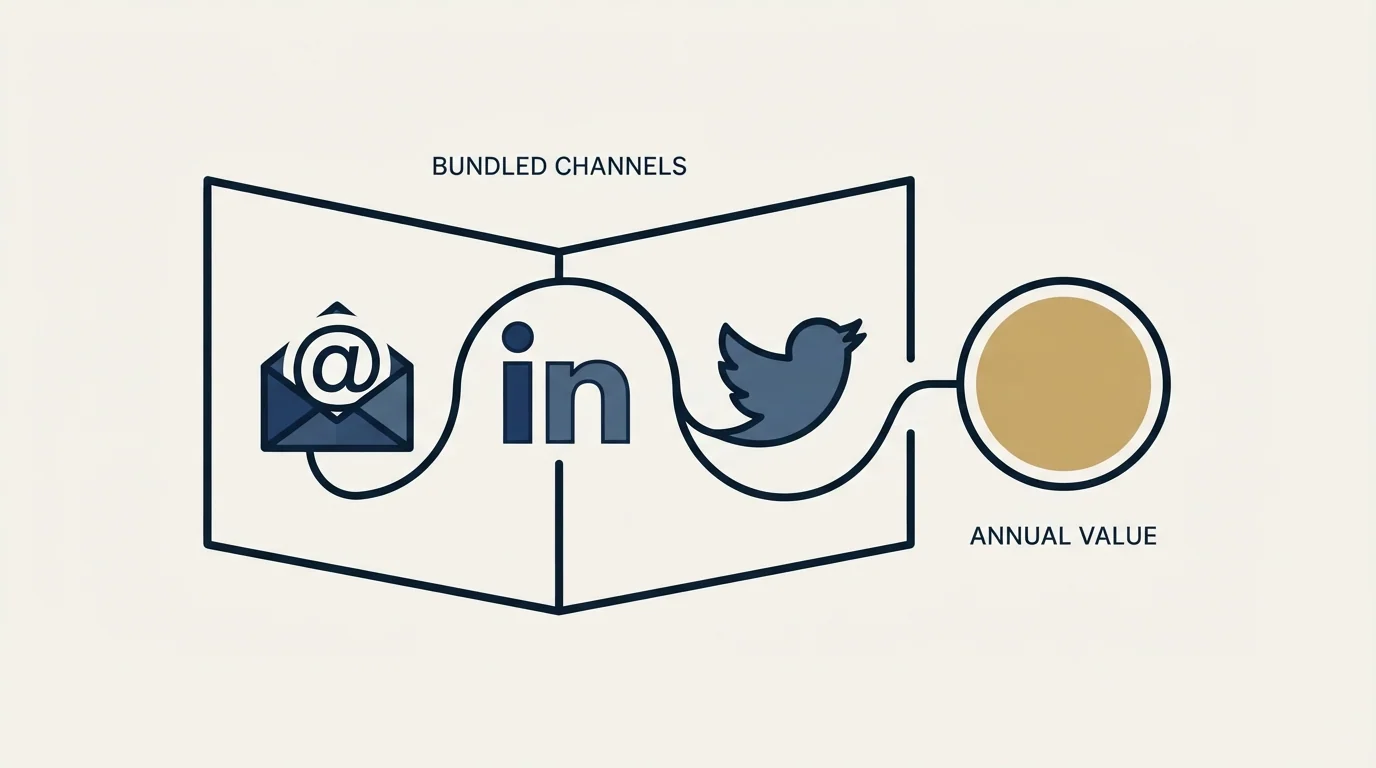
Meet Alfred's page marks annual at 50 percent off, which is one of the larger discounts in the category and worth reading carefully rather than simply taking.
A twelve-month commitment on this channel is a bet that the accounts you are committing for will still be sending in twelve months. LinkedIn's help page states that a restriction typically lasts a week, that support cannot disclose its reason or shorten it, and that withdrawing pending invitations does not lift it. A restricted seat is still a paid seat.
That does not make annual billing wrong. It makes it right for a specific subset: accounts that are already warmed, already producing and already past the period where mistakes get made. New accounts belong on monthly billing until they have earned the commitment, which captures most of the discount and leaves the flexibility where the uncertainty is.
The same logic applies to any alternative on this page, and it is worth asking each vendor whether the term is per seat or per account, because a plan-level annual commitment removes that option entirely.
What to check in a trial
Whether the LinkedIn account is given a dedicated, country-matched, stable address if the tool is cloud-based, since that is the property the architecture rests on.
What happens to a paid seat when its LinkedIn account is restricted, because the subscription and the usable account are independent and the invoice does not pause.
Whether support answers, since that is the recurring complaint about the incumbent and it is only testable before you commit.
Whether the tool's daily rate settings let you run well below whatever the plan permits, because the plan quota is what the software allows and not what the platform tolerates.
The product being replaced is covered in Meet Alfred, the architecture comparison across the category is in LinkedIn automation tools, and the multi-sender model is in our HeyReach review. If Sales Navigator is in the stack, Sales Navigator pricing is usually the second line item and the one most often over-bought.
If the actual goal is booked meetings rather than a different subscription, get a free campaign plan and we will map the channel to your ICP before anything sends.
Pricing and features verified as of mid-2026. Verify current terms with the vendor before relying on them.
Frequently asked questions.
Frequently asked questions- What is the best Meet Alfred alternative?
- It depends which channels you use. If you genuinely run LinkedIn and email together, Dripify, Skylead, Expandi and Waalaxy all cover both at per-seat rates from $59 to $100. If you only ever used the LinkedIn half, a browser-resident tool covers it from around $7 to $15 a month.
- Do I need to replace the X channel?
- Probably not. Business-to-business reply rates on X depend on whether your buyers use it, and in most segments they do not. Check where your last ten replies came from by channel before making it a requirement, because carrying it forward eliminates good options for no return.
- Will switching fix the per-seat cost?
- Only if you change architecture rather than brand. Another per-seat cloud tool changes the rate and keeps the shape. Moving to a browser-resident tool or to something priced around sender count changes the bill permanently, and that is the switch worth a rebuild week.
- What should I check during a trial?
- Whether a cloud tool gives the account a dedicated, country-matched, stable address. What happens to a paid seat when its account is restricted. Whether support answers, since that is the recurring complaint about the incumbent. And whether daily rate settings let you run well below what the plan permits.
About the author.

B2B cold email experts helping companies generate qualified leads through done-for-you outreach campaigns.
RevenueFlow Team
Explore more.
Ready to scale your outreach?
We build GTM engines that book real meetings. See the receipts.
Related articles.
La Growth Machine Pricing: Per Identity, Euros First
La Growth Machine prices per identity and loads in euros on annual billing. The full matrix from the page's own script: four periods, three currencies, three plans.
SalesRobot Pricing: Two Tabs, Yearly Opens First
SalesRobot prices LinkedIn per account and email per user on two tabs, with the LinkedIn tab opening on yearly. Both ladders at both states, quotas and credits.
Humanlinker Pricing: Euros First, Two Users for One
Humanlinker's Pro plan is priced in euros on a user slider where two users cost the same as one. Every slider step, the annual factor, and how the dollar figure is made.
The Real Cost per 1,000 Emails, Verifications and Data Credits in 2026
Unit prices computed from verified vendor plans: $1.00 per 1,000 emails sent, $2.00 per 1,000 verifications and $19.60 per 1,000 enrichment credits.
Airscale Pricing: Three Plans, One Credit, Four Rates
Airscale prints a different credit cost on every plan, and its advertised per-email price belongs to the custom one. The dated ladder and the rollover rules.
What Cold Email and Sales Tools Actually Cost in 2026: Pricing Data From 386 Vendors
RevenueFlow's verified dataset of 386 sales tools puts the median starting price at $39.98 a month. Here is the spread by category, tier and billing model.