Wiza in Practice: How the LinkedIn Export Works
LinkedIn caps a Sales Navigator search at roughly 2,500 people, and that ceiling shapes every export. How Wiza works, and where a tool like it belongs.
Wiza turns LinkedIn, Sales Navigator and Recruiter searches into enriched CSV rows through a Chrome extension, with a database search, CSV upload and an API alongside. Export size is capped by LinkedIn pagination rather than the vendor. Its resolution step works best as the first stage of a waterfall, not as the whole one.
Key takeaways
- LinkedIn sets the export ceiling, not the tool. Wiza's help center documents 100 pages or roughly 2,500 people for a standard Sales Navigator people search, and 40 pages or roughly 1,000 for Connections-of, Recruiter and company searches.
- A short list usually has a configuration cause. Compare the LinkedIn result count, the selected count, the configured maximum and the completed count before blaming coverage.
- Real-time verification answers stale-database risk, not identity. A verified address proves a mailbox accepts mail, which is silent on whether it belongs to the profile you exported.
- An export tool does a sourcing job and a resolution job in one click. The sourcing job is hard to replace, and the resolution job is one provider attempt where a waterfall runs several in sequence.
Reviewed and updated September 1, 2026
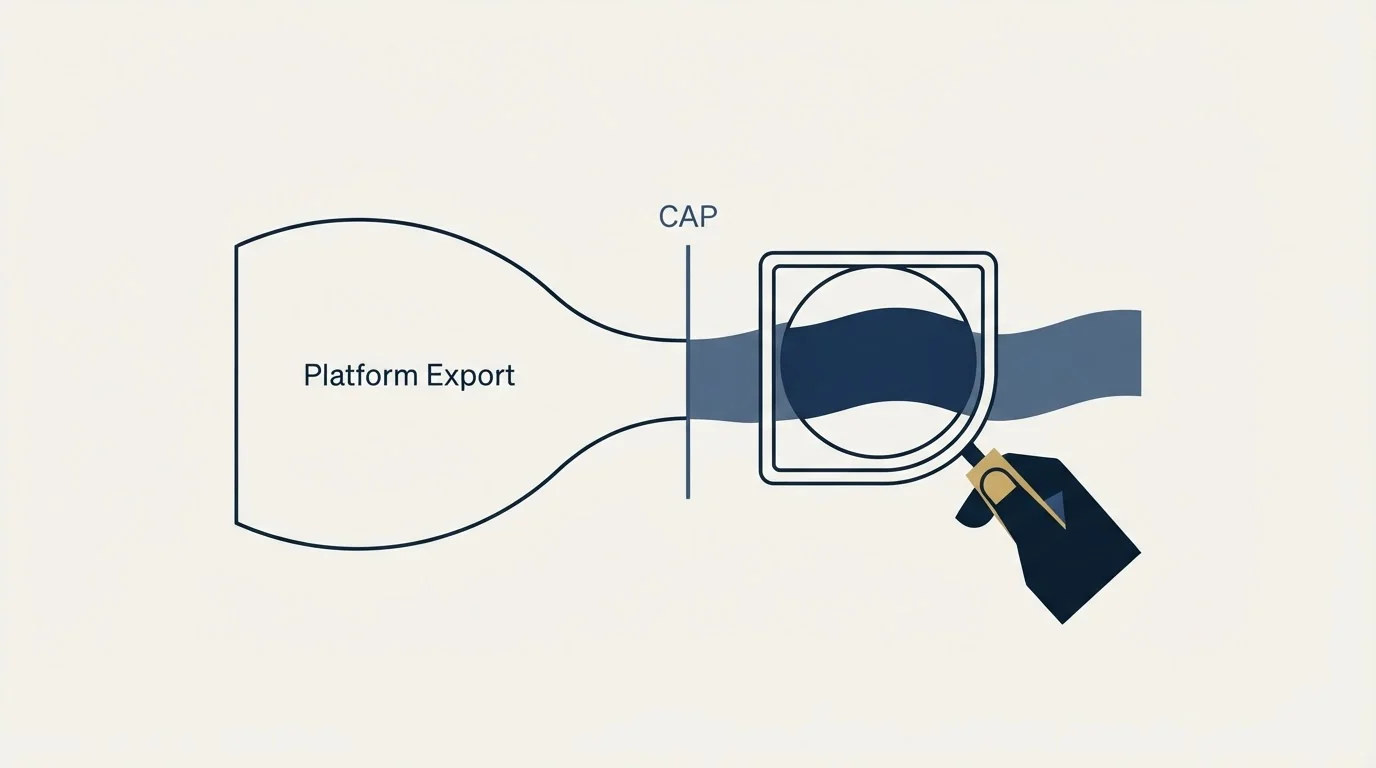
A standard Sales Navigator people search exposes up to 100 pages of results, which Wiza's help center puts at roughly 2,500 people. That ceiling belongs to LinkedIn rather than to Wiza, and it is the first thing that decides what any LinkedIn export tool can hand you. Understanding where the limits come from is most of what you need to place a tool like this correctly in a data stack.
This page covers what Wiza does, how the export mechanically works, what its real-time verification establishes, and where that leaves it in a provider sequence. For what it costs and who it suits, see our Wiza review. For the switching decision, see Wiza alternatives.
What Wiza is
Wiza is a B2B contact data product built around LinkedIn. The wiza.co homepage describes it as finding "verified emails and phone numbers in seconds" and states that where other tools pre-load a database, Wiza "verifies contact data the moment you request it", citing "850M+ contacts". The same page advertises "40+ data points" per enriched contact, while Wiza's API page advertises "50+ data points" and "20+ filters". Those two figures come from two different surfaces on the same site, which is worth knowing before you quote either one back to a colleague.
In practice there are four ways to get rows out of it, all documented in the Wiza help center:
- A Chrome extension side panel that sits over LinkedIn, Sales Navigator and LinkedIn Recruiter and turns a search, a lead list, an account list, a group or your connections into a Wiza list.
- Wiza Prospect, a database search you filter without touching LinkedIn at all.
- CSV upload, where you bring your own rows and ask Wiza to enrich them.
- An API, which Wiza's API page describes as taking a name and company or a social profile URL and returning contact and professional data.
Wiza's own site footer carries a disclaimer stating that Wiza is "not affiliated, associated, authorized, endorsed by, or in any way officially connected with Microsoft or LinkedIn". That is standard for this category and it is a useful reminder that the LinkedIn-side limits below are not negotiable by the vendor.
How the export actually works
The Sales Navigator path is the one most people mean when they say they use Wiza, and Wiza's help center documents it step by step.
- Step 1Build the search
Run a Sales Navigator lead search and let the results finish loading, then read the total result count.
- Step 2Open the side panel
The Wiza extension panel reads the search and reports the specific number of contacts it can see.
- Step 3Segment if needed
Add non-overlapping filters until each segment sits at or below LinkedIn's page ceiling.
- Step 4Select and create
Select contacts in Sales Navigator or in the side panel, then create the list.
- Step 5Configure the run
Set the enrichment level, a maximum number of contacts, duplicate skipping and any automations.
- Step 6Process and export
Wiza processes the list and returns it as a CSV or pushes it to a connected CRM.
Two configuration choices in step five do more damage than anything else when they are set carelessly. The maximum number of contacts silently truncates the run: Wiza's troubleshooting article states plainly that if the maximum was lower than the LinkedIn result count, Wiza stops at that number. And Skip duplicates is folder-scoped, so it checks contacts already present in the selected folder and a contact sitting in a different folder can still come through.
The ceiling that decides your list size

LinkedIn's pagination limits, not the tool, set the upper bound on a single export. Wiza's help center documents three of them:
- A standard Sales Navigator people search shows up to 100 pages, "which is normally 2,500 people".
- Searches using Connections of show up to 40 pages, "which is normally 1,000 people".
- Recruiter searches and Sales Navigator company searches also use a 40-page limit.
Wiza's own wording on this is unambiguous: "Wiza can create a list only from the result pages that LinkedIn makes available. We cannot retrieve results beyond LinkedIn's limit." No competing tool changes that, which is a point worth holding onto when you read a rival's coverage claim.
The documented workaround is segmentation. Wiza's help center suggests splitting a large search by geography, industry, company headcount band, function or seniority, choosing filter values that do not overlap, and saving every segment into the same folder with Skip duplicates enabled so the segments do not re-enrich the same people.
- Depends: LinkedIn result count: the total LinkedIn reports for the search or list
- Depends: Selected count: the people saved in the side panel if you selected specific contacts
- Depends: Configured maximum: the largest number the list was set to process
- Depends: Completed list count: the rows that actually came back
- No: Page ceiling reached: 100 pages standard, 40 pages for Connections of, Recruiter and company searches
- No: Skip duplicates suppressed rows already in that folder
One more failure mode is worth naming because it looks like a data problem and is not. Wiza's article notes that LinkedIn can stop or delay a results page, and asks you to keep the LinkedIn tab open while a multi-page source is being prepared. A run that ends early there produces a short list with no error attached to it.
The paths that do not start on LinkedIn
The side panel gets the attention, and the other three entry points change the shape of the tool enough to be worth separating out.
Wiza Prospect is a database search with its own filters, which means it is not bounded by Sales Navigator's pagination at all. It is also the path where the freshness argument works hardest for the vendor, because the rows are assembled at request time rather than read out of a list you built by hand.
CSV upload is the path most teams underuse. If you already hold a set of names and companies from a conference list, a CRM export or an event registration, uploading them is the same enrichment engine pointed at rows you sourced yourself. Wiza's help center confirms that uploaded lists are metered the same way as LinkedIn exports.
The API is documented separately and, per Wiza's API page, takes a name and company or a professional social profile URL. That page does not publish API pricing and directs visitors to book a call, so treat the API as a sales conversation rather than a self-serve line item when you are budgeting.
What real-time verification does and does not establish

Wiza's positioning rests on freshness. The homepage argues that pre-loaded databases go stale and that Wiza verifies "against live sources in real time", with "no cached data" and "no surprise bounces". The same page claims "99%+ deliverability rates" and says you "only pay for valid emails". Those are the vendor's claims on the vendor's page, and they are worth reading precisely rather than loosely.
Freshness is a real advantage and it addresses a real problem. A contact record built eighteen months ago describes a job somebody may have left. Resolving at request time rather than reading a cached row genuinely reduces that class of error.
What a verification verdict establishes is narrower than it sounds. A positive verdict says a mail server accepted the address. It does not say the address belongs to the person whose profile you exported. Those come apart in two common situations, and both matter more on LinkedIn-sourced lists than on domain-sourced ones:
- Accept-all domains. A catch-all domain accepts mail to every local part, so any address on it verifies. Our published position is that catch-all tails get banked rather than guessed at, and no verification service can resolve them for you. The mechanics are in our guide to email verification tools.
- Right mailbox, wrong surface. An address can be perfectly deliverable and still reach the person at an employer they have moved on from, or at a parent company that does not run the brand you are writing to. Verification is silent on that, by construction.
Neither point argues against using the tool. Both argue for treating "verified" as a deliverability signal rather than an identity signal, and for running the identity check separately. A bounce that never happens is good news about the mail server and no news at all about whether the right person read the message.
Where a LinkedIn export tool belongs in a waterfall
A tool like Wiza performs two different jobs in a single click, and the convenience of that is exactly why teams misplace it in their stack.
- Turns a Sales Navigator search into structured rows
- Carries title, company, seniority and profile URL
- Bounded by LinkedIn's page limits, not by the vendor
- Segmentation and duplicate handling live here
- Attempts one address per row
- Is one provider's attempt, not a sequence of attempts
- Competes directly with a waterfall you may already run
- Silent about identity, only loud about deliverability
The sourcing job is the one that is genuinely hard to replicate, because the raw material is a LinkedIn search and the constraints are LinkedIn's. The resolution job is a single provider attempt sitting where most serious stacks run several in sequence.
That is the entire argument for placing an export tool at the top of a waterfall rather than treating it as the whole waterfall. A waterfall runs providers in order, stops at the first success, and only pays the next stage for rows the previous stage missed. The economics behind that ordering are set out in our waterfall enrichment guide. The stack we run is MillionVerifier brute-force, then Prospeo, then Findymail, with no fourth paid stage.
Placed that way, an export gives you a clean row set with firmographics attached and a first attempt at an address. Rows it resolves confidently pass through. Rows it misses, and rows it returns on an accept-all domain, drop into the sequence you already run rather than being written off as unfindable. That also keeps your data vendor and your sending vendor separate, which is how we run every campaign: the platform that finds a contact should not be the platform that mails them.
Once a contact clears the waterfall, turning that verified row into a live conversation is a separate problem, one that ZoomInfo's conversational chat widget addresses by routing sessions on firmographics and intent.
Judging it on your own list
Published coverage numbers, from any vendor in this category, are not comparable between lists. Coverage depends on geography, seniority, company size and how recently people changed jobs, so the only ranking that means anything is the one your own rows produce. The test that gives a real answer in an afternoon is set out in our guide to email finder tools, and it applies to a LinkedIn export tool the same way it applies to a database vendor.
Two things are worth holding fixed when you run it. Use the same rows across every provider on the same day, because a list that has aged between tests is a different list. And measure cost per correct address rather than hit rate, because an address that is valid and belongs to somebody else costs you a prospect rather than a credit.
The same discipline is what makes LinkedIn prospecting work at all: the export is the cheap part, and the quality of what you do with the rows afterwards decides the outcome.
The short version
Wiza turns LinkedIn, Sales Navigator and Recruiter searches into enriched CSV rows through a Chrome extension side panel, with a database search, a CSV upload path and an API alongside it. The size of any single export is capped by LinkedIn's pagination rather than by the vendor, at roughly 2,500 people for a standard Sales Navigator people search and roughly 1,000 for Connections-of, Recruiter and company searches. Its real-time resolution is a genuine answer to stale-database risk and a narrow answer to the identity question. Treated as the sourcing step at the head of a waterfall, it does something useful that is hard to replace. Treated as the whole waterfall, it leaves the misses on the table.
If you would rather see the whole motion running on your own ICP before you commit to a data stack, start a free campaign and we will build the list, the copy and the sending infrastructure around it.
Pricing and features verified as of mid-2026. Verify current terms with the vendor before relying on them.
Frequently asked questions.
Frequently asked questions- How many people can Wiza export from one Sales Navigator search?
- Wiza's help center states that a standard Sales Navigator people search exposes up to 100 pages, which is normally 2,500 people, and that searches using Connections of expose up to 40 pages, normally 1,000 people. The limit is LinkedIn's, and Wiza states it cannot retrieve results beyond it. The documented workaround is splitting the search into non-overlapping segments.
- Does Wiza work without Sales Navigator?
- Yes. Alongside the Chrome extension that sits over LinkedIn, Sales Navigator and Recruiter, Wiza's site documents Wiza Prospect as a database search you filter directly, a CSV upload path for rows you already hold, and an API. The database and upload paths are not bound by Sales Navigator pagination, because they never read a LinkedIn results page.
- Why did my Wiza export come back smaller than the LinkedIn count?
- Wiza's troubleshooting article gives four counts to compare in order: the LinkedIn result count, the count you selected in the side panel, the configured maximum for the list, and the completed count. A maximum set below the result count silently truncates the run, and folder-scoped duplicate skipping removes people already exported into that folder.
- Can Wiza replace an email waterfall?
- It replaces one stage of one. An export tool attempts a single address per row, where a waterfall runs providers in sequence and only pays the next stage for rows the previous stage missed. The stack we run is MillionVerifier brute-force, then Prospeo, then Findymail. An export is a strong first stage and a weak substitute for the whole sequence.
About the author.

B2B cold email experts helping companies generate qualified leads through done-for-you outreach campaigns.
RevenueFlow Team
Explore more.
Ready to scale your outreach?
We build GTM engines that book real meetings. See the receipts.
Related articles.
Evaboot Pricing: One Slider, Nine Stops, Two Credits a Lead
Evaboot prices one plan on a nine-stop slider from 100 to 200,000 credits a month. Every stop at both billing states, the credit rules, and the yearly plan's terms.
Seamless.AI Email Finder: How It Works, What a Credit Buys
How Seamless.AI's email finder resolves a contact in real time, what one Universal Credit buys, the Total AI score on every address, and what the Chrome extension reads.
TexAu Pricing: Four Tiers, Billed Only on a Match
TexAu charges credits only when a lookup succeeds. The four tiers at both billing states, the rollover cap, and three places the page disagrees with itself.
LeadGibbon Pricing: Three Monthly Plans, No Annual Tab
LeadGibbon publishes three monthly plans and no annual rate. The dated ladder, the verified-emails-only meter, the rollover rule, and what the page does not publish.
Clearout Pricing: Never-Expiring Credits, Three Ways to Buy
Clearout renders its prices in the browser only. The three purchase routes, the three priced cards, the add-on rate card, and what a credit buys on each product.
PersistIQ Pricing: A Demo Form Where the Ladder Was
PersistIQ's pricing address serves a demo form and no platform price. What the site does publish, the Luka add-on ladder at both billing states, and how to read a quote.