HubSpot Lead Scoring: The Fit and Engagement Split
What HubSpot's scoring tool can actually build, which Hub and tier each shape needs, and the documented filter behaviours that change what your points mean.
HubSpot builds engagement scores, fit scores or combined scores, and the subscription decides which. Contacts can only be scored on Marketing Hub, deals only on Sales Hub, and deals only as combined scores. Keeping fit and engagement as separate properties preserves the information a single combined number destroys.
Key takeaways
- HubSpot's lead scoring tool requires Marketing Hub or Sales Hub at Professional or Enterprise, and contact scoring specifically requires Marketing Hub.
- Deals can only carry combined engagement and fit scores; standalone fit or engagement scores are available on contacts and companies only.
- Separate rules inside one score group fire independently, while multiple criteria inside a single rule follow AND logic.
- The Contains any of operator is not additive for fit criteria on properties and is additive for engagement criteria on events.
Reviewed and updated September 2, 2026
HubSpot Lead Scoring: The Fit and Engagement Split, and Which Subscription Unlocks It
A sales team gets handed a queue sorted by one number, works it top to bottom, and spends the first hour on a marketing coordinator at an eleven-person shop who downloaded four PDFs. The company that could actually buy sits four rows lower, because it has visited once. That failure is usually blamed on the scoring model. In HubSpot it is more often a configuration choice, because HubSpot will happily give you the two components separately and most accounts add them together anyway.
The argument for keeping fit and behaviour apart is made in full in lead scoring, and this page does not repeat it. What follows is the HubSpot-specific half: what the tool can actually build, which subscription each shape requires, and the filter behaviours that quietly change what your points mean.
What HubSpot's scoring tool builds, and where it lives
HubSpot's knowledge base article on the lead scoring tool, last updated 14 August 2026, states that the tool is available with Marketing Hub Professional and Enterprise, and with Sales Hub Professional and Enterprise, with additional subscriptions required for certain features. Below those tiers the tool is not in the account, which is the first thing to check before designing a model around it.
Tier and product boundaries decide the price elsewhere in the stack too, and a vendor page carrying four separate ladders shows which product a quoted rate came from.
Three object types can be scored, and the subscription decides which:
- Contacts, Marketing Hub only. Engagement scores, fit scores, or combined engagement and fit scores. Scores built with AI are Marketing Hub Enterprise only.
- Companies, Marketing Hub or Sales Hub. Engagement, fit, or combined.
- Deals, Sales Hub only. Combined scores only.
Read that table twice if your team runs Sales Hub without Marketing Hub, because it says something load-bearing: in that configuration you cannot score contacts at all. Company scoring is available, deal scoring is available, and the person record is not. Teams discover this after building a routing plan around a contact score property that the account will never populate.
The scores themselves land as properties on the record, and HubSpot documents that score properties can be used in other tools such as segments, workflows and reports. That is the part worth designing around. A score is only useful where it changes what happens next, and in HubSpot the mechanism for that is a workflow or a segment reading the property, not the number sitting on a record for a human to admire.
Access is permissioned separately. HubSpot's documentation states that View permissions for Lead Scoring are required to see the tool and record score values, and Edit permissions are required to create and edit scores. A rep who cannot see the score cannot act on it.
- Engagement scores
- Fit scores
- Combined engagement and fit
- AI-built scores need Marketing Hub Enterprise
- Unavailable on Sales Hub alone
- Engagement scores
- Fit scores
- Combined engagement and fit
- The fallback when contact scoring is out of reach
- Combined engagement and fit only
- No standalone fit or engagement score
- Event criteria come from associated contact activity
Score groups are the feature that lets you avoid one number

HubSpot's model is not a flat list of point rules. Every score contains at least one score group, and a score can contain several groups that add up to the total. Each group can carry its own maximum, and the score as a whole carries an overall limit. Criteria points can be whole numbers or decimals, and they can subtract as well as add.
HubSpot's own documentation walks through an example, and it is worth quoting because it shows the intended shape rather than a shape someone invented for a blog post. In that example the overall score limit is 100. An "Engagement with sales" group is capped at 60 points, awarding 15 for a started call, 10 for a booked meeting and 20 for a completed meeting. An "Engagement with marketing" group is capped at 40, awarding 6 for a CTA click, 2 for a marketing email open and 5 for an email link click. A contact who books a meeting, opens two marketing emails and clicks three links scores 10 in the sales group and 19 in the marketing group, for an overall 29.
The reason to care about group limits is not tidiness. A capped group is the only thing standing between your model and score inflation, because a contact who keeps opening emails forever cannot ride the marketing group past 40 no matter how long they sit in the database. Cap the cheap signals hard and leave headroom for the expensive ones, and the model stops rewarding longevity.
The stronger move is the one HubSpot supports directly and most accounts skip: build a fit score and an engagement score as separate properties, and route on the pair. Both are first-class score types on contacts and companies. Nothing forces the addition. Once the two properties exist, a workflow can branch on high fit with low engagement, which is the group that outbound exists to serve and the group a single combined number files alongside genuinely bad leads.
Four filter behaviours that change what your points mean
These are documented, they are not obvious from the interface, and each one has a way of producing a model that scores something other than what its author intended.
Separate rules in one group fire independently. HubSpot documents that separate property or event rules independently update the score even when they sit in the same group. If one rule adds 10 points for an industry match and another adds 15 for a region match, a company does not need to satisfy both to earn points from the group. Authors who read a group as an AND container build models that award far more than they expected.
Multiple criteria inside one rule are AND. Adding a second criterion to the same rule, through the add-criteria option, means the score updates only when every criterion is met. So the AND you wanted lives inside a rule, and the OR you wanted lives across rules. For anything more complex than that, HubSpot's documented answer is to build a segment or a workflow and then score on enrolment in it.
"Contains any of" behaves differently for fit and for engagement. This is the one worth writing on a sticky note. HubSpot's documentation states that for fit criteria on object properties, "Contains any of" is not additive: whether one value or several match, the rule adds or subtracts its points once. For engagement criteria on event properties, the same operator is additive: each matching criterion adds points every time. Their example is a form-submission rule worth five points that awards ten when two named forms are submitted. A model that uses the operator in both halves without knowing this has a fit half that behaves like a checkbox and an engagement half that behaves like a meter.
Events can be filtered by frequency and by time frame. Event rules accept frequency operators (Exactly, Between, At least, At most) and time-frame operators (In the last, Before, After, In between) measured in days, weeks, months or years. The time frame is where decay comes from. Scoring "pricing page viewed in the last 30 days" ages out by itself; scoring "pricing page viewed" never does, and eighteen months later the record is still collecting on a visit nobody remembers.
- Depends: Fit and engagement exist as separate score properties, not only as a combined score
- Depends: Every group carries a limit, so cheap repeatable signals cannot accumulate without bound
- Depends: Behavioural event rules carry a time frame, so the behavioural half decays
- Depends: Author knows that separate rules in a group fire independently rather than as AND
- Depends: Contains-any-of usage is deliberate on both halves, given it is additive for events and not for properties
- Depends: A workflow or segment reads the score property, so the number changes what happens next
- Depends: Reps who are meant to act on the score hold View permissions for Lead Scoring
Scoring against associated records, and the outbound blind spot
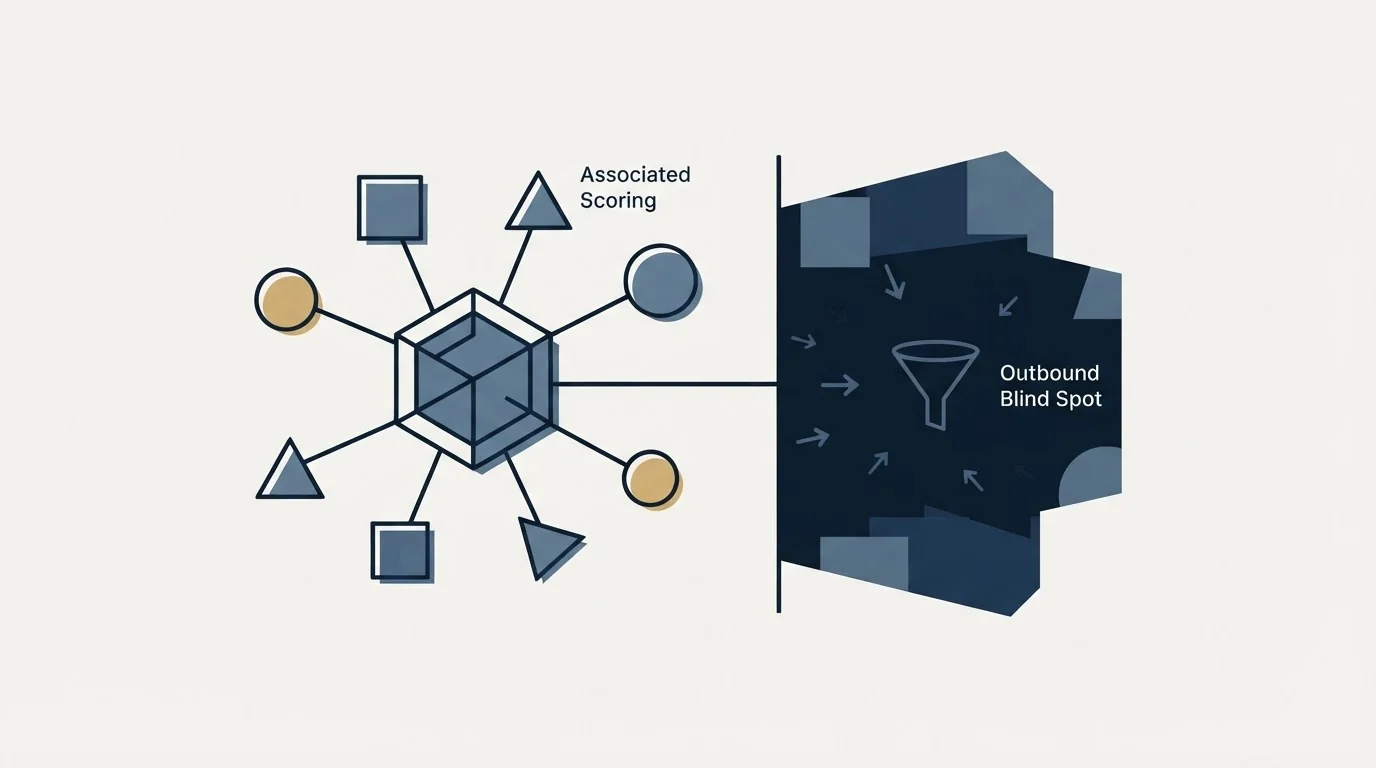
Two documented capabilities matter more for outbound teams than for anyone else.
Property rules can filter on the scored object or on its associations. In a contact score you can score on contact properties, on the associated primary company's properties, or on associated deals. That is how firmographic fit gets onto a person record without duplicating fields, and it is the cleanest route to a fit score that reflects the account rather than the individual. The same association logic runs the other way for deal and company scores, where HubSpot documents that event criteria are based on associated contact activity with control over which contacts count.
The blind spot is structural and no configuration fixes it. Engagement scoring can only see people who have already interacted with you. A company that matches your profile perfectly and has never visited your site scores zero on every behavioural rule, correctly and uselessly. That population does not appear in a queue sorted by a combined score, which is exactly why a fit score built from firmographic properties, evaluated independently of behaviour, is the piece of a HubSpot scoring setup that an outbound team should build first. The record does not need to have raised a hand to be worth a specific, researched approach.
That approach is a single message with a premise about their business, sent once. It is not a sequence that bumps the same person until the score moves, and a scoring model that rewards repeated touches from your side is measuring your own persistence.
- Step 1Fit score
Property rules on the contact, its primary company and associated deals. No event rules. Stable for months.
- Step 2Engagement score
Event rules only, each carrying a time frame so points age out. Groups capped so cheap signals cannot dominate.
- Step 3Route on the pair
A workflow branches on both properties. High fit with low engagement goes to outbound rather than to the ignore pile.
- Step 4Review the split
Check quarterly whether high fit converts better than high engagement. Adjust the half that is wrong, not the total.
Where this fits next to the rest of the stack

HubSpot's scoring tool answers who to work first inside the records you already hold. It has nothing to say about the market outside them, and it is not an enrichment tool: fit rules can only read properties that are populated, so a fit model sitting on empty firmographic fields scores everyone the same. The filling problem is a separate one, covered in CRM enrichment and in Clay enrichment, and it comes before scoring rather than after it.
If the reason you are configuring scoring is that inbound volume outgrew the team, the threshold you are about to set is a capacity decision wearing a quality label, and MQL vs SQL is the argument about what that label should mean. If you are evaluating whether HubSpot is the right home for this at all, HubSpot CRM vs Pipedrive and best HubSpot CRM alternatives cover the platform question, and best CRM tools for SDR teams covers it from the outbound side specifically. For teams pushing data in from a prospecting tool, Apollo and HubSpot covers the deduplication rules that decide whether your scored records are one record or three.
The high-fit, low-engagement group is the one a combined score cannot help with, and it is the one worth building a campaign against: see what that list produces.
Pricing and features verified as of mid-2026. Verify current terms with the vendor before relying on them.
Frequently asked questions.
Frequently asked questions- Which HubSpot subscription do I need for lead scoring?
- HubSpot's documentation lists the lead scoring tool as available with Marketing Hub Professional and Enterprise, and with Sales Hub Professional and Enterprise, with additional subscriptions required for certain features. Scores built with AI are Marketing Hub Enterprise only. Below those tiers the tool is not present in the account at all.
- Can I score contacts if I only have Sales Hub?
- No. HubSpot documents contact scoring as Marketing Hub only. On Sales Hub alone you can score companies, using engagement, fit or combined scores, and deals, using combined scores only. Teams that plan routing around a contact score property discover this after building the workflow, so check it before designing the model.
- How do I stop scores from inflating over time?
- Two mechanisms, both documented. Give every score group a limit, so cheap repeatable signals such as email opens cannot accumulate past a ceiling. Then put a time frame on every event rule, using operators like In the last, so behavioural points age out instead of accruing forever. Without both, old records drift upward past the threshold.
- Should I use a combined score or separate fit and engagement scores?
- Separate, wherever the object allows it. A combined score cannot distinguish a perfect-fit company that visited once from a poor-fit contact who downloaded everything, and those two situations want opposite actions. HubSpot supports fit and engagement as first-class score types on contacts and companies, so keeping them apart costs nothing to implement.
About the author.

B2B cold email experts helping companies generate qualified leads through done-for-you outreach campaigns.
RevenueFlow Team
Explore more.
Ready to scale your outreach?
We build GTM engines that book real meetings. See the receipts.
Related articles.
CRM Setup: The Objects, Stages and Write-Back Loop
A vendor neutral CRM setup for an outbound team: the object model, stage exit criteria, the required field set, ownership rules and the campaign write-back loop.
HubSpot and Zapier: The Search Step That Decides Duplicates
Zapier's HubSpot app has one action that matches on email address and a search family that does the rest. Which you pick decides your duplicate rate.
Pipedrive Sequences: A 250-Item Cap and What the Tool Is For
Ten steps, 250 items and a per-sequence sending authorisation. Pipedrive's caps describe the audience the feature was designed for more clearly than its feature list.
HubSpot Power Dialers: Pooled Minutes Are the Real Cap
HubSpot's calling minutes are pooled across the whole account rather than granted per seat. That changes the arithmetic of a calling programme more than the dialer does.
Sales Automation Software for Small Business: Four Buys
One search returns four unrelated products, and on at least one vendor's published plan list the automation is gated above the tier a small team buys.
Cold Outreach Automation: Where the Line Sits
Cold outreach automation is seven decisions, not one purchase. Four stages automate cleanly, two produce confident nonsense, and one is the feature we decline.