Prospecting Tools: Five Jobs, and Where Teams Overlap
Prospecting tools do five jobs: find, enrich, detect, verify and send. Map your stack onto them before renewing, because overlap is where the money goes.
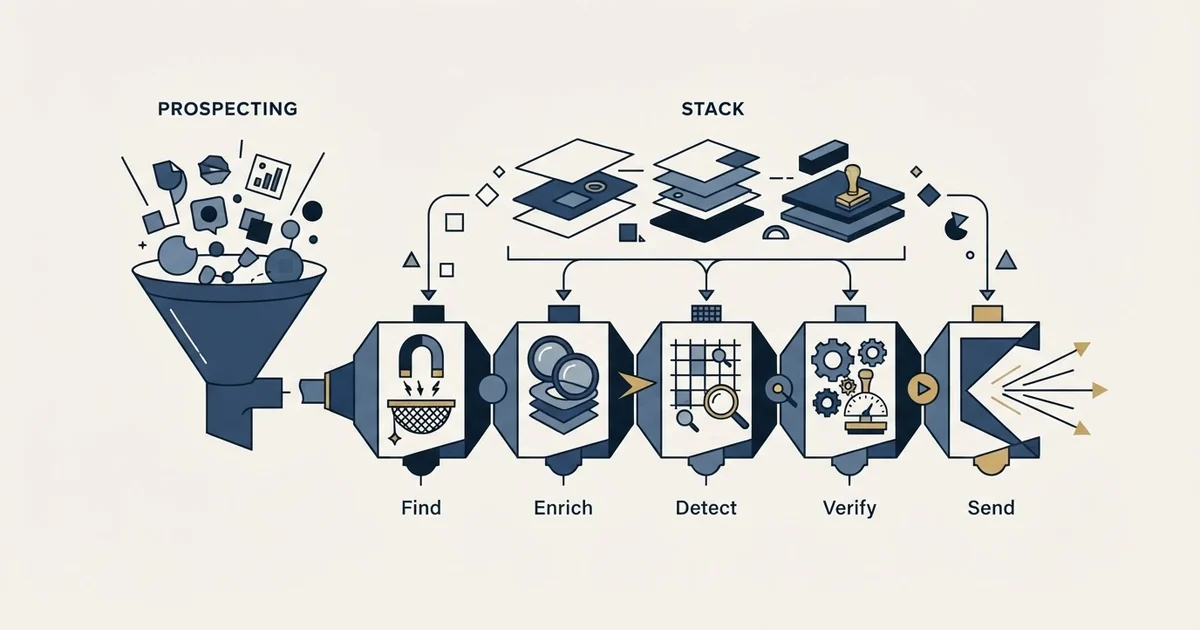
Prospecting tools perform five jobs: finding accounts and people, enriching partial records, detecting a dated reason to write, verifying addresses before sending, and sending and tracking. Most products do one well and gesture at two others, and that overlap is where duplicate spend in a stack comes from.
Key takeaways
- Map every product in the stack onto the five jobs before renewing anything. A job with two products against it is a consolidation candidate; a job with none is usually why the motion is not working, and in practice that job is detection or verification.
- Combined platforms and workflow layers blur the boundaries legitimately. Apollo sells itself as a platform spanning outbound, inbound and data enrichment; Clay describes a marketplace of 200+ providers and a waterfall that combines them, which makes it a layer above databases rather than a competitor to one.
- Buy in order: prove the play by hand, buy sending and verification first because their absence causes damage rather than inefficiency, buy the database second, and buy detection last, after a manual version of the signal has produced replies.
- Total record count is the least useful number in the category. Run fifty accounts you already know through each candidate and count what comes back correct, including small and non-US companies where coverage separates most sharply.
Reviewed and updated September 1, 2026
A team lists its prospecting stack and finds eleven products. Two of them hold the same contact records, three of them can send an email, two claim to detect the same hiring signal, and one is paid for by a department that stopped using it in March. Nothing on the list is a bad product. The stack is expensive because the categories overlap and nobody drew the boundaries before buying.
Prospecting tools fall into five jobs. Almost every product in the space does one of them well and gestures at two others, and the gesturing is where duplicate spend comes from.
The five jobs
Find the accounts and the people. A searchable database of companies and contacts, queried by firmographic filters. This is the oldest category and the one most people mean when they say prospecting tool.
Enrich what you already have. Take a partial record, a domain, a name, a LinkedIn URL, and return the missing fields. The distinguishing feature of the serious products here is that they query several providers rather than one.
Detect the reason to write. Monitor for dated events: job postings, leadership changes, technology added or removed, funding, expansion. This category is younger and the least standardised.
Verify before sending. Confirm an address will accept mail, and filter out the ones that will bounce or that exist only to catch senders. Small category, unglamorous, and the one whose absence is most expensive.
Send and track. The sending platform, the mailboxes, the deliverability layer, the reply capture. This is where messages actually leave.
Teams evaluating that sending layer separately can compare platform options in a rundown of cold email engagement platforms.
- Measured on coverage of your specific market, not total record count
- Overlaps heavily: two databases usually hold the same large accounts
- The gap shows in small and non-US companies
- Cheap to test: run 50 of your own accounts through each
- Buying two is common and rarely justified
- Measured on how quickly an event reaches you after it happens
- A signal available to everyone is a filter with a marketing name
- Some events are observable free, on the account's own pages
- Hard to evaluate without running a play manually first
- Most over-bought category in the stack
- Measured on bounce rate and inbox placement, both observable
- Verification is the cheapest insurance in the stack
- Sending platforms bundle mailbox management, warmup and reporting
- Switching cost is real: reputation lives with domains
- Under-bought relative to the damage its absence causes
Where the categories genuinely blur
Two kinds of product make the boundaries hard to see, and both are legitimate rather than dishonest.
The first is the combined platform. Apollo's own site sells it as an "AI Sales Platform" spanning outbound, inbound, data enrichment and deal execution, with the outbound solution headlined "Turn hours of prospecting into minutes" and the enrichment one as "Fuel smarter selling with always-fresh data". That is a database, an enrichment layer and a sending platform under one login. Buying it and then buying a separate sending platform is the single most common duplication in this stack, and it usually happens because the two purchases were made by different people.
Unlike a combined prospecting platform, a sequencing layer such as Salesloft assumes the data already exists and instead organises outbound and deal-progression work on top of a CRM.
The second is the workflow platform that sits above the others. Clay's site describes a data marketplace to "Buy data from 200+ providers in one place", a waterfall feature to "Combine multiple data providers for the best coverage", and a signals feature to "Track job changes promotions or other signals". A product like that is not a competitor to a database, it is a layer that consumes several of them, so the right comparison is against the manual process it replaces rather than against the providers underneath it.
The practical rule is to write down which product performs each of the five jobs before renewing anything. A job with two products against it is a candidate for consolidation. A job with none against it is usually the reason the stack is not working, and in practice that job is either detection or verification.
So the question of which tools to use resolves into which of the five jobs is currently unowned, and the answer is usually detection or verification rather than another database.
It is also the honest answer to a search for the best CRM for prospecting, because none of the five jobs is one a CRM performs, and the CRM is the record the five write into.
- Step 1Prove the play by hand
Twenty accounts, researched manually, one message each. This tells you whether the reason exists in your market before any tool is bought to find it at scale.
- Step 2Buy sending and verification first
These are the steps whose absence causes damage rather than inefficiency. Bounces and placement problems cost reputation that money cannot buy back quickly.
- Step 3Buy the database that covers your market
Tested on your own accounts rather than on a coverage claim. Fifty known companies is enough to separate the vendors.
- Step 4Buy detection last
Only after a manual version of the signal has produced replies. A feed bought before the play exists produces a dashboard nobody opens.
What to test, and what to ignore

Total record counts are the least useful number in the category, because coverage is not evenly distributed. A database with fewer records overall can be better on your specific market, and the only way to know is to run a list of companies you already know through each candidate and count what comes back correct.
The test costs an afternoon. Take fifty accounts you know well, ideally including some small, some non-US and some in awkward sectors, and check the returned employee counts, the named decision-makers and the email addresses against what you already know. The results tend to separate vendors far more sharply than their marketing does. The same method applied to the email-finding half of the problem is set out in email finder tools.
For verification, the thing to check is what the product claims to detect. MillionVerifier's site, for example, sells a bulk verifier, a real-time API and an automatic daily cleaning service, and advertises blocking "Temporary / Disposable Emails" as a distinct feature. Disposable-address filtering and catch-all handling are the two capabilities that separate verification products, and both are worth confirming on the vendor's own pages rather than assumed. When cleaning is the right answer and when it is not is worked through in email list cleaning.
Detection products are the hardest to evaluate, because the failure is silent. A feed that reports an event which is really a durable state produces a list that looks busy and behaves exactly like a filtered one, and no metric inside the product will tell you. The test is to take a sample of what it flagged, write the message each flag would justify, then delete the flag reference and read the message again. Whatever survives that deletion is what you were actually paying for.
For sending platforms, the question is rarely the feature list. It is what happens to your sending reputation when you switch, and how the product handles mailbox rotation and warmup. Those trade-offs, and how the enterprise and lightweight ends of the market differ, are in sales engagement platforms.
The tier that costs nothing
A meaningful share of the detection job can be done without buying anything, and it is worth exhausting that tier before paying for the same information.
An account's careers page carries the roles it is hiring for, usually more current than the job boards that syndicate them. Its newsroom carries funding, launches and leadership changes, published deliberately. Its product and pricing pages change visibly when the offer changes. Its integration directory names the technologies it has committed to. Conference speaker lists name the people willing to talk publicly about a problem, and the company's own social accounts announce openings and expansions before anything aggregated catches up.
The reason this tier matters is not the saving. It is that a signal you gathered yourself is not sold to everyone in your category simultaneously, and the ones that are sold to everyone tend to arrive with the same recommended message attached. Working the free tier by hand for a month also tells you the thing no vendor evaluation can: how often the event you care about actually occurs in your market. That number decides whether the paid version is worth anything, and it is the single most useful input to the buying decision.
- Yes: Which of the five jobs does this perform, stated in one sentence
- Yes: Which existing product already performs that job, and what happens to it
- Yes: Has a manual version of this play produced a reply yet
- Yes: Was coverage tested on your own accounts rather than on a published record count
- Depends: If it is a signal product, is the event observable free on the account's own pages
- Yes: Who notices, and by what measure, if this stops working in four months
The category that is mostly a label

A growing share of products in this space are sold as AI prospecting tools, and the label covers at least four different products: enrichment with a model attached, research summarisation, message generation, and an autonomous agent that does several steps unattended. They are priced similarly and they solve different problems, which makes the category name actively unhelpful when comparing two of them. The separation is drawn properly in AI lead generation tools.
The buying question that cuts through it is which of the five jobs the product performs, and what it uses underneath. A research summariser reading public pages is doing the detection job. A message generator is doing none of the five, because writing was never the constrained step.
Video prospecting tools are a similar case, one label over five different jobs, and video prospecting tools by job sorts them from each vendor's own page.
What the stack cannot fix
No combination of these products decides who your buyer is, and none of them decides whether a finding is a reason to write or merely a fact about a company. Those two decisions determine most of the outcome and neither is available for purchase. The list-building judgement that sits above the whole stack is in B2B prospecting.
One constraint on our own side is worth stating because it changes what a stack needs to do. We run one message per campaign, with no bumps and no thread replies, so the sending layer is doing far less work than in a programme built on repeated contact. What that removes from the tooling requirement, it adds to the detection and research requirement, which is the direction we would argue the money should move anyway.
Vendor capabilities verified from the vendors' own pages as of mid-2026. Verify current features and terms with the vendor before relying on them.
The short version
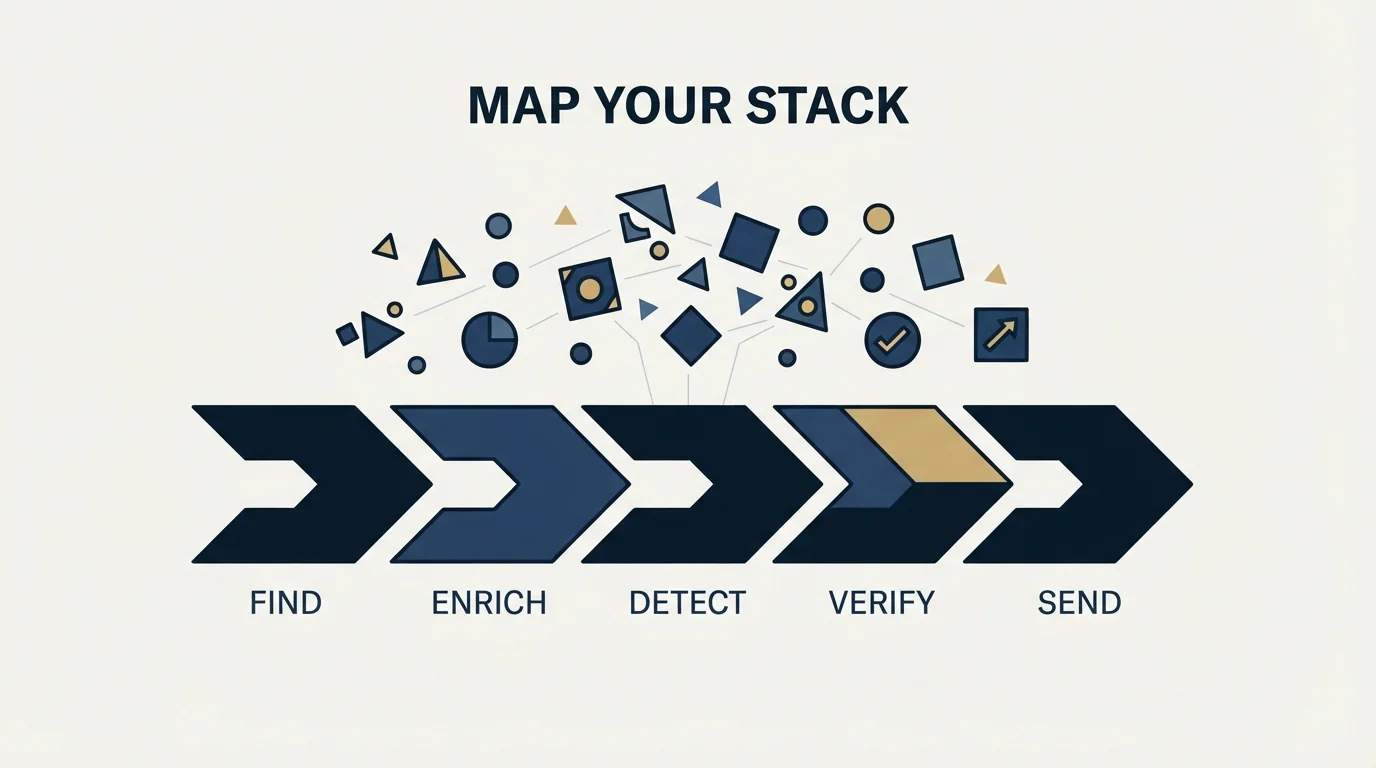
Prospecting tools do five jobs: find, enrich, detect, verify and send. Map your existing products onto those five before renewing anything, because a job with two products against it is duplicate spend and a job with none is usually why the motion is not working. Combined platforms and workflow layers blur the boundaries legitimately, so read what a product uses underneath rather than what category it claims. Buy sending and verification first, the database second and detection last, after a manual version of the play has produced replies. Test databases on fifty accounts you already know rather than on record counts. Nothing in the stack decides who your buyer is or whether a fact is a reason.
If you would rather see the motion run than assemble the stack for it, we will build a campaign against your market.
Frequently asked questions.
Frequently asked questions- What tools do you actually need to start prospecting?
- A way to send and a way to verify addresses, then a source of accounts and contacts. Detection tooling comes last, because a signal feed bought before a play exists produces a dashboard nobody opens. Twenty accounts researched by hand will tell you whether the reason exists in your market, which is the input every later purchase depends on.
- How do you compare two prospecting databases?
- On your own market rather than on published record counts, because coverage is unevenly distributed. Take fifty companies you know well, including some small and some outside the US, and check the returned headcounts, named decision makers and addresses against what you already know. The results separate vendors far more sharply than their marketing does.
- Are AI prospecting tools a separate category?
- The label covers at least four different products: enrichment with a model attached, research summarisation, message generation and autonomous agents that chain several steps. They are priced similarly and solve different problems. Ask which of the five jobs the product performs and what data it uses underneath, and the category name stops mattering.
- Does a one-message campaign need less tooling?
- Less of one kind and more of another. Our campaigns carry one message with no bumps and no thread replies, so the sending layer does less work while the detection and research layers do more, which is where we would argue the budget belongs anyway. No stack decides who your buyer is or whether a fact is a reason to write.
About the author.

B2B cold email experts helping companies generate qualified leads through done-for-you outreach campaigns.
RevenueFlow Team
Explore more.
Ready to scale your outreach?
We build GTM engines that book real meetings. See the receipts.
Related articles.
Is Clay Free? The Free Plan, the Trial and Where Each Stops
Clay's free plan, its 14-day trial and the no-charge-on-a-miss rule are three different things. What each holds and where it stops, from clay.com on 19 September 2026.
Video Prospecting Tools by Job: What Each One Is For
Ten video prospecting tools sorted by the job each vendor's own page describes: record and share, personalise at volume, avatars, hosting and interactive demos.
Seamless.AI Email Finder: How It Works, What a Credit Buys
How Seamless.AI's email finder resolves a contact in real time, what one Universal Credit buys, the Total AI score on every address, and what the Chrome extension reads.
Autobound Pricing: One-Time Credit Packs, Not Seats
Autobound's pricing page sells one-time credit packs for a signal data API, not seats. The six packs, the per-endpoint meter, and what a company costs.
Snitcher Pricing: The $49 Table Is the Annual Rate
Snitcher's visible price table is the annual-billing ladder. The ten bands at both billing states, the unique-company meter, and the rules on a help page.
Firmographic Data Providers: What Six of Them Publish
Six firmographic data providers read from their own pages: the fields each sells, the coverage each states, how the data is delivered, and who prints a price.