ZoomInfo Copilot: Three Products in One Bundle
Copilot bundles a contact database, an intent signal layer and an AI writer. Only one is testable on a trial, and ZoomInfo publishes no price for any of it.
ZoomInfo Copilot bundles three things: the ZoomInfo database, an intent and activity signal layer, and an AI layer that drafts messages and talking points. ZoomInfo's product page publishes no Copilot price, only a free trial and a contact-sales route. Test the data on accounts you know first; judge the signals weeks later.
Key takeaways
- ZoomInfo's Copilot page calls it an AI sales agent and groups nine promises under three headings, from surfacing verified decision makers to spotting re-engagement signals.
- Copilot rests on three separable assets: the ZoomInfo database, a signal layer for intent and activity, and a generation layer that drafts messages and talking points.
- The product page shows no price, tier list or per-seat figure, so any Copilot figure found elsewhere is somebody's negotiated quote rather than a rate card.
- ZoomInfo's help centre says insights about opportunities, interactions or meetings need CRM and email data connected, which no short trial can prove at volume.
Reviewed and updated September 19, 2026
ZoomInfo Copilot is sold as an AI sales agent bolted onto the data platform, and the pitch is unusually concrete for this category: it claims to tell a seller which accounts to work today, who inside them to contact, and what to say. Those are three genuinely different claims, resting on three different pieces of machinery, and they fail in different ways. Buying it as one thing is how teams end up disappointed by a product that was doing two of the three jobs perfectly well.
What the product page does not show is what it costs. There is no price on the Copilot product page, no tier list, and no per-seat figure, and ZoomInfo's pricing page refused every fetch made for this refresh. The buying route is a form.
The LeadIQ Chrome extension breakdown lays out exactly what each captured contact or account costs under its credit system, a useful contrast to ZoomInfo's undisclosed pricing.
What ZoomInfo says Copilot does
The product page titles it "ZoomInfo Copilot: Your AI Sales Agent" and groups nine promises under three headings, among them surfacing verified decision makers so "sellers don't waste dials", prioritising accounts dynamically so "priorities update in real time as new signals come in", centralising research and outreach so "email drafting, research, and sequencing live in the same workspace", and generating tailored talking points that pull "company updates, intent data, and org shifts into usable openers" (ZoomInfo, Copilot product page).
| Promise on the page | Rests on | Test it by |
|---|---|---|
| Surface verified decision makers | The data | Accounts you already know |
| Prioritize accounts dynamically | The signals | Checking back weeks later |
| Spot re-engagement signals | The signals | Checking back weeks later |
| Generate tailored talking points | The generation layer | Drafts on accounts you know |
| Automate workflows seamlessly | Your connected CRM | Real volume, after purchase |
Read against the three assets below, surfacing decision makers rests on the data, prioritising accounts and spotting re-engagement rest on the signals, talking points rest on the generation layer, and the promise that CRM fields, reminders and sequences update automatically rests on your own systems being connected.
Underneath those, three assets are doing the work, and they are worth separating because you may already own one or two.
The contact data is the ZoomInfo database, which is the same asset behind the rest of the platform and the reason most customers are there at all. If your objection to your current stack is that you cannot reliably reach the right person, this is the part that addresses it, and it is not new with Copilot.
Whether a research layer that builds a dataset on request can stand in for that database is the question the PromptLoop vs ZoomInfo comparison works through.
Unlike Copilot's server-side data lookups, how Dux-Soup runs inside your browser shows a different model where every LinkedIn action stays tied to your own logged-in account.
The signals are the intent and activity layer. This is the part that changes what a rep does on a Monday, and it is also the hardest thing to evaluate before you buy, because you cannot easily tell whether a signal was predictive without waiting to find out.
The generation layer is the AI that turns the first two into drafted messages and talking points. This is the genuinely new component, and it is the one where the claim and the outcome diverge most often, because a message assembled from correct facts can still be a message nobody wants to receive.
The pricing question, answered honestly
ZoomInfo shows no Copilot price on any page this refresh could read. The product page carries a free-trial call to action and a contact-sales route, and no figure appears anywhere on it. That is consistent with how the rest of the platform is sold, and it is the norm rather than the exception among enterprise data vendors, which is why a stack comparison has to be assembled from quotes rather than read off published rates. The complete B2B sales tool stack sets out how the pieces fit together and where the overlaps sit.
Since ZoomInfo also sells form enrichment on the same database, it's worth seeing how form data gets auto-filled and where that convenience quietly costs you accuracy.
Two practical consequences follow. First, any per-seat or per-record Copilot figure you find on a comparison site came from somebody's quote or somebody's guess, and a quote is specific to a company size, a contract term and a negotiation. Treat it as a data point about that buyer, not as a rate card. Second, because the components above are bundled, the thing being priced is a package, and the lever in the negotiation is which parts of the package you actually need. A team that already has good contact data is buying signals and generation, and should say so.
What to test, in the order that settles the decision
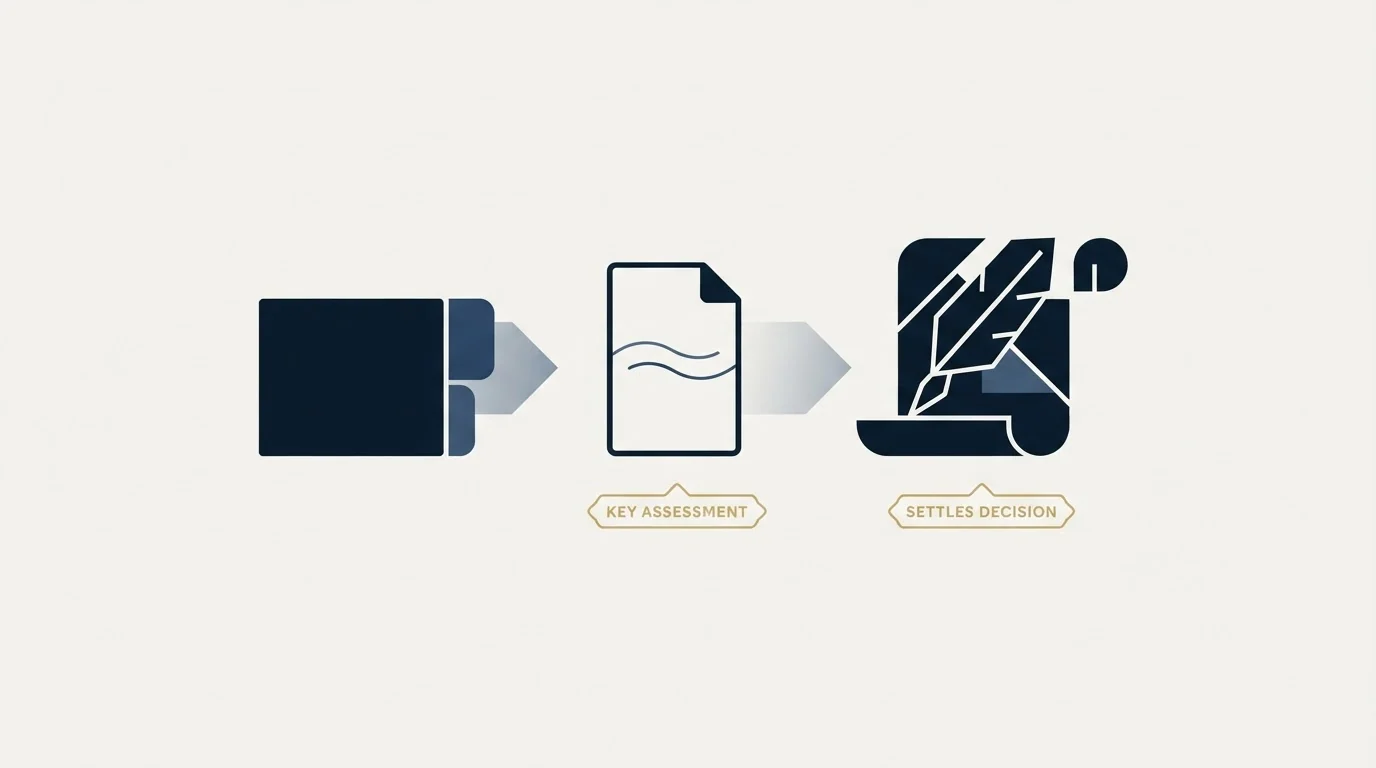
The evaluation sequence matters, because the easiest component to demo is the one that tells you least.
Start with data, because it is the only part you can measure objectively before signing. Take a list of accounts you already know well, ideally ones where you know the current decision maker by name because you have spoken to them. Ask what share of those the tool resolves correctly, and specifically how it handles the people who changed jobs in the last six months, since staleness rather than absence is the usual failure. Our own approach to that check runs new addresses through a verification waterfall before anything is sent, and the same discipline works as a vendor test, because each stage of a waterfall of email verification tools proves something different.
Then test the signals, and accept that you are testing them weakly. Ask for accounts the system currently rates as high intent inside your own territory, write them down, and check back in six weeks. That is a slower answer than a trial period allows, which is why the honest version of this evaluation borrows evidence from existing customers rather than pretending a two-week trial settles it.
Test the generation last, and test it on accounts where you can judge the output. Fluent, factually-grounded and worth sending are three separate bars, and a demo account you know nothing about only lets you check the first.
Test the data
On accounts where you already know the decision maker by name, watching recent job changers.
Write down the signals
List the accounts rated high intent in your territory today and check back in six weeks.
Judge the drafts
Only on accounts you know well enough to catch a plausible-sounding error.
Price the parts
Ask which components you are being charged for, since the bundle is the unit of sale.
One message per campaign, and the follow-up feature
One of the four promises on the product page is worth naming separately, because it describes a practice we do not run. ZoomInfo's page says Copilot "flags when a prospect has re-engaged or gone quiet, so reps follow up at the right moment", and that automated follow-up is presented as a headline benefit.
That is the vendor's feature and the vendor's claim, and plenty of teams operate that way. Our own documented practice is the opposite: one message per campaign, with no bumps and no thread replies. Where a contact goes quiet, we do not send a second message under the first one. The motion we do run is a new campaign on a new angle when a genuine signal appears, which is a different thing from a cadence that fires because a timer elapsed.
That distinction matters when evaluating a signal product, because it changes what you are buying the signals for. If follow-up automation is the value, you are buying a cadence engine. If the signal is what triggers a fresh, differently-argued approach, you are buying targeting, and the quality bar on the signal is much higher.
What a trial can and cannot show you

The free trial on the product page is genuinely useful for one thing and misleading about another, and knowing which is which saves a quarter.
It shows you the interface, the data coverage on your accounts, and the quality of the drafted output. Those are real answers, available quickly, and they settle whether the product is pleasant to use and whether the database knows your market.
It cannot show you whether the signals are worth paying for, because that requires watching flagged accounts long enough to see whether they behaved differently from unflagged ones. A trial window is shorter than a B2B buying cycle by design. Anyone concluding from two weeks that the intent data works has concluded that the intent data produces plausible-looking output, which is a different and much weaker finding.
It also cannot show you the integration burden. The value of the CRM writeback, which the product page describes as CRM fields, reminders and sequences updating automatically, depends entirely on whether your fields, your ownership rules and your deduplication logic survive contact with an automated enrichment source, and that only becomes visible once real volume flows through it. ZoomInfo's help centre adds one more thing a trial will not show on its own: Account Summaries can draw on first-party data, including CRM entries, emails and recorded interactions from tools like Chorus or Gong, and while the summaries work without that integration, it is necessary for insights about opportunities, interactions or meetings. The general shape of that problem, and the rules that decide whether you end up with duplicates, is worth reading in advance because it is the same across data vendors: Apollo and HubSpot deduplication works through a concrete version of it.
Where Copilot fits, and where it does not
It fits a team already on ZoomInfo, with reps who have too many accounts and no reliable way to rank them, where the bottleneck is genuinely deciding whom to work rather than reaching them. That team gets the most from the signals layer and can absorb the generation layer as a convenience.
It fits less well where the underlying problem is the offer or the list definition. An AI that drafts personalised openers against a poorly-defined ICP produces well-researched messages to the wrong people faster, which is not an improvement. The discipline that fixes that sits in the writing rather than the tooling, and how to write a cold email when it is the only one you send is the version of it we actually run. It fits less well again where the data itself is the objection, because Copilot sits on the same database as the rest of the platform, so a data complaint is a platform complaint rather than a Copilot one.
The short version

Copilot bundles three things: the ZoomInfo database, an intent and activity signal layer, and an AI generation layer. Separate them before you evaluate, because you may already own the first and the third is the one whose demo tells you least. Its product page shows no price, so every figure you find elsewhere is somebody's negotiated quote rather than a rate. Test the data against accounts you know, borrow evidence on the signals from existing customers rather than a short trial, and be clear with yourself about whether you are buying targeting or a follow-up cadence, because those are different purchases.
Want a targeting layer where the accounts and the message are agreed against written criteria before anything sends? Get a free campaign plan and we will walk through how it is built.
Pricing and features are taken from the vendors' own pages. ZoomInfo publishes no Copilot pricing on its product page. Verify current terms with the vendor before relying on them.
Frequently asked questions.
Frequently asked questions- What is ZoomInfo Copilot?
- ZoomInfo's product page calls Copilot an AI sales agent. It combines the ZoomInfo contact database, a layer of intent and activity signals, and AI that drafts emails and talking points, with account summaries and a chat assistant. The pitch is that it tells a seller which accounts to work today, who to contact, and what to say.
- How much does ZoomInfo Copilot cost?
- ZoomInfo shows no Copilot price on any page this comparison could read. The product page carries a free-trial call to action and a contact-sales route, and no figure appears anywhere on it. Any per-seat number on a comparison site came from somebody's quote or guess, and quotes depend on company size, contract term and which parts of the bundle you buy.
- What should you test in a ZoomInfo Copilot trial?
- Test the data first, on accounts where you already know the decision maker by name, watching recent job changers. Write down the accounts the signals rate highly and check them again in about six weeks. Judge drafted messages only on accounts you know well enough to spot a plausible-sounding error.
- Does ZoomInfo Copilot need your CRM connected?
- Partly. ZoomInfo's help centre says Account Summaries work on ZoomInfo data alone, but insights about opportunities, interactions or meetings need your CRM and email data integrated. The summaries can also draw on recorded interactions from tools like Chorus or Gong, so the value grows with what you connect.
About the author.

B2B cold email experts helping companies generate qualified leads through done-for-you outreach campaigns.
RevenueFlow Team
Explore more.
Ready to scale your outreach?
We build GTM engines that book real meetings. See the receipts.
Related articles.
Which CRMs and Tools the Outbound Stack Connects To: Integration Data From 342 Sales Tools
HubSpot is named as an integration by 52.3% of 342 verified sales tools, Zapier by 50.3% and Salesforce by 43.3%. Here is the full map by category.
Sales Engagement Platform Pricing in 2026: What 61 Tools Charge and Which Hide It
Sales engagement platforms start at a median of $75 a month, 70.5% carry a quote-only tier, and AI SDR platforms start at $204.50. Data from 61 verified tools.
Video Prospecting Tools by Job: What Each One Is For
Ten video prospecting tools sorted by the job each vendor's own page describes: record and share, personalise at volume, avatars, hosting and interactive demos.
What Cold Email and Sales Tools Actually Cost in 2026: Pricing Data From 386 Vendors
RevenueFlow's verified dataset of 386 sales tools puts the median starting price at $39.98 a month. Here is the spread by category, tier and billing model.
Annual vs Monthly Billing: How Much Sales Tools Discount for Paying Yearly
Across 112 verified sales tools with both rates on record, the median discount for annual billing is 20.0%, and it only pays off after month 9.6.
LinkedIn Chrome Extensions, Sorted by the Job They Do
The category holds four unrelated products. Which job each extension does, what six vendors publish about their own, and what none of them change.